QBP: Ability to delete ALL business categories (edited)

Regarding the Idea Post at the bottom, I see it's closed and indicates that it was "Completed". Still, I find that these three (3) can't be deleted or the category name can't be edited.
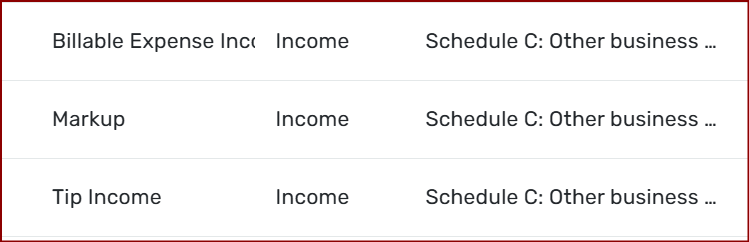
Instead, when I click on them, it shows this…
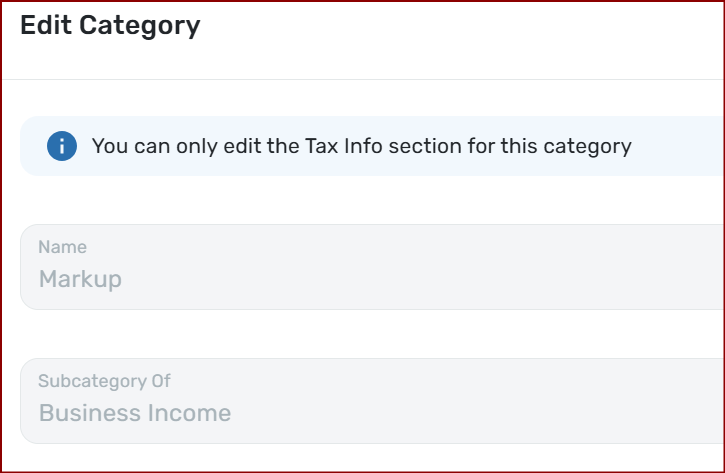
I also don't see the ability to "Disable" them; truth be told, I don't see a way to "Disable" ANY Category. Maybe the original poster meant Delete?
For easier data entry, I'm adding a blue dot to all my business categories.
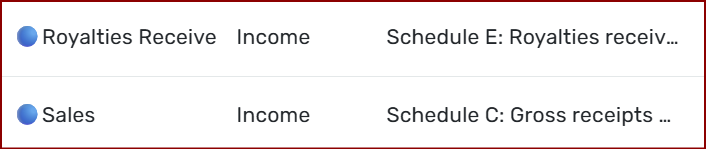
For any that I truly don't need, I want to do this Maybe someday I'll build up the nerve to delete them outright.
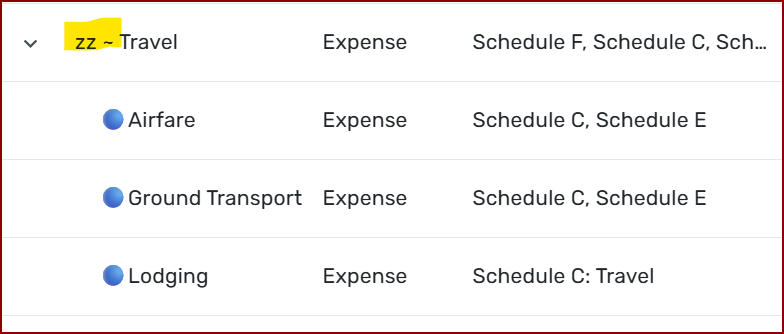
Has anyone else found they can't edit/delete these three specifically?
Chris
Quicken Simplifi user since 2021.
Quicken Desktop user since 2014.
Spreadsheet user since forever.
Comments
-
Here's what I was told: "Tip Income" is one of the business categories that cannot be deleted in Quicken as it's considered essential for business features. Other non-deletable categories include Business Income, Billable Expense Income, Discounts Given, Markup, Commission & Fees, Processing Fees, Office Expenses, Postage & Shipping, Other Expenses, and Bad Debt."
AAAAAAARRRRRRGGGGGHHHHH!
I don't have Tip Income, Discounts, Markup, Commissions, Processing Fees, or Bad Debt. I have my own chart of accounts. It is pretty long. These unwanted categories add clutter in what is supposed to be a simpler interface than QuickBooks Online, from which I transferred. Why are these categories non-deletable? Why?? Why?????
1 -
I upvoted this even though I don't use QBP because I think the user should be able to arrange his categories as he pleases and to change the names of same and delete same.
I hadn't seen this until Coach Jon mentioned it.
Steve
Quicken Simplifi (Safari & iOS) Since 2021
Quicken Classic (MacOS) Since 2009
MS Money (1991-2009) and Dollars & Sense (1987-1991)1 -
I would be just as happy (perhaps happier) with a way to hide business categories.
I use Spaces, and one space is all Personal while the other is all Business. Hiding the inapplicable categories on a Space-specific basis would simplify Category assignment and filter setting, and would avoid category name conflicts.
DryHeat
-Quicken Classic (1990-2020), CountAbout (2021-2024), Simplifi (2025-…)1 -
Definitely agree with @DryHeat that we need a way to hide business categories. Since the original post bank in June, I’ve separated my personal and business finances into different spaces. I’d love to just hide the personal categories in the business space and hide the business categories in the personal space. Right now, they just clutter up things.
Chris
Quicken Simplifi user since 2021.
Quicken Desktop user since 2014.
Spreadsheet user since forever.1 -
If you want to hide all Business or all Personal categories you might want to vote for this suggestion.
My original title for it made it clear that I wanted to hide all business or all personal categories, but the title was changed so that idea doesn't really come across anymore. Nonetheless, that's what it's about.
DryHeat
-Quicken Classic (1990-2020), CountAbout (2021-2024), Simplifi (2025-…)1 -
I recently downgraded from Business to Personal. I don't understand why I still have to negotiate around some of the Business categories. I can delete some Business categories, but not all. I find it annoying to still have to negotiate around the remaining Business categories that I will never use. I never posted anything to those categories, so why shouldn't I be able to delete them?
1 -
I want to update this thread with the list of Business Categories that I am currently unable to delete from the Space (in QBP) where I only have Personal accounts and transactions.
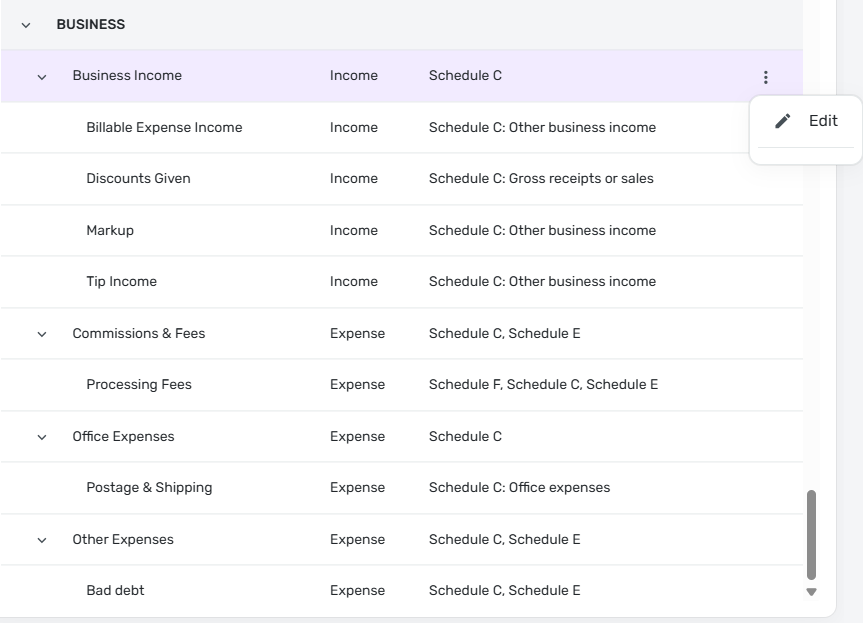
I'm not sure why QBP considers these Categories indispensable. Perhaps they are used in some process that would fail if they were missing. But in any event they cannot be deleted.
DryHeat
-Quicken Classic (1990-2020), CountAbout (2021-2024), Simplifi (2025-…)0 -
I too prefer they let you delete any categories you don't want to use, but if for some strange reason one or two are needed (I cannot understand why) then at least let us hide them.
I wish I could upvote more than once.
Steve
Quicken Simplifi (Safari & iOS) Since 2021
Quicken Classic (MacOS) Since 2009
MS Money (1991-2009) and Dollars & Sense (1987-1991)1


