Advance Rules broke most existing rules for Income.

Advance Rules broke most existing rules for Income. It seemed to only be a problem for subcategories I added to Personal Income so I made the subcategories that didn’t work, main categories but It did not help. I have tried editing the rule, creating a new rule, using different options. Noting I tried worked. The web app is not finding the transactions when I create or edit the rule. Example: I make rule to change the category for SS to DeeSS from a transactions which worked great. After Advance Rules, it defaults to Pay Check. Before I manually corrected most others were defaulting to Personal income. I copy the Payee and past it into a new rule and select the category to change, tried contains and exact, etc. nothing I tried finds the rule when I continue. Any suggestions
Comments
-
It's best to start by looking at just one rule that isn't working and at one transaction that you think it should be finding and modifying.
It would help if you posted an image of the rule definition, like this:
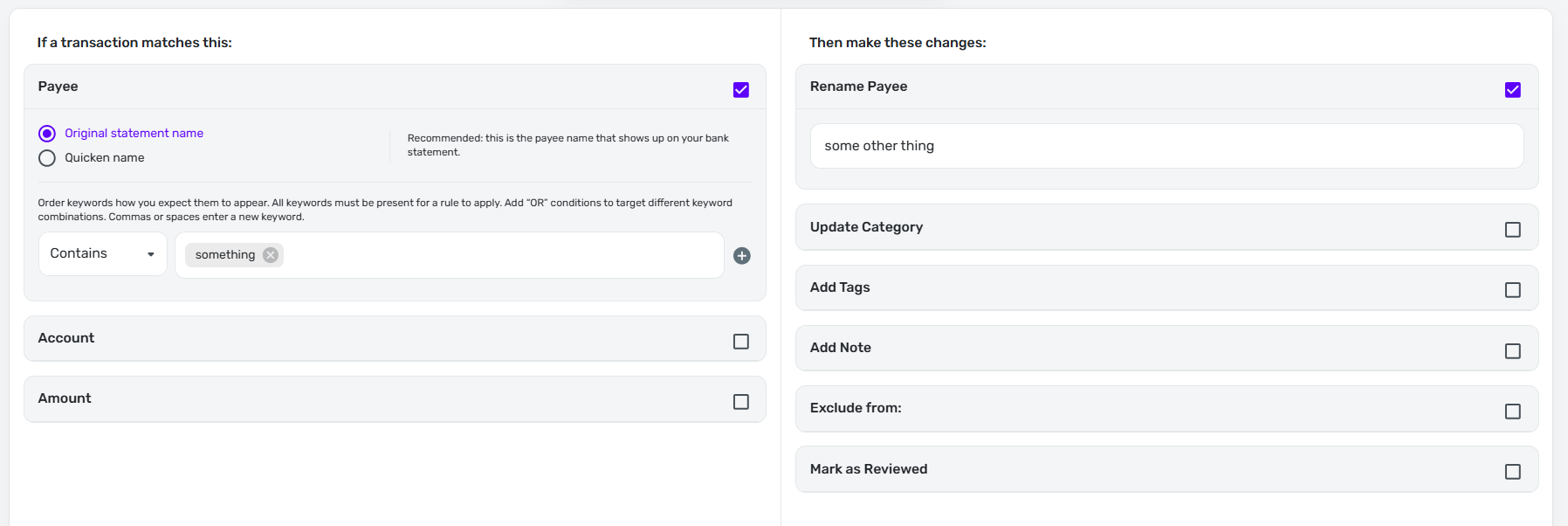
And an image of the transaction that you think should be in play, like this (I've blanked out info on mine, but you will have to leave visible whatever info on the transaction is used by the rule):
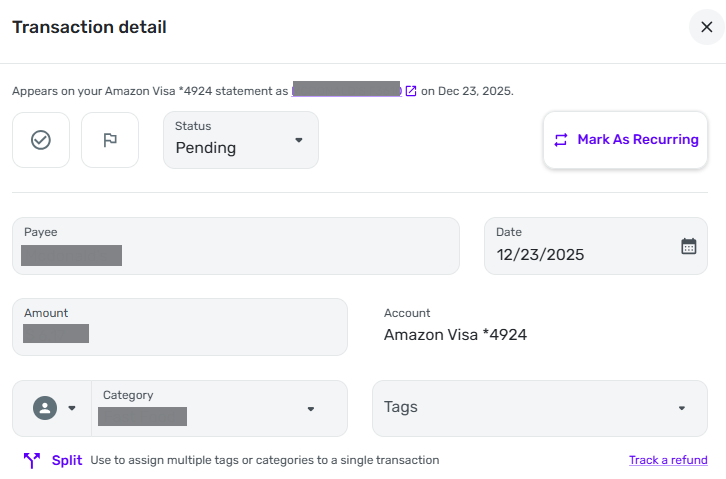
(That may seem like overkill, but descriptions of what is in a rule or transaction can always be confusing.)
DryHeat
-Quicken Classic (1990-2020), CountAbout (2021-2024), Simplifi (2025-…)0 -
Thanks for the reply. Yesterday I spent 3 hours on the phone with support. I had been working mostly with only one rule for several days. Support ask me to repeat most of what I tried already tried like creating new rules and different parameters for the rule before he connected me to level two. They were able to duplicate the problem on their end but needed log file and screen shots to send to the engineers. They seemed very eager to get the problem corrected. I think everyone has the same problem. It started 2 months ago when I noticed zero's for income categories listed in the income-expense report. The correct income was listed in Personal Income. I had made subcategories under personal categories and the rule that had worked for about a year was not changing my categories. I thought if I made the subcategories a main categories it would fix the problem. I waited almost a month for another deposit which had the same issue. I later discovered that creating new rules or nothing would fix the problem. However most of my other rules are working as they should. I think the problem has something to do with subcategories.
1 -
Hello @N4KHQ,
Thanks for letting us know! I do see the ticket that was reported from your time working with support. They should keep you updated as they work on a resolution for the issue going forward, so be on the lookout for correspondence in the meantime.
-Coach Jon
-Coach Jon
0 -
Just a little more information. The only rules I have found broken and using the default instead of rule category is 5 rules that I made from subcategories of I added to Personal Income. I moved the subcategories to main category trying to fix the problem but it did not help. If I click a transaction from a broken rule and create a new rule and click continue. The app does not find the any transaction records. However all other transactions records allows the same procedure to find records and create the rule. In other words it appears creating rules works fine except for the transactions where the rule quit working.
0

