Should I make Valic/AIG Accounts Manual? How do I update the value manually? (edited)

After Valic/AIG security breach about a year ago, I have had nothing but grief trying to stay connected. I have been waiting for a fix from support for almost a month. I have received fixes in previously but they only last about a month. All I want to see if the Balance page that shows increase for a previous period of time. I have never seen a transaction for the 3 investment accounts. If I make them manual how would I update the account with it current value.
Best Answers
-
@N4KHQ, thanks for posting your inquiry to the Community!
When it comes to investment accounts, Investment Transactions don't impact anything, such as the account balance. To update the value of the account, you'd need to maintain the holdings in the Portfolio.
Here is our help article on using the Investments feature in Quicken Simplifi:
And here is an article on how investment balances update in Quicken Simplifi:
As for tracking the account manually, that would be a personal preference. I think I, personally, would opt to track any account manually that has a connection issue. I even track my Chase Amazon account manually since I can't maintain the connection between Quicken Simplifi and Quicken Classic (as soon as I update in one, it becomes disconnected in the other). It seems easier to me to add manual transactions than to reconnect several times a day.
I hope this helps!
-Coach Natalie
0 -
@N4KHQ, thanks for the reply!
To have a balance for a manual investment account, you must add/edit holdings in the Portfolio.
- Launch Quicken Simplifi
- Select the investment account from the Accounts List
- In the Portfolio tab, add or edit the holdings in the holdings table
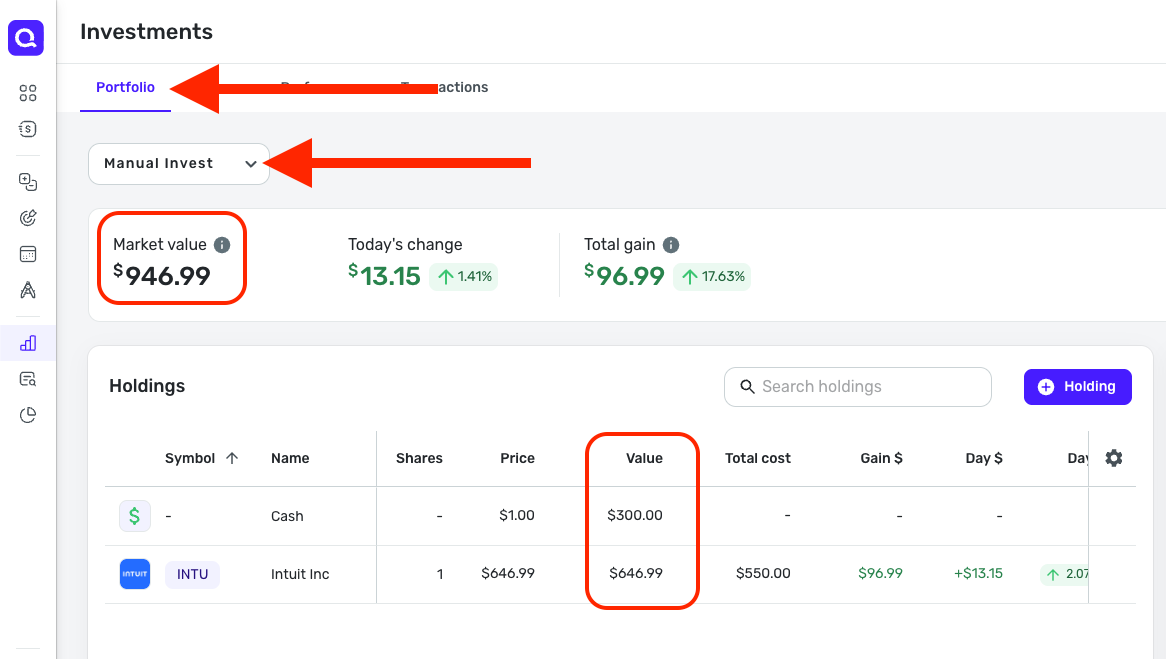

The reason my Accounts List balance is slightly off from the Market Value in the Portfolio is due to the delay in aggregation of investing data (nightly updates are performed), which is explained in the support article I shared above.
To add a holding:
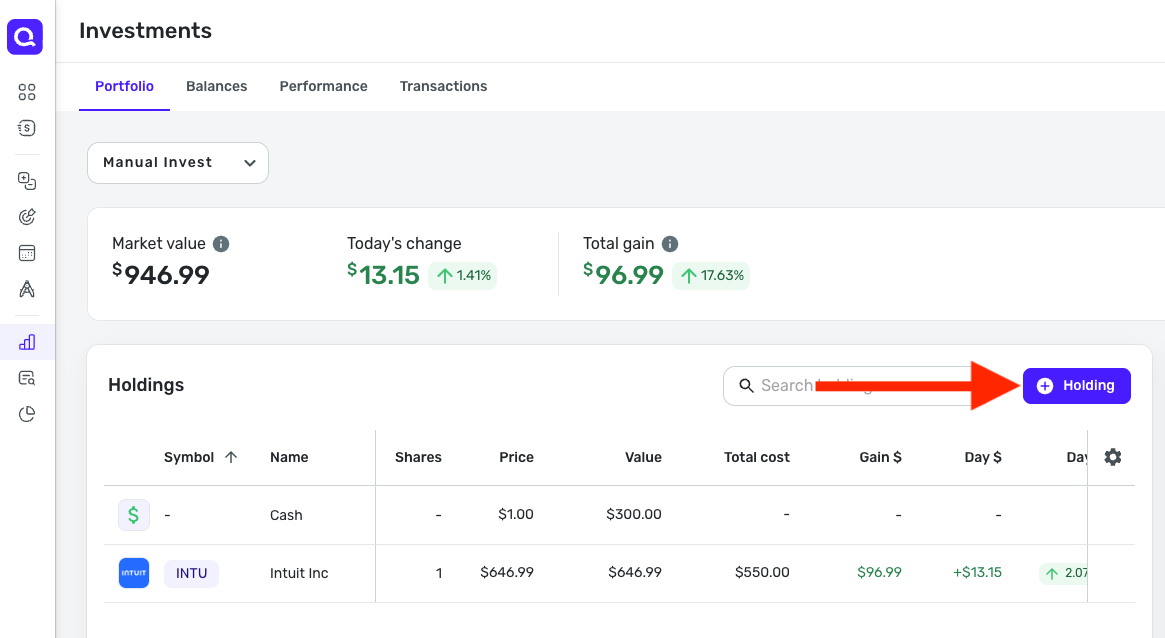
- Click the + Holding button
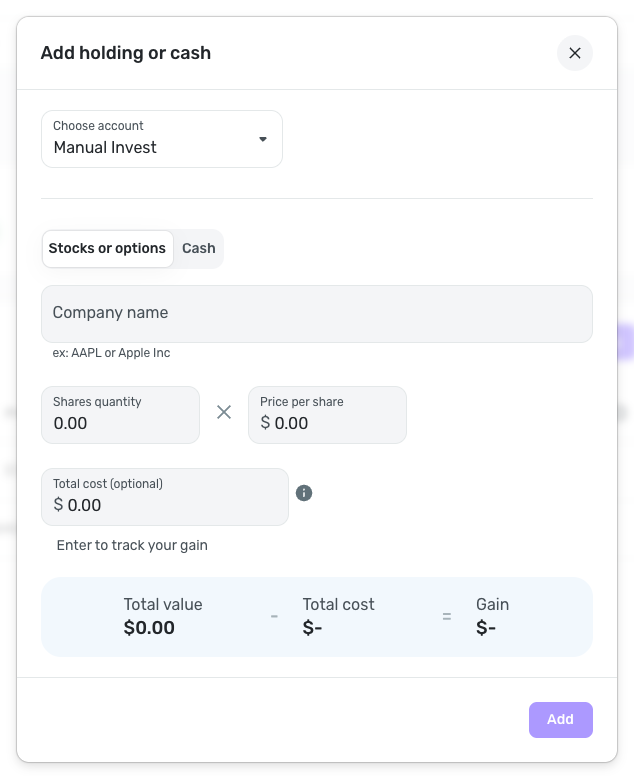
- Enter the details, such as the ticker, shares, and price per share
- OR click the Cash tab to add a cash value to the account
- Click Add when done
To edit an existing holding:
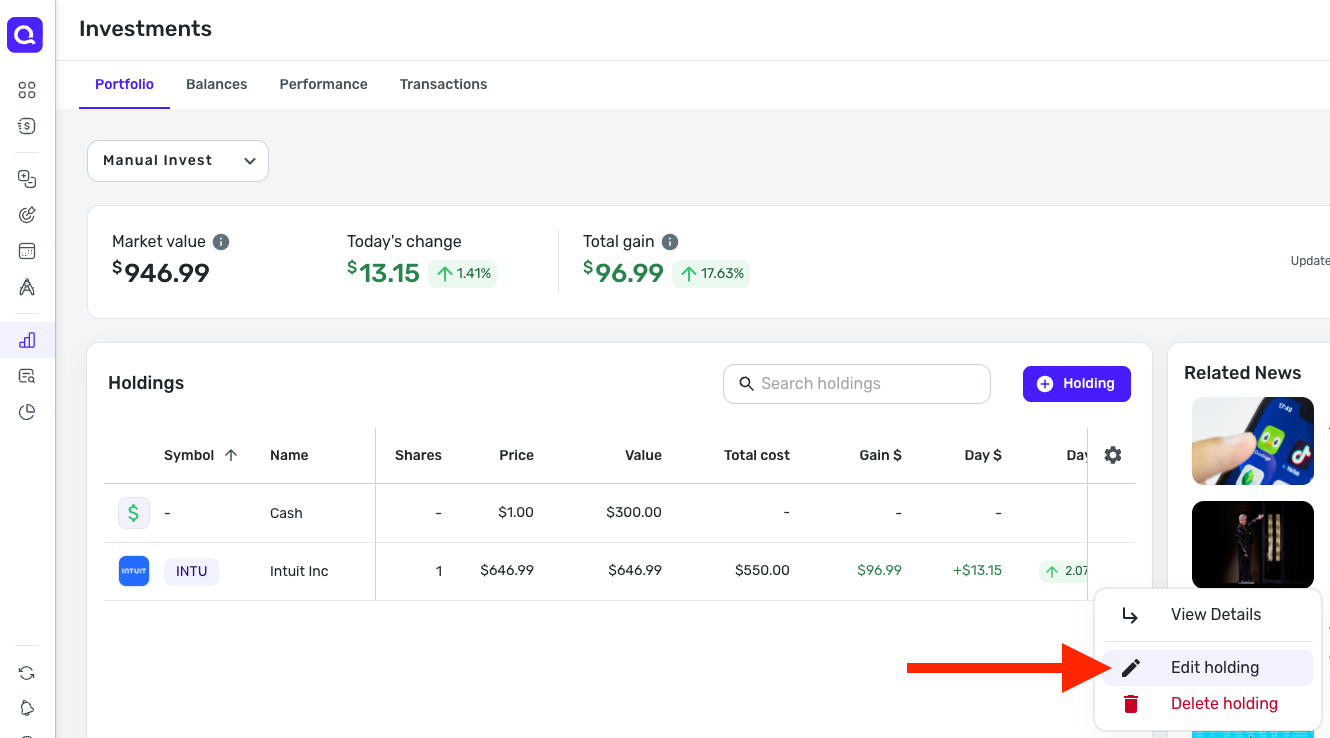
- Locate the holding, hover over it, and click the three dots at the end of it
- Click Edit holding or Edit cash (whichever applies)
- Make the changes and click Update when done
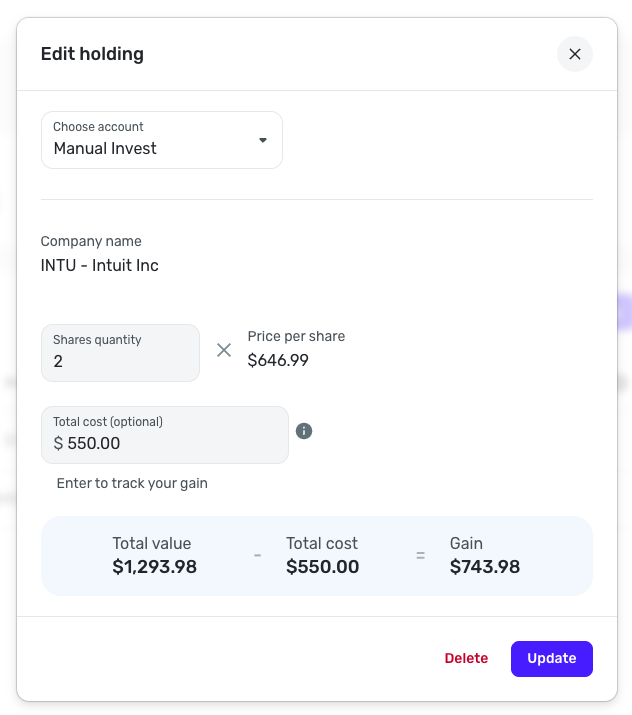
I hope this is more detailed for you! Let us know if you have any further questions.
-Coach Natalie
0

Answers
-
If I try to add transaction, there is no Current Value to select, Buy, Sell, etc.
0 -
I have read the articles but I still don't have a clue how to manually add the current value of the account. When I was connected, the account showed the accounts balance. If I go to the AIG webpage, the main thing they show is 3 balances for the 3 accounts. I could go to balance and it would show me the increase for a month or 3 month or what ever I selected if I had been connected during the time frame. I think Simplifi must be keeping a Dailey balance to show the balance on the graph each day but I can't find a history of the balance. How can I enter the current balance and get the balance page to show me the difference between the amount now showing from month ago. I made one account manual
0 -
Thanks Coach Natalie, It worked for the first account I tried. I had one holding with 0 shares but I could not edit the amount or change it to cash. Done was grayed out and clicking it had no effect. I added a new holding with the current balance and it added the two together. I deleted the old holding and checked the balance and nothing changed. However this morning I checked and Balance page is working great. Thanks again. I assume if support gets my connection going, I can link to the manual accounts.
0 -
Sorry for so many questions. The second account had about 20 holdings. Do I need to delete those holdings and add one cash holding? Thanks
Never mind on the above question. I deleted the holding and added a cash holding and it working. The 3rd and final account had no holdings to delete so I just added one and Balance is working for all 3.
0 -
@N4KHQ, I'm glad to hear you got things worked out! Please let us know if you require any additional assistance.
-Coach Natalie
0 -
If you understand it is simple, if you don't it complicated. I sorter of understand it now. It is obvious the Balance Page is keep track of total value by date such that you see an increase or decrease for a date range. It would be nice if we could view the holdings value by date but Balance Page does what I need. If you make the account manual, from profile delete all holdings and add one cash holding for the current value of the account, I think it treats it just like a down and if it changes the app will save the date and amount.
0