Rocketmortgage account keeps re-appearing after i delete it (edited)

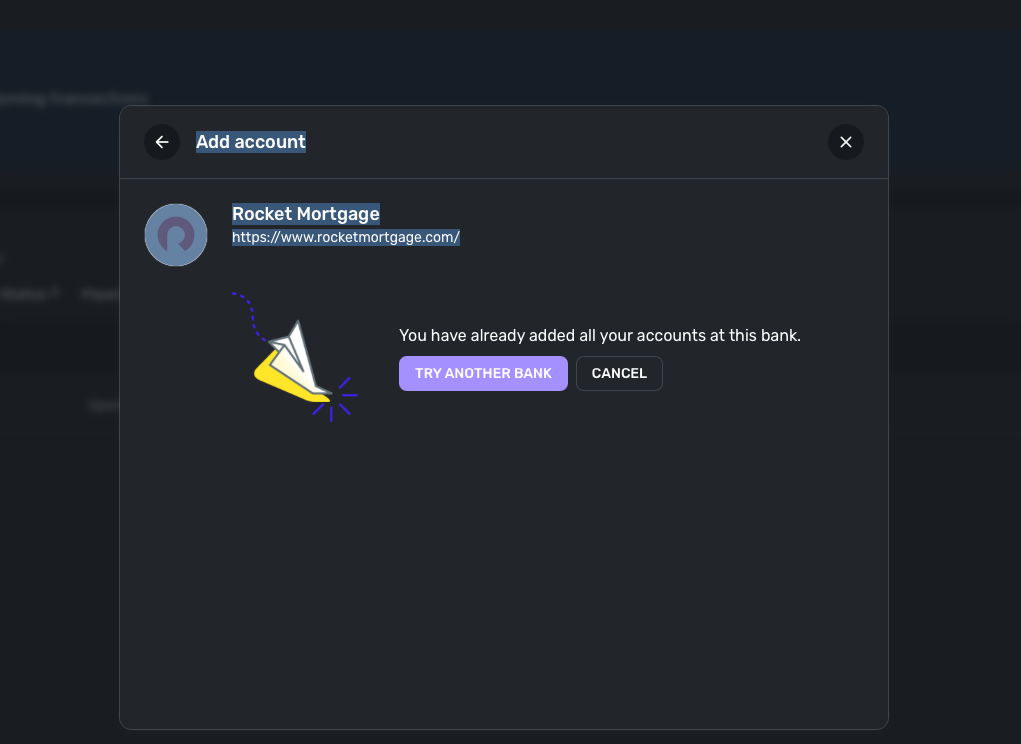
I'm trying to add my rocketmorgage account to my 'liabilities' section of the app and when i do so, i add the rocketmorgage account and it says i've already added this bank as an account. So then i find the account in the 'accounts' section in settings, and delete it. when i try and re-add it in the liabilities section, it says it's already added (AGAIN). when i check accounts section, it's still there . Why does the account keep re-appearing after I delete it
Comments
-
Hello @neckpillow,
Thanks for reaching out! That is certainly a strange issue. I would see if you can remove the account from Settings > Accounts, then sign out and back in to Quicken Simplifi. After you have signed back in, navigate back to Settings > Accounts, and verify if the account is still showing up there. If that doesn't work, possibly try the same steps from another web browser/incognito mode. Let us know how that goes!
-Coach Jon
0 -
Same result. I've 'reset connection' and everything. even though rocketmorgage shows up in 'accounts' under settings, i don't see it anywhere in my dashboard or anywhere in simplifi really besides the settings → accounts section. Can someone from quicken assist ?
0 -
Hello @neckpillow,
Can you confirm if you tried in a different web browser/incognito mode? If you have the Quicken Simplifi mobile application, does the account appear there in Settings > Accounts as well? If it does, does deleting it there work to resolve the issue?
-Coach Jon
0 -
yes i tried safari incognito vs the original method which was google chrome. That wouldn't matter as the data is reloaded upon login, i doubt cookies would come into play with this
 0
0 -
the behaviour is also the same no matter if i use the webpage or the desktop app or mobile
0 -
Hello @neckpillow,
Thanks for the reply. May we have a screenshot showing the account in Settings > Accounts, please? A screen recording showing the account being deleted, and then showing up in Settings > Accounts, would also be great if you could provide that for us.
Additionally, we will need to know the web browser, operating system, and their respective versions, as well as for logs to be sent, please. Here are the instructions to do so:
- Log in to the Quicken Simplifi Web App.
- Select Profile from the left-hand navigation bar.
- With the Profile menu open, hold down the Option key for Mac or the Alt key for Windows, and then click Send Feedback.
- Leave all boxes checked, add a brief description of the issue, and then click Send.
You may feel free to send this information via DM to me if you prefer!
-Coach Jon
0 -
Hello @neckpillow,
Thanks for the DM! It looks like we still need the following information, if you can provide it and let us know. We need the web browser, the operating system, and their respective versions, please.
-Coach Jon
0 -
Google Chrome (Version 143.0.7499.193 (Official Build) (arm64)
MacOSX Tahoe 26.1
0 -
Hello @neckpillow,
Thank you for the information! I did get this issue escalated to my product team and will be sure to follow up when we have any status updates here.
SIMPL-31247 // QCS-22975
-Coach Jon
1 -
Hi. just looking for any updates here. This is really skewing my total accounts view here. Until this is resolved all my numbers are off and kind of annoying really. making me look at alternatives.
0 -
Thank you for the follow-up,
The tickets are currently still open and ongoing. No new updates are available yet.
Thank you!
-Coach Kristina
0

