Coinbase Amex American Express Credit Card

Coinbase has recently offered a rewards credit card powered by Amex. This is not currently accessible through the Coinbase API and therefore I can't bring in my transactions.
Comments
-
https://login.coinbase.com/
0 -
The problem is that Coinbase doesn't expose this card on their website, or in their API. Essentially, Quicken can't see this card.
There really isn't much Quicken can actually do about this, but the way this issue is being handled in public support forums isn't great. It is really disheartening to see just how many threads about this card get a response of "oh we support Coinbase" from the mods, only for the OP to have to go back and explain that it's the credit card specifically they're having problems with.Yes, general support for Coinbase works (although often shows crypto as stocks with the same ticker, but that's another story), but this credit card is not supported. Yes, the old Coinbase cards did work to some extent, but this new "Coinbase One" card (the Amex one) does not work. No, there is no way to access this card's transactions through the issuing bank or Amex's websites or API.
Could you consider getting word out to all the mods on this problem, so future users complaining about this issue can at least get a straight answer, rather than having to go though the back-and-forth only to find out that their problem can't possibly be solved by Quicken?1 -
Hello @ThoolooExpress,
Thank you for the information! If you would like, we can work on getting this issue escalated to our product team so that they can verify what can be done going forward for this issue. We would need the following information:
- Has there been any activity in the account in the last 90 days?
- Is the account considered an external account (i.e., are you redirected to a different website when selecting the account on the bank's website)? If so, what URL are you redirected to?
- Is the account a subtype of a different account?
- Has the bank made any recent changes to its website or sign-in process?
- Are you the owner of the account?
- The name of the account, as it appears on the bank's website.
- A screenshot of the Accounts Summary page from the bank's website that has a wide enough scope to show the full page URL. This is the landing page after signing in, and typically lists all accounts and balances. You will want to take this from a web browser and not a mobile browser, as well as redact any private info such as account numbers.
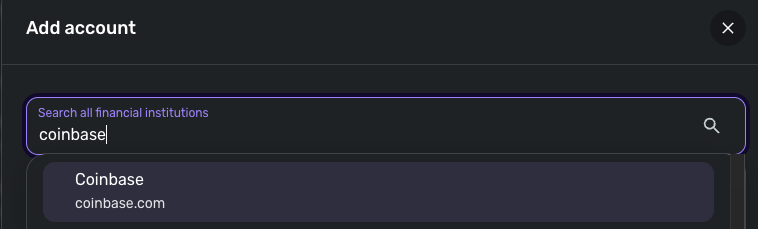
- A screenshot of the Add Account screen in Quicken Simplifi showing that the account in question is missing at account discovery.
We would also need logs to be sent:
- Log in to the Quicken Simplifi Web App.
- Select Profile from the left-hand navigation bar.
- With the Profile menu open, hold down the Option key for Mac or the Alt key for Windows, and then click Send Feedback.
- Leave all boxes checked, add a brief description of the issue, and then click Send.
You may feel free to send me this information via DM if you prefer!
-Coach Jon
0