iPad App: Ability to Collapse the Accounts List in the Transactions View (edited)

The number one thing I spend time doing in this application is reviewing and approving transactions as they come in. My preferred place to do this is on my iPad.
On the web version of the app there's a little carat icon that allows you to collapse the accounts list to focus solely on the transaction grid. For some reason the account list in the transaction view on the iPad is not able to be hidden, instead taking up a fixed 40% of my screen in portrait orientation.
Please add the ability to hide the accounts list while in the transaction view on the iPad
Comments
-
Hello @DGAzr,
Thanks for reaching out! I converted your feature request into a discussion to get a bit more information first on the issue being reported here. Can you please share a screenshot from your iPad showing the issue from your side? Can you also clarify whether you are using the mobile application or a web browser on an iPad?
-Coach Jon
1 -
If you are using the iPad app, you cannot hide the account list column, but you can hide the Menu column by hitting the 3 parallel bars at the top left. You probably know this, but just in case.
On my 2025 iPad, that gives me enough room to work.
Steve
Quicken Simplifi (Safari & iOS) Since 2021
Quicken Classic (MacOS) Since 2009
MS Money (1991-2009) and Dollars & Sense (1987-1991)1 -
Thanks for the suggestion Steve, I have definitely been collapsing the menu.
Jon, I’ve included a screenshot from my iPad here. This is using that native iPadOS app, not the web version via Safari.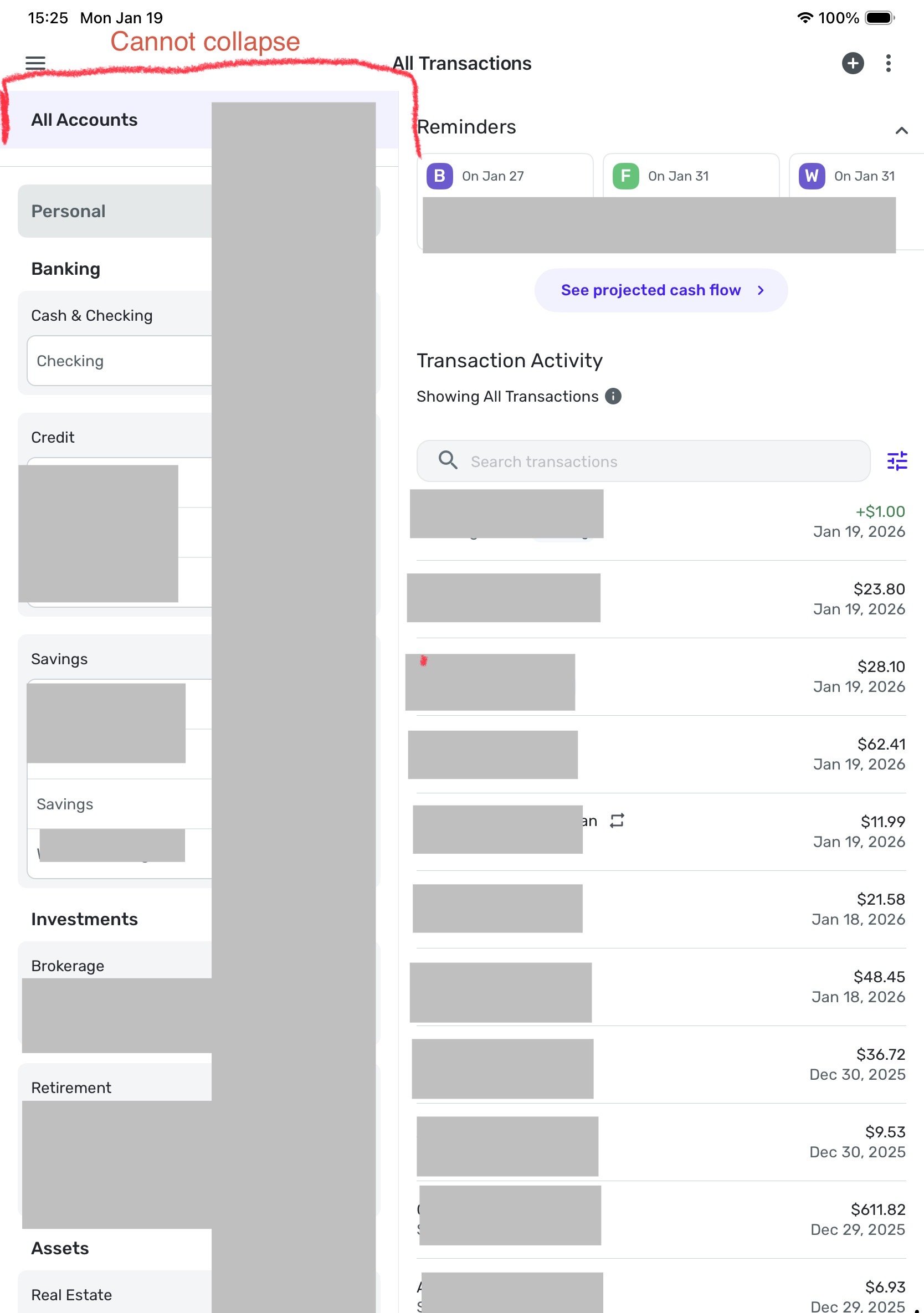 2
2

