Income Series Plan - Changed from Income to Bill and won't change back

Income Series Plan - Changed from Income to Bill and won't change back.
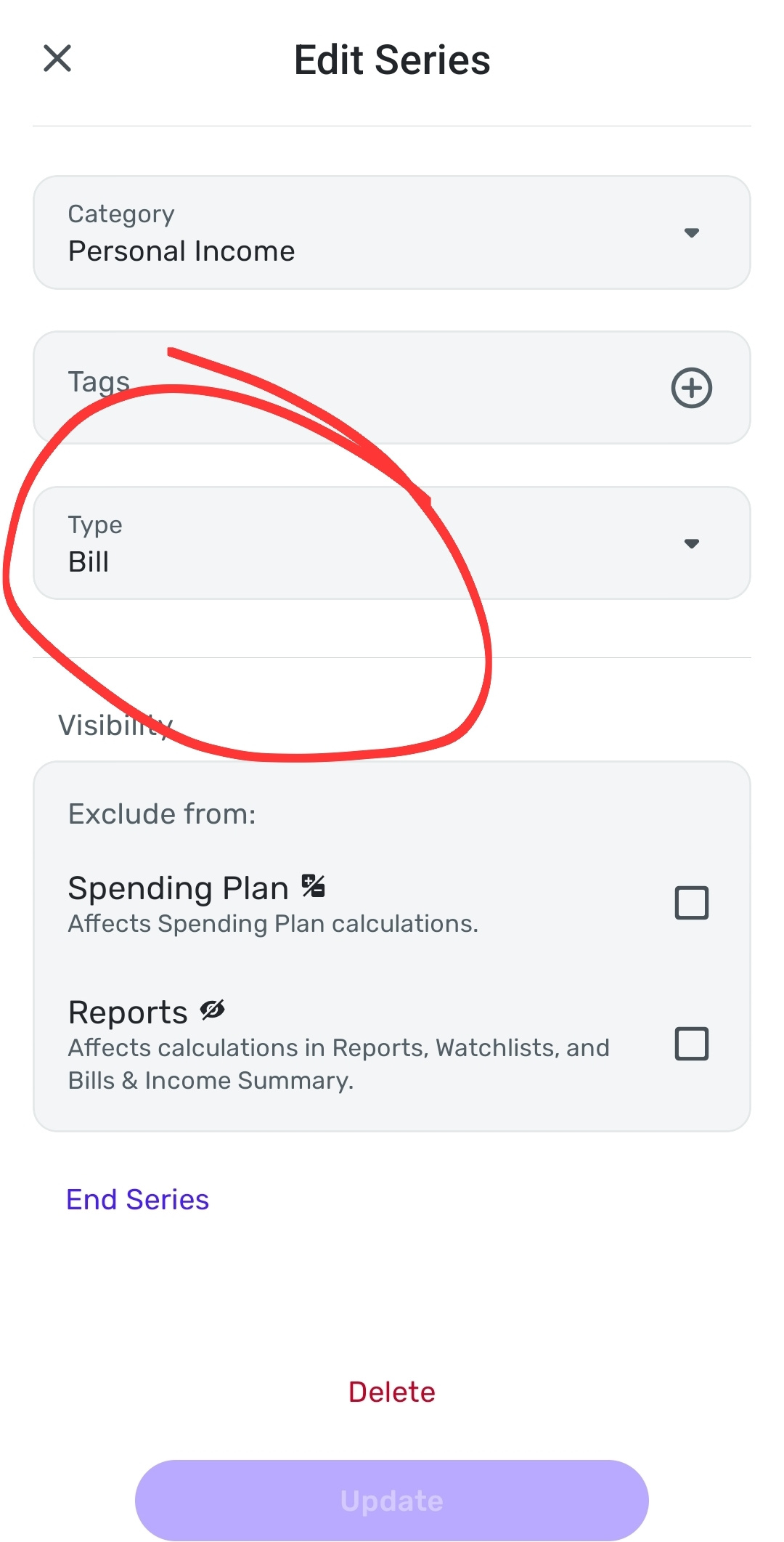
I updated my expected pay without changing anything else in the series. After I saved, the series changed from income to bill. I have tried to change the series back to Income 7 times now. It will appear it saved when I exit the window and go back etc; however, it does not reflect in the spending plan. I then log off the account and log back in, check the series and it is still reporting as an bill. Attempts we made on solid wifi and data separately
Summary of issues:
- When updating $ amount of an income series. The series changed on its own from income to bill
- After a few attempts, the series is not updating from Bill to income.
Device - Samsung S25+ Galaxy
Os - 8 samsung and 16 android
App: 5.47.0
Comments
-
After a few hours, I have tried to correct the issue. Unfortunately the issue is still present. However, when I checked the series, this time it was labeled as income. The spending plan is just not recognizing that. The spending plan exclude box is unchecked though.
0 -
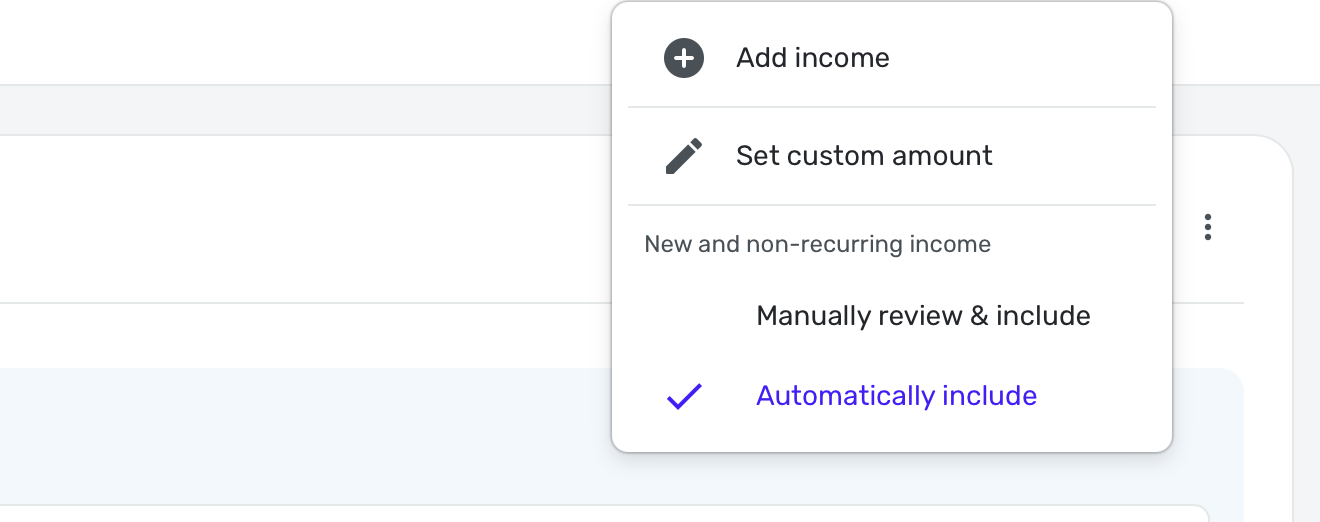
Just a thought. Check the settings in the Spending Plan Income Section. Go to the 3 vertical dots in the upper right hand corner to make sure it has checked "Automatically Include".
If all else fails, delete the recurring and re-create the recurring income. You'll have to manually link any transactions to it afterwards.
Steve
Quicken Simplifi (Safari & iOS) Since 2021
Quicken Classic (MacOS) Since 2009
MS Money (1991-2009) and Dollars & Sense (1987-1991)0 -
I ufortunately don't have that particular feature or dont see it on my end. I did check options which brought me to the normal series options. Also tried to check settings and no luck.
I guess, i will try the backup method and delete and make a new one. I guess I am more than frustrated as I have found several bugs with this program. It be nice to have a dependable program.
0 -
I just ended the series and re-created the income series. Unfortunately the issue is still m present.
0 -
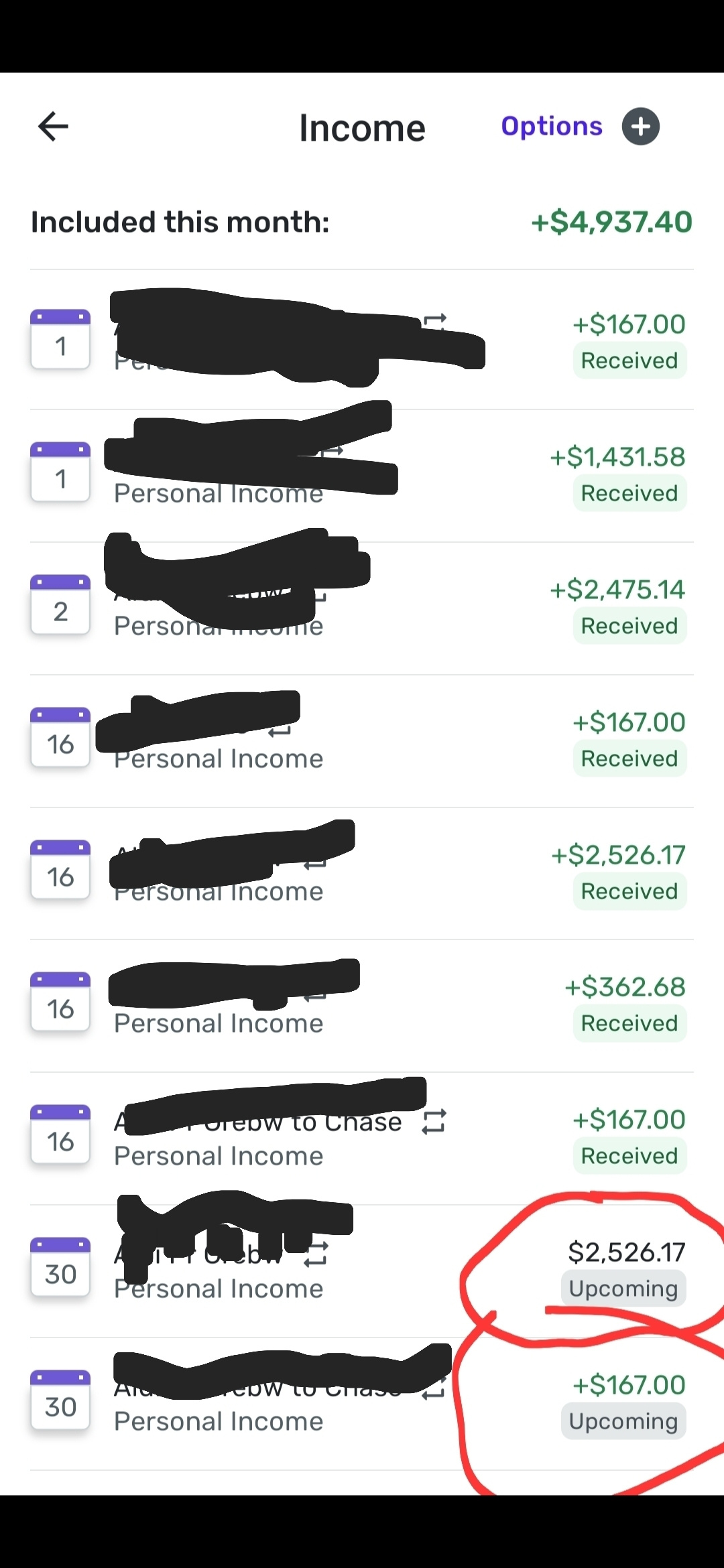
3rd issue i just discovered. The total of the income shown (currently just green) does not add up correctly to number on the top right. The picture attached shows $4,937.40. If counting just green, it should be $7,463.57. If counting all (as it has done for previous months) it should be $9,989.74.
Support, please help
0 -
i believe you set whether a category gets counted as an income or expense is defined under settings→ categories. Not sure if that was what you intended to ask about. The category determines whether something is an income or expense.
—
Rob Wilkens
0 -
also, if it is intended to be income, be sure to put a plus sign in front of the number, otherwise in this case it counts as negative income.
—
Rob Wilkens
0 -
Well, as long as you are making an income reminder, it should automatically be a positive number. A bill reminder will automatically be a negative number. You can also as Rob says explicitly use the +/- sign.
Double check to make sure your personal income is an income category. When you match the recurring, are you adding splits? If you add splits, then those expenses presumably will subtract from the positive income.
Also, it looks like you are using a phone app. You might want to close the app and reboot the phone. Try doing it in the webapp on your computer just to make sure.
Steve
Quicken Simplifi (Safari & iOS) Since 2021
Quicken Classic (MacOS) Since 2009
MS Money (1991-2009) and Dollars & Sense (1987-1991)0 -
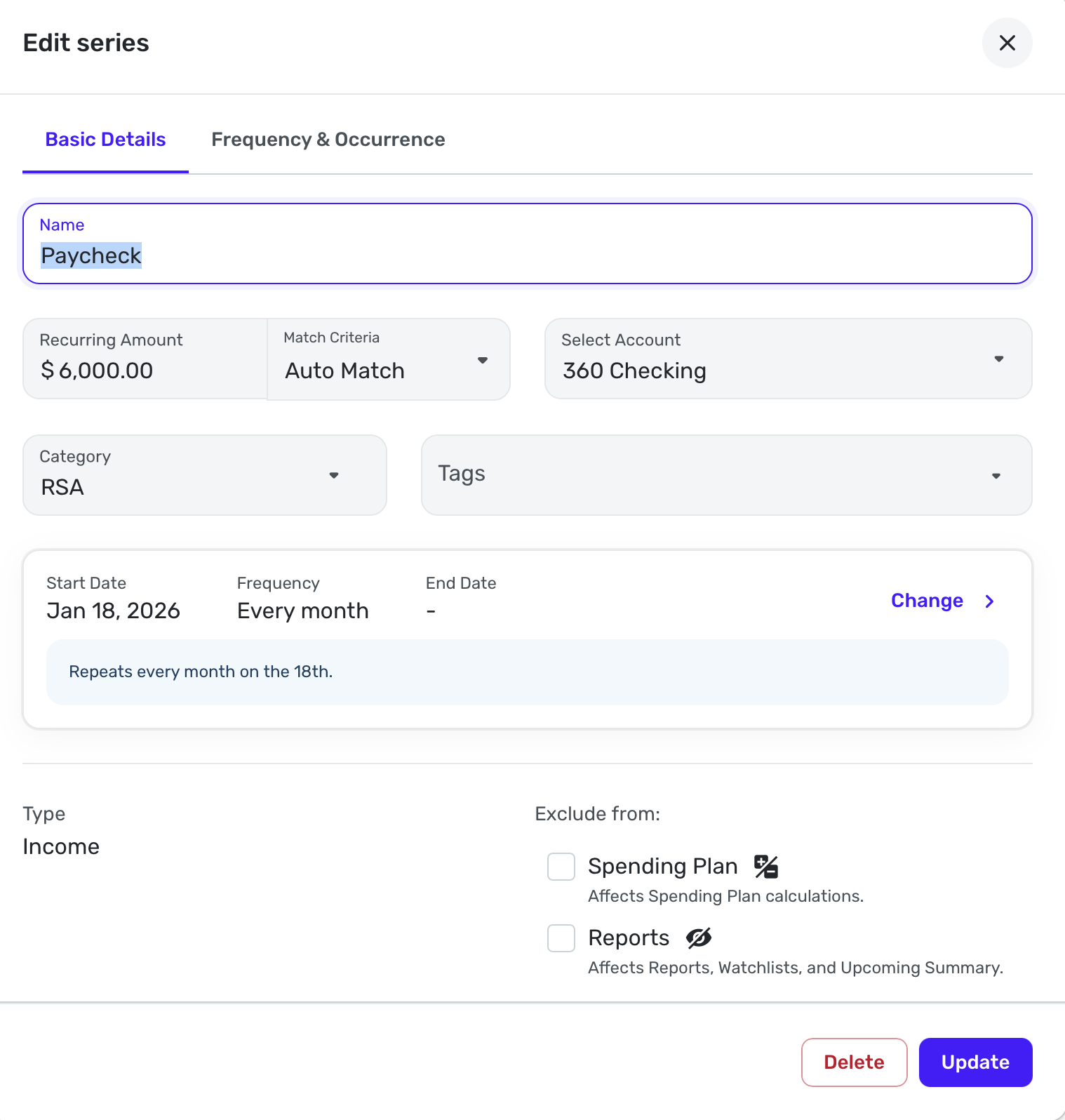
Here is an income reminder that I made for +$6000. Notice there is no + sign, but it is positive because it is an income reminder:
Here is a screenshot of the Income part of the Spending Plan showing the three dot menu and what you see when it opens:
Edit: I am sorry that deleting the series didn't fix it. I hope it won't be too hard to re-link them once they are fixed. By the way, when the transaction gets linked, the Reminder will reflect what the transaction says, so make sure you have the numbers right in the transaction. But this appears in your screenshot to be a pure future reminder.
Steve
Quicken Simplifi (Safari & iOS) Since 2021
Quicken Classic (MacOS) Since 2009
MS Money (1991-2009) and Dollars & Sense (1987-1991)1 -
@SRC54 Thank you. The "+" was the difference. I personally dont recall if that was previously there when I made the minor change before. Regardless that made the difference and solved all of the issues I had listed. Thank you. That was a very frustrating experience. I appreciate your time and response.
1 -
Glad you found the problem. It is not always intuitive. I've made the error many times! Thanks for updating us.
Steve
Quicken Simplifi (Safari & iOS) Since 2021
Quicken Classic (MacOS) Since 2009
MS Money (1991-2009) and Dollars & Sense (1987-1991)1

