Balance in Investment portfolio page is incorrect (edited)

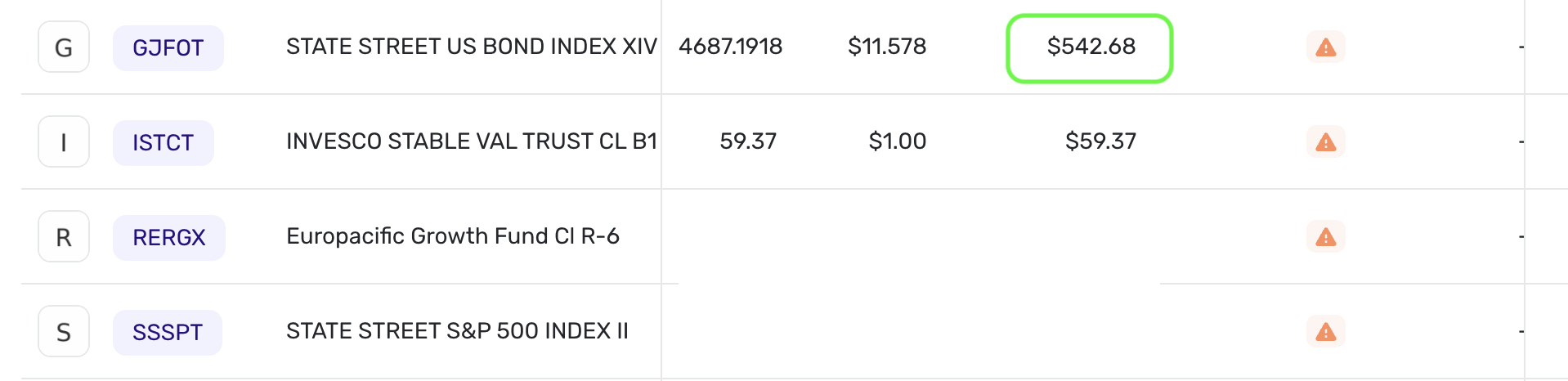
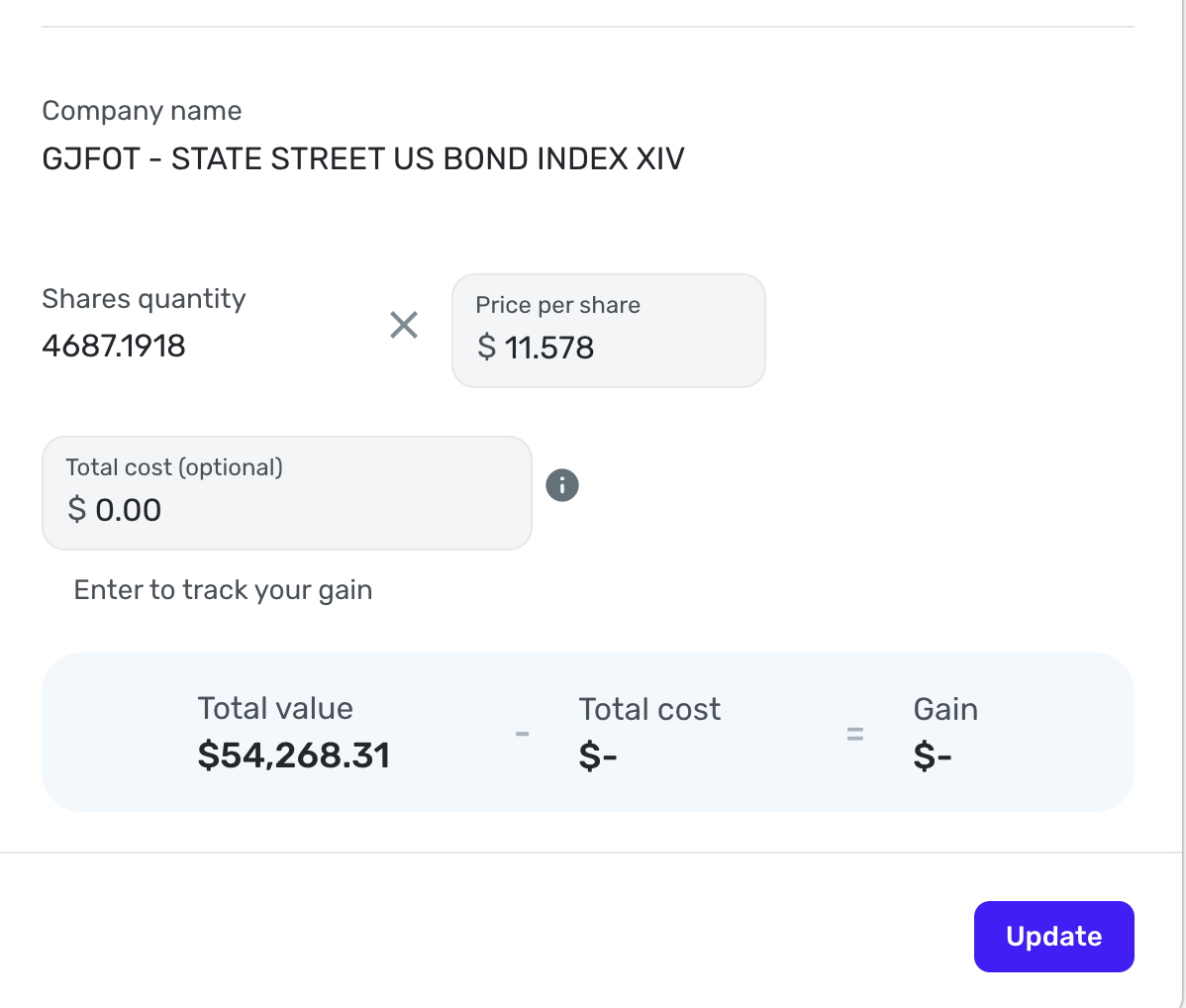
I use a connector to Merrill Lynch Benefits to track investment there. Balance is showing correctly in the Accounts page as viewed from the Dashboard. But 2 of the assets "lost" track of their decimal point and show (and calculate) the balance incorrectly when I view it in the Investments page (screenshot of one asset, the other is STATE STREET US INFL PRT BD II)
I tried reseting the connection and updating manually, but the error persists. This has been going on for at least 6 months..
Comments
-
Hello @Shahar,
Thank you for reaching out! I think I see the problem here. The Value of your STATE STREET US BOND INDEX XIV holding is showing as $542.68 under Holdings, while it should be showing as $54,268.31, correct? Can you provide a screenshot showing the other incorrect holding you mentioned as well? Have you tried the following steps to verify if it helps resolve the issue:
- Make all of the accounts with the bank manual by following the steps here.
- Once you see the account(s) listed in the Manual Accounts section under Settings > Accounts, go back through the Add Account flow to reconnect to the bank.
- If the connection is successful, carefully link the account(s) found to your existing Quicken Simplifi account(s) by following the steps here.
If the issue persists afterward, please provide the following information:
- The name of the account, as it appears in Quicken Simplifi.
- The balance for the account in the Accounts List in Quicken Simplifi (this is the list of all accounts and balances on the left side of the Dashboard on the Quicken Simplifi Web App, or the list of all of your accounts when you select "Accounts" from the Quicken Simplifi Mobile App).
- The balance for the account in the Investments Portfolio in Quicken Simplifi (if you have multiple investment accounts, you'll want to filter the page to just this account).
- The balance for the account as displayed on the bank's website.
- A screenshot of the holdings for the account in Quicken Simplifi (if you have multiple investment accounts, you'll want to filter the page to just this account).
- A screenshot of the holdings on the bank's website for comparison.
- A screenshot of the Accounts Summary page from the bank's website that has a wide enough scope to show the full page URL. This is the landing page after signing in, and typically lists all accounts and balances. You will want to take this from a web browser and not a mobile browser, as well as redact any private info such as account numbers.
We will also need logs to be sent:
- Log in to the Quicken Simplifi Web App.
- Select Profile from the left-hand navigation bar.
- With the Profile menu open, hold down the Option key for Mac or the Alt key for Windows, and then click Send Feedback.
- Leave all boxes checked, add a brief description of the issue, and then click Send.
-Coach Jon
1
