Blank Spending plan

We just implemented Quicken Simplifi and built a Spending Plan. The Spending plan was not visible on my husband's computer so we reached out to the 'Help' site. They told us to 'uninvite' him and refresh the site and 'reinvite' him. Once we did that (Friday of last week), the Spending Plan was no longer visible on my computer, although it IS still visible on my iPad. Reached out to 'Help' again, and was told there is a known issue that should be resolved this week.
Has anyone heard an update on this?
Comments
-
Hello @Cschaumburg,
Thanks for reaching out! To clarify, you can see the Spending Plan on your iPad, but not within the Quicken Simplifi web application, correct? Is the Spending Plan blank on your iPad as well, or is it fine and able to be utilized there? Can you provide screenshots of how it appears within the web application and on the iPad for comparison? This would help us understand exactly what is happening here.
-Coach Jon
0 -
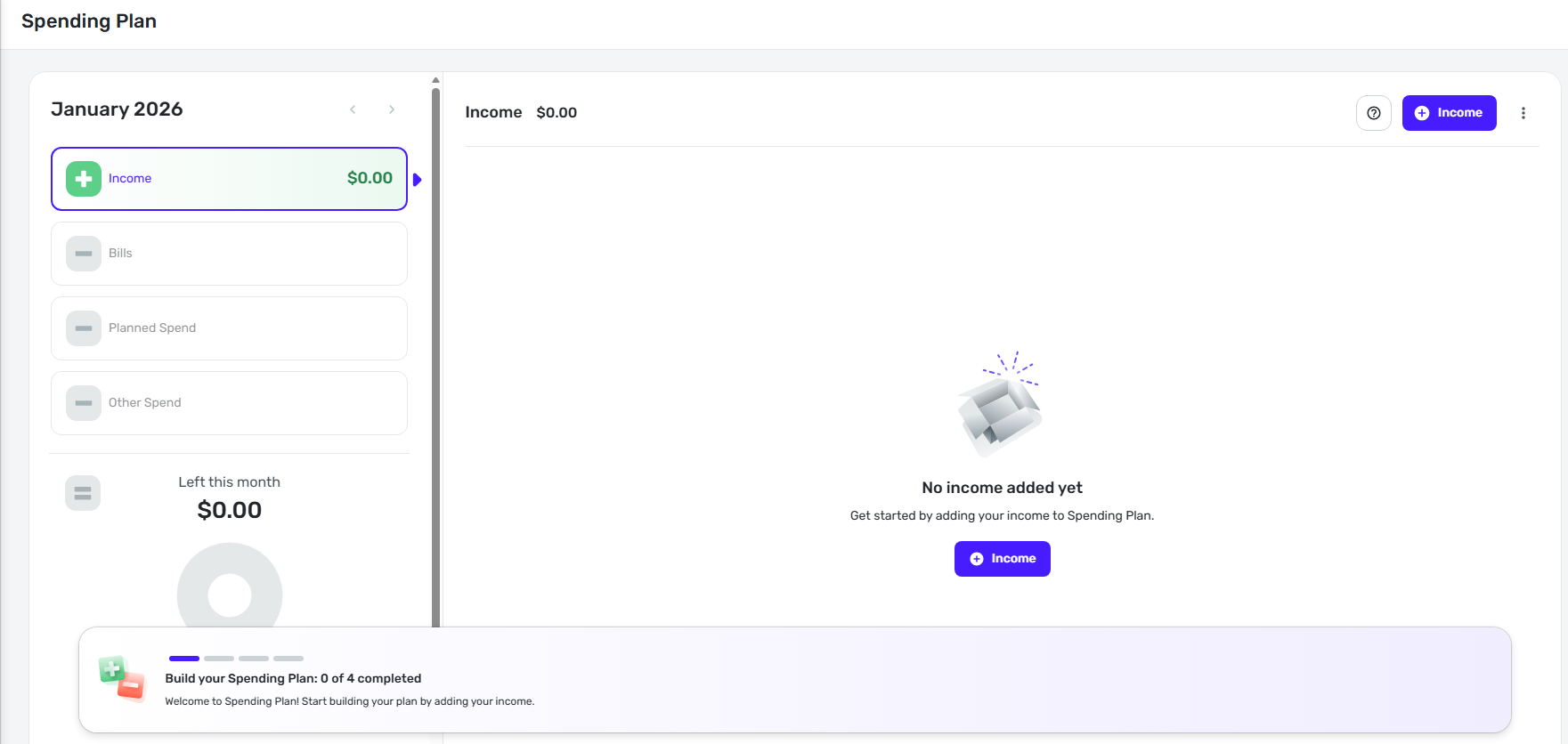
The Web application is blank and looks like this.
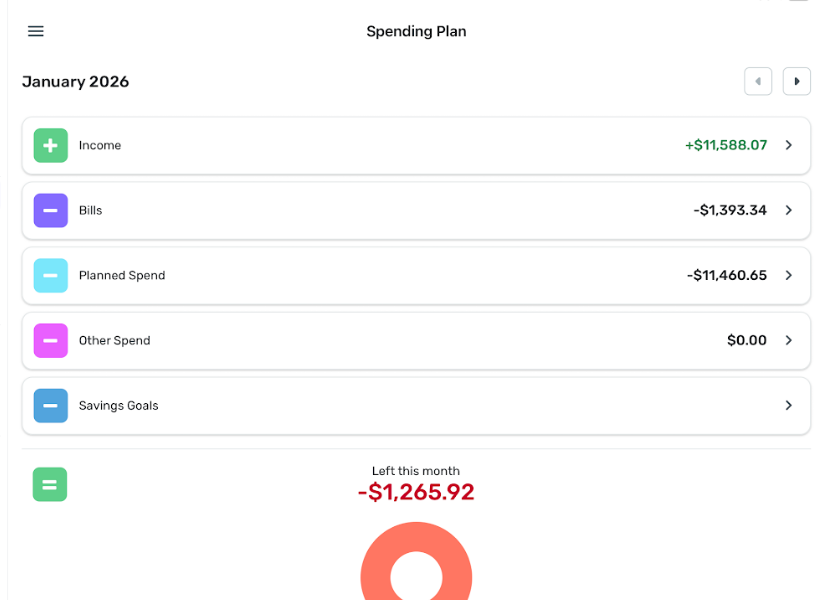
The iPad version remains intact just as I set it up.
 0
0 -
Hello @Cschaumburg,
Thanks for the reply! I am wondering if you may be signed in to another space or account somehow. Do you have another subscription under a different email, perhaps? If you select the profile icon in the lower left corner in Quicken Simplifi, you should be able to see the email you are signed in under and your spaces there.
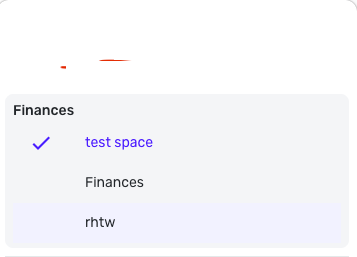
Let us know!
-Coach Jon
0 -
No, it looks like they are both signed in as [removed] Which is my correct email
0 -
I am unable to view a password on my iPad. but I assume it's the same since my email is the same.
Plus all the other information is aligned. The bank accounts are the same between my iPad and the web site. So I believe I'm signed into both.
0 -
Hello @Cschaumburg,
I have removed your email address from the post for privacy purposes. If you only have the one subscription and no other spaces, then I am not sure why the spending plan is showing as blank within the web application. Have you tried signing in to Quicken Simplifi via a separate web browser/incognito mode to see if this may be a web browser-based issue?
-Coach Jon
0 -
I'm using Edge primarily, but I tried to sign in on Chrome and there is no change. Still the same issue. Is there a technical team working on this issue - as I was told that on Friday when I called.
0 -
Hello @Cschaumburg,
Thanks for the reply! I wasn't able to locate a recent contact for you regarding this issue, so I am unsure what specific known issue the agent you worked with may have mentioned. I am not aware of any known issue we have with this described issue. If you select profile in the bottom left, does it show other spaces there?
-Coach Jon
0 -
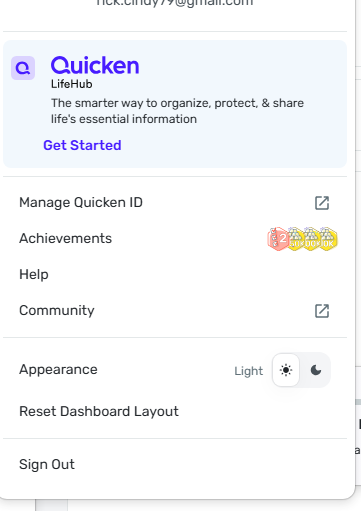
This is what I see when I click on Profile
0 -
Hello @Cschaumburg,
This is definitely a strange issue. I have not seen this being reported anywhere else, so this may be specific to your dataset. Are you able to provide the web browser, operating system, and their respective versions you are using for us?
We will also need you to supply logs:
- Log in to the Quicken Simplifi Web App.
- Select Profile from the left-hand navigation bar.
- With the Profile menu open, hold down the Option key for Mac or the Alt key for Windows, and then click Send Feedback.
- Leave all boxes checked, add a brief description of the issue, and then click Send.
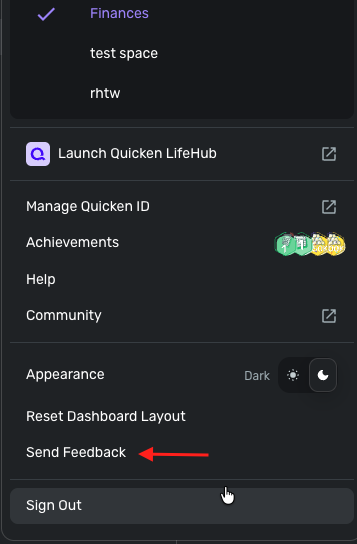
-Coach Jon
0 -
I'm using Microsoft Edge Version: 144.0.3719.92
Windows 11 Version: 25H2 OS build: 26200.7623
0 -
Hopeful we can have some resolution to our issue!
0 -
Hello @Cschaumburg,
Thanks for the requested information. I did get this bug reported to our product team, and will be sure to follow up when we have any status updates on this issue!
SIMPL-31681
-Coach Jon
1 -
Thank you
1 -
Would it be advisable to just reload the Spending plan into my Web account, then sign out and back into my iPad? Since we are just getting started with Simplifi, and we've been unable to rely on the Spending plan for a week now, we would like to be able to move forward.
0 -
Hello @Cschaumburg,
Thanks for the reply! That is definitely something you can do if you prefer. Be sure to let us know how you would like to proceed!
-Coach Jon
0 -
The news is good. Once I began to reload the Spending Plan, the whole thing popped back in. And my husband is able to get in also using a different email address. Hopefully this will remain in place!
0 -
Hello @Cschaumburg,
Thank you for the reply! I am glad to hear everything is resolved. I will have this ticket closed out in that case.
-Coach Jon
0
