Can't locate the Net Worth feature or dashboard card in QBP (edited)

This discussion was created from comments split from:
Add a "Net Worth" tile to Dashboard on both Mobile & Web (edited).
Comments
-
[removed]
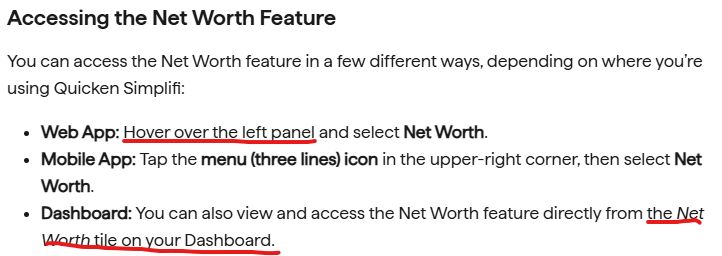
The help article (see image below) says I can select Net Worth by hovering over the left panel. I am using QBP Early Access and there is no Net Worth item in the left panel.** Can you post an image of what I should be looking for?
The article also says that there is a Net Worth tile available for the dashboard. It is not showing on my dashboard and, when I open the Customize Dashboard panel, there is no such tile listed as available. Can you post an image of the tile? Is there something I should do to make it show up?
**There is, however, a Net Worth report available from the Reports page in QBP. Is that the same thing? Or is the Net Worth Feature you are talking about something else?
DryHeat
-Quicken Classic (1990-2020), CountAbout (2021-2024), Simplifi (2025-…)0 -
@DryHeat, thanks for posting your inquiry to the Community!
I have learned that the Net Worth feature is not currently available in Quicken Business & Personal. I have updated the help article and announcement to reflect this information.
If you'd like to see the feature added to QBP, please post a comment in our feedback thread so our product team can gauge QBP user interest and use cases.
I hope this helps!
-Coach Natalie
0 -
post a comment in our feedback thread so our product team can gauge QBP user interest and use cases.
Done.
DryHeat
-Quicken Classic (1990-2020), CountAbout (2021-2024), Simplifi (2025-…)1

