Savings Goals issue - Amount Available is Negative

This discussion was created from comments split from: Some active goals show up in my spending plan as having $0 monthly contributions (edited).
Comments
-
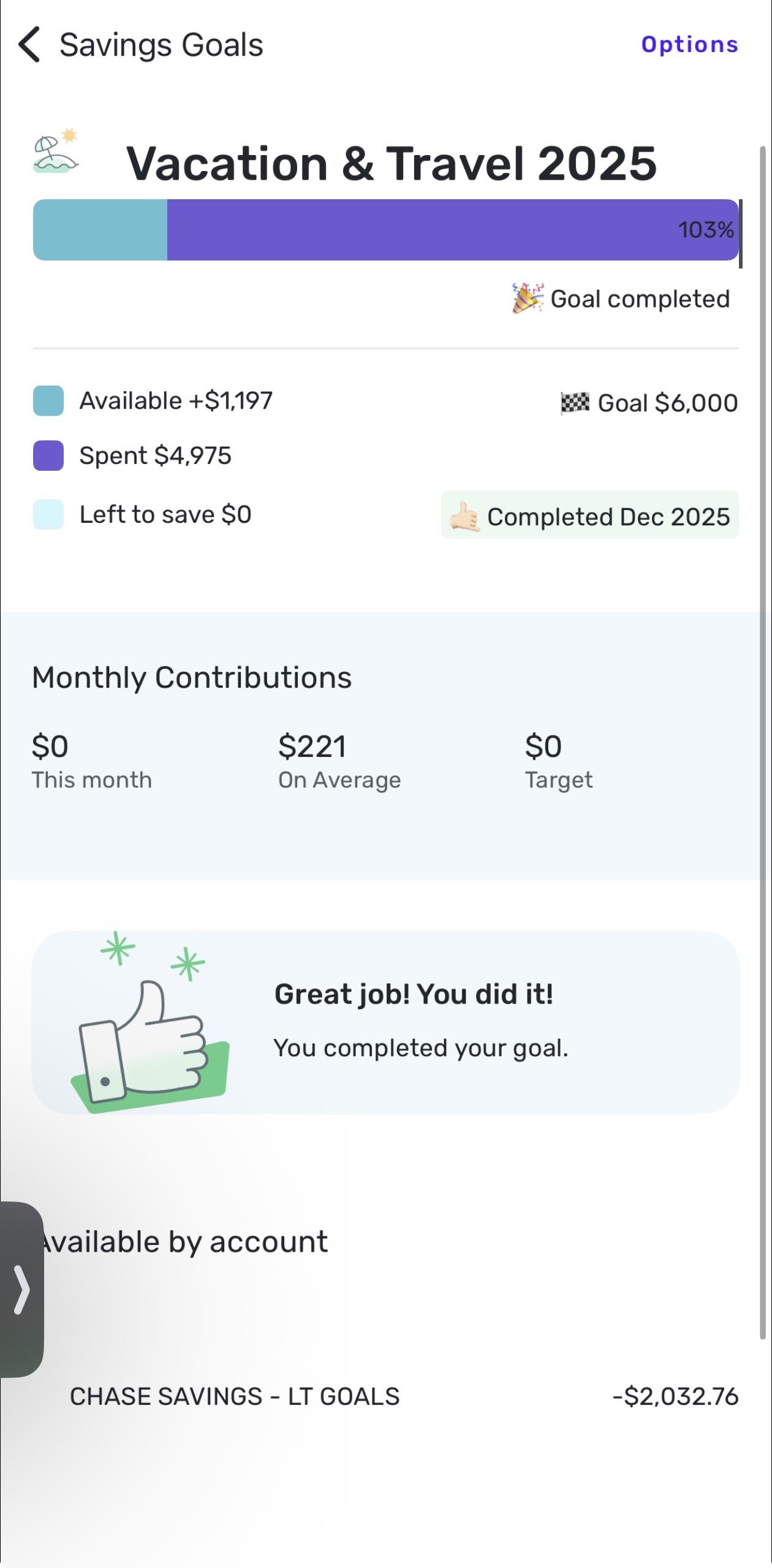
@Coach Jon i still have the same goal issue and would prefer if i don’t have to delete and affect past months spending plans. most my goals have the right amount saved and available in the bar chart but the amount available in each account is negative or way less than it should be.
 0
0 -
Hello @bmcchesney19,
Thanks for reaching out! Can you verify if deleting and recreating one of the goals possibly works to resolve the issue with the other saving goals, as mentioned above? Let us know if the issue persists afterward.
-Coach Jon
0 -
@Coach Jon my concern with that is it would delete all my history and spending months from the past would all be thrown off
0 -
You are right to be concerned. I deleted some goals a while back and it removed all contributions from prior months. That threw off the spending plan calculations for every month in which those goals had contributions.
DryHeat
-Quicken Classic (1990-2020), CountAbout (2021-2024), Simplifi (2025-…)0 -
Hello @bmcchesney19,
Thank you for the reply. I can certainly appreciate your concern. In order to get this issue escalated, can we have a few screenshots showing the issue from your side with different savings goals, as well as the balances of the accounts that are showing as negative.
We will also need logs to be submitted:
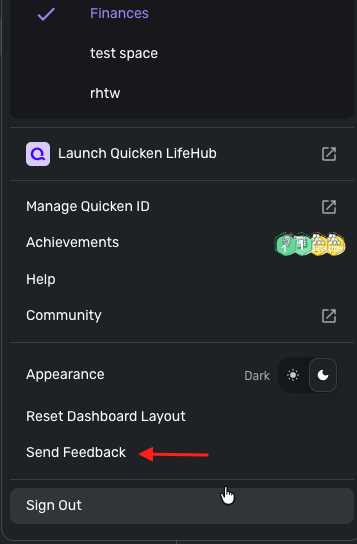
- Log in to the Quicken Simplifi Web App.
- Select Profile from the left-hand navigation bar.
- With the Profile menu open, hold down the Option key for Mac or the Alt key for Windows, and then click Send Feedback.
- Leave all boxes checked, add a brief description of the issue, and then click Send
-Coach Jon
0


