HealthEquity FDP-108 error (edited)

Quicken team.
I'm confused.
I saw posts saying that the HealthEquity issue was resolved.
"UPDATED 2/18/26
HealthEquity is no longer blocking connections and has re-added support for third-party aggregators. This $0 balance issue is the only discrepancy users may still see, and it is being addressed.
Please note that you will need to register for HealthEquity's new website to continue connecting in Quicken Simplifi. You should have received an email from HealthEquity with instructions on how to do so. Once complete, connectivity in Quicken Simplifi should resume as expected."
Well, I'm on the new website, and that new website does not accept passwords. Only passkeys.
And on Simplifi, when you ask to connect HealthEquity, the system asks for userid and password. Which HealthEquity does not accept.
On this page (https://www.healthequity.com/library/replacing-passwords-with-passkeys), HealthEquity says
Can I opt out of using a passkey?
No. Once passkey login is available for your account, you’ll need to use it to access your benefits—on mobile or desktop. Traditional login methods like passwords and SMS codes will no longer be supported.
So as far as I can see, this issue is NOT resolved. Or maybe someone can tell me what I am doing wrong.
Thanks.,
Comments
-
Seriously.
I'm a paid customer. I'm telling you it is not resolved and you delete it without communicating with me?
Why?
0 -
Agreed. This issue has not been resolved. I had expected to see a prompt in the HealthEquity app to authorize access but didn't.
I expect that Quicken needs to update the login method for healthequity.com to redirect to their website as it does for some institutions.
1 -
Same thing for me
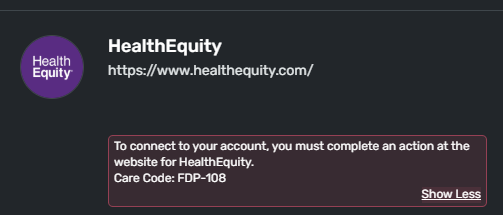
"To connect to your account, you must complete an action at the website for HealthEquity. Care Code: FDP-108"
What is the action we need to make?1 -
Same. This is not resolved. I'm not sure how Quicken could connect to any account that uses passkeys.
1 -
Hello everyone,
Thank you for reporting the FDP-108 error with HealthEquity in Quicken Simplifi. To clarify, this FDP-108 error is not related to the alerts that were resolved earlier today.
At this time, our understanding is that HealthEquity is in the process of rolling out a website update, which is causing the FDP-108 error. Users should have received an email from HealthEquity with instructions for registering for the new login process. Once registration is complete, you should be able to connect in Quicken Simplifi using the login credentials for the new site.
If you have already completed this process and are still encountering the FDP-108 error, please provide the following information so we can investigate further:
- The exact URL you use to log in to HealthEquity’s website
- A screenshot of the login page showing that a passkey is required (rather than a password)
- Confirmation or proof that HealthEquity still requires a passkey for login
Much appreciated, and thank you for your help as we work to get this resolved!
-Coach Natalie
0 -
I contacted HealthEquity about this thinking that they could provide instructions. The answer I got back was that they do not support 3rd party aggregators and I'd need to talk to Quicken for help.
If the issue was fixed, HealthEquity isn't aware.
1 -
same here. Health Equity knows of no new support, no email sent and no new website
1 -
@Jeremy16368 @Tutkovic, thank you for the information!
Can you both check your spam folders and double-check your inbox and trash folders to ensure you haven't received any communication regarding the new site from HealthEquity? Have either of you gone through a process to register for a new website?
We also still need the information I requested above to gain a better understanding of the issue and have proof of passkey requirements:
- The exact URL you use to log in to HealthEquity’s website
- A screenshot of the login page showing that a passkey is required (rather than a password)
- Confirmation or proof that HealthEquity still requires a passkey for login
-Coach Natalie
0 -
No email. I checked spam too and nothing there. I followed up with HealthEquity and got this back:
"Thank you for your response and this information. We do not have a new website, it is still my.healthequity.com"
The HE website does allow a password but then makes you authenticate using the passkey via the phone app before granting access. And as per my prior response, HE claims they do not allow 3p aggregators. Here is their initial response in full:
"Thank you for reaching out with HealthEquity. Due to our recent security upgrade to passkey authentication, HealthEquity does not support connections with financial data aggregators. You mentioned that simplifi quicken access has been restored. Regarding the issue you are experiencing with simplifi quicken we would directly reaching out with them to troubleshoot it."
How can it be that Quicken is referencing the solution being a new HE website and HE is claiming they don't have one? How is there such a massive disconnect about what's going on? I suspect, like others do, that Simplifi will not be able to support passkey authentication. This will be a problem for all aggregators.
1 -
I spoke with HealthEquity Support an they indicated that the change they made was to allow only Plaid as a 3rd Party aggregator. So they stopped blocking overall access, but only now allow access to Plaid as a 3rd Party authenticator. There is nowhere to approve or allow this on the HealthEquity site.
@Coach Natalie - Does Simplifi use Plaid for the back end authentication for HealthEquity?
Can I suggest that the team perhaps stop marking issues as resolved until it is tested and confirmed to be working across a test base? This seems to be an issue lately where Simplifi Support is blindly marking issues as resolved when they are indeed not resolved. (Mr. Cooper being repeatedly resolved and reopened for example).
FWIW - my.healthequity.com redirects to login.healthequity.com for the actual authentication portion. Here is a screen cap of the passkey requirement. There's no way to just use a password.
Thanks,
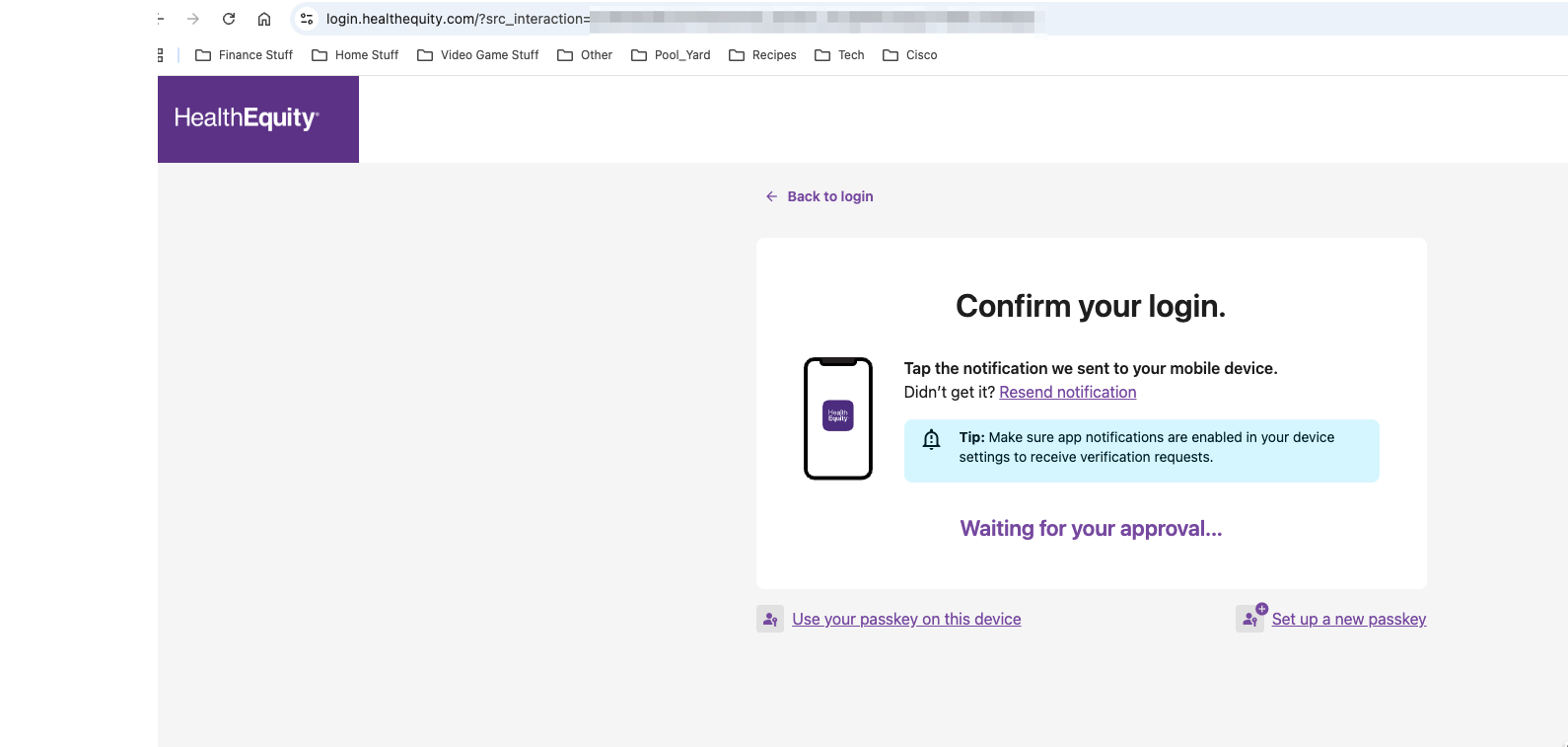 2
2 -
Added information: Both HealthEquity Support and their Support FAQ confirm that passkey is the only supported login method:
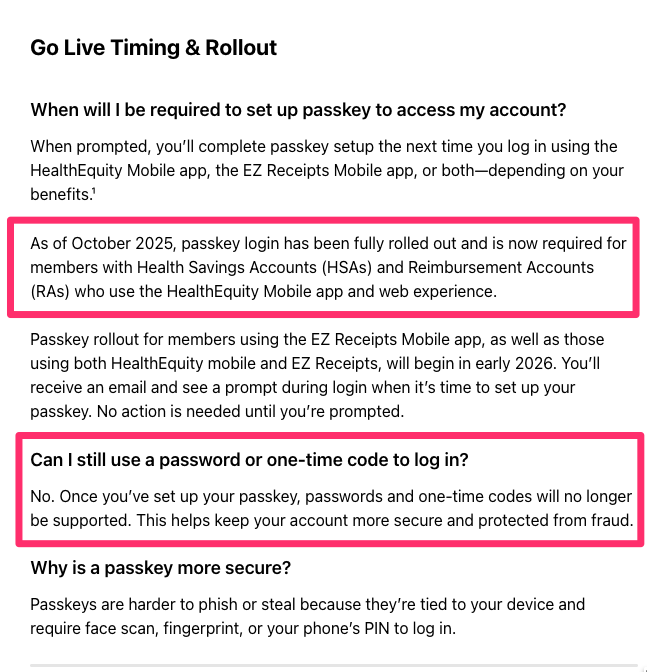 0
0 -
Hello everyone,
Thank you for the information! We’d like to escalate this issue on our end so we can further investigate the new HealthEquity login process and the resulting FDP-108 error.
The information we’ve received from our service provider indicates that a new login process is in place, so additional research will be needed to better understand the changes. As part of the escalation, I’ll also note that HealthEquity has stated they are supported via Plaid, as this may be a potential alternative—though any decision regarding that would not be made here in the Community.
For anyone willing to participate in the escalation, please provide the following data:
- The name of the affected account(s) (if applicable), as it appears in Quicken Simplifi.
- The name(s) of the account(s) on the bank's website.
- What are you using in the password field when connecting in Quicken Simplifi—your old password or your new passkey?
- Are you prompted to complete MFA when connecting to HealthEquity in Quicken Simplifi? If so, do you receive a code or a notification from the institution's mobile app to verify/authenticate the account?
- Has there been any activity in the account(s) in the last 90 days?
- Are you the owner of the account(s)?
- A screenshot of the Accounts Summary page from the bank's website that has a wide enough scope to show the full page URL. This is the landing page after signing in, and typically lists all accounts and balances. You will want to take this from a web browser and not a mobile browser, as well as redact any private info such as account numbers.
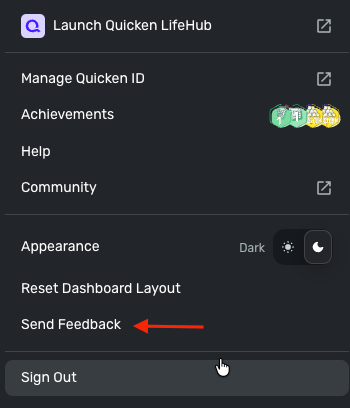
Please also submit your logs via the 'Send Feedback' option:
- Log in to the Quicken Simplifi Web App.
- Select Profile from the left-hand navigation bar.
- With the Profile menu open, hold down the Option key for Mac or the Alt key for Windows, and then click Send Feedback.
- Leave all boxes checked, add a brief description of the issue, and then click Send.
Much appreciated!
-Coach Natalie
1 -
I provided the information you requested in a 1:1 message.
Thnaks,
0 -
Sent you a private message and submitted logs.
0 -
@Earlsrock @jtscanlon, thank you for the DMs!
I have escalated this issue and will post updates here with updates. If anyone else would like to be added to the ticket, please provide the requested information!
CTP-16362
-Coach Natalie
1 -
Thank you for escalating, Natalie. I get the FDP-108 error telling me to take further action on the HE website. But there's no action or re-authentication there. This is obviously a passkey problem. Are there ANY financial institutions using passkeys only that Simplifi has been able to successfully AGGREGATE with?
1 -
Hello everyone,
We now have an Alert that you all can follow for updates as we work on this issue and try to determine the next steps with our service provider and the financial institution:
We are still looking to add users to the ticket, however, as additional examples. If you'd like to participate, please provide the requested information:
Otherwise, please be sure to follow that Alert moving forward, as we will post any news there. Thank you all for your patience!
-Coach Natalie
2 -
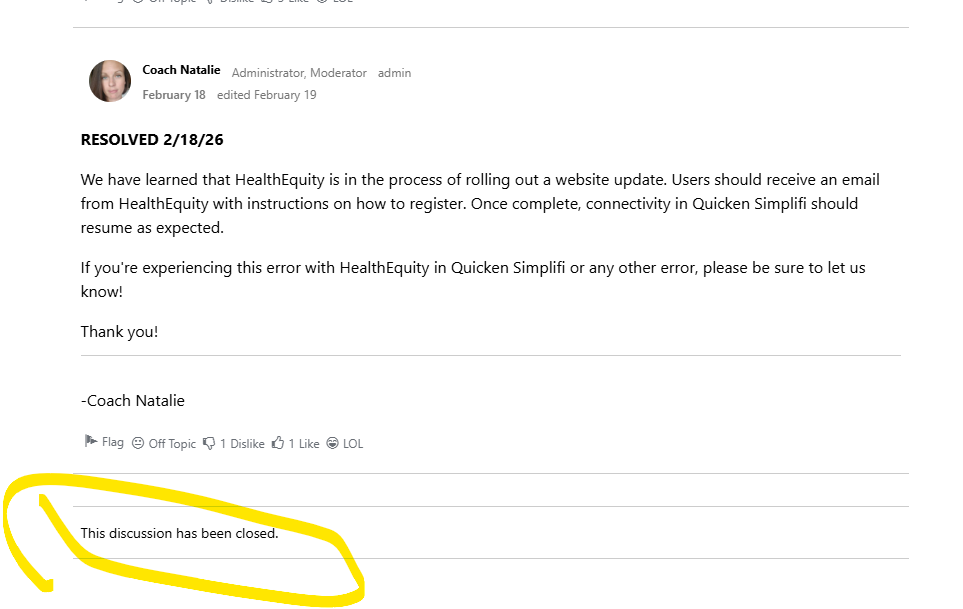
Saw this discussion was closed. It's not fixed. Not working.
 1
1 -
There is nothing for me to complete on their website. Or maybe I can't figure it out? Please advise?
 0
0 -
Hello @ZeeBo22,
We do have a new alert for you to follow if you are still experiencing the FDP-108 error with HealthEquity here:
In the meantime, you can track the account manually by adding manual transactions, which will keep your records up-to-date. Here are the steps to do so: Managing Transactions in Quicken Simplifi | Quicken Simplifi Help Center
-Coach Jon
0 -
@Earlsrock, @jtscanlon, or any other users who'd be willing to participate—our service provider is looking for a HAR file, so we need to schedule a session with them and our engineering team to gather that file. If this is something you can help out with, please provide the following data so we can request the session:
- Confirm that the email address and phone number listed on your Quicken Simplifi Account are your best contact info.
- Provide your general availability over the next few weeks, and please also include your time zone with this.
Much appreciated!
-Coach Natalie
0 -
My email is accurate. I do not have a phone number listed on my account and plan to keep it that way. I can join a Teams/Zoom/WebEx generally between 10AM-2PM Monday-Friday Eastern Time US.
0 -
@Earlsrock, thank you, we really appreciate it!
I have forwarded your information to our engineering team, and they should reach out to you via email to confirm a date and time for the session. I will let you know if there's any further info to share from my end or if we need any additional data from you before they email you. Otherwise, keep an eye on your email for something from Quicken!
-Coach Natalie
0 -
Is it too late to participate. I have split investments and a cash balance so doing manual updates is difficult. I'll will private message you.
1 -
@Wuzzle, thanks for your interest in participating!
It looks like we have enough examples for now. While this issue is being worked on, please follow our Alert for updates!
We appreciate your patience as we work to resolve this matter!
-Coach Natalie
0 -
It has been several more weeks. When do you anticipate having a solution?
0


