Incorrect "expected bills" amount in 'bills to income percentage' notification email (edited)

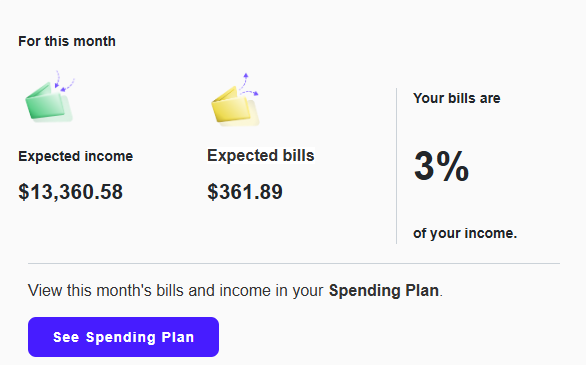
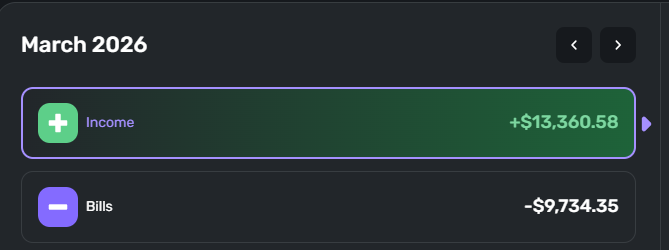
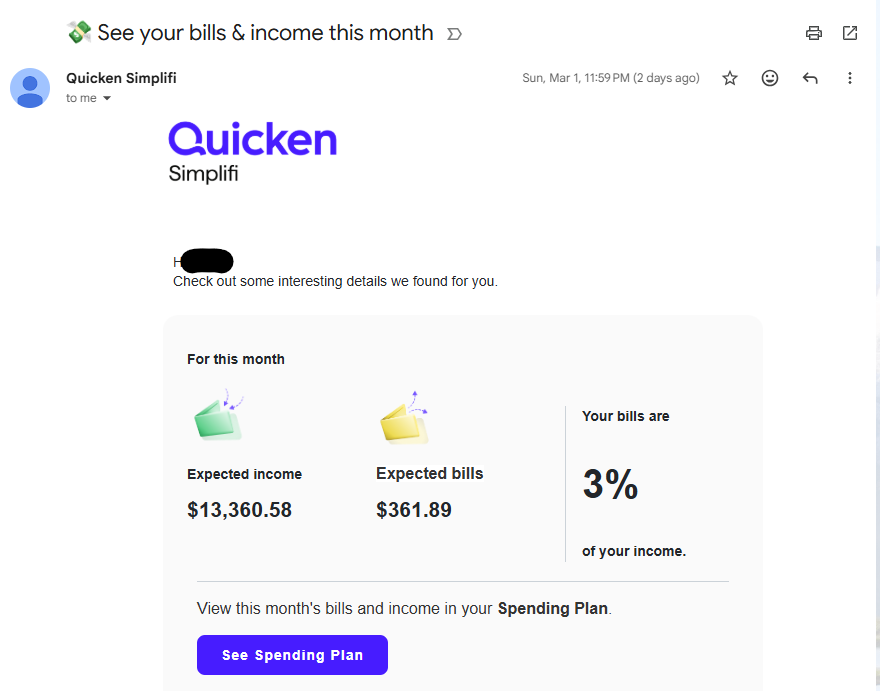
I see another post describing this issue with a response, but no update or resolution. I've received two emails in the last two months with incorrect "expected bills" amount (stating $361.89 when it's $9,734.35). Curious if this is an issue for everyone or only some people.
Is there any update about the cause of the issue or an upcoming fix?
Comments
-
@Bartman682, thanks for reaching out to the Community with this issue!
To clarify, is this the email notification you're referring to (I was able to find an old image from prior troubleshooting)?
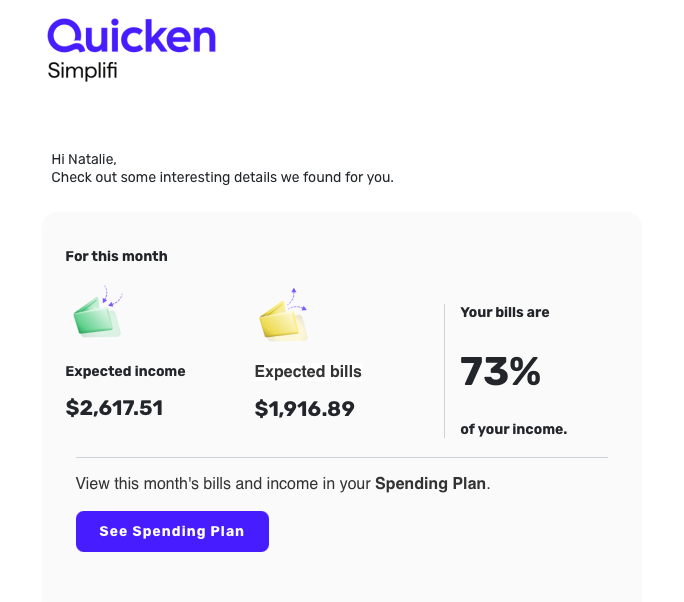
If so, I believe this notification is based on the 'Bills to income percentage' option.
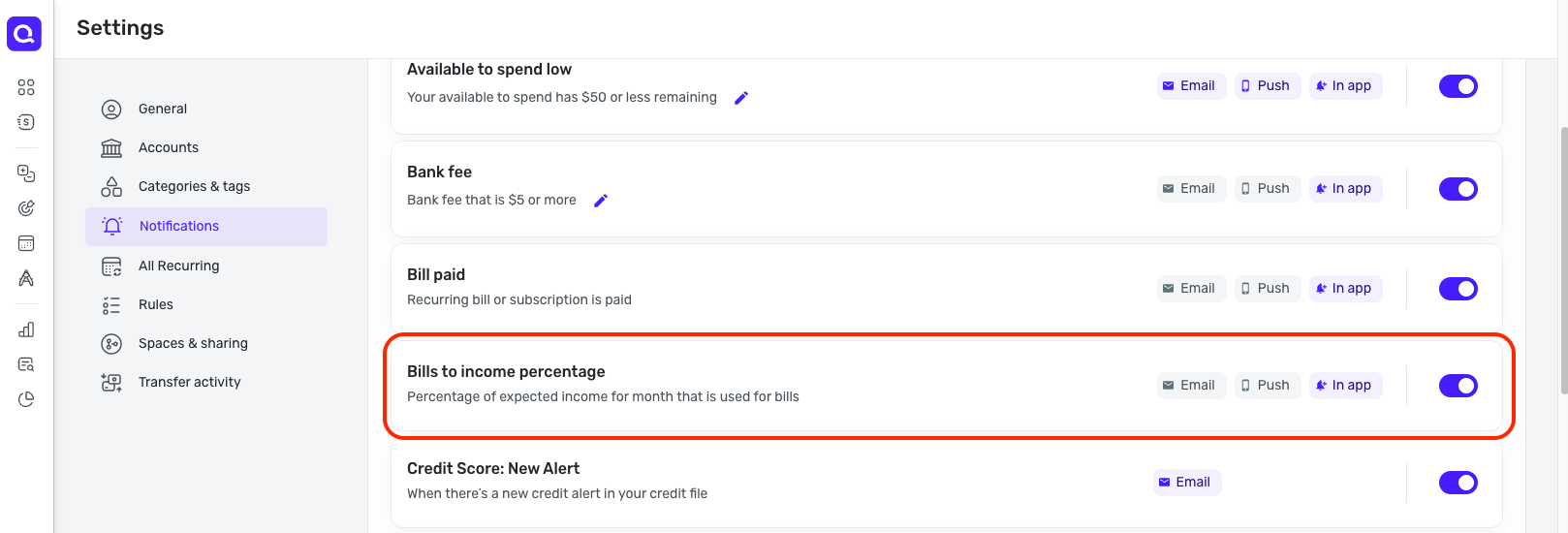
I don't personally have this notification option enabled for email, so I'm unable to check if I also experienced a mismatch in information. When I check the in-product notification that I got, it doesn't show the details of "expected bills" and "expected income"; it just gives me the percentage.
Please confirm this is the notification you're referring to so we can best proceed!
-Coach Natalie
1 -
Morning! That's correct, that's the notification email I'm talking about (bills to income percentage), which also shows expected income and expected bills amounts.
 0
0 -
@Bartman682, thanks for confirming!
Is just the "expected bills" amount wrong, or is the "expected income" amount also wrong in the email notification?
Please provide a screenshot of the Bills and Income totals from your Spending Plan for this month so we can compare. Please also provide a date and time stamp for the email notification received so we can confirm it's for this month. Once I have this data, I can work on getting this escalated.
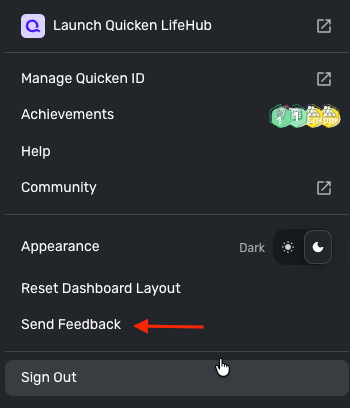
Please also submit your logs via the 'Send Feedback' option:
- Log in to the Quicken Simplifi Web App.
- Select Profile from the left-hand navigation bar.
- With the Profile menu open, hold down the Option key for Mac or the Alt key for Windows, and then click Send Feedback.
- Leave all boxes checked, add a brief description of the issue, and then click Send.
Much appreciated!
-Coach Natalie
1 -
Hi, I just submitted feedback in the web app. In both emails, only the expected bills amount is wrong. Here is a screenshot of the Bills and Incomes totals from the Spending Plan section of the web app:
Here is the screenshot with the email timestamp:
Thanks for your help!
0 -
@Bartman682, thank you for that!
And just to confirm, you have not added any recurring bills, nor additional transactions being marked as bills, between the 1st when you received the email and yesterday when you first posted about this, correct?
-Coach Natalie
1 -
Yes, that's correct.
0 -
-Coach Natalie
1
