Manual Account showing negative balance

I have some land that I track the value of manually. I updated the opening balance and now it shows the value as negative despite the fact that the entry is positive.
Comments
-
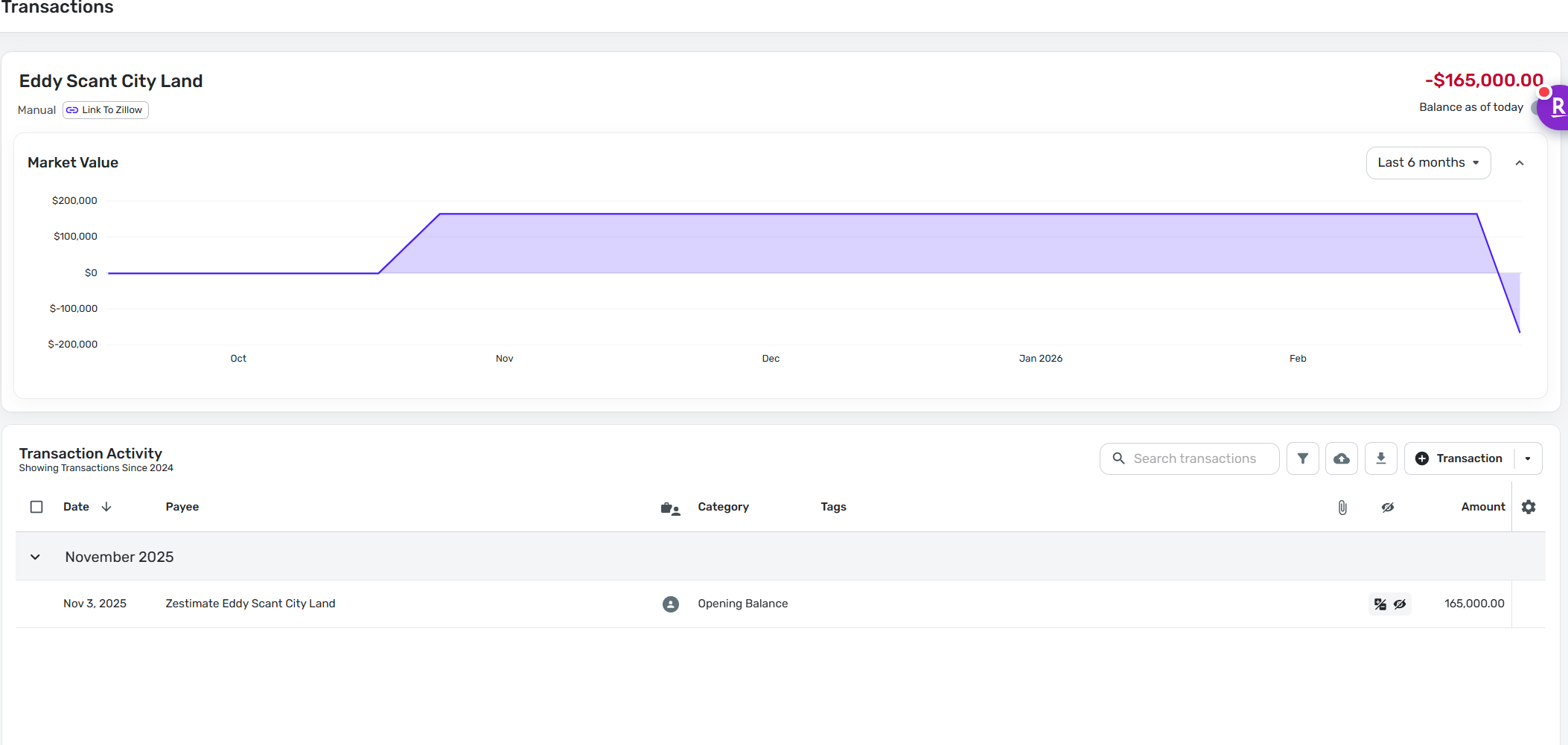
attached screen shot
0 -
If you hover over the "Balance as of today" words, is there a button to resync the balance? If yes, see if that fixes it. There's an ongoing issue causing weird balances with manual accounts and that's the workaround.
0 -
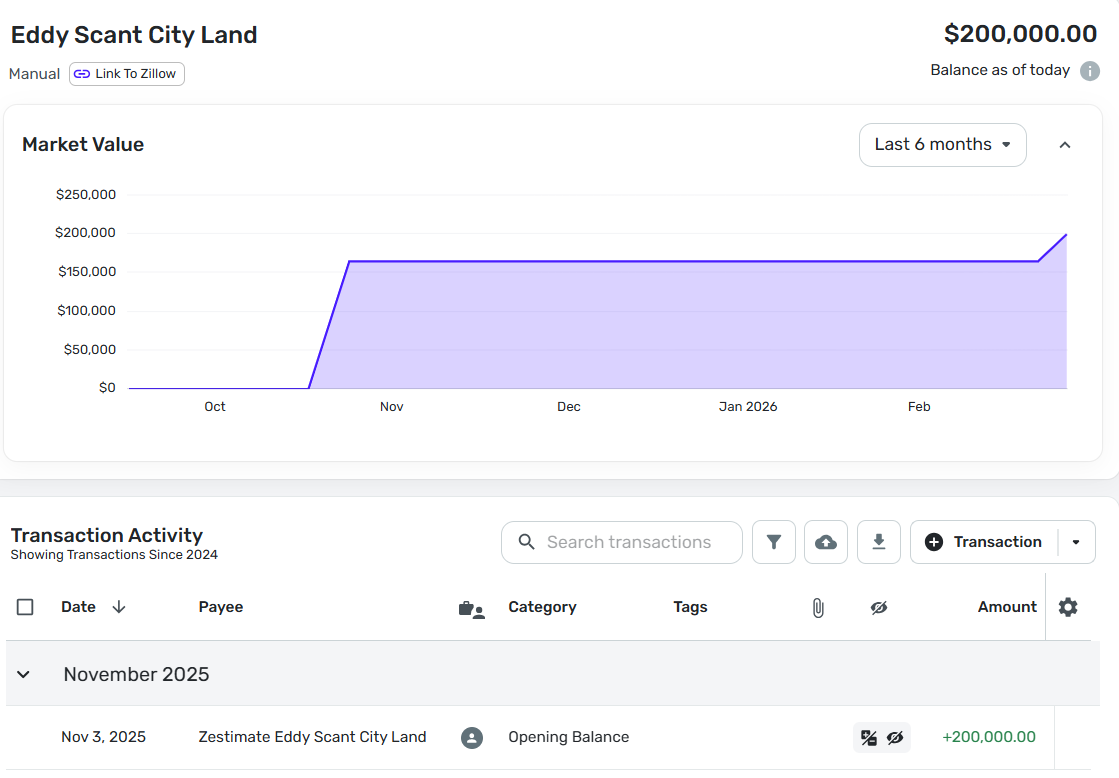
Resync didn't change anything. Adding a '+' before the number did change the value; however, it makes the plot shows the change despite the entry having a Nov 3rd, 2025 date. Resync doesn't change this.
 0
0 -
Hello @mbalducci,
Thanks for the reply. It looks like the opening balance was changed from $165,000 to $200,000, based on your screenshots. There would be a small change as shown in the chart. What specifically are you wanting the chart to show, to help clarify the issue here?
-Coach Jon
0 -
Note that the opening balance was changed and has a date of Nov 3, 2025. The chart shows the Nov 3rd, 2025 balance of $165k and that the balance increased in March. The chart is inconsistent with the Transaction Activity. The chart should reflect a Nov 3, 2025 balance of $200k.
0 -
Hello @mbalducci,
Thank you for following up. The chart will reflect the account's historical data starting from its creation in Quicken Simplifi. Since it was originally created with an opening balance of $165,000, the chart would show that. We have a great support article that explains how to import historical data into Quicken Simplifi here:
By importing historical account balances, you can ensure that your Net Worth Report and the chart you mentioned above accurately reflect your accounts over time. Please let us know if this solution works for you!
-Coach Jon
0 -
That makes no sense. The chart should reflect the data in the transaction activity. This is clearly a bug.
0 -
Hello @mbalducci,
Thanks for the response! I would still suggest trying to import your account balance history using the steps I provided so we can verify whether that resolves the issue you're seeing here. Please let us know how that goes!
-Coach Jon
0 -
As I mentioned in my first post, it's a manual account. Manual accounts aren't imported; hence, your proposed solution does not work. This is clearly a bug.
0 -
Hello @mbalducci,
This would not be a bug in this case. I can definitely understand your frustration; however, manual accounts can still have historical account balances imported in Quicken Simplifi. I would still have you try the steps I provided to verify whether they resolve the issue. This will not alter your transaction history, just the account balance history.
We also have an idea post you may be interested in voting for that aligns with the topic of this thread:
Thank you!
-Coach Jon
0
