Editing a future transaction on mobile doesn't update cash flow right away (edited)

Comments
-
Hello @RobWilk,
Thanks for reaching out! If the projected cash flow updates after leaving the screen and returning, I don't necessarily think it is a bug. It may just take a second for the page to refresh and show the updated data.
Does this happen in the Quicken Simplifi web application as well for you? Or is it specific to your iPad only? If it is, I would see if uninstalling and reinstalling the application works for you. Let us know!
-Coach Jon
-1 -
It is specific to the iPad, or in this case my new iPad Pro (M5) 13" w/ 512GB.
I would try giving it time next time like you suggested, how long should i give it?
I am not going to randomly edit my data right now, next time I will try giving it time to see if it refreshes.
It is inconvenient by a lot if i'm trying to say, look at the next 12 months, and adjust the payments i make based on anticipated balances. I have one account that is now accurate for 2-3 months but beyond that i still need to make edits (it is not a priority, between now and then there will be many unplanned transactions).
—
Rob Wilkens
0 -
If you edit a transaction in the iPad mobile app, how long does it take to refresh the rest of the transactions, @Coach Jon ? I'd like a reference point for how long I should wait.
—
Rob Wilkens
0 -
Great news, I found time to record a video. Note how for entries after the edited one, the math is incorrect, for example the next transaction is a $250 charge, but the forecasted balance is incorrect. I waited around 2.5 minutes, is this not long enough?—
Rob Wilkens
1 -
I’m experiencing the same issue/bug when accessing the app from my iPhone.
I’ve used Simplifi for more than a year and until about 10 days ago, updating a transaction amount or date in Cash Flow automatically updated the ongoing balances immediately - you edited a single transaction, you clicked save and, entering back into Cash Flow, balances would reflect the changes made. Now I have to fully exit and reopen the app before those balances refresh.
That’s a clear change in behavior and I can’t imagine that’s the intended experience for users.
1 -
Thank you for the additional information @RobWilk & @stacyvance,
Based on the information and video you provided, I attempted to replicate this in the app. The screenshot below is before editing anything.
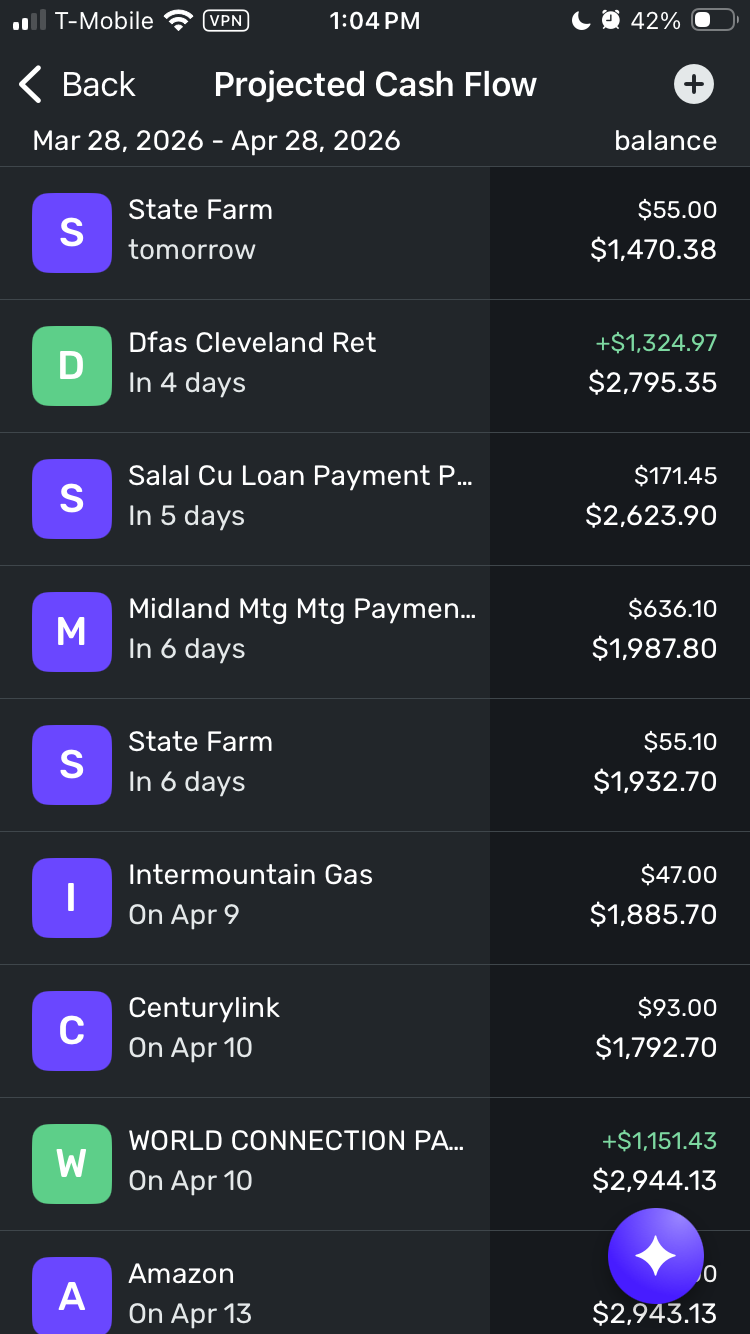
After editing the State Farm reminder for tomorrow, I noticed the projected balance for that one reminder updated, but everything after that was unchanged.
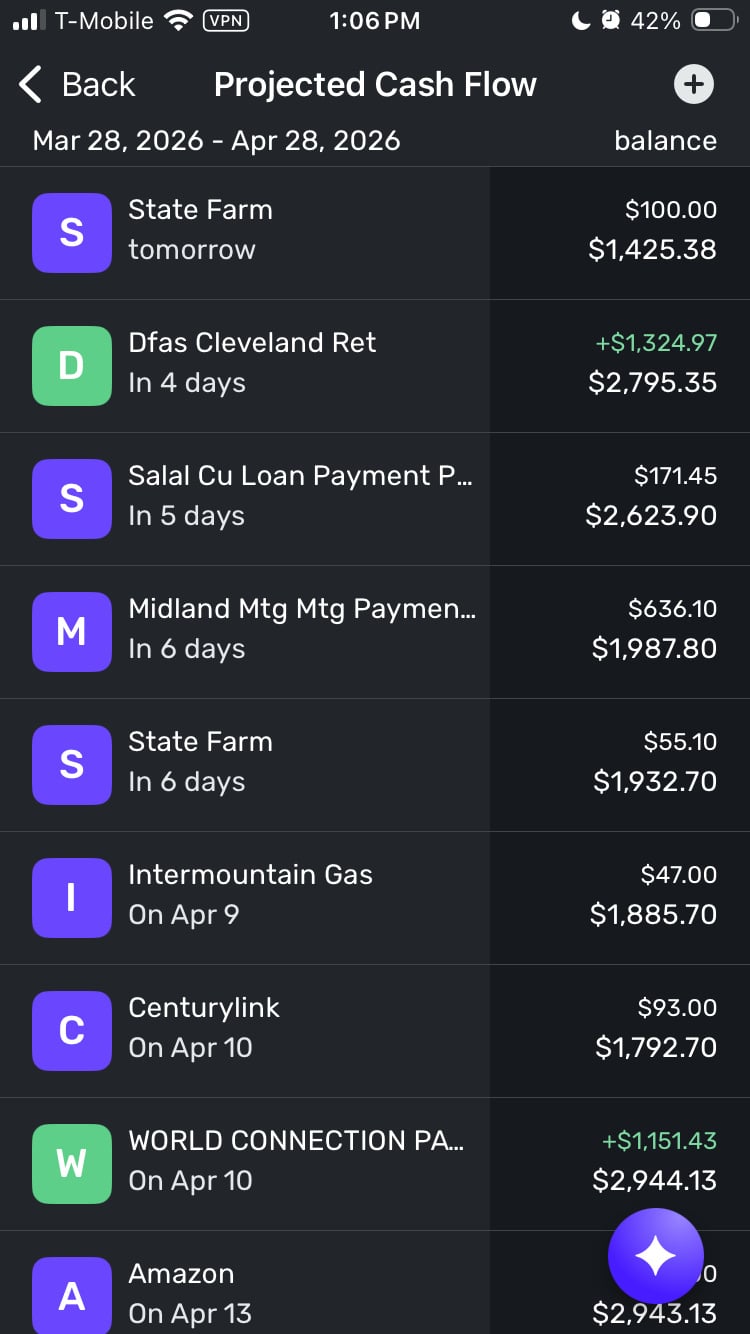
Does this behavior match what you're seeing?
I look forward to your reply!
-Coach Kristina
1 -
@Coach Kristina Yes!
2 -
Hello @stacyvance and @RobWilk,
I was able to reproduce this issue from my side as well and reported it to my product team. I will be sure to follow up here with any updates as they work on a resolution!
Thank you!
SIMPL-32830
-Coach Jon
1


