Help with linking split transactions to recurring (edited)

The struggle to learn this system is REAL! I just don't understand. Last month this worked and this month it does not.
I paid my electric bill ….. this is the screenshot from transactions:

This is the screenshot from Bills:

I can't link it because it is a split transaction. If I link it to one, it disappears and I can't link it to the other…..
Can someone please advise how to fix this? And why sometimes it works and sometimes it does not?
Comments
-
I'm not aware of a good solution for this currently. In the past I have had to create a second transaction (rather than split the transaction) in order to link to multiple recurring Bills. This results in transactions that don't exactly match what shows on the bank website.
The potential good news is that the dev team is working hard on allowing splits in recurring Bills. There have been some mockups of the work, but have no idea when it will finally make it into production. In a sense, it is the opposite of what I suggest above. Instead of creating a second transaction in order to link with two Bills, it allows you to have one Bill matching one transaction, but splitting the amount over two categories.
DryHeat
-Quicken Classic (1990-2020), CountAbout (2021-2024), Simplifi (2025-…)0 -
so I created a separate charge to account for the 2nd elec bill….. and now the system does not even find the transaction???? WTH????
here are the two charges from the "sapphire account - transactions" list:
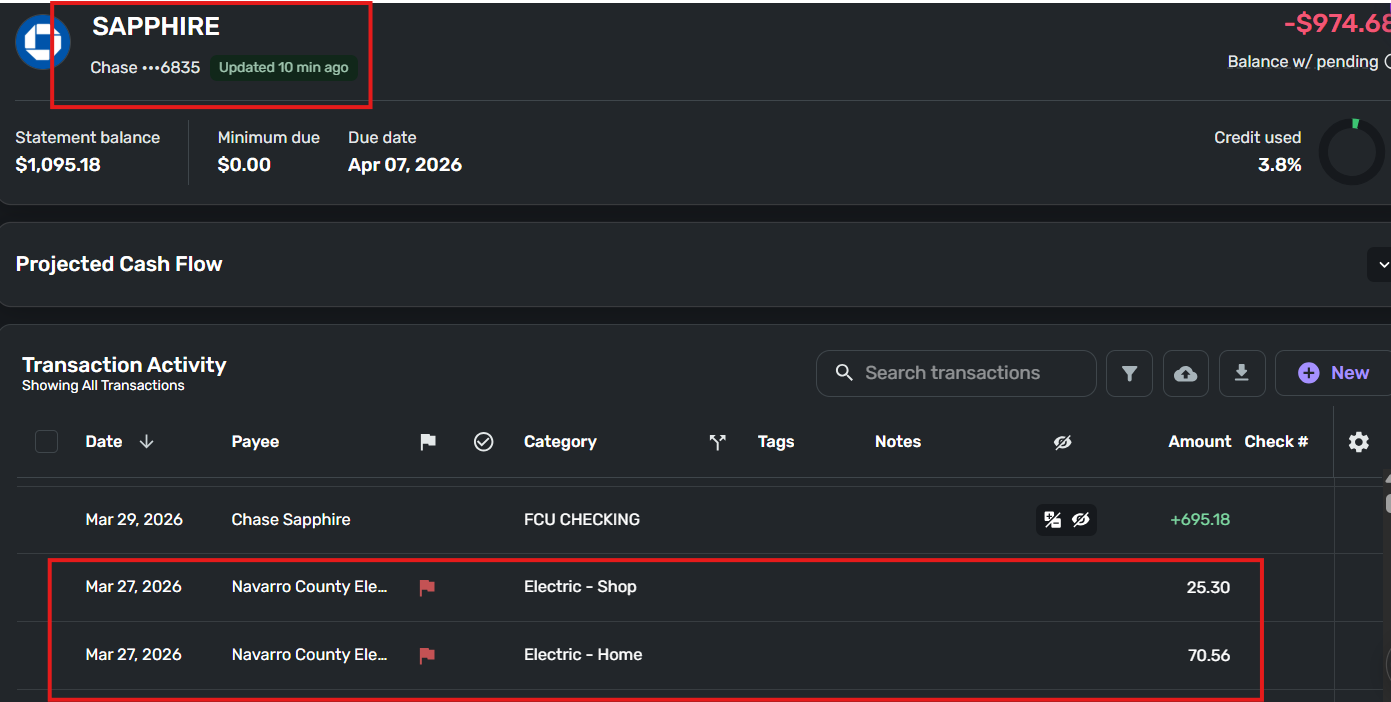
From the bills section showing past due:

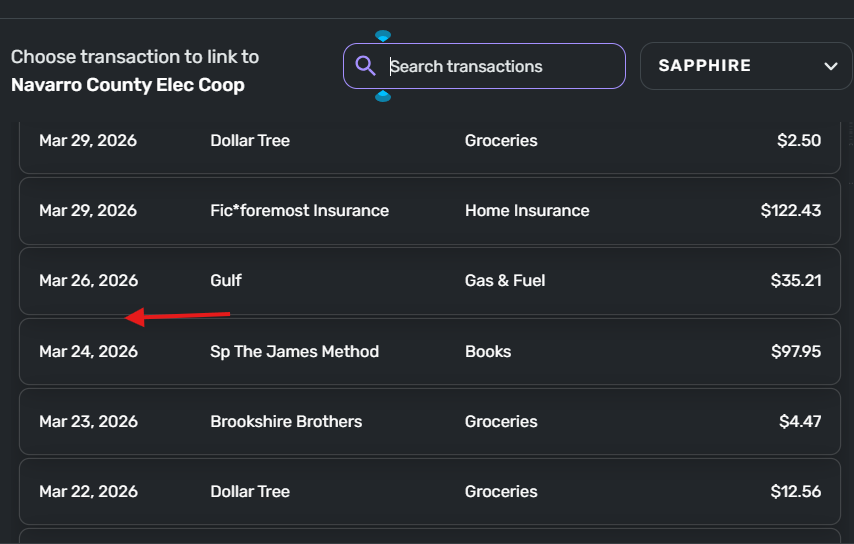
Attempting to link the "new forced transaction" dated for 03/27: should be at arrow…but not
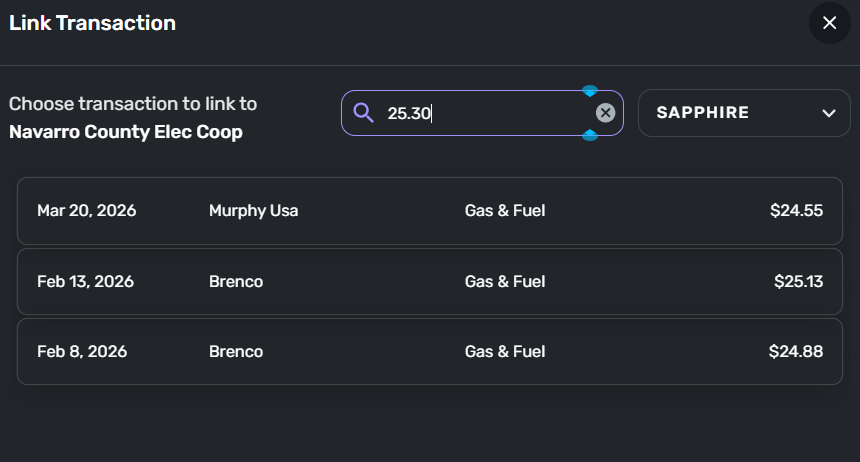
Searching for the $25.30:
 0
0 -
It looks like you are trying to link from the series to the transaction. That should work, but doesn't always.
Try linking from transaction to series instead. Click the link option on the transaction's three-dot menu:
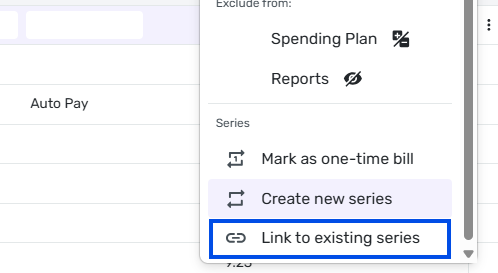
Then choose the transaction from the "Link to existing recurring" pop-up window:
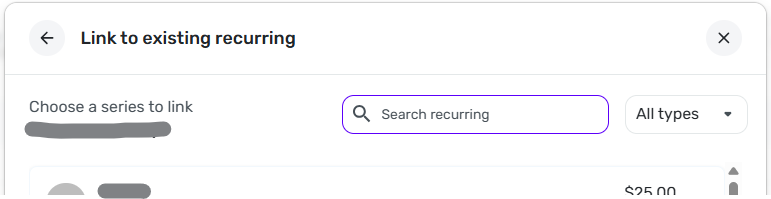
Sometime that works when linking the other direction doesn't.
DryHeat
-Quicken Classic (1990-2020), CountAbout (2021-2024), Simplifi (2025-…)1 -
I agree that having to work around things is a pain. I have no idea why linking doesn't always work in both directions. It seems like it should.
But at least you got your task done.
DryHeat
-Quicken Classic (1990-2020), CountAbout (2021-2024), Simplifi (2025-…)0
