In a transaction rule, I can't change the contains values

In my rule, I have 6 values for the payee field. I remove 3 of them, click on create the rule. I go back into the rule and the same 6 values are there after I just create it. What am I doing wrong or is this a bug?
Comments
-
Hello @James-0401,
Thanks for reaching out! To clarify your situation, when editing a rule, you are removing 3 of the keywords. However, when you select "Update Rule", the rule still contains the original keywords, correct?
Have you tried editing the rule through another web browser/incognito mode? Let us know!
-Coach Jon
0 -
Initially I used a private window (FF browser), I tried using a non private window (FF) and used Edge and both browsers did not remove the keywords after updating the rule.
0 -
BTW, yes you have the scenario correct. And yes it is update rule not create rule.
0 -
Scenario, I open the transaction, select create rule, remove 3 keywords, click continue to review, click apply rule to existing transactions, click update rule. Then I open the transaction and click create rule and the same 6 keywords are still there.
0 -
I also have this same problem on another transaction with a different rule, so it's not just the one rule or one transaction.
0 -
Hello @James-0401,
Thanks for the reply! I was unable to reproduce this issue on my end when updating transaction rules. Are you able to provide screenshots of the process you are doing when editing the rules themselves, showing the rules in question, to better assist us?
-Coach Jon
0 -
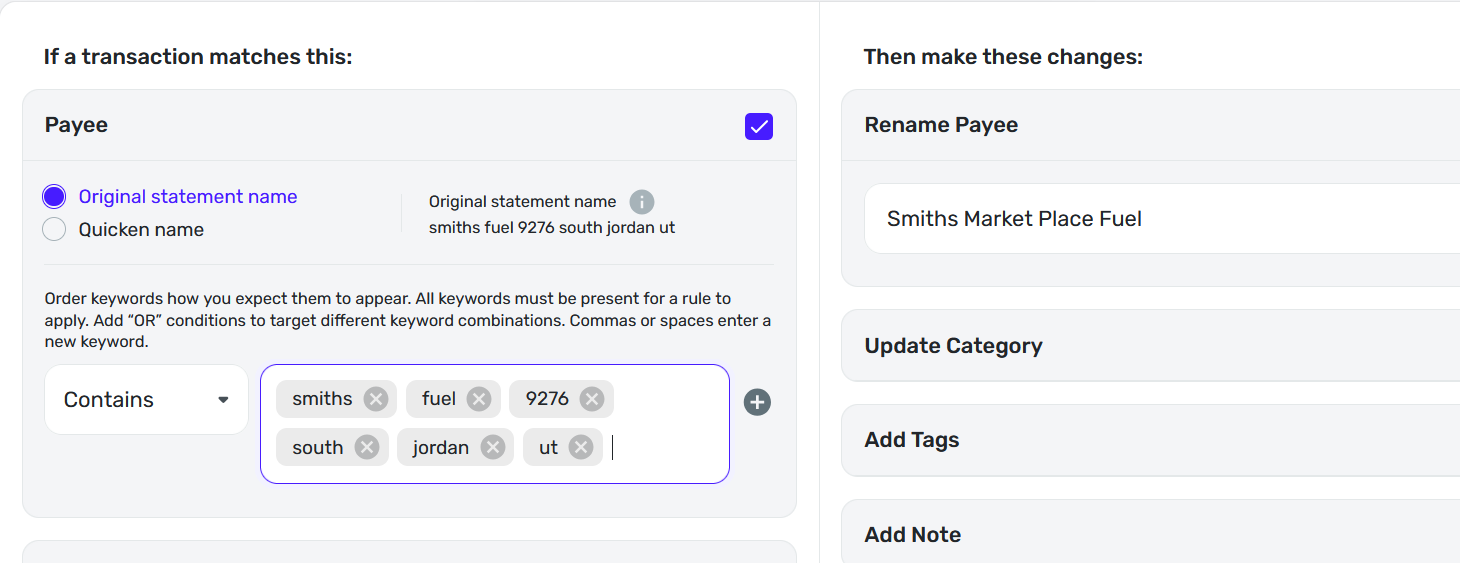
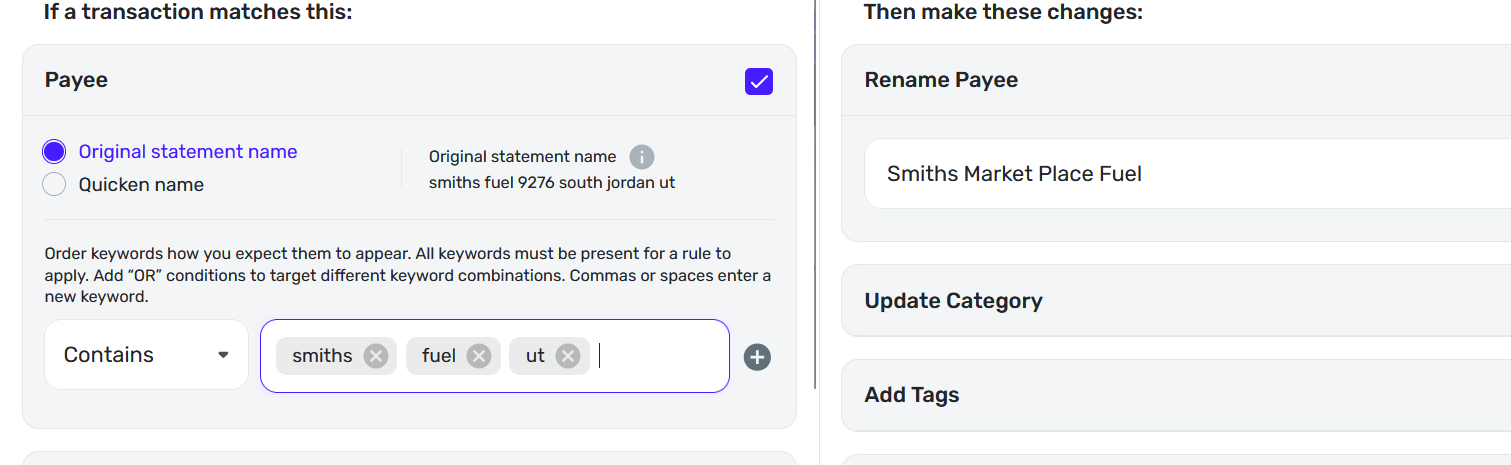
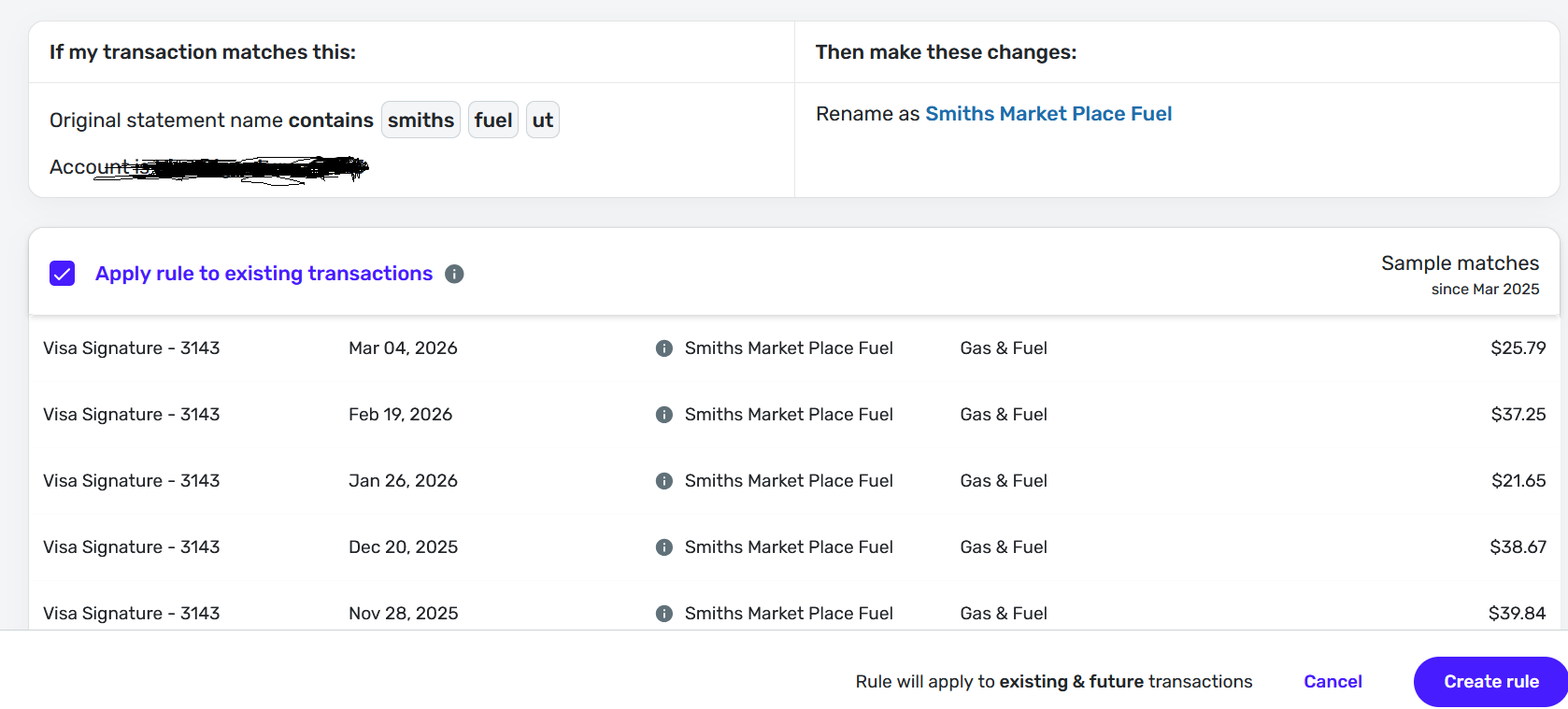
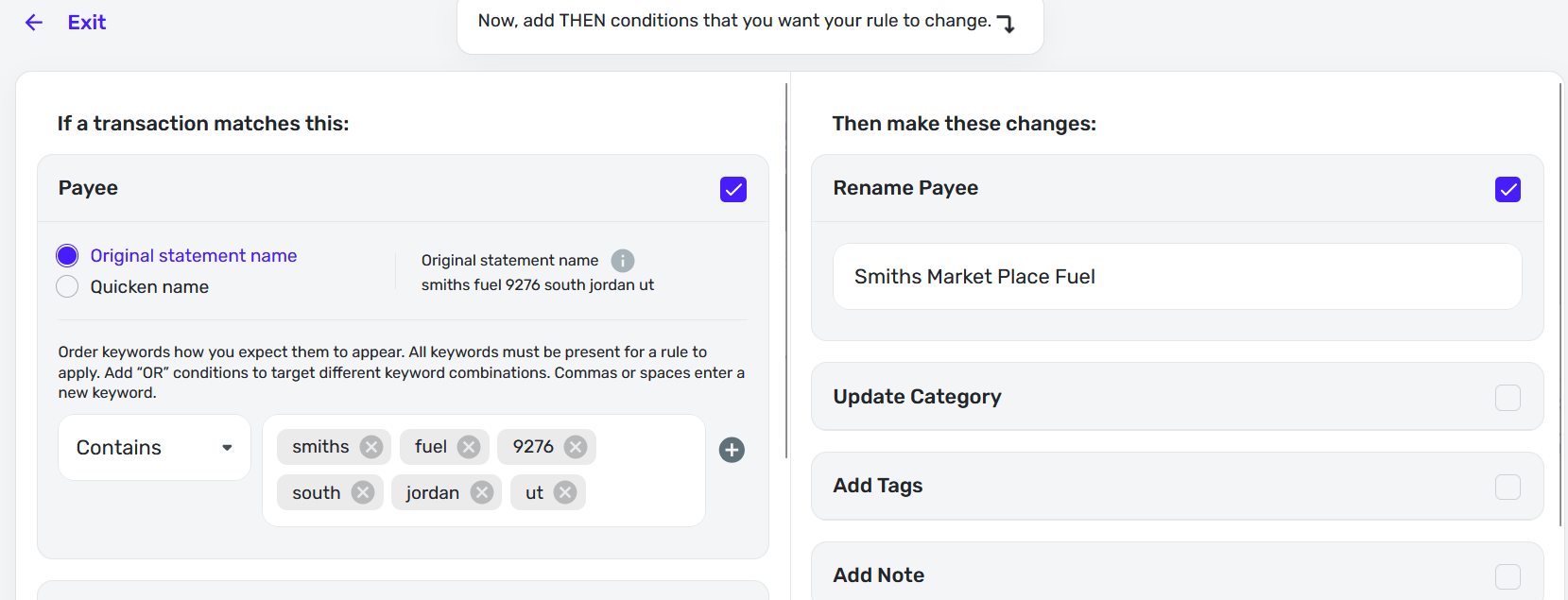
Will these 4 images help? 1st image is the rule. 2nd is rule after 3 keywords removed. 3rd applying to existing transactions before clicking on create rule. Notice there are only 3 keywords showing. 4th back into the rule that was supposed to be updated. Let me know if there is any other image you need.
 0
0 -
Maybe this helps
0 -
Hello @James-0401,
Thank you for the screenshots! Instead of updating the existing rule, I would see if deleting the rule with the issue, and then creating a new rule with the parameters you want works to resolve the issue here. Let us know!
-Coach Jon
0 -
That will probably work since I am deleting it and create a whole new rule. But…it does not solve the problem that I have slipped into. When I create the updated rule it does show only 3 keywords but then doesn't update the rule. Let me see what happens if I delete & create it.
1 -
Several more clues. I went into settings, rules and found several rules that are the same for the transactions I am creating a rule for. They are duplicates. Prior to this, when I open a transaction from the transactions screen that is where I click create a rule inside that. That's what it is doing, creating a new rule not updating an existing rule that is it showing me in the beginning. It is creating more rules rather than changing the one it is showing me.
I deleted ALL the duplicate rules. Then from the settings, rules screen, I added a new rule with the 3 keywords. Now, here is a very weird clue. I went to the transactions screen and open up the transaction and click on create rule. What showed up were 6 keywords not the 3 keywords I just created.
I went back to settings, rules and could not find a rule that had those 6 keywords so where did that old rule come from that was supposedly deleted? There is definitely a bug somewhere.
Is it possible, that it is saving the rule in each existing transaction as a history of what rule changed it? Otherwise, something is not making sense! What do you think is happening?
0 -
Hello @James-0401,
I am a little confused here, I admit. Why are you creating a new rule from the transaction itself after updating the original rule? You can update any rule from the Settings > Rules page in Quicken Simplifi. You do not need to create additional rules from the transactions themselves.
-Coach Jon
0 -
When I create a new rule from the transaction itself, it shows me a rule. Can I not "update" that very same rule? It appears as if I could else why is it displaying the rule? All I can do is create a new rule based on what rule it is showing me. Do I need to go back to settings and "update" it there? It appears so.
When something says create rule, I expect to create a brand new rule with no keywords already in it. Not see a rule that has 6 keywords and I think, oh, I can "change" it. No I can't. I can only create another one like it.
I see rules from settings and I see rules from the transaction itself. Two rules from two different locations which seems a little confusing to me and maybe others.
But still, the other confusing thing is, when I open the rule from the transaction screen, (it does say create rule I admit) where are those 6 keywords coming from? It is not coming from the settings, rules screen. It seems obvious there are 2 sets of rules going on. There has to be. One from settings/rules screen and one from the transaction update screen. It is a little confusing.
I think it would help to just get rid of the create rule button in the transaction screen or keep and and just transfer you to the settings rules screen when clicked on. Just manage all new rules and updates from the settings rules screen and not from any other place. I think that would make it simple.
Me, going forward, I'm just going to ignore the create rule button in transaction update and just use the settings, rules screen to add and update all my rules.
I and others may be confused the same way I am. I appreciate your time Jon. If you have questions for me just let me know.
0



