Escape key to dismiss modals forces a scroll to the top of the transaction list

this used to work but something was introduced a couple weeks ago.
in the transactions view, you scroll down a bit. you left-click on a transaction and the details appear in the modal. if you dismiss this modal with the escape key, in the past, the modal would just disappear. in recent versions, this will also automatically select the first column of the first row (you can see the border around the checkbox), forcing the transactions to scroll to the top.
please consider fixing this for keyboard warriors. i can't imagine that this was intentional as it breaks norms. thanks.
Comments
-
Thank you for letting us know about this issue! I was able to replicate it as well. I forwarded this to the proper channels for further investigation. To contribute to the investigation, please send feedback with log files attached. To do that, follow the steps below:
- Log in to the Quicken Simplifi Web App.
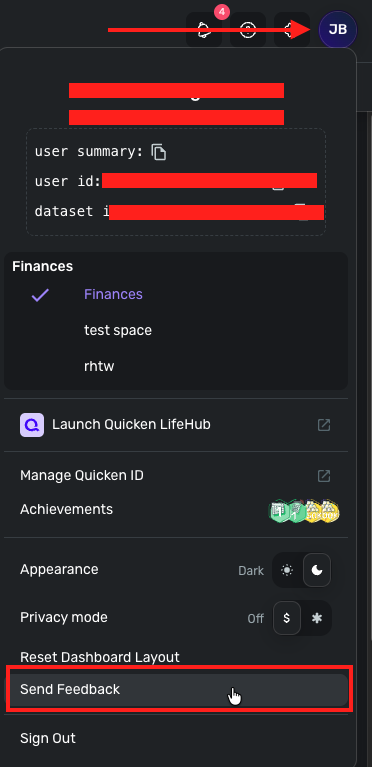
- Select the Profile icon in the upper-right corner of the screen.
- With the Profile menu open, hold down the Option key (Mac) or the Alt key (Windows), and then click Send Feedback.
- Leave all boxes checked, add a brief description of the issue, and then click Send.
Thank you!
-Coach Kristina
1 -


