Escrow and Investment Transfers in Spending Plan

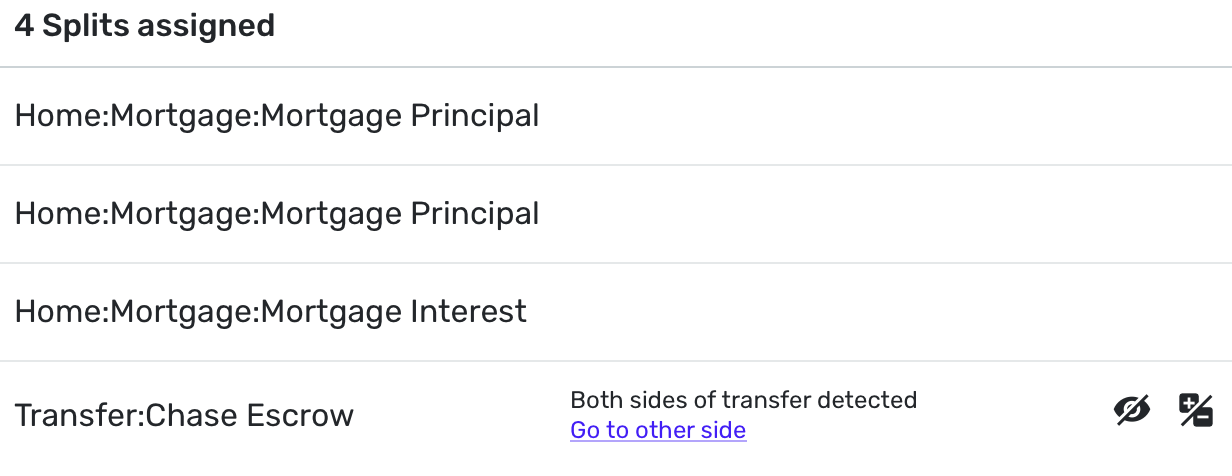
I'm trying to use splits to break out my mortgage into principal, interest, and transfers to an Escrow account. For the Escrow account, I have a manually managed savings account that I use a transfer to update the balance.
The past two months, I have been able to include the negative transfer in the spending plan as I want to count it against my available to spend. This month I'm unable to toggle the "include in spending plan" on for the expense (attached image). I tried doing this in the transaction view, and on the spending plan page. Last month, I was able to hit the + button to add the negative transition to the spending plan. This month it isn't showing up. I'm only able to get the positive value on the escrow account to show up, which I don't want because that will increase my available to spend.
I'm also trying to do the same for paycheck splits to track gross income, taxes, and transfers to retirement accounts. I noticed that my transfer splits stopped counting against my available to spend after the middle of March.
Is there a know issue with this workflow? Should I be handling this a different way?
Comments
-
Hello @SteadyTrajectory,
Thanks for reaching out! When testing from my side, I was able to include the split transfer I created in the Spending Plan. When trying from your side, are you using the 3-dot menu to the right of the transaction and unchecking the "Spending Plan" exclusion option in the following menu?
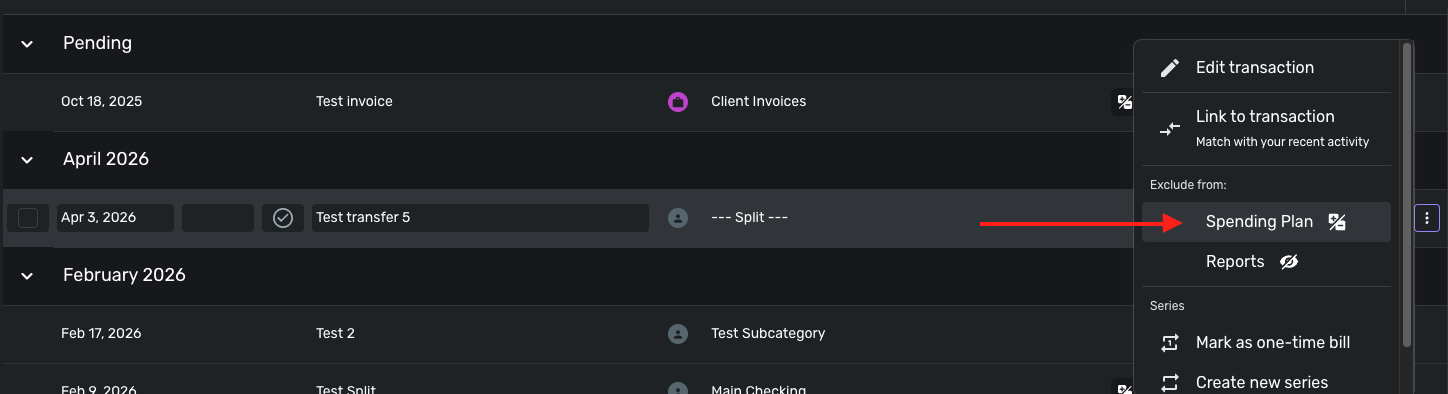
It should then show up under Transfers & Credit Card Payments in the Bills section of your Spending Plan. Let us know!
-Coach Jon
0 -
I removed the splits and tried again. I tried toggling the spending plan check box through all the options with the same result. Here is what that looked like:
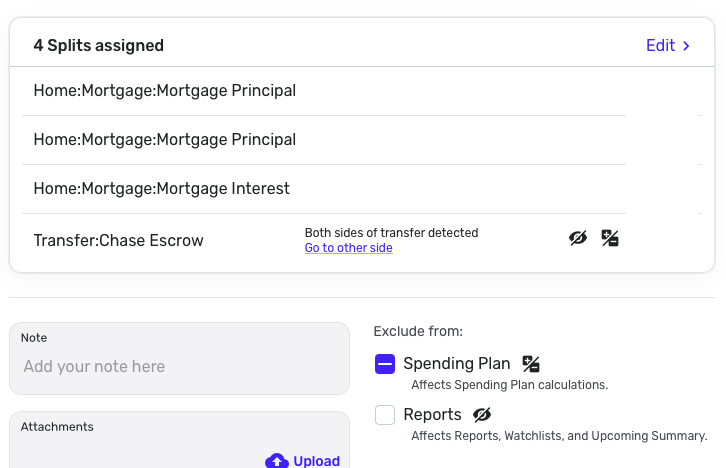
I checked the three dots like you mentioned. Exclude is unchecked:

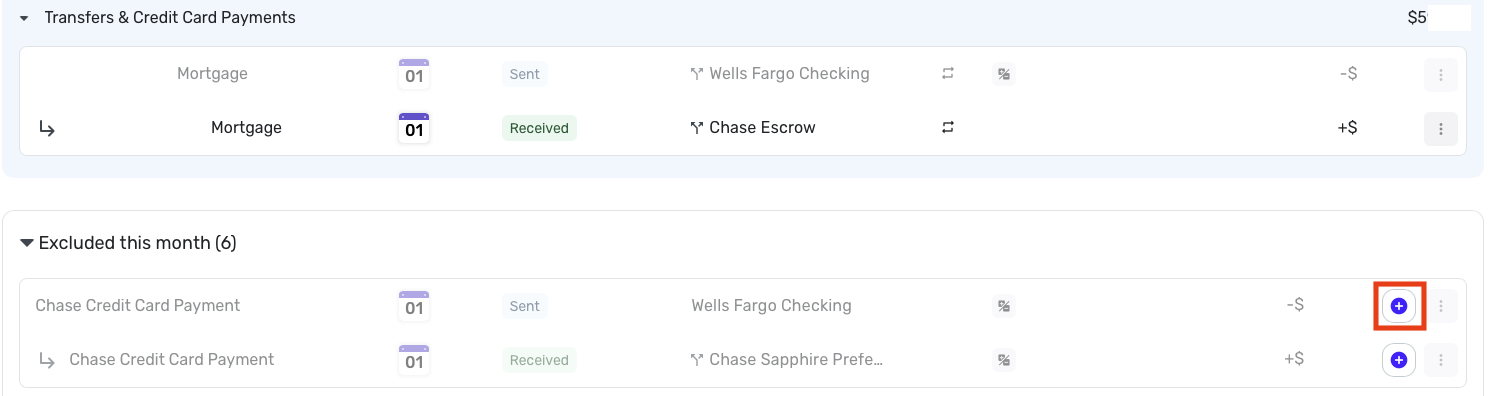
Within the spending plan, the transfer shows up as included, but the incoming side into the manual savings account is what is included, not the outbound from checking. The outbound is greyed out and already listed as included. I seem to remember it being excluded last month and having the option to hit the purple + button below.
 0
0 -
Thank you for your reply,
To clarify, when you unexclude it, the transfer moves out of the excluded section, but still has the excluded icon. Is that correct?
Thank you!
-Coach Kristina
0 -
That's correct, when I unexcluded it moves to the main section, but is greyed out and doesn't deduct from available to spend.
On the app, the icon goes away, but it doesn't move. Here is what it looks like when I include the Sent:
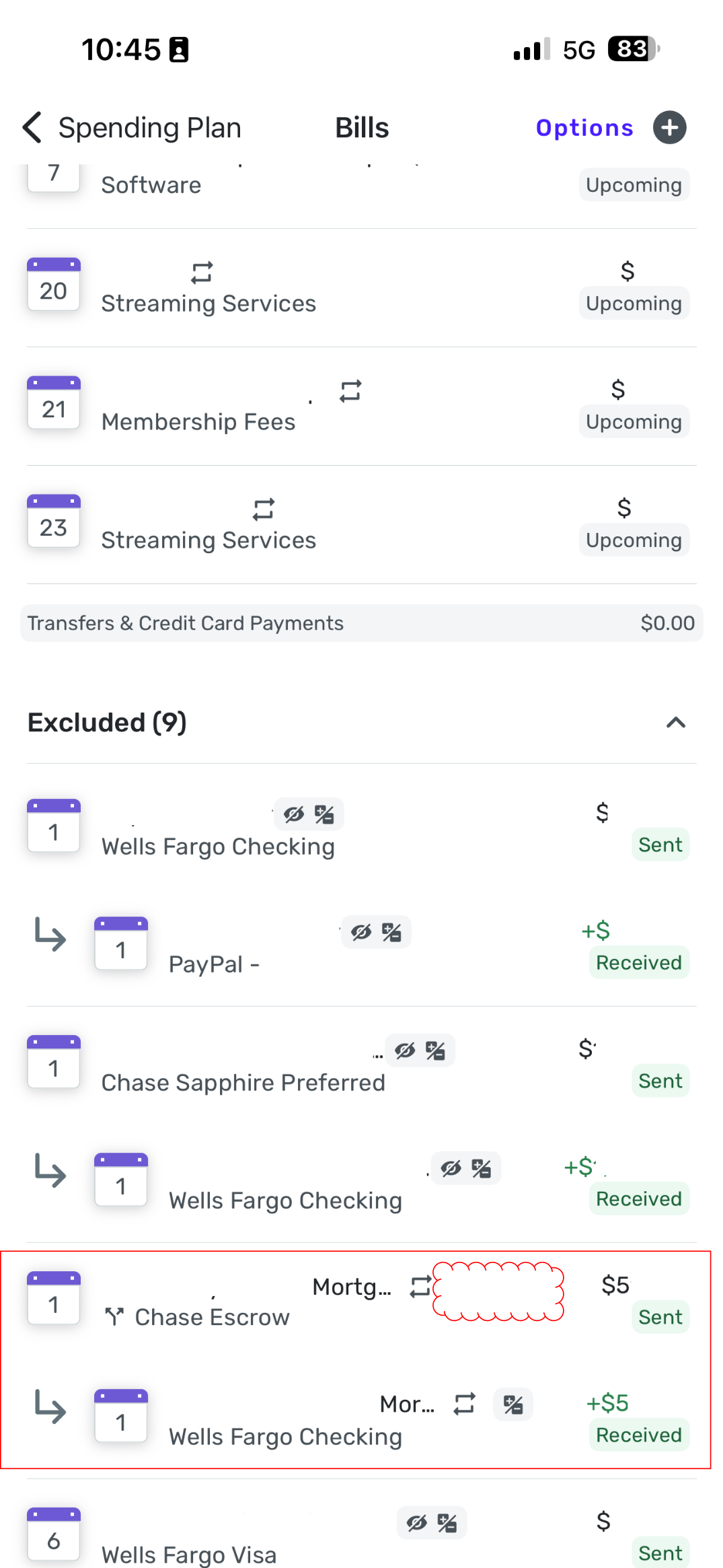
Here is what it looks like what I include both sent and recieved:
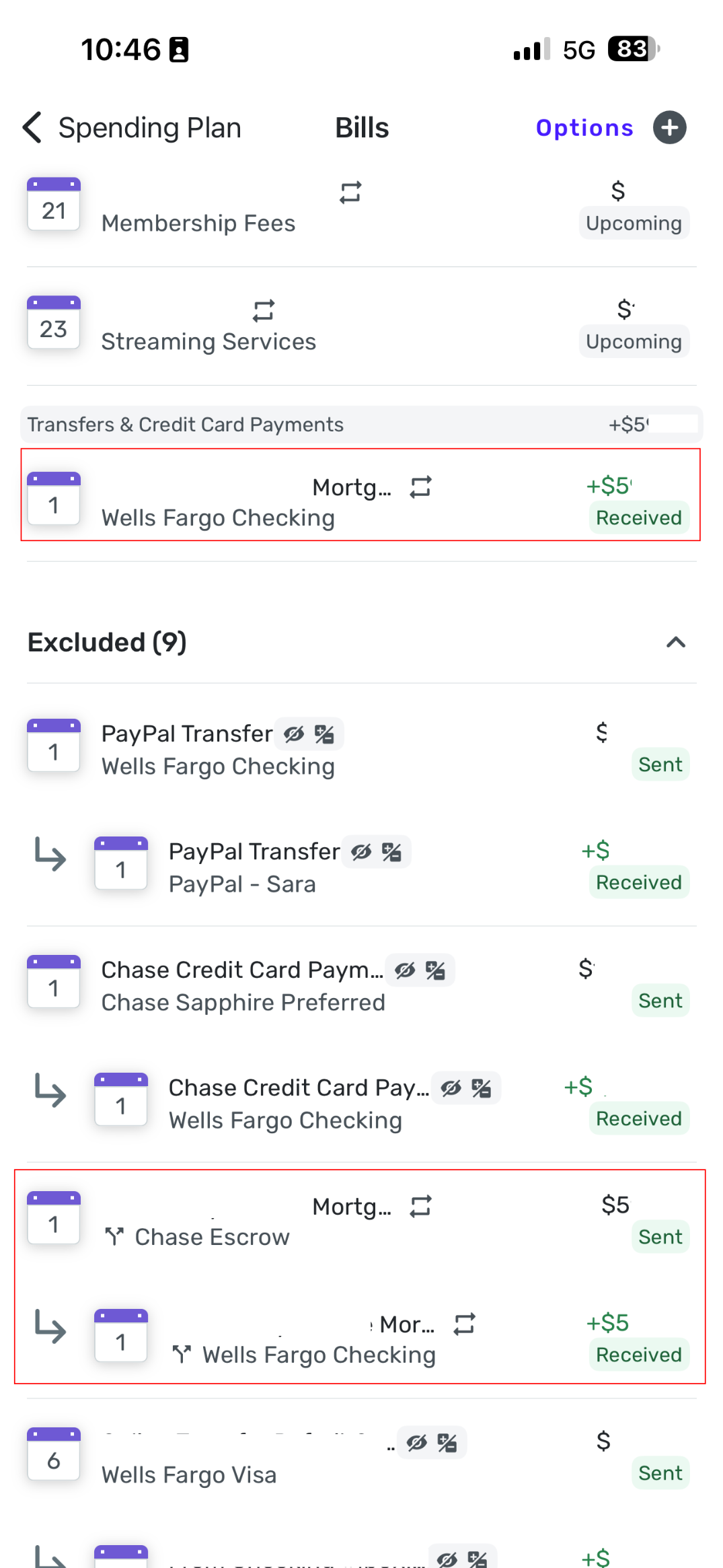 0
0 -
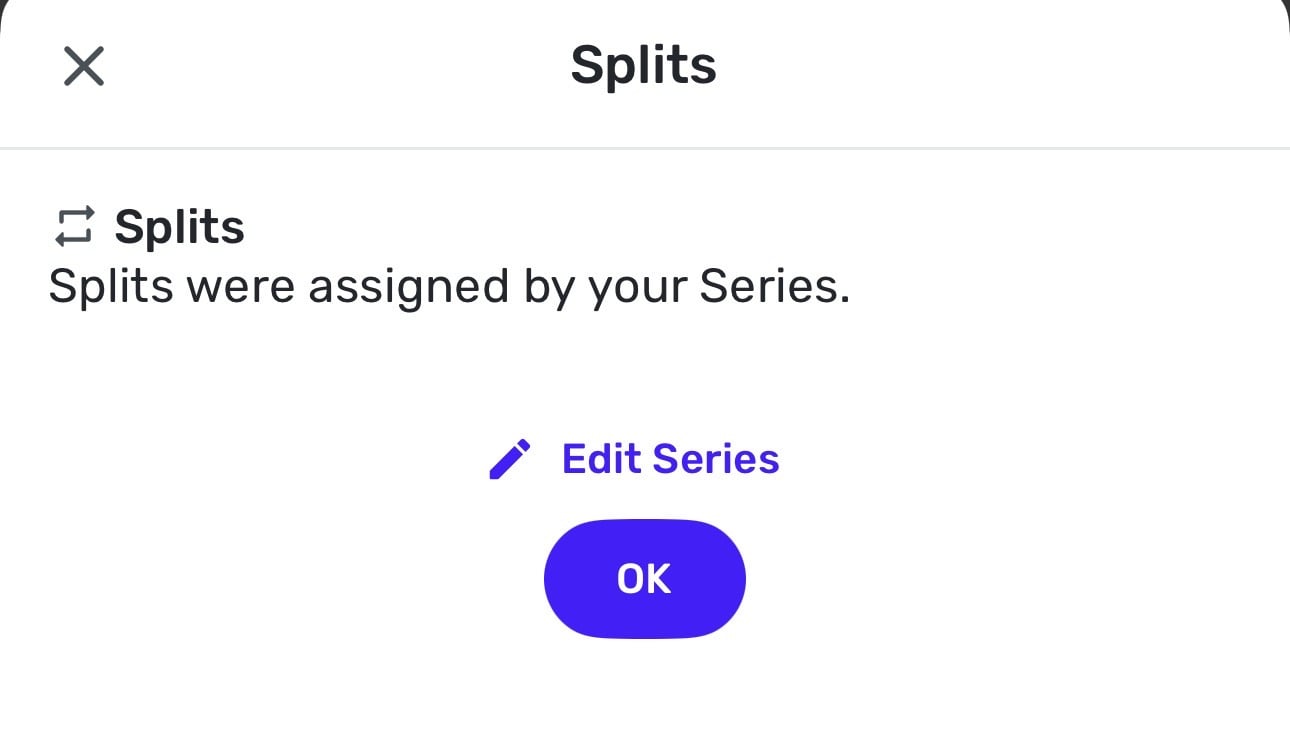
When I try to edit the splits on the app, it doesn’t let me because they are part of a series. I set the splits manually, not through the series. When I go to edit the series I don’t see a way to set splits.
 0
0 -
Hello @SteadyTrajectory,
Thank you for the information. To clarify, your split transfer is being included in the "Transfers & Credit Card Payments" section of the spending plan, correct? If it is, are you just wondering why the "Left this month" amount isn't being updated? By design, Quicken Simplifi treats Transfers as neither income nor an expense. This is because you're simply moving funds from one account to another, which does not change your net worth.
-Coach Jon
0 -
Yes, the Transfers & Credit Card Payments section is where it shows up.
I guess I'm not understanding the point of the spending plan. I thought it was a tool to manage monthly cash flow. If you had $X coming in for the month and $Y expenses, then available to spend would be $(X-Y). If I decided to say invest this remaining money, the transaction would show as a transfer between my checking and brokerage. I'd want the sent side of this transfer to count against available to spend for the month, otherwise I risk overspending. I realize the transfer from checking to brokerage isn't a change in net worth, but it does change monthly cash flow.
Am I misunderstanding how the spending plan is supposed to work?0 -
Hello @SteadyTrajectory,
Thanks for the reply! Including only one side of the transfer under "Transfers & Credit Card Payments" would make the Spending Plan work how you want it to for you. If you include both sides, however, it would not change the "Left this month" total. Does this make more sense? Do you want to only include one side of the transfer?
-Coach Jon
0 -
Yes, that is my original question. I’d like to include the sent side of the transfer in the spending plan. For some reason it isn’t letting me as shown in the images above. Certain transfers have the + button to include in transfers and others are greyed out.
0 -
Hello @SteadyTrajectory,
Thank you for clarifying! If you select the transaction itself and uncheck the "Exclude From Spending Plan" option, so that it is completely unchecked, does it then show up in "Transfers & Credit Card Payments"? If that still does not work, can you see if selecting the "include in Spending Plan (+)" button from another web browser works?

Let us know!
-Coach Jon
0

