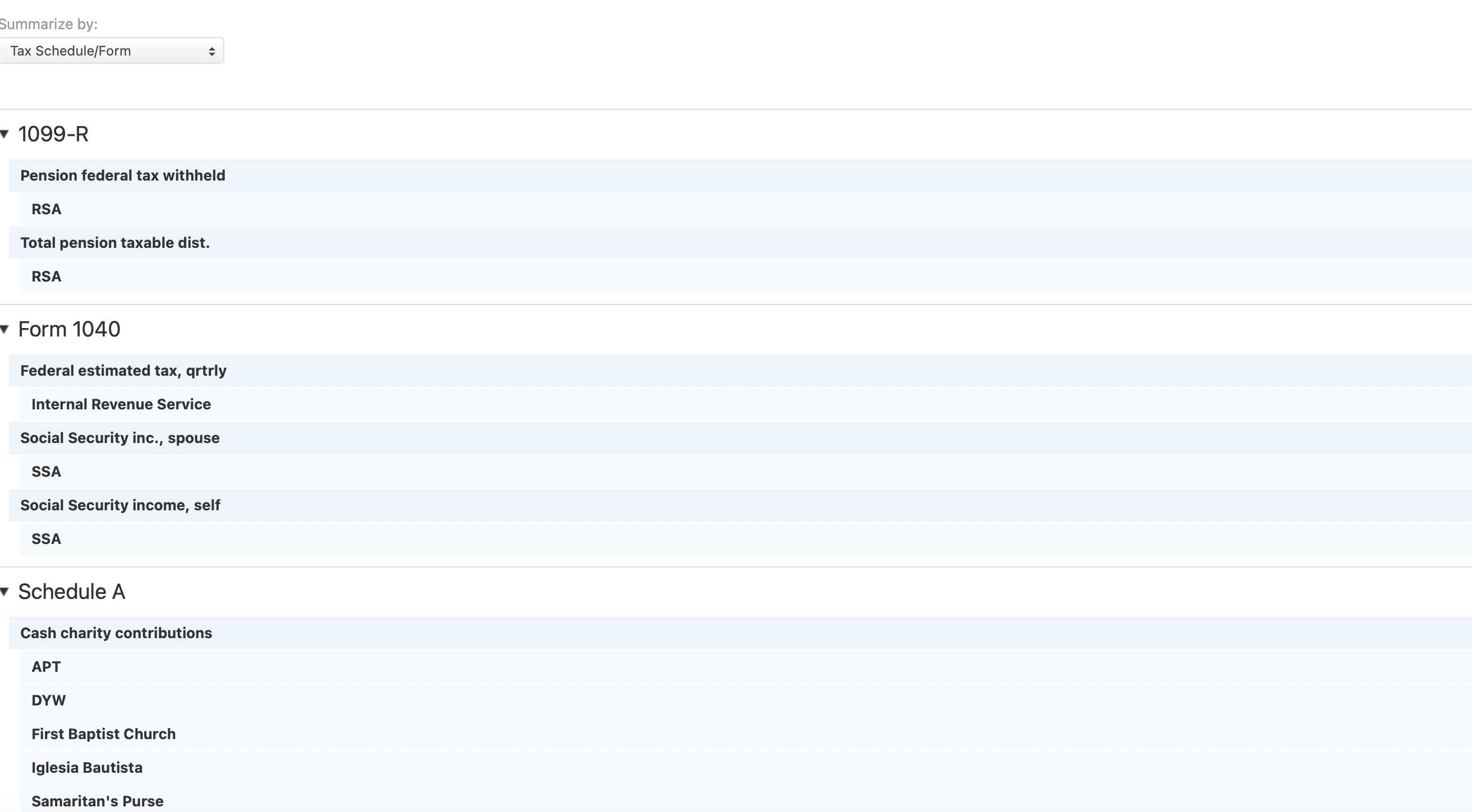
Break down the Personal Taxes Report by Form > Line Item (edited)
IMO, the tax report really isn't very useful as it only arranges data by Form > Payee. The payee generally doesn't matter, at least not when actually filling out the tax forms.
What is relevant for filling out taxes is the Form > Line item. Since we already have assigned tax form lines to the Simplifi categories, that information is available.
What is needed is the option to list the tax report by Form > Line Item > Category. That would make the report actually useful.
Comments
-
Hello @Norm6257,
Thank you for coming to the Community to provide your feedback! Since you are requesting a change to the way the current tax report works, I changed your post to an Idea. Ideas that get enough votes may be implemented in the future!
Thank you!
-Coach Kristina
1 -
My request is similar, but a little more specific. All we need are Payee Totals. We don't need all the transactions.
On my charitable tax reports for example, they ask for the total for each one, e.g., First Baptist Church, Salvation Army, etc.
For Interest Reports, we need each payer, e.g., Chase Bank, Capital One, etc.
We can use the carats to hide the transactions, but we cannot save the report that way, and when you send the report to a PDF, all the transactions come back.
Does this make sense? Should this be a separate feature request?
Steve
Quicken Simplifi (Safari & iOS) Since 2021
Quicken Classic (MacOS) Since 2009
MS Money (1991-2009) and Dollars & Sense (1987-1991)0