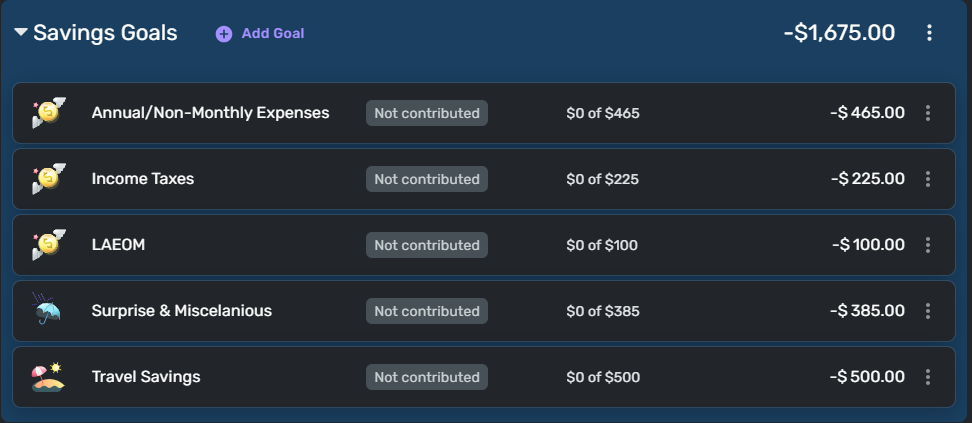
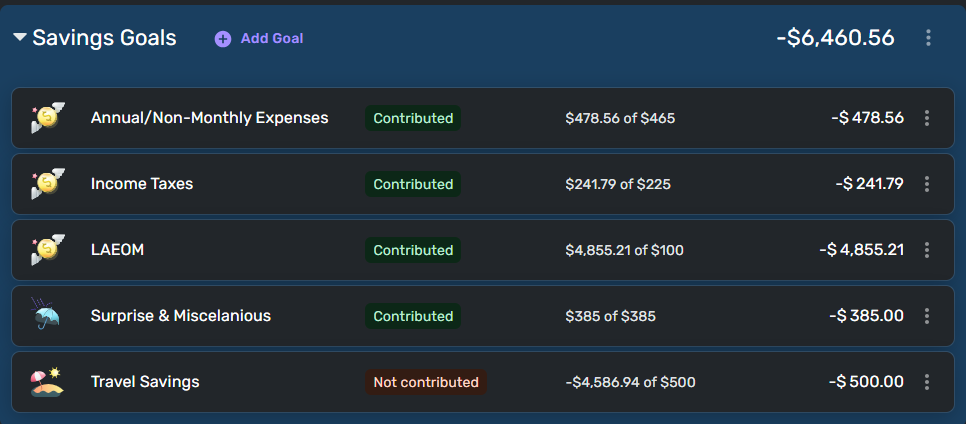
I am trying to use the Spending Plan (SP) as a budgeting tool. When I contribute to my Savings Goals (SG) the funds add back to my "available" funds, which is not what I want. When I add to SG I set that money aside for another purpose, it is specifically NOT available.
Example: I get paid on the last day of each month. On the first day of each month I contribute to each SG. For round numbers:
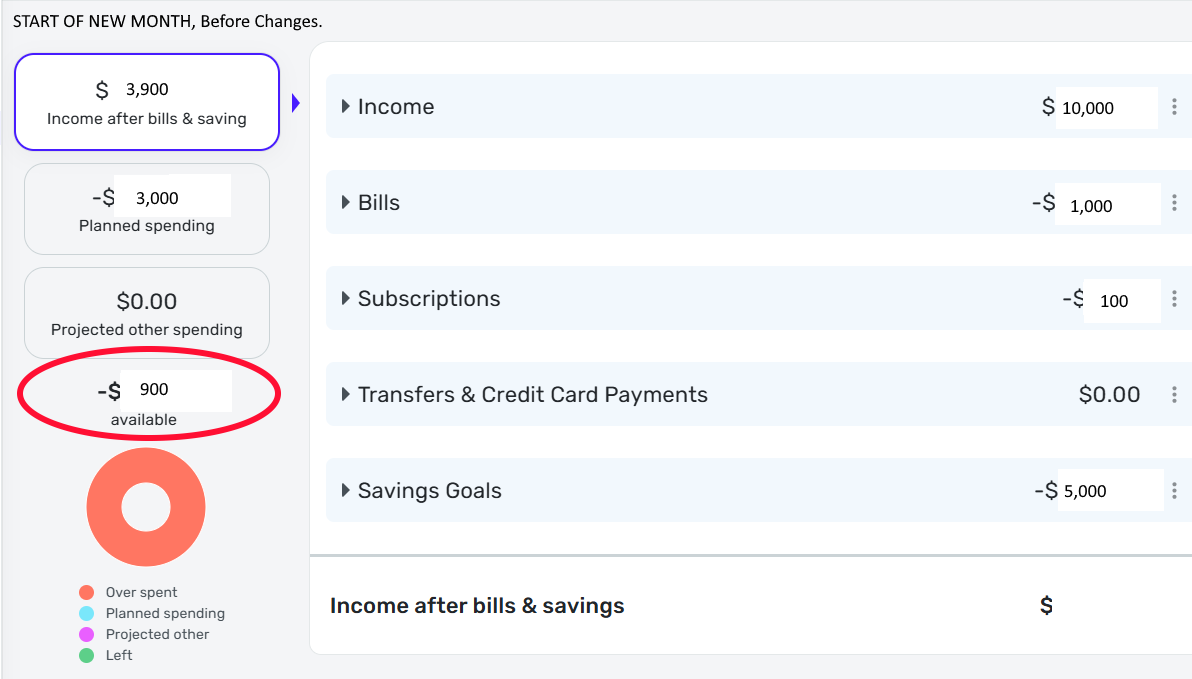
Income: $10,000
Bills: $1,000
Subscriptions: $100
Savings Goals: $5,000
Income after bills & savings: $3,900
Planned spending: $3,000
Available: $900.00
Once I contribute to my SG:
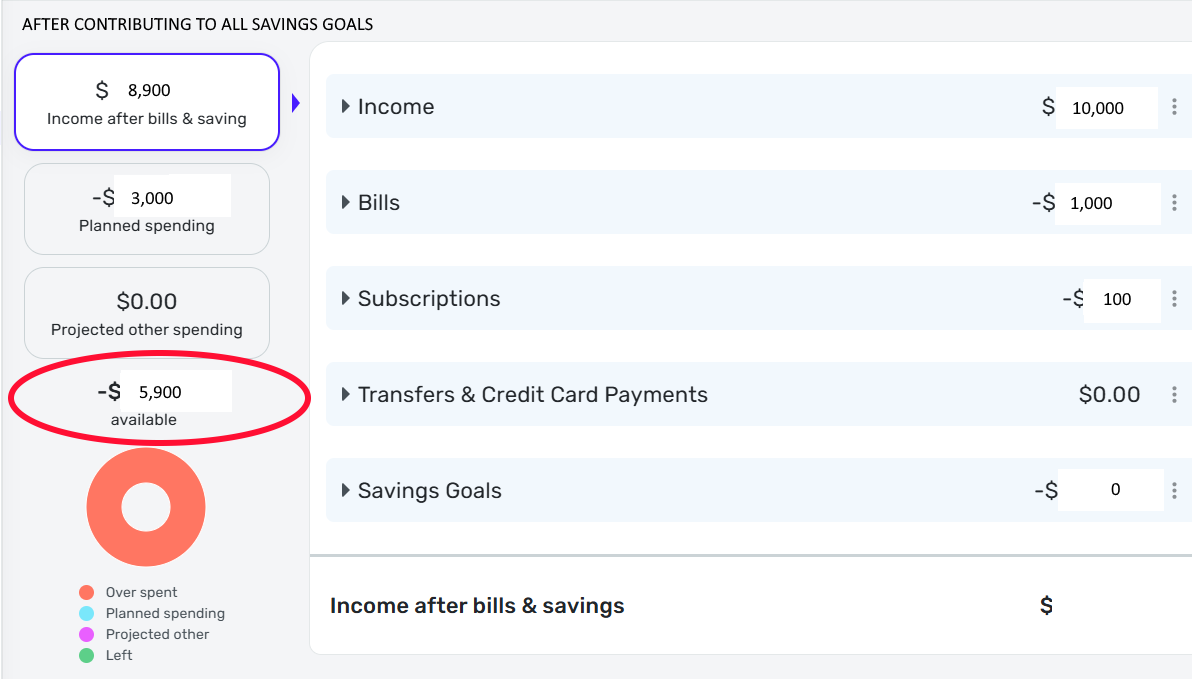
Income: $10,000
Bills: $1,000
Subscriptions: $100
Savings Goals: $0 (After 5,000 contributions)
Income after bills & savings: $8,900
Planned spending: $3,000
Available: $5,900 (The $5,000 is not "available" but rather contributed to SG to keep them from the available balance.)
I would really like a way to show that the funds set aside in SG are NOT available funds any longer. (I do understand the thought process is that these funds have not left my account, so technically my net worth has changed by this amount, but the text remains "Income after bills & savings" not "Net worth change this month." The very point of setting money aside in savings goals is to keep that money out of the available spending balance just as the funds have been set aside in the dashboard as savings goals and shows a lower balance as "available."
Each one of my SGs is configured to "subtract your planned contribution in your spending plan" as "Yes, subtract it." So my understanding is that it would subtract these funds in the Spending Plan as funds that are not available any longer.
I could set up a "Planned Spending" entry equal to the amount that I contribute to SGs each month and manually keep this in balance, but this is not an ideal way to handle this simple math problem.
Apologies if this is a duplicate, there are many topics regarding the Spending Plan, but I could not find this exact suggestion.