In Chrome, the main report data panel always resizes itself to be a little too big to fit on the screen.
A typical report view has three panels. For example, in the Profit and Loss report the top panel is for setting parameters, the middle panel is the graph, and the bottom panel shows the report data.
No matter how I set my zoom factor in Chrome or in the Chrome App version of Simplifi (QBP), the data panel is always a little too tall to fit on the screen. If I want to see all the way to the bottom of the report and/or use the horizontal scroll bar, I have to position the panel so that the column headers are moved off-screen to the top.
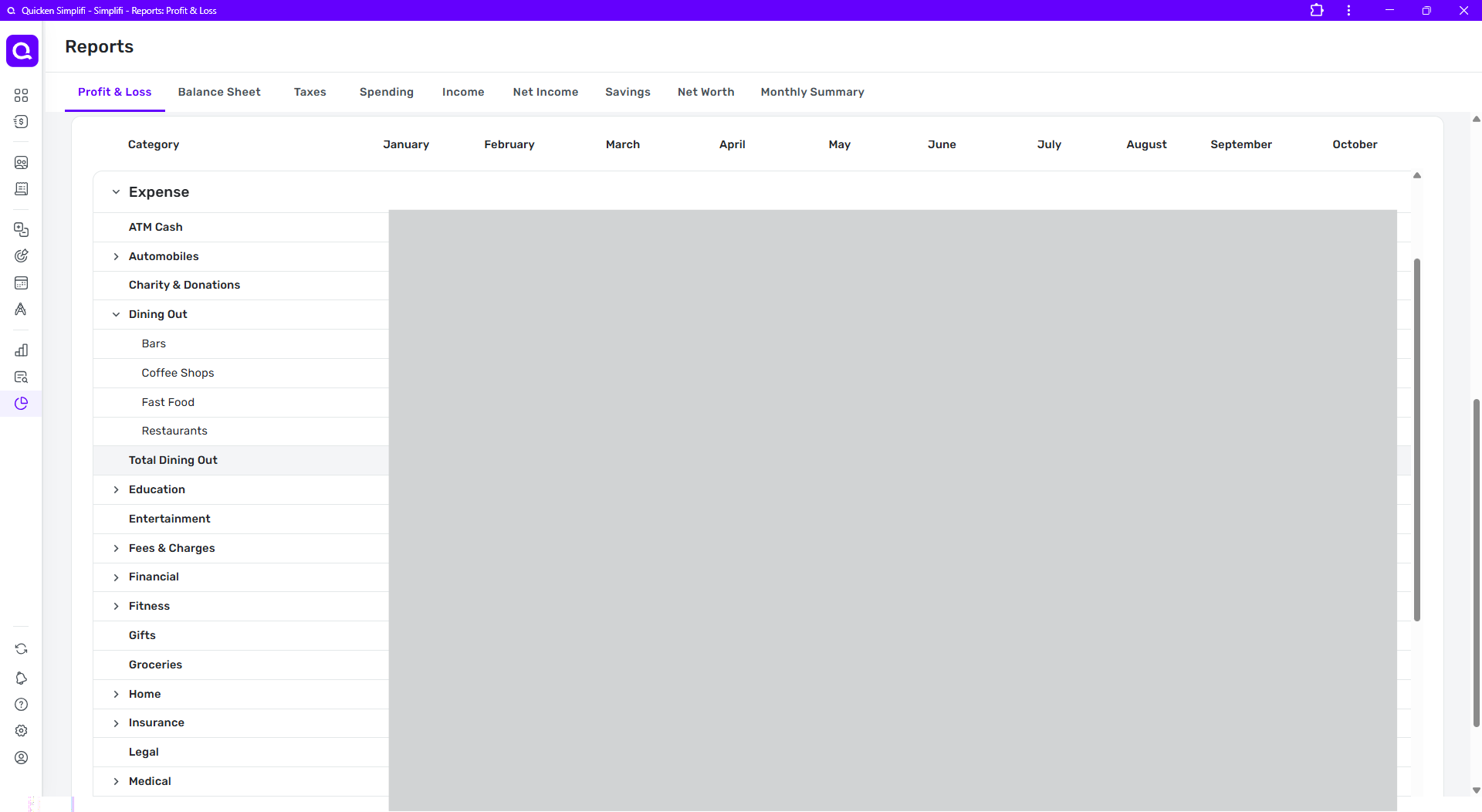
In this first full-window snip, the column headers are visible and the portion of the report visible in the window appears to stop at the line "Medical."
But if I scroll the entire report down slightly (using the farthest-right vertical scrollbar) you can see in the next snip that the report data panel actually extended below the screen and has two more lines as well as the horizontal scroll bar. (outlined in red)
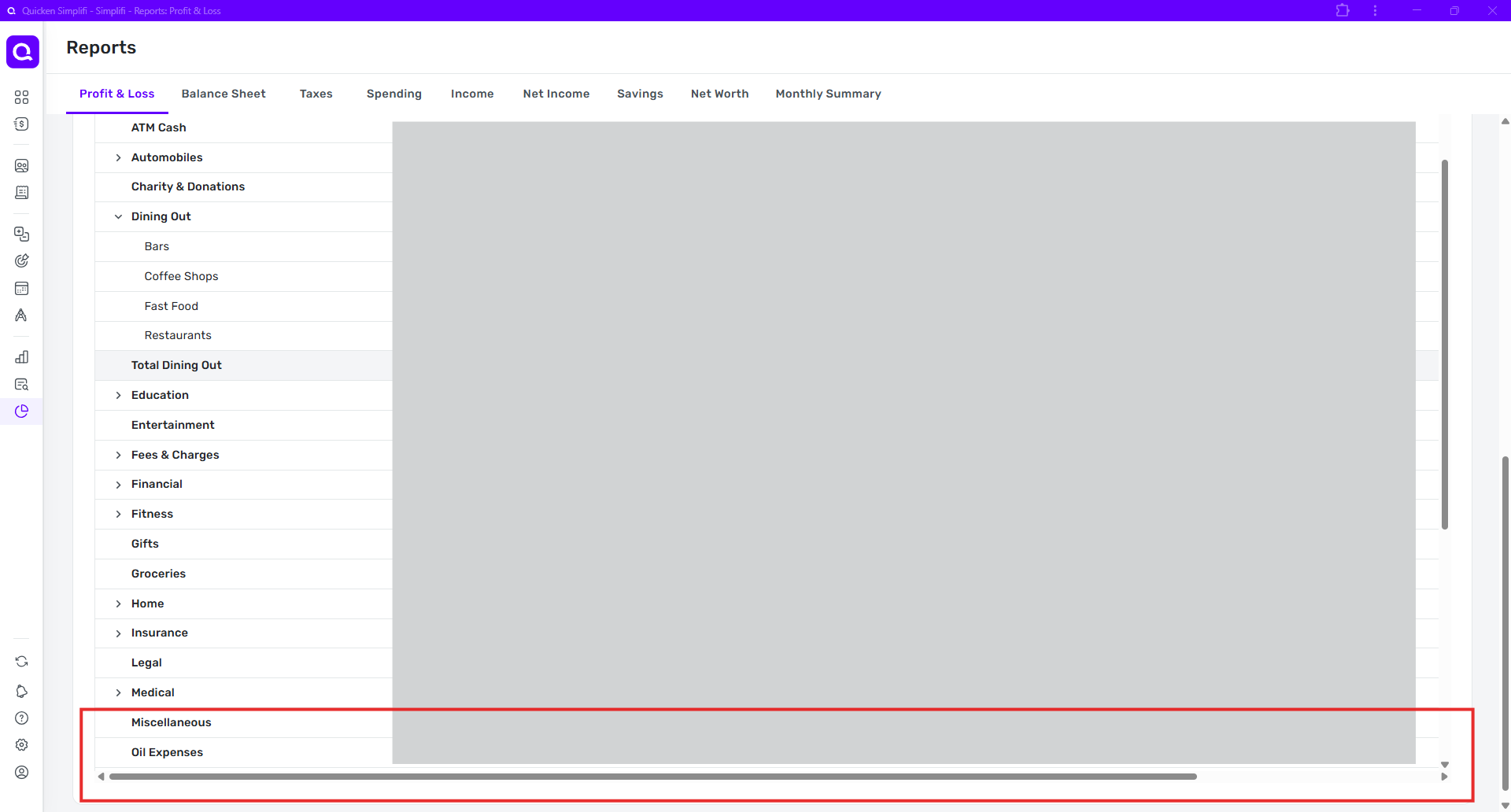
The result is that it is not possible to see the column headers, all the lines currently in the data panel, and the horizontal scroll bar at the same time.
The same result occurs no matter the main window size. Whenever I change window size or zoom or both, the data panel simply resizes itself again to be a little too tall.
