Truist not working after maintenance

Trying to re-add connection after making all accounts manual. After MFA code is entered spins on "Securing Connection" indefinitely. Help! 😀
Comments
-
@plexiglas81, thanks for reaching out to the Community with this issue!
It appears that there may have been a change for Truist Bank in Quicken Simplifi, and the new bank option that needs to be used is listed as "Truist Bank" —
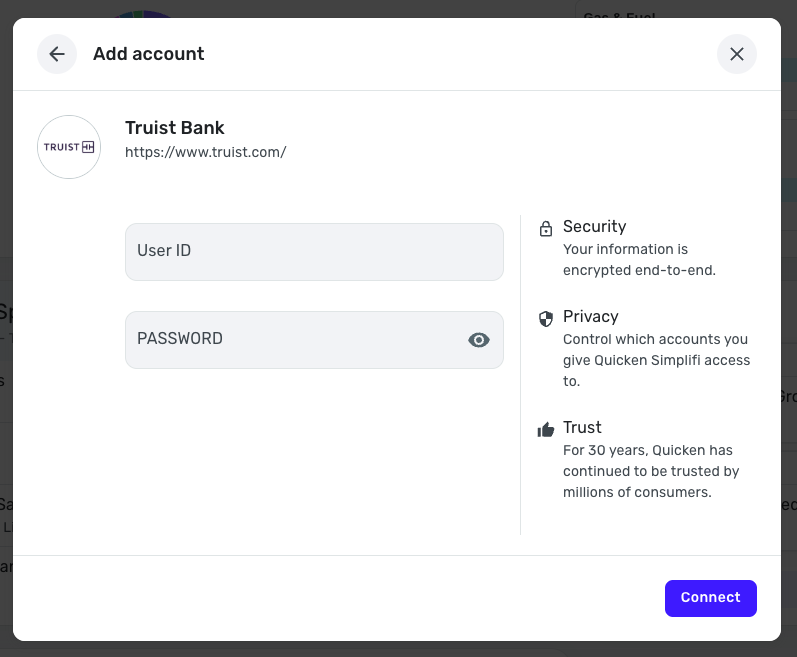
With that, please follow these steps to link your existing account to the new bank option:
- Make all of your Trusit Bank accounts manual by following the steps here.
- Once you see the account(s) listed in the Manual Accounts section under Settings > Accounts, go back through the Add Account flow to reconnect to the bank and select the "Truist Bank" option.
- Carefully link the account(s) found to your existing Quicken Simplifi account(s) by following the steps here.
Let us know how it goes!
-Coach Natalie
0 -
Hello! I'm seeing the same issue as I originally mentioned with this new option where the securing connection window circles endlessly
update: it took like 5 minutes but finally worked. thanks!0 -
@plexiglas81, thanks for giving that a try and posting back!
I would recommend trying from a different browser or in incognito/private mode to see if something may be going on with your primary browser. I would also recommend trying from the Quicken Simplifi Mobile App to see if you can achieve a successful connection there.
We look forward to hearing back from you again!
-Coach Natalie
0 -
I have tried all the previous options and still unable to connect to Truist bank using Simplify
0 -
Hello @Laventari,
Thank you for letting us know you're also having trouble connecting with Truist bank. To help troubleshoot, I checked on our end and can see you have been getting FDP-102 errors with the Truist Bank connection option. Is that what you have been seeing on your end also?
If that is what you're seeing, I recommend that you make the account(s) manual and reconnect using the Truist Online Banking - WC connection option.
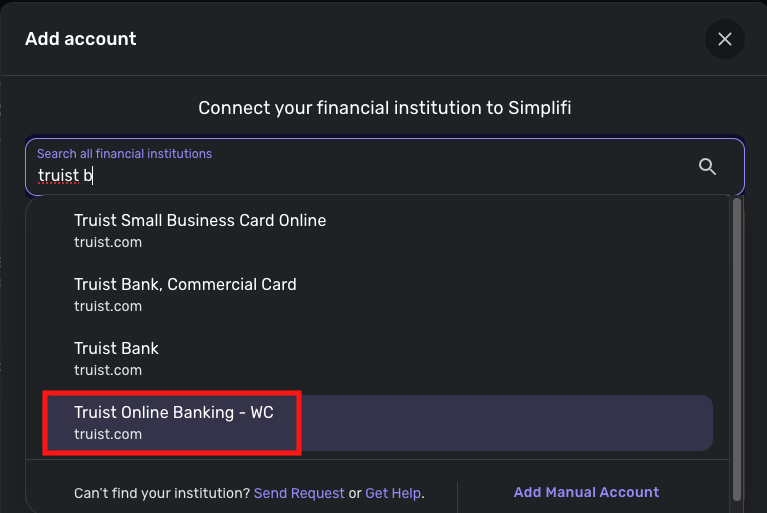
For instructions, please see this Community Alert:
I look forward to your reply!
-Coach Kristina
0 -
I used inprivate connection and Truist online banking-WC with the same error
We are unable to connect to Truist Online Banking - WC at this time. Please try again later.
Care Code: FDP-102
0 -
Thank you for your reply,
Since FDP-102 errors are often caused by temporary server errors, please wait 48 hours, then attempt to connect using the Truist Online Banking - WC connection option again.
If the issue persists, please let us know!
-Coach Kristina
0 -
I am still having this issue
0 -
@Laventari, thanks for the reply!
It looks like the FDP-102 error with "Truist Online Banking - WC" is a known issue, so we have updated our Alert accordingly:
It seems that the blocking is intermittent, so we did add in the Alert to try outside of peak hours to see if that works better for users. Otherwise, please follow the Alert for updates.
I hope this helps!
-Coach Natalie
0 -
I have tried all recommended steps. I can not set to manual because I had deleted but can not connect to re-add. This has been going on for over a week now. I have tried multi times for multi days and times during those days. This is not intermittent as I can not connect at all. When does quicken plan on having this resolved as this is my main bank????
0 -
how do I add myself to alert for this?
0 -
this is not intermittent. I have tried over several days at different times during the days and not able to connect
0 -
@Laventari, I checked your account, and it looks like you're using Quicken Classic. You will want to reach out to their Community instead, as this is the Quicken Simplifi Community.
Here's the link to the Quicken Classic Community:
I hope this helps get you pointed in the right direction!
-Coach Natalie
0 -
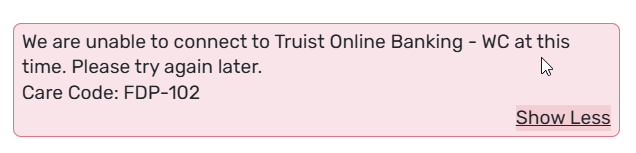
Same issue for me. Ive tried the manual account, and then linking to Truist. Ive tried multiple times during the day - before 6am, mid day, after 6pm, late night - and still get this error. I was manually adding my transactions, but I have 6 Truist accounts and this is a bit much. FWIW, the same Truist accounts work fine no matter the time of day on Quickbooks. With that said, in an effort to make Simplifi work, I disabled the sync with Quickbooks to Truist for a few days and continued to try Simplifi.
Truist support said they dont have any known issues on their side.
And Space Coast Credit union - same problem. Im able to add my wifes account, but mine will not work. Same error as below.
 0
0 -
Hello @zaneb,
Thank you for letting us know you're seeing FDP-102 issues also. This is a known issue for both financial institutions you mentioned. To track the status of these issues, I recommend bookmarking the alerts linked below, since any updates, once available, will be posted to those alerts:
Thank you!
-Coach Kristina
0 -
I am following OnGoing but post are locked out. I am Currently in account discounted for Truist after resetting. When I try to connect, Simplifi takes me to "zzz-Truist Online Banking" and tells me the bank is not accepting new accounts, I have tried to add the online url. When they get it fixed will instructions be posted for manual and reset accounts
0 -
This is still not working. It has been 2 months. This is just really not acceptable. I have tried multiple times of day and everyday since this started with no luck. Considering this has all my main accounts I was forced to pay for another solution. Does quicken have this on priority? Do they plan on getting it fixed anytime soon?
0


