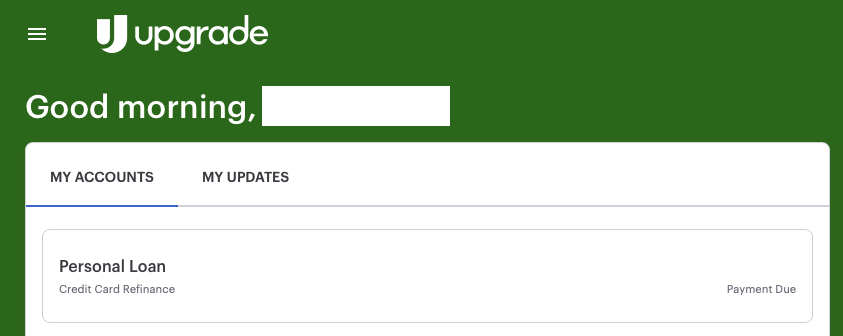
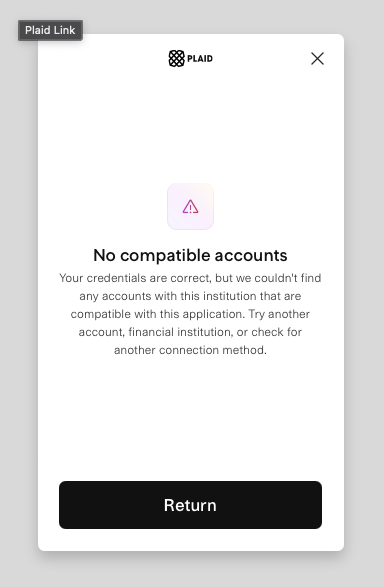
When attempting to use the new Upgrade.com connection, personal loan accounts do not seem to be considered compatible accounts.
Hello @jtb36,
Thanks for reaching out! I can confirm that Personal Loan accounts are usually supported within Quicken Simplifi as an account type. It may be that the account is not set up for third-party sharing with the financial institution. If you navigate to the bank's website, is there a setting you can see that allows you to manage the way the account is shared, possibly?
-Coach Jon
There does not seem to be anything around sharing within Upgrade's settings.
Thanks for the reply. Is this a newly opened account with Upgrade? Sometimes, accounts that have just been opened can take a few days to be shared in Quicken Simplifi.
No sir, this is a ~3 year old account.
Thanks for the reply. If you can provide the following information, we can work on troubleshooting this issue for you:
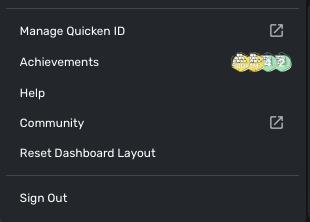
We will also need logs to be sent. The instructions to do that are:
There is no send feedback option.
You will need to hold down the Option key for Mac or the Alt key for Windows, and then click Send Feedback.
Logs have been sent and the above questions were responded to in a PM to you.
Thanks.
Thanks for the information we requested! I did get this issue reported to our product team, and we will be sure to follow up here with any status updates going forward!
In the meantime, you can track the account manually by adding manual transactions, which will keep your records up-to-date. Here are the steps to do so: Managing Transactions in Quicken Simplifi | Quicken Simplifi Help Center
CTP-13845
I am back with an update from our product team on your reported issue. They would like you to please try connecting again within Quicken Simplifi. If the issue continues, please supply new logs and a screenshot of the Accounts Summary page from the bank's website that has a wide enough scope to show the full page URL. This is the landing page after signing in, and typically lists all accounts and balances. You will want to take this from a web browser and not a mobile browser, as well as redact any private info such as account numbers.
I am following up to verify if you saw my previous response regarding the update from our product team for your issue. They would like you to please try connecting again, and if the issue continues, provide new logs and a screenshot of the Accounts Summary page from the bank's website that has a wide enough scope to show the full page URL. This is the landing page after signing in, and typically lists all accounts and balances. You will want to take this from a web browser and not a mobile browser, as well as redact any private info such as account numbers.
Let us know!
I actually paid this account off, so I am unable to test it further.
Thank you for following up.