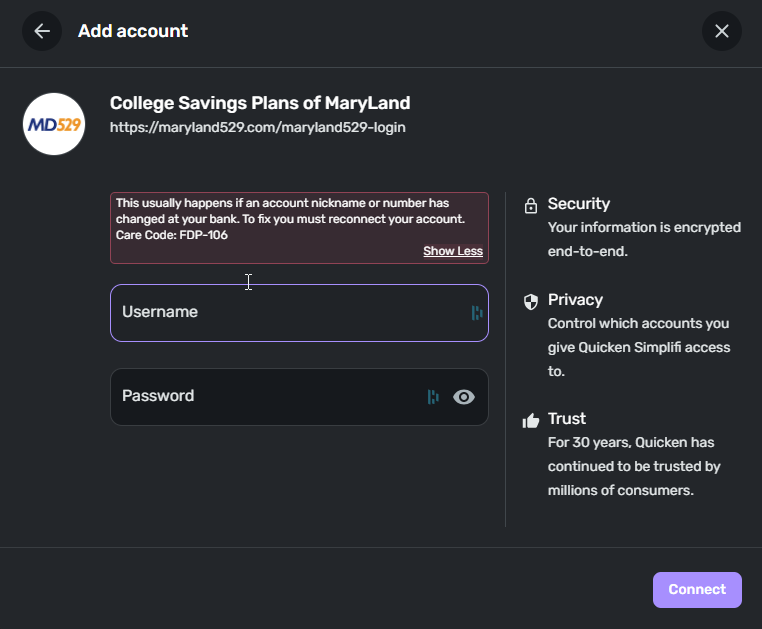
College Savings Plan of Maryland FDP-106 error (edited)

Sinfonia2010
Sinfonia2010 Member

I'm trying to track my 529 but quicken's connection to it is constantly breaking. The error message says this happens because a name or number has changed, which is flatly incorrect, and would be preposterous considering the frequency of the issue. The only fix is removing and readding, and I'm getting quite tired of doing that.

Error Message is code FDP-106
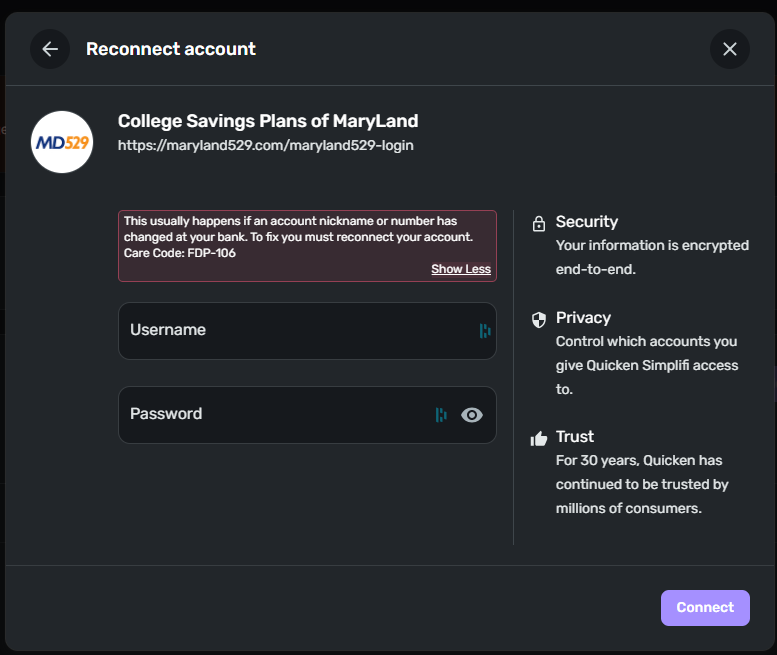
image.png
Tagged:

Comments

  • Coach Jon
    Coach Jon Moderator admin

    Hello @Sinfonia2010,

    Thanks for reaching out! I can see from our side that you are receiving an FDP-106 error when trying to connect. As you mentioned, you may receive this error if an account name or number changes at your bank, or if an account is closed. Most users would experience this message after replacing their credit card due to it being lost or stolen as well.

    I would have you try establishing a fresh connection by making the account manual and re-linking to see if that fixes the current issue. The instructions to do that are:

    • Make all of the accounts with the bank manual by following the steps here.
    • Once you see the account(s) listed in the Manual Accounts section under Settings > Accounts, go back through the Add Account flow to reconnect to the bank.
    • If the connection is successful, carefully link the account(s) found to your existing Quicken Simplifi account(s) by following the steps here.

    -Coach Jon

  • Ted F
    Ted F Member

    I was experiencing the same problem but I deleted my Maryland 529 accounts which I probably should not have done. In any case, I am now simply unable to link to the accounts — I get the same error FDP-106. I have not changed account numbers or names at the Maryland 529.

  • Coach Kristina
    Coach Kristina Moderator admin

    Hello @Ted F,

    Thank you for letting us know you're also seeing this issue. To clarify, the accounts are no longer in your Quicken Simplifi at all, and you are unable to add them as connected accounts?

    Please provide the following information:

    1. How long have you been experiencing this error?
    2. What type of accounts are you trying to add?
      • E.g. checking account, savings account, investment accounts, etc.
    3. What is the account nickname as it appears on the financial institution's website?
    4. Have there been any changes to the financial institution’s website?
    5. Has there been activity on the account within the last 90 days?
    6. What is the exact web URL you see once you're signed in on the financial institution's website?
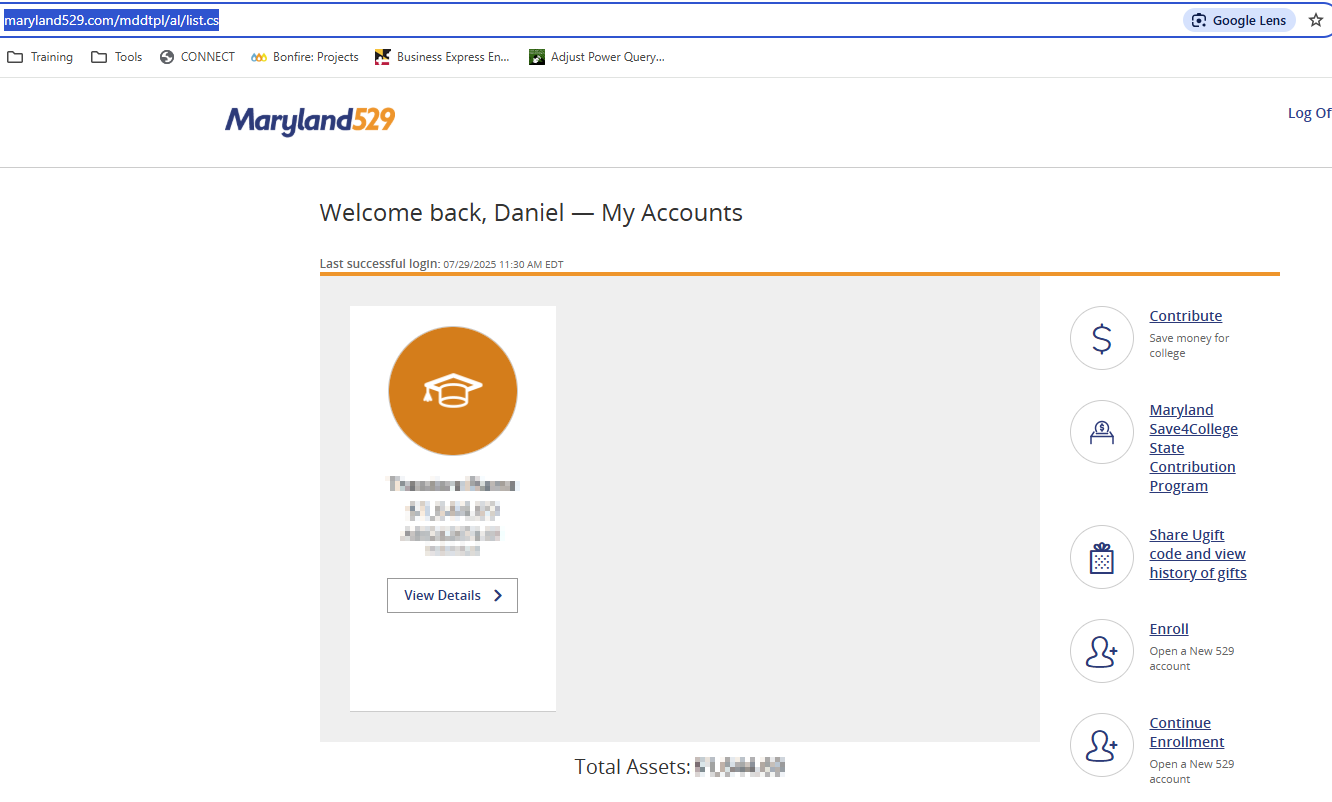
    7. A screenshot of the Accounts Summary page from the financial institution's website that lists all accounts and balances (feel free to redact any personal info) and has a wide enough scope to show the page URL (this must be taken from a web browser and not a mobile browser).
    8. A screenshot of the FDP-106 error message you are seeing in Quicken Simplifi.

    Additionally, please send logs. To do that, follow these steps:

    1. Log into the Quicken Simplifi Web App.
    2. Select Profile from the left-hand navigation bar.
    3. With the Profile menu open, hold down the Option key for Mac or the Alt key for Windows, and then click Send Feedback
    4. Leave all boxes checked, add a brief description of the issue, and then click Send.

    I look forward to your response!

    -Coach Kristina

  • Sinfonia2010
    Sinfonia2010 Member

    Hello All,

    I followed your instructions and made the account Manual. When I tried to add a new account (step 2), I received the FDP-106 error.

    To Answer the questions posed to @Ted F,

    1) several weeks, if not months.

    2) 529 college savings investment account

    4) No

    5) Yes, Monthly contribution of 460.86

    6) https://maryland529.com/mddtpl/al/list.cs

    7)

    image.png

    8)

    image.png
  • Coach Jon
    Coach Jon Moderator admin

    Hello @Sinfonia2010,

    Thanks for the reply and the requested information! It looks like we will still need the name of the account, as it appears on the bank's website. And we will also need logs to be sent, please!

    1. Log into the Quicken Simplifi Web App.
    2. Select Profile from the left-hand navigation bar.
    3. With the Profile menu open, hold down the Option key for Mac or the Alt key for Windows, and then click Send Feedback
    4. Leave all boxes checked, add a brief description of the issue, and then click Send.

    -Coach Jon

  • Sinfonia2010
    Sinfonia2010 Member

    Hello Coach John,

    Name on the account is Theodore Plante.

    logs sent:

    reference id 497596569585176579

  • Coach Jon
    Coach Jon Moderator admin

    Hello @Sinfonia2010,

    Thank you for the reply. I did get this escalated and will be sure to report back here with any status updates!

    In the meantime, you can track the account manually by adding manual transactions, which will keep your records up-to-date. Here are the steps to do so: Managing Transactions in Quicken Simplifi | Quicken Simplifi Help Center

    -Coach Jon

    EWC - 11889995

  • Af3425
    Af3425 Member

    Hello I'm also experiencing this error. Following with interest!

  • Coach Jon
    Coach Jon Moderator admin
    edited August 13

    Hello @Sinfonia2010,

    I am back with an update on this issue! Our product team would like to schedule a session to go through more advanced troubleshooting steps with you. If you can provide the following information, this would be helpful in getting this session scheduled!

    1. Confirm that the email address and phone number listed on your Quicken Simplifi Account are your best contact info.
    2. Provide your general availability over the next few weeks, and please also include your time zone with this.

    Let us know!

    -Coach Jon

    CTP-14051

  • Ted F
    Ted F Member

    Here are my responses:

    1. How long have you been experiencing this error? Several weeks
    2. What type of accounts are you trying to add?
      • E.g. checking account, savings account, investment accounts, etc. 529 plan
    3. What is the account nickname as it appears on the financial institution's website? The names shown are those of my children who are the beneficiaries. I do not want to post them here.
    4. Have there been any changes to the financial institution’s website? The navigation does look different
    5. Has there been activity on the account within the last 90 days? Yes
    6. What is the exact web URL you see once you're signed in on the financial institution's website? https://maryland529.com/mddtpl/al/list.cs
    7. A screenshot of the Accounts Summary page from the financial institution's website that lists all accounts and balances (feel free to redact any personal info) and has a wide enough scope to show the page URL (this must be taken from a web browser and not a mobile browser). Below. Note there are two accounts associated with this login.
    8. A screenshot of the FDP-106 error message you are seeing in Quicken Simplifi.

    I also have sent in a report — reference ID 498073678731826944. I am willing to talk. I do not know how to enter my phone number on this site but my email is correct. I can be generally available after 6 pm eastern time but can be available before if need be. The key point is that I need to know when you want to talk a few days in advance.

    In addition, Maryland 529 suggests using a special aggregator user ID and password but then the login has to go to https://maryland529.com/mddtpl/aggregator/sessionCreate/viewCollectAggrCredentials.cs. See pp 2-3 of the attached document.

  • Coach Jon
    Coach Jon Moderator admin

    Hello @Ted F,

    Thanks for the reply. To clarify your situation since it has been some time since your last reply in this thread, can you let us know if you are trying to add accounts into Quicken Simplifi for the first time when you receive this error? Or are you trying to update existing accounts within Quicken Simplifi?

    -Coach Jon

  • Ted F
    Ted F Member

    I had previously connected to Maryland 529. But I deleted the connection after starting to get the errors. I recognize I should not have done that. I am now trying to connect again.


    Ted

  • Coach Jon
    Coach Jon Moderator admin

    Hello @Ted F,

    Thanks for the clarification. We will need the answer to "What is the account nickname as it appears on the financial institution's website?". You may feel free to DM me this information for privacy reasons if you prefer! Afterward, I can get this issue escalated.

    -Coach Jon

  • Ted F
    Ted F Member

    I sent a DM

  • Coach Jon
    Coach Jon Moderator admin

    Hello @Ted F,

    Thanks for the DM. I did get this issue escalated and will be sure to follow up here when we have a status update on the issue.

    In the meantime, you can track the account manually by adding manual transactions, which will keep your records up-to-date. Here are the steps to do so: Managing Transactions in Quicken Simplifi | Quicken Simplifi Help Center

    -Coach Jon

    EWC - 11897441

  • Coach Natalie
    Coach Natalie Administrator, Moderator admin

    @Ted F, we are back with an update!

    It appears that our service provider is already aware of and working on this issue. We have an Alert that you can now follow for updates moving forward!

    In the meantime, you can track the account manually to keep your records up-to-date. Here are the steps for adding a manual transaction: https://support.simplifi.quicken.com/en/articles/3348103-managing-transactions-in-quicken-simplifi#h_85ca9fed99

    Thank you for your patience as this issue is being worked on!

    -Coach Natalie

  • JayOB
    JayOB Member

    Also tracking this issue, my Maryland 529 plans cannot be connected either

  • Coach Jon
    Coach Jon Moderator admin
    edited September 2

    Hello @Sinfonia2010,

    I am following up to let you know that this ticket has been closed due to our product team receiving no response. If the issue is still occurring for you, I would suggest following the alert for this issue for updates going forward.

    Thank you!

    -Coach Jon

This discussion has been closed.