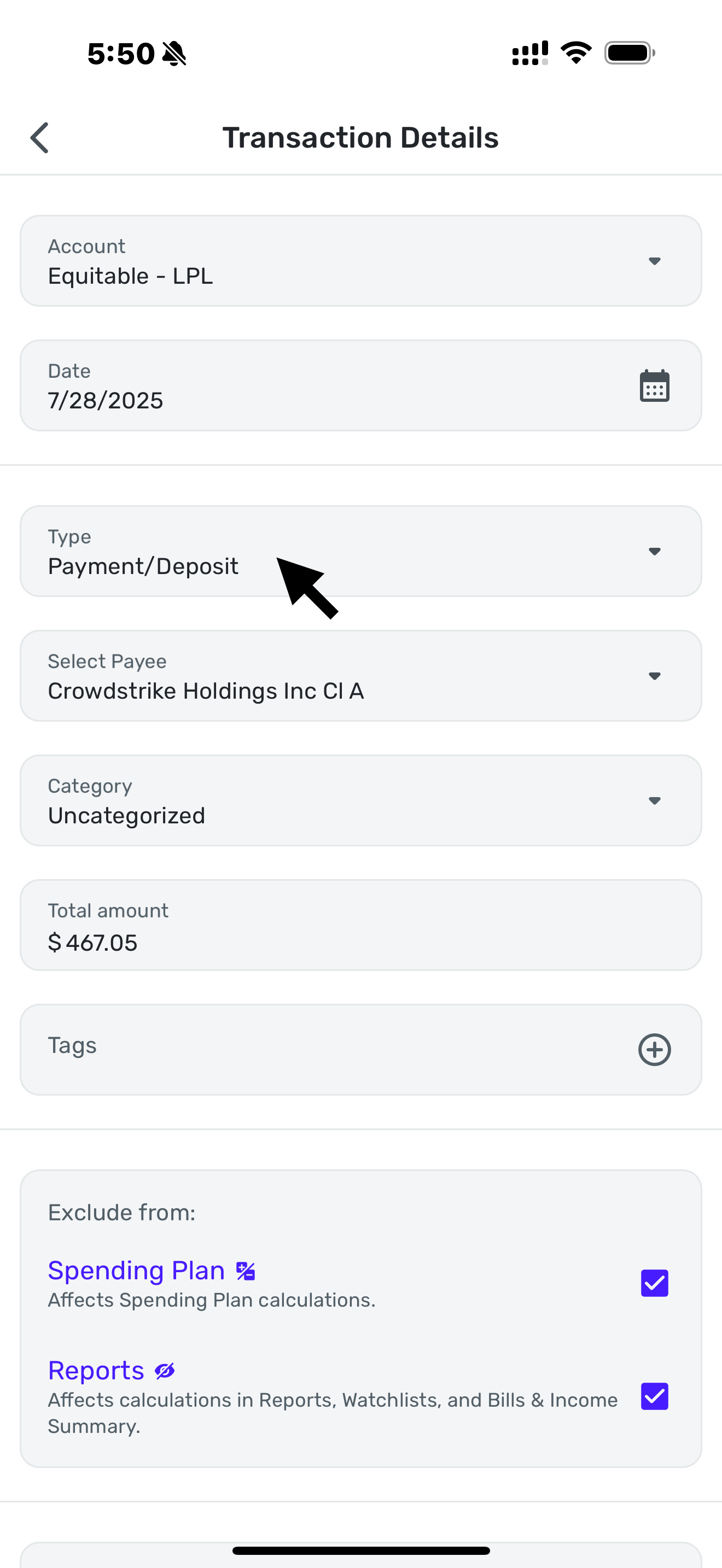
"Type/Action" field is missing when viewing Investment transactions in Reports on Mobile (edited)
Hi,
If I am looking at monthly spending on Mobile, and want to reclassify the investment transaction there, I don't see the transaction type to recategorize as investment transaction. I need to travel back all the way to the investment account and then find that transaction and only then I can fix the transaction type from Payment/Deposit to Buy/Sell. I can do that from web version though. Can the Mobile version, please, be fixed.
Appreciate your help.
Comments
-
I don't understand what you mean. On my iPhone, I go to Investments, choose the account, then transactions, and then I can edit them.
Alternatively, I can go to accounts, choose my Brokerage, then transactions and I can edit them.
Check to see if this works. If not, remove the app from your phone and delete data, then reinstall the app.
Steve
Quicken Simplifi (Safari & iOS) Since 2021
Quicken Classic (MacOS) Since 2009
MS Money (1991-2009) and Dollars & Sense (1987-1991)0 -
Hi SRC54,
yes it works for me by going to investments or by going to accounts and transactions and editing. I am asking for the situation when I am reviewing monthly expenses and the investment transactions show up as uncategorized and from there itself I want to edit them. At that point while I am in the monthly transactions screen, and click on the transaction the ability to convert it to a buy/sell transaction is not there on mobile phone. WHich menas, I need to go back to accounts, find the investment account, find the transaction I wanted to edit and then edit it and then again come back to monthly summary. What I am asking is to give the ability to edit that transaction from monthly summary itself. I am able to do from a web interface but not from mobile app.
Does that make it clear?
Thanks
0 -
Yes, many thanks @simplira for the clarification. And reading your original post I see you basically said that so my apologies.
I am still unable to find the screen you reference, but I am sure I'm just being dense. I've always gone through the account and transactions.
So where is this "Monthly Transactions" screen? I don't have any investment transactions yet this month so nothing shows up for me in Recent Spending. Spending Report won't let you change investment type even in web.
The app doesn't have every feature of the web app, but maybe a coach can determine if it's a bug. You may need to make a feature request. I'll keep following this thread though until I get that Eureka! moment.
Sorry I was of no help. Good luck!
Steve
Quicken Simplifi (Safari & iOS) Since 2021
Quicken Classic (MacOS) Since 2009
MS Money (1991-2009) and Dollars & Sense (1987-1991)0 -
I am attaching the sequence of operations as below:
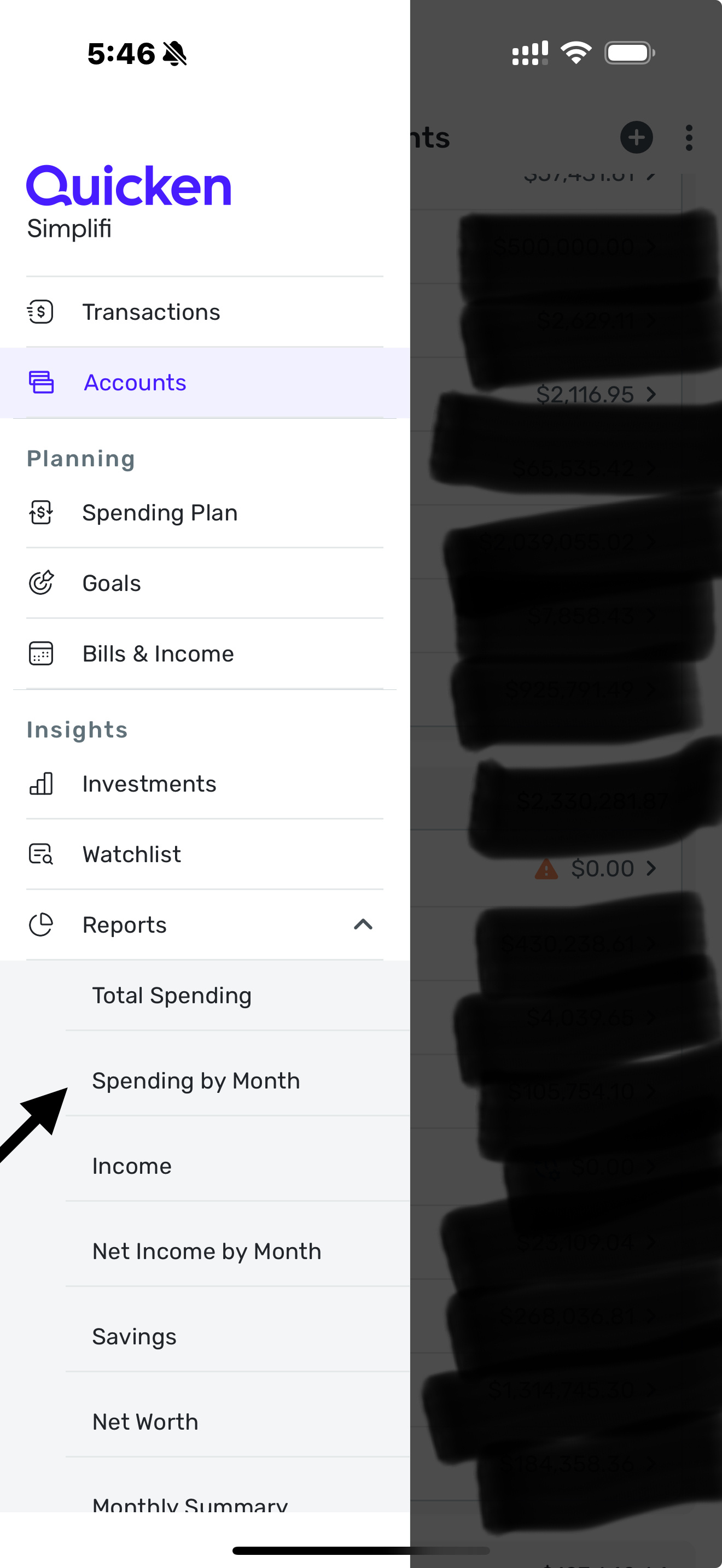
- On the side menu go to reports→spending by month
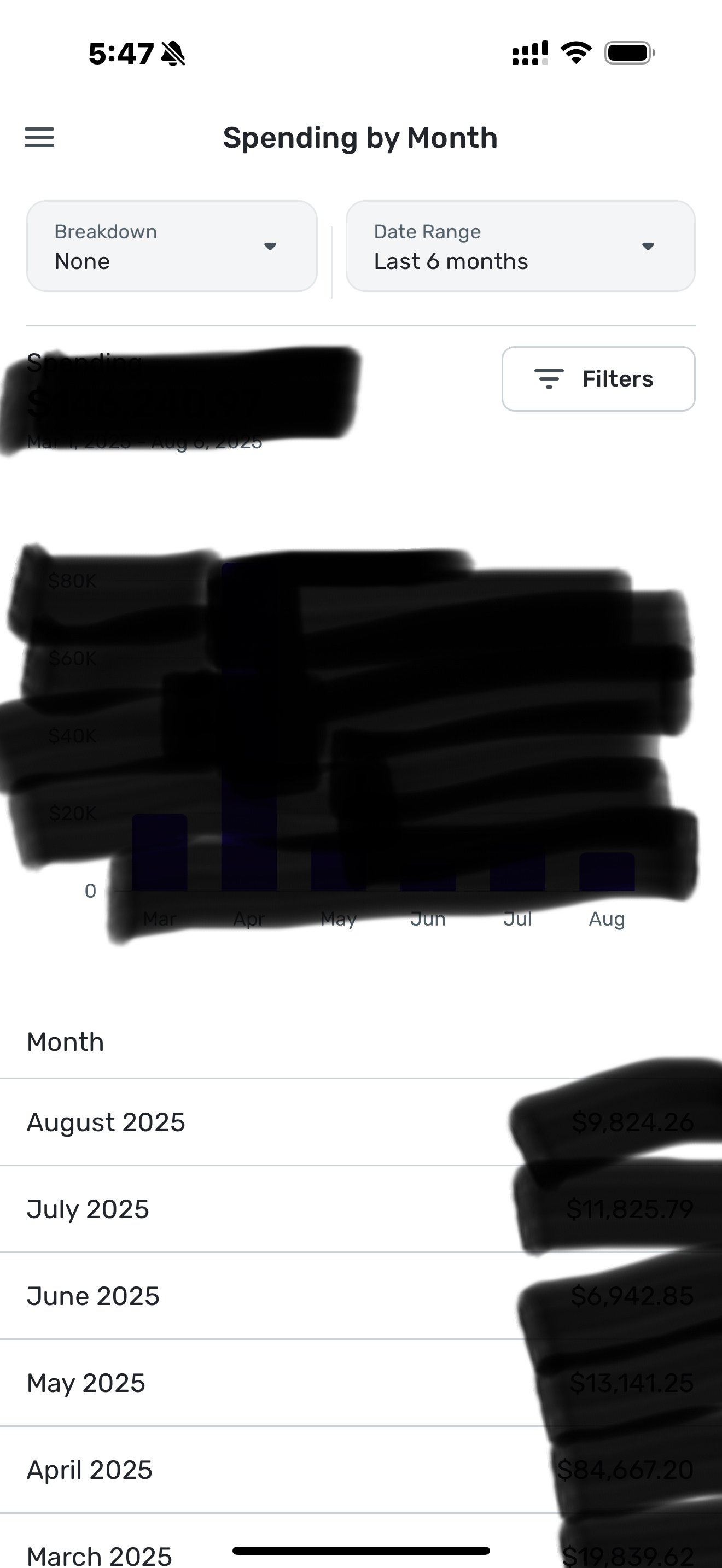
- In the spending by month menu select any month that has investment buy/sell transactions. I went to July.
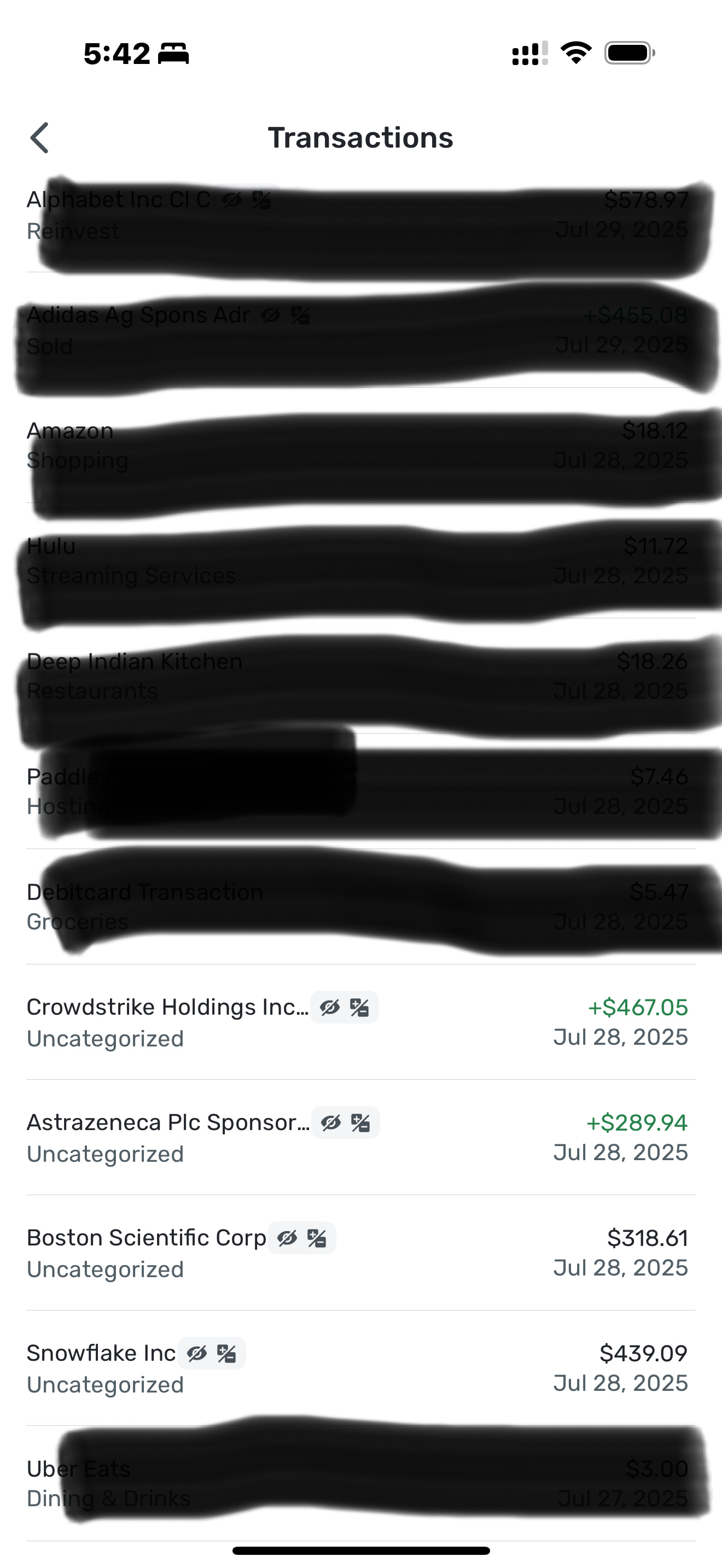
- In the list of transaction pick an investment transaction which uncategorised or for that matter pick any buy/sell transaction. I am selecting a Crowdstrike sell transaction for 467.05 on July 28th.
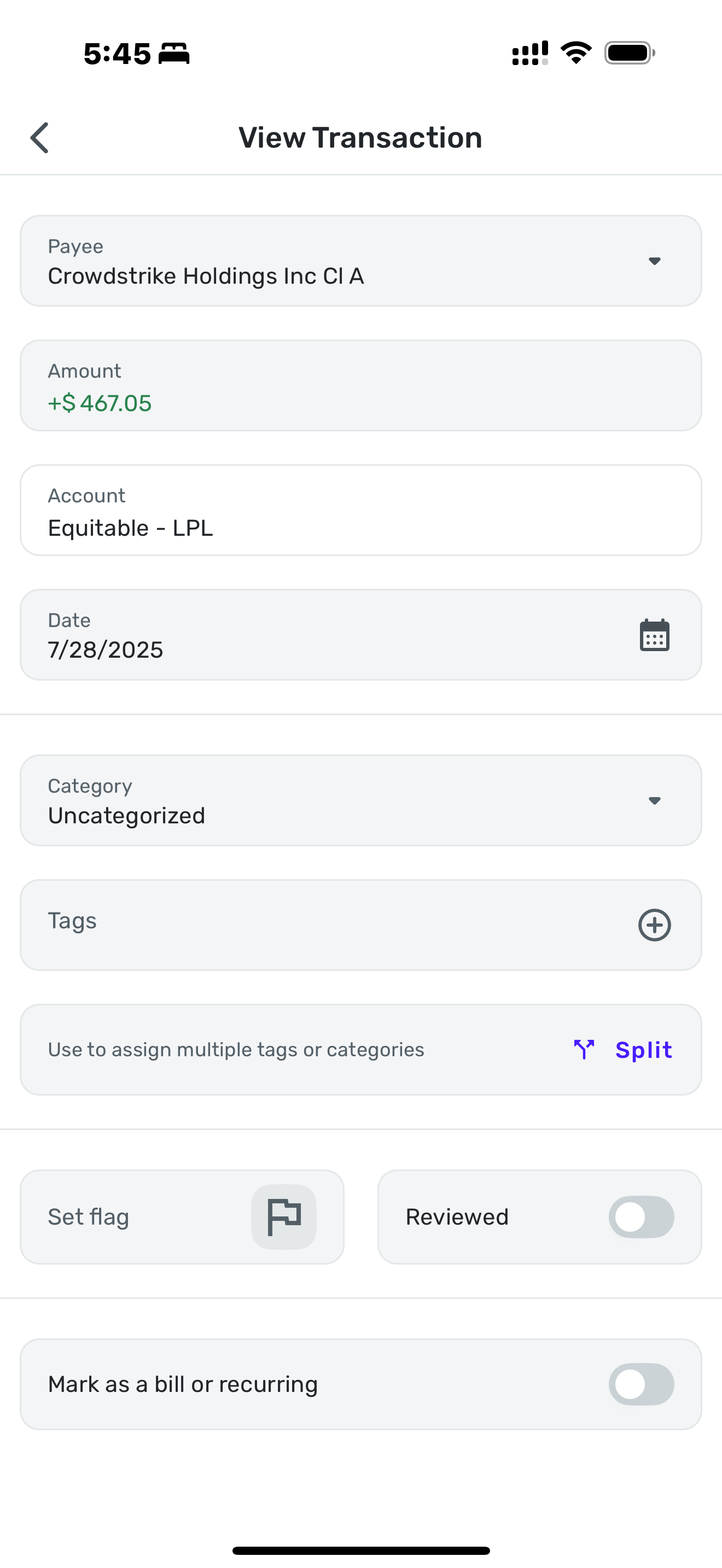
- In the transaction screen there is no “Type” section.
- Last photo is when I traverse to same transaction by going to Accounts→Investments→Equitable LPL and selecting the transaction. There you see the “Type” section where I can change it to a buy/sell type. I put an arrow there to help you locate.
Thanks
[edited images to reduce size]
1 -
@simplira You are correct. Reports won't let me edit the type of investment either. I tried this report earlier but I couldn't get it to show me anything (I guess dividend income and reinvestments weren't considered Spending for me). So I went to the income report and found my dividends from last month and it will only let me change the category and not the type.
FWIW, this is true both in the iPhone app and the iPad app. Thanks for the screenshots. I am glad to have the mystery solved (in my head anyway).
There are inconsistencies among apps and among the modules. I find sometimes that when I open a transaction in Spending Plan that there are options that are left out that are available in Transactions view.
Now we'll wait for Coach Jon to see how this can be addressed. Consistency is important I think.
Steve
Quicken Simplifi (Safari & iOS) Since 2021
Quicken Classic (MacOS) Since 2009
MS Money (1991-2009) and Dollars & Sense (1987-1991)0 -
I agree on inconsistency part. Being a developer myself, I would have only one transaction view screen, no matter which path you take to reach that.
0 -
Thank you @Coach Jon
2 -
Hello @simplira,
I am back with an update on this issue! Our product team has implemented a fix that will be released with the Quicken Simplifi Mobile Version
5.37.05.38.0 update. Once that version rolls around, be sure to let us know if the problem is resolved for you!-Coach Jon
1 -
Hello @simplira,
Now that Quicken Simplifi Mobile Version 5.38.0 is out, I would make sure your device is up to date and verify if everything is now working correctly in regard to this issue. I was able to verify from my side that the Type/Action field is now present. Let us know!
-Coach Jon
0