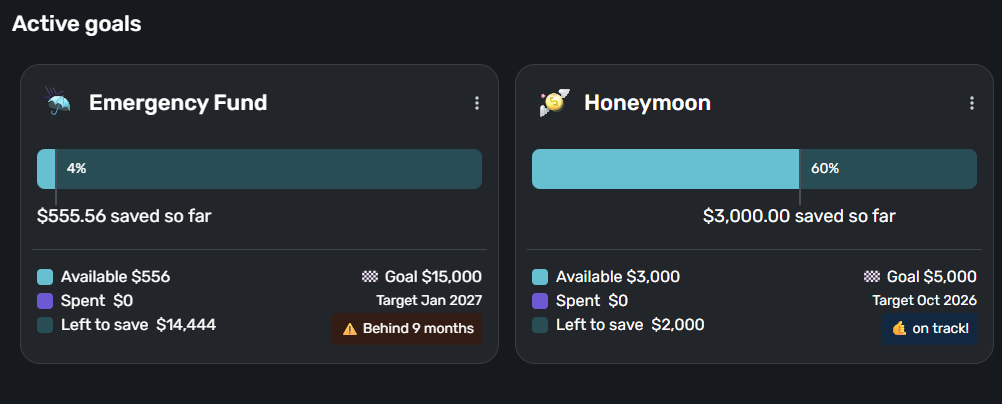
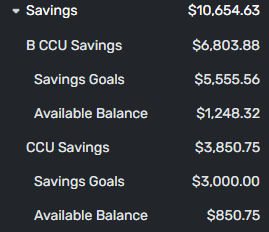
When I contributed to my goals this month, it added the money but reset the goal to zero. I was so close and now it says I’m only at 7%. Nothing changed about the actual accounts.
Hello @JesstheGiant,
Thank you for letting us know you're encountering this issue. To help troubleshoot the issue, I attempted to replicate it in my Quicken Simplifi, but could not. Please provide more details about what happened. Did this happen in the mobile app, the web app, or both? Did you try logging out of Quicken Simplifi, then back in again? What kind of savings goals reset to 0 (Home, emergency fund, custom, etc.)? What is the target amount for the goals where this happened? How much did you contribute? Did this happen just one time, or does the amount reset every time you contribute?
I look forward to your reply!
Hi Kristina,
I’m using the app. I had it happen on two goals. One is a Home fund and the other is custom. I deleted and remade them and the error happened again today on the custom one when I tried to contribute. It’ll just have the amount contributed, not what was there before. The goal target is $4,000. Contribution today was $120. I’ll try logging out and back in.
Thanks for the reply. Did this happen in the mobile application or the web application? If you use another web browser, does the issue occur there as well? I would definitely keep an eye on this and let us know if it happens again, so that we can establish a timeframe on this issue. If it does happen again, please provide screenshots to better help us with troubleshooting.
-Coach Jon
I'm confused how the starting amount of a savings goal is supposed to work (or I am experiencing a bug).
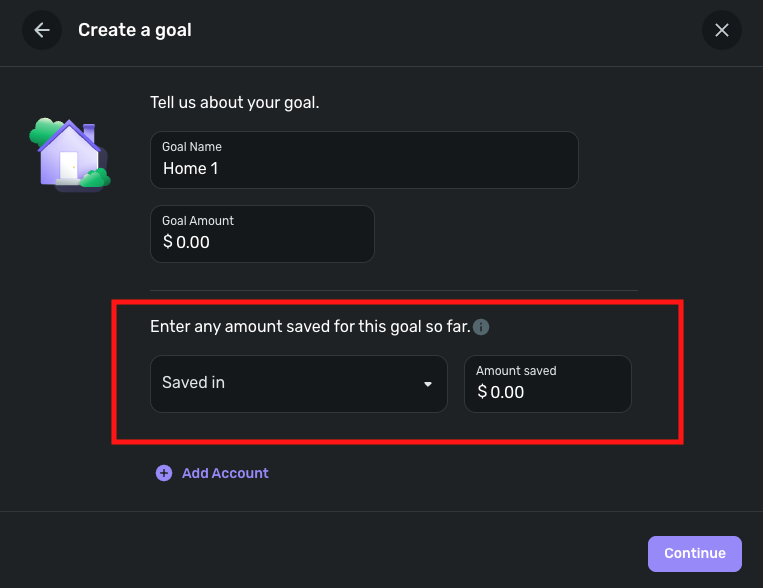
I create a new savings goal and chose to start it with some money in a given account. I go through the process of setting a completion date and monthly amount to reach that goal at a given date and create it. At this point all looks good. Then I go to the spending plan I can see I have not contributed to the goal for this month. (which is what I expect) So I click on the goal to contribute the monthly amount I have chosen. At this point I would expect the amount of money in the savings goal to be the starting amount I created it with plus the contribution I just did for this month. However, what happens is the starting amount is erased and only the new contribution for the month is all that remains.
Is this the intended function or is there a bug?
@zeroskatr512, thanks for posting your situation to the Community!
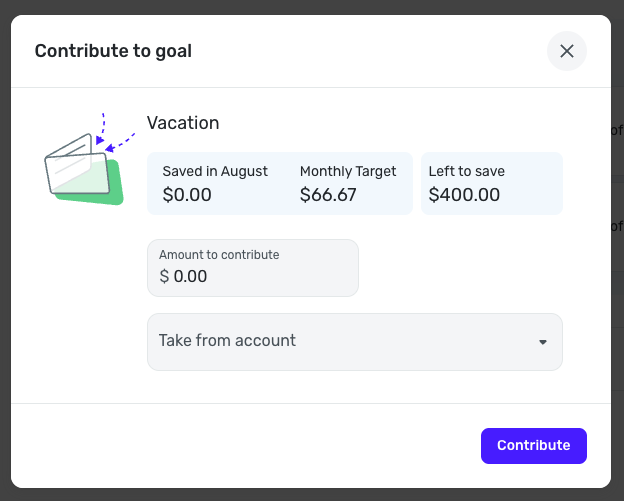
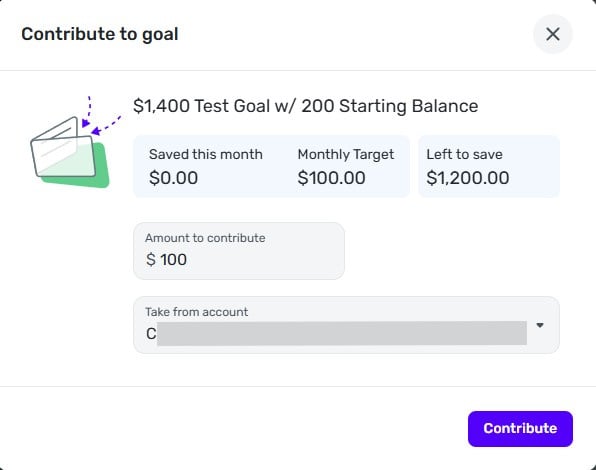
What you described sounds to be by design. I followed the steps you mentioned and set up a Savings Goal for $800, with $400 of that already saved. When I contribute to the Goal from the Spending Plan, I see valid info, such as what has been saved in August (nothing, since the "saved so far" amount is not applied to any specific month), my monthly contribution amount, and what's left to save —
I think what you mean is that you expect to see the "saved so far" amount applied to what's been saved in August, and I can confirm that Savings Goals do not work that way. As mentioned above, the "saved so far" amount isn't applied to any month; it just allows you to tell Quicken Simplifi that you already have some of the money saved somewhere so you can work on the rest moving forward.
Here is our article on Savings Goals, in case it's insightful at all: https://support.simplifi.quicken.com/en/articles/3676756-using-quicken-simplifi-s-savings-goals
Let us know if this helps!
I understand that the saved so far amount is not applied to the current month, which is fine. However, the issue I have with the contribution for the month seems to be overwriting the original starting amount.
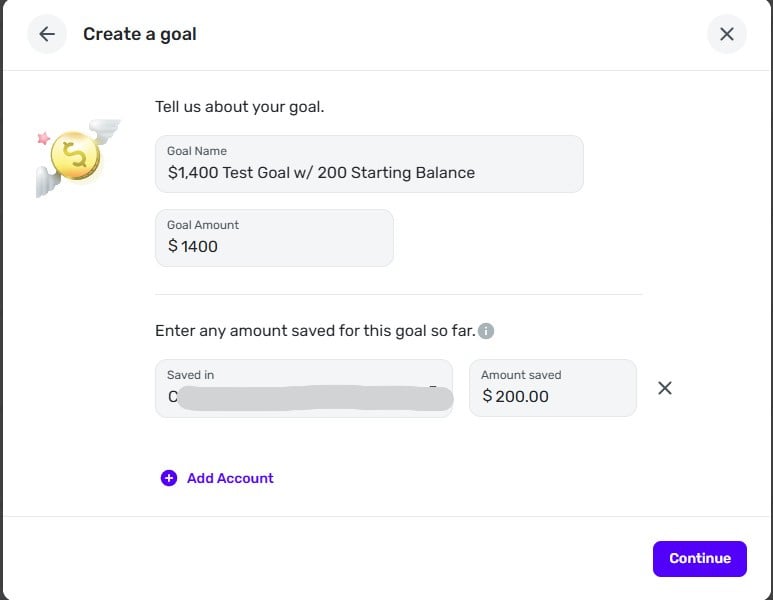
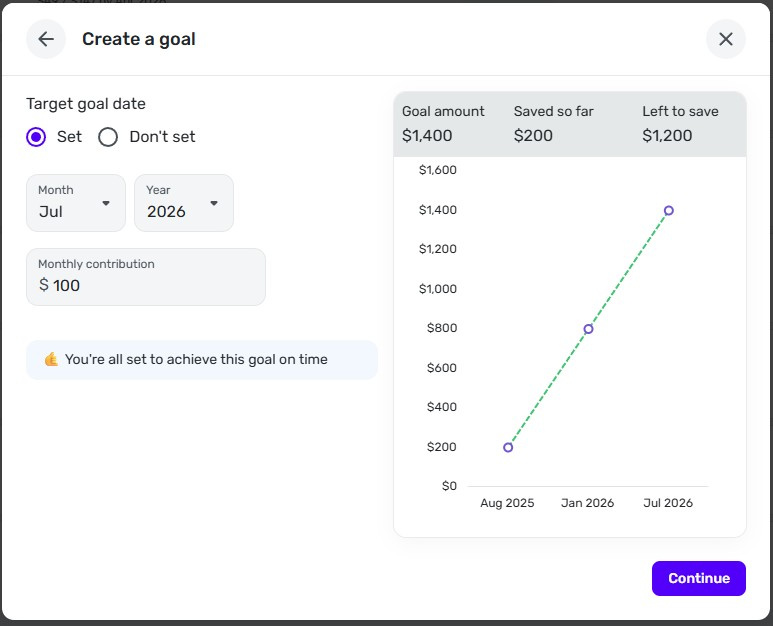
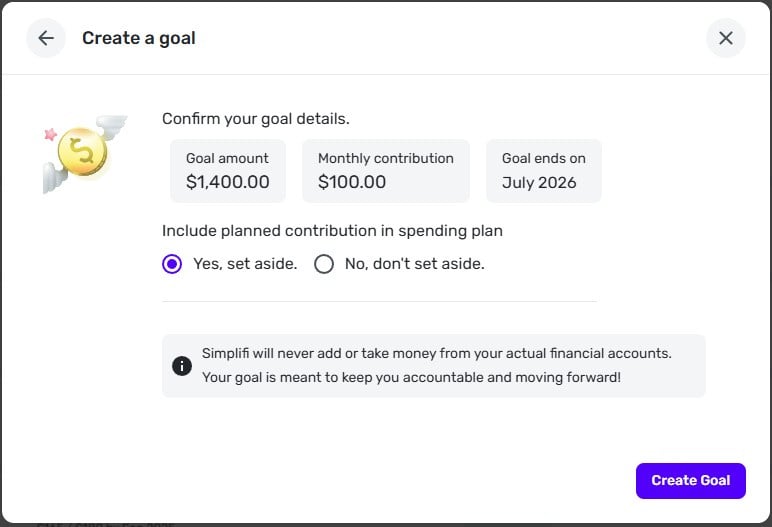
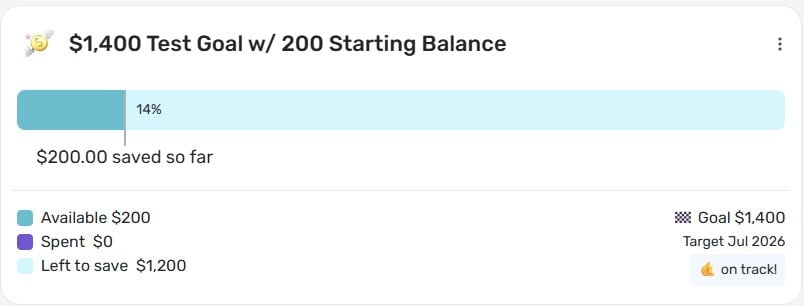
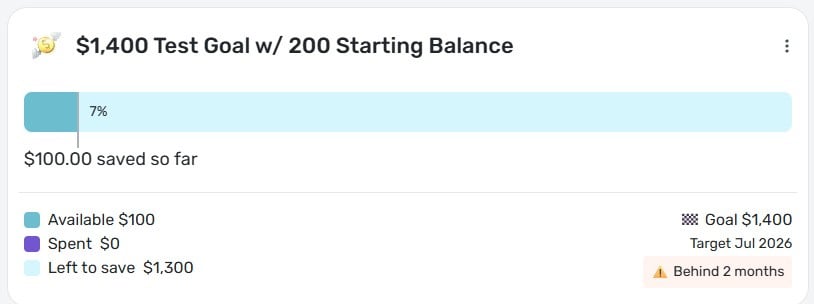
For example lets say I want to make a savings goal of $1,400 with a target date of Jul '26. I want to start that goal with $200 already toward the goal. Then I want to make 12 contributions starting in August of $100 to reach the goal on time. Once I create the goal with the starting amount and the planned contribution level it shows that I am on track. Then when I go to add $100 for the current monthly planned contribution, it seems to erase the $200 that was already applied to the savings goal and shows that I am now behind 2 months.
@zeroskatr512, ahh, I see!
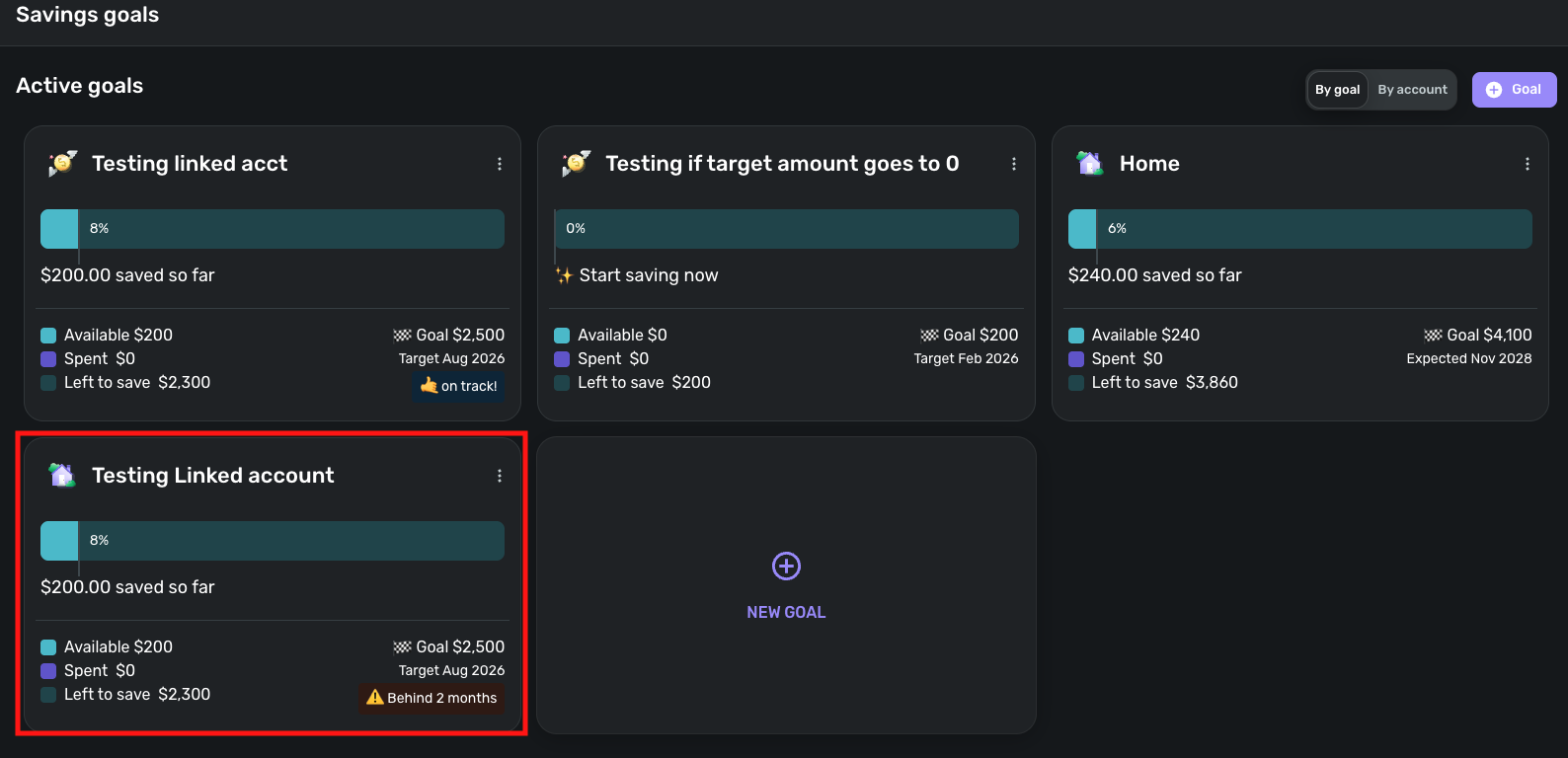
Mine shows "Behind 6 months" on the Savings Goals page after contributing. I tested with a new Savings Goal that did not have a 'Saved so far' amount, and the "on track" chip remained, as expected, so this does seem to be related to Savings Goals with a 'Saved so far' amount.
I have escalated this bug and will post back with updates!
SIMPL-28577
Hello,
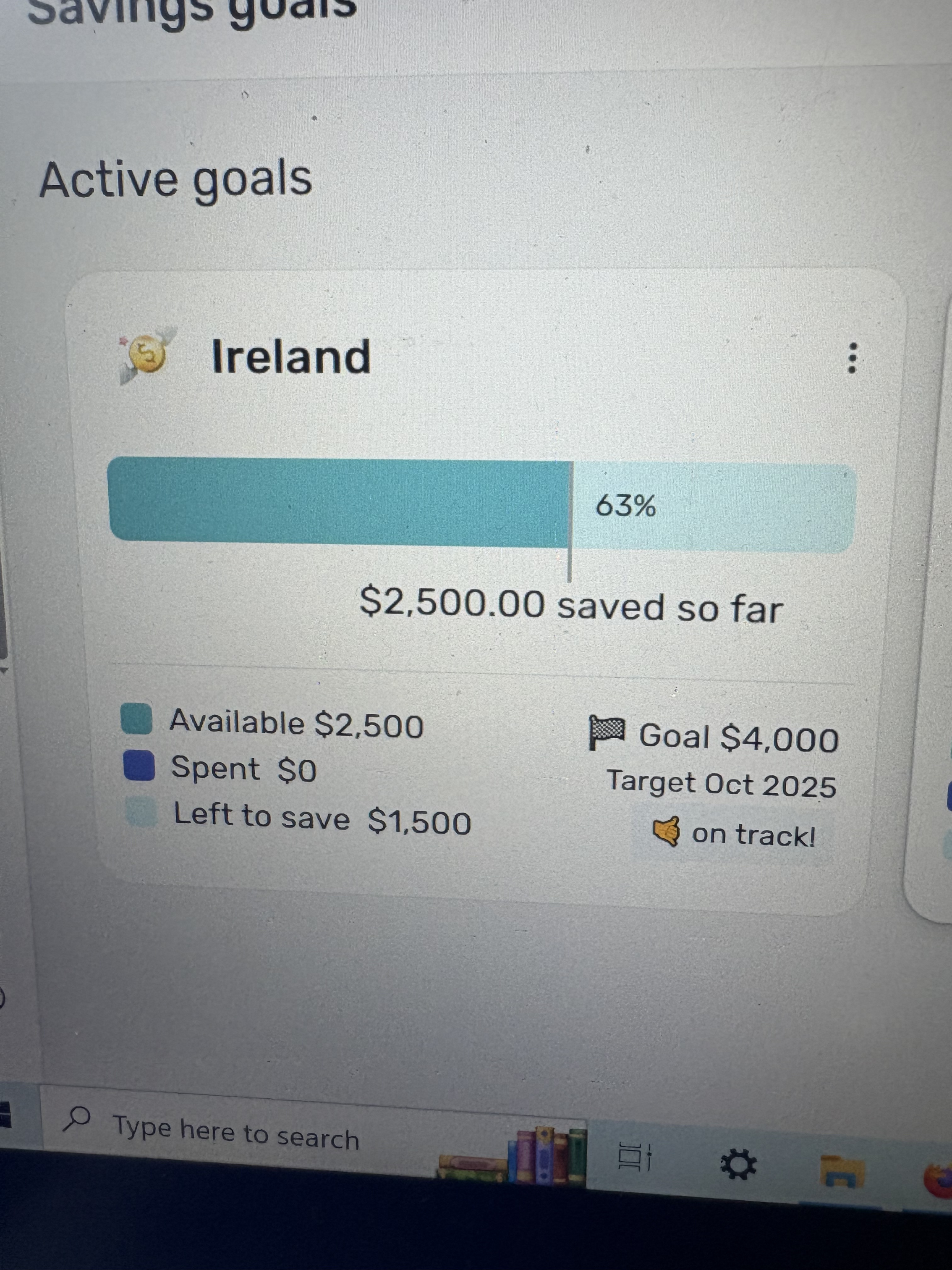
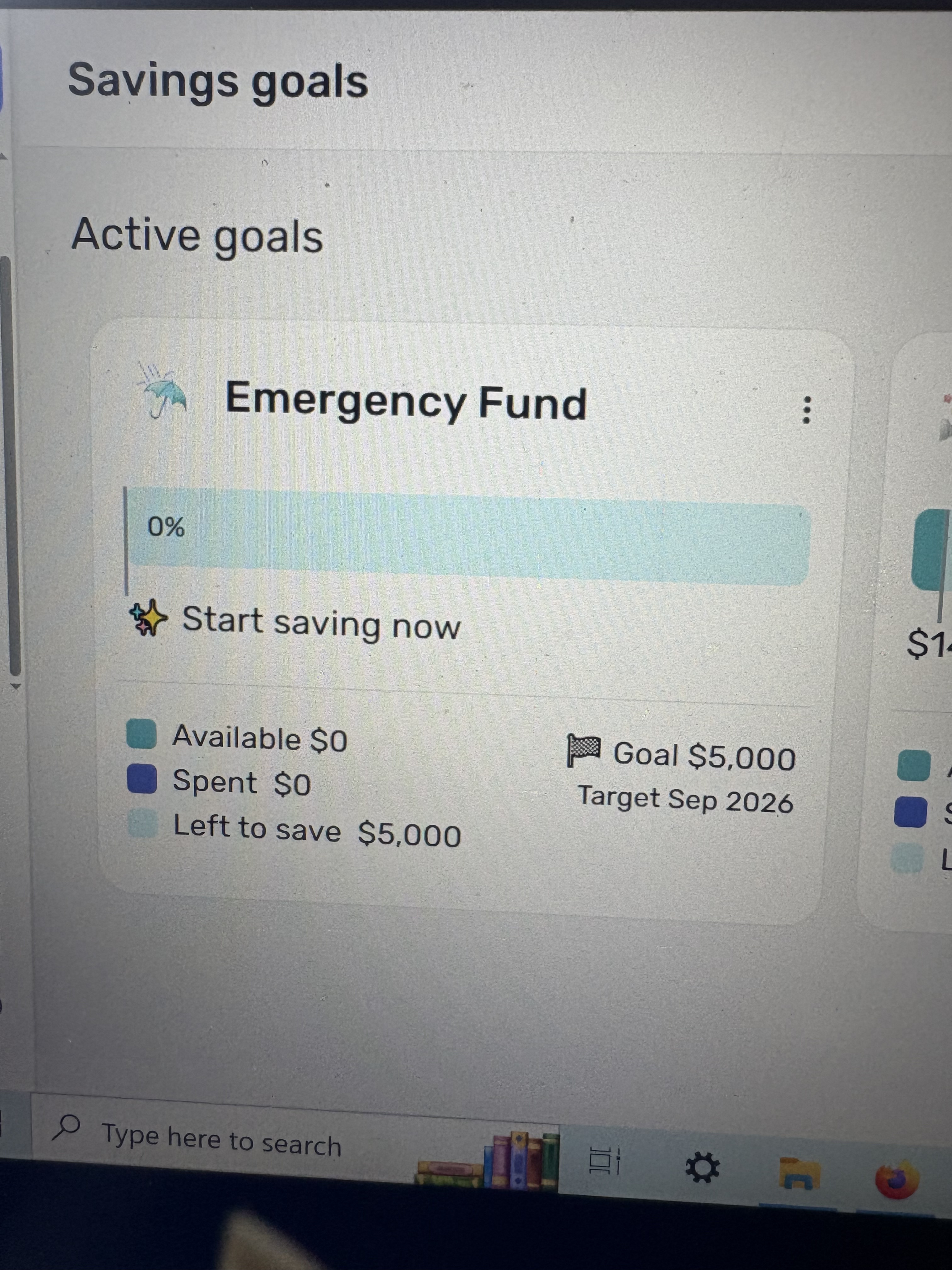
It has happened in both the web application and the app. These photos were taken before and after I contributed to my goal. I had $2,500 towards my goal, I contributed an additional amount and it took everything to zero. It happens in the app and on Firefox. It does not seem to glitch in Chrome but I almost exclusively use the app.
I stand corrected. It also creates this error in chrome.
Thank you for your reply,
The screenshots you provided show different goals. Just to confirm, is the goal that you just contributed to going to zero, is the order of the tiles changing, pushing one that is at 0 into the spot where the one you contributed to was, or are all of your goals being reset to 0 after you make your contribution?
Thank you!
oops! All of them are being set to zero after contributing. However, I was able to get it to stop IF I didn’t link and account when I set the goal.
Thank you for the follow-up,
To clarify, when you are setting up a savings goal, if you fill out the already saved part, then update that goal later, that is when it resets to zero?
Does it happen the first time you contribute to the goal after creating it, or every time you contribute to it?
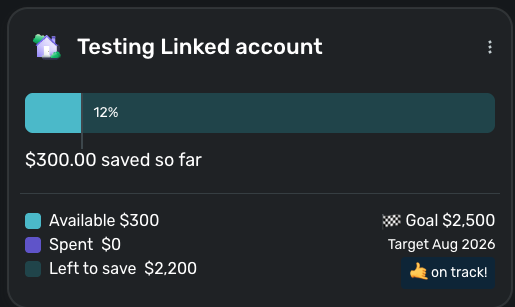
If it happens only the first time, I can replicate that. I created a goal with $300 already saved.
Then, I added $200 to that goal, and the $300 vanished, showing only $200 saved and the goal suddenly 2 months behind.
Is this the same behavior that you are seeing?
yes this is the same behavior I’m seeing!
I am having the same issue with a brand new savings goal. I'd previously used the monthly 'Set Custom Amount' but since that is gone in the new interface I need the goals to work. When I enter in a new savings goal along with an amount already saved, it appears fine in the goals interface (depicts 65% already saved), but if I even contribute $1 from my spending plan this month suddenly that 65% is gone and I'm down to 1%.
This definitely appears to be a bug. It also doesn't allow you to 'start from $0' since entering an amount already saved is a requirement. Overall the savings goal functionality is just broken right now so thanks for escalating.
You can still set a custom amount but it is harder to find. Go to the Spending Plan and click on Goals. Over to the Right, you see "Included this Month". To the right of that are 3 vertical dots. Click on that and you can set a custom amount. To go back to Calculated Amount, click on it again.
Thank you for confirming @JesstheGiant,
The issue you're encountering was recently reported to the proper channels for further investigation and resolution. Since we do not have an ETA, I recommend bookmarking this discussion, since any updates, once available, will be posted here.
(SIMPL-28577)
I've reported this issue previously and didn't really get anywhere, but I knew I had changed some things with tags that I thought might have been causing my issue. I chose to delete my savings goals completely and start from scratch. I put $5000 in my Emergency Fund and $3000 in my Honeymoon fund. These are my only funds. One is stored mainly in my savings, the other, my husband's.
I went to contribute today for the first time since creating these NEW savings goals and it wiped out the starting amount again. This is most certainly a bug as the accounts are still "holding" the total amount in the accounts list. See screenshots. I'm using the website on Chrome, but also use the app on my Google Pixel 7.
I would really love to use the savings goals, but they've always been tricky and now they really just don't work at all.
@mf1192, thank you for reaching out!
I merged your post with the existing thread for this topic. Due to the number of users reaching out, we actually created a Community Alert for everyone to follow for updates:
@JesstheGiant @zeroskatr512 @bobmablob, please be sure to also follow the Alert for updates moving forward.
Thank you all for your patience as this issue is worked on!