Income & Expense Report: Share your feedback here!
Comments
-
I agree with this comment. I miss this report from Mint.
Simplifi User Since Nov 2023
Minter 2014-2023
Questionable Excel before 2014 to present
0 -
I really like the report. It's the one I find myself going back to the most. It would be nice to be able to run a comparative - to either prior year same month or budget for the month.
Also, good idea to have an option for "alternating row colors" because it's hard to look across the report and know which line your one. However, when I check the box to enable that option t doesn't seem to add the highlighting. Bug????
0 -
Also add the the ability to download the report in to a formatted Microsoft Excel or Google Sheets file. This way then formatted report can be printed, archived, or shared.
Dick Davis
Wanting to Migrate from Quicken Classic Premier to Simplifi
0 -
@sdemartino, thanks for posting your feedback!
I don't see any issues with alternate row colors being applied. I'd recommend clearing your browser cache and cookies to see if the issue is perhaps browser-related.
-Coach Natalie
0 -
Yes!! So far I feel like I won't need to download transactions into Excel every month and make my own!
0 -
Add a quick way to expand and collapse to different category levels. I like to see my data grouped using the first level. Right now I have to collapse it manually, which is very painful. [Edited - Readability]
0 -
@Coach Natalie I really like the report. It would be great if it remembered the last configuration when drilling down and then returning to the main view.
For example, if I collapse everything to level one except for one category, drill into that category, and then return, the report should maintain the collapsed state of the other categories. That way, I don't have to reconfigure the view each time
0 -
We need a cashflow projection report that includes planned spending as well as just bills.
1 -
Wish list item would be to have a very light, easy on the eyes format over the prices that mirror Excel data bars to help highlight anything that may be out of whack.
0 -
Nice but would be nic to be able to download (including charts).
0 -
I enabled Early Access but still do not see Income & Expense Report as an Option.
Was this removed/discontinued?
0 -
Hello @SuntreeBayHOA,
Thank you for letting us know you're not seeing this option. No, it was not discontinued. To troubleshoot, first try logging out of your account, then back in again.
If the issue persists after that, then please provide more information. Are you encountering the issue in the mobile app or the web app? If it's happening in the web app, which browser(s) are you encountering this issue in? If it's happening on the mobile app, what kind of device are you using (Android, iOS, smartphone, tablet, which model, etc.)?
I look forward to your response!
-Coach Kristina
0 -
When selecting the Reports for Income & Expense, there is no way to move to the right of the screen (see the image attached). Recommend having a slider bar below to be able to move to the right when the fields are off the screen.
Dick Davis
Wanting to Migrate from Quicken Classic Premier to Simplifi
0 -
You just need to use the right-most vertical scroll bar to bring the horizontal scroll bar into view. However, when you do that you will not be able to see the column headers at the same time as the scroll bar.
I think it is a bug that the data panel displaying the Income & Expense report is (for no apparent reason) sized to always be just slightly too tall for you to see both the column headers and the scroll bar, but the coach who discussed this with me did not agree.
Check out this discussion for more info:
DryHeat
-Quicken Classic (1990-2020), CountAbout (2021-2024), Simplifi (2025-…)0 -
@DryHeat I have used the right vertical slider, but I am still not able to see the bottom slider bar. I have changed the resolution as well, but no success.
Dick Davis
Wanting to Migrate from Quicken Classic Premier to Simplifi
0 -
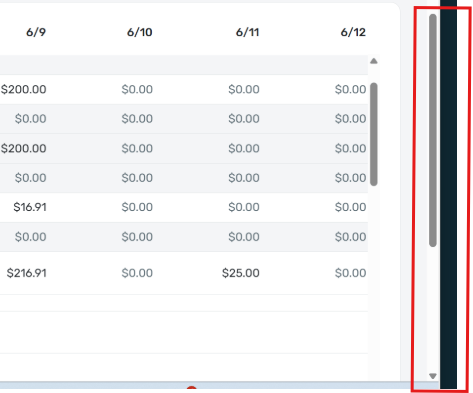
In the image you posted previously, the "right-most vertical scroll bar" is only half-way down. (See the area outlined in red in my crop of your image below.)
Can you post an image of what it looks like when you have moved that right-most vertical scroll bar all the way to the bottom? That might give a better idea of what the problem is.
DryHeat
-Quicken Classic (1990-2020), CountAbout (2021-2024), Simplifi (2025-…)0 -
Here is what I get when I slide the vertical sliders all the way down to the bottom.
Dick Davis
Wanting to Migrate from Quicken Classic Premier to Simplifi
0 -
Your recent image does not demonstrate the "missing scroll bar" problem you reported. Instead, it appears that all the columns contained in the report are already on screen — so naturally there is no horizontal scroll bar.
I say this because your image shows 3 data columns and 1 total column (on the far right). You can tell that the far-right column is the final total column because it is bolded and the numbers exactly equal the total of the 3 data columns.

If you want to demonstrate the missing scroll bar problem you will need to create a report like the one in your first image — one that has enough columns so that some of them are off-screen to the right. Only then would the horizontal scroll bar normally appear, and only then will its absence indicate a problem.
DryHeat
-Quicken Classic (1990-2020), CountAbout (2021-2024), Simplifi (2025-…)0 -
Appreciate the work the team is doing to improve the app/interface all the time. The report looks great! Appreciate being able to see the various totals for groups of categories across time. Very useful to be able to spot a trend or something needing attention. One SMALL REQUEST: when I open the report all the category groups are expanded by default (ie. Food & Dining) and show all category totals (Dining out, Groceries, etc). As someone who has lots of categories I found it more useful to collapse the groups first to be able to see the big picture at a glance, then open to drill down if I was interested. I noticed that when I left and came back to the report the category groups were uncollapsed again by default. My suggestion/request would be that if possible the report would remember the user's preference to show items collapsed or uncollapsed. Imagining that this might more complicated that it seems to build/code, I think a simpler request but also improvement would be that the report by default open with the category groups COLLAPSED — users could then drill down and expand when they want to see a more detailed breakdown. This would fit the spirit of the report of letting you get a big picture view and then dig deeper when needed. Keep up the great work!
1 -
@DryHeat From the explanation you have provided, I changed the Income & Expense to be a daily view and scrolled to the bottom. When this was done, I see the slider for horizontal movement is available. Thank you for the guidance.
Dick Davis
Wanting to Migrate from Quicken Classic Premier to Simplifi
1 -
It's good to know that there was never actually any problem with the horizontal scroll bars.
One less thing to worry about! 😉
DryHeat
-Quicken Classic (1990-2020), CountAbout (2021-2024), Simplifi (2025-…)0 -
Really like the new income & expense report that allows me to see a summary of categories per each month over a multi-month period along with total per category. One addition I'd love to see with this report is the ability to enter an annual budget amount for each category somewhere in Simplifi and be able to choose an option to display the annual budget amount in a column beside the YTD total for each category in this report. Being able to see that in a simple report is something that I have found quite lacking in Simplifi. Thanks for considering!
1 -
@Coach Natalie , I downloaded the 4.69 update and don't see that the bug for Other Liability Accounts missing from the Income & Expense Report has yet been fixed. Thanks for checking on that.
0 -
@JeffCB, thanks for following up!
It appears that they removed the fix version from the ticket, which means it was not included in the release. I don't see a new fix version yet, but it seems like this bug may be a little harder to nail down than they anticipated. I will post back as soon as I see a new fix version!
-Coach Natalie
1 -
For the last several weeks, the report continuously fails and presents the below error msg. Every other report works save for this one. I've reported it multiple times through the "Error Feedbak" under the error msg, but gotten no replies.
Oops! Something went wrong.
0 -
@BlueGrits, thanks for reaching out to the Community!
I went ahead and merged your post here with the official feedback thread for the Income & Expense Report. To clarify, submitting feedback via Quicken Simplifi does not solicit a response from anyone; you would need to report this issue via a support channel, such as the Community here.
With that, I'm not personally experiencing any issues accessing the Income & Expense Report. When did this issue start occurring for you? Do you have any specific filters or a date range set on the Report? Are you able to access the Report from a different browser or in incognito/private mode?
Let us know!
-Coach Natalie
0 -
Thank you for replying.
It fails on the current versions of Firefox & Chrome.
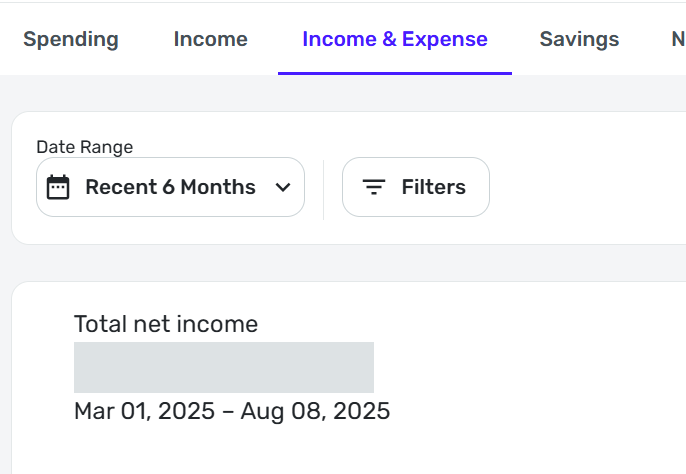
The screen then flashes and this appears:
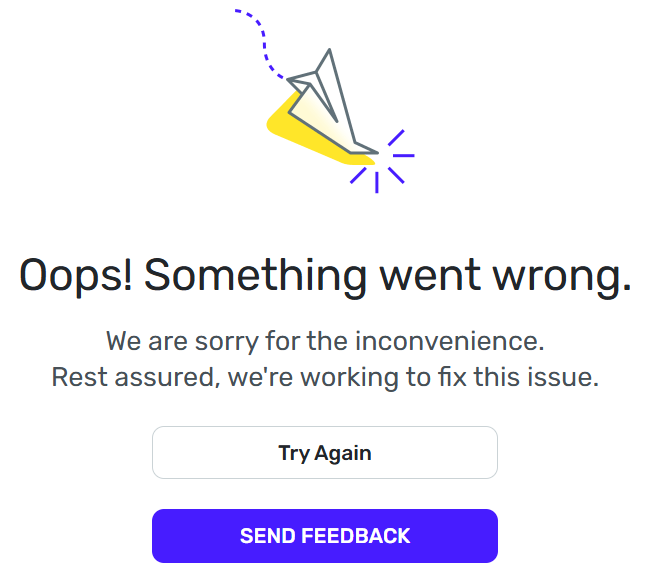
If I click on Send Feedback, the screen flashes and once again displays the above with the error report identified at the bottom left.
If I then click Try Again, it sends me back to the Spending Report.
Since I can't see the Income & Expense report, there's no telling what filters are in place. Perhaps someone on your end can check and reset them?
0 -
@BlueGrits, thanks for the reply!
We can't access your dataset from our end to change anything. However, from your first screenshot, it appears that no filters are set, and the date range used is the default. Have you tried accessing the Report via incognito or private mode, as previously mentioned?
Let us know!
-Coach Natalie
0 -
Sorry — forgot to add that.
Same failure on private/incognito mode in both Firefox & Chrome.
0 -
Thank you for the additional information @BlueGrits,
Do you use a VPN and/or antivirus? If you do, try pausing them while accessing the Income & Expense report.
What kind of device is this issue happening on (desktop computer, laptop computer, tablet, smartphone, etc.)? If you have an alternate device, have you tested to see if the issue persists across multiple devices?
Please let us know how it goes!
-Coach Kristina
0