In Simplifi, Pending Transfer Transactions Across a Split
Basic question I had starting this session is immediately below, and now my more refined problem.
- The question on "pending" transactions and their impact on the amount displayed as "balance". Also the split impact of pendings. Answer: transactions marked as pending are posted by Quicken if the financial institution posts their pending transactions. This is a service displayed by Quicken, and these pending transactions are included in balances, although I'm not sure about reports.
My problem currently is I have a cash account transfer transaction that is listed as "pending", and I cannot manually clear it because the other side of the transfer is a split. When I go to that initiating transfer transaction it is listed as cleared (the main transaction, not the split, because the split does not contain that level of detail.). I get into a loop when I go back and forth and cannot change the pending of the cash account transaction in any way.
Best Answers
-
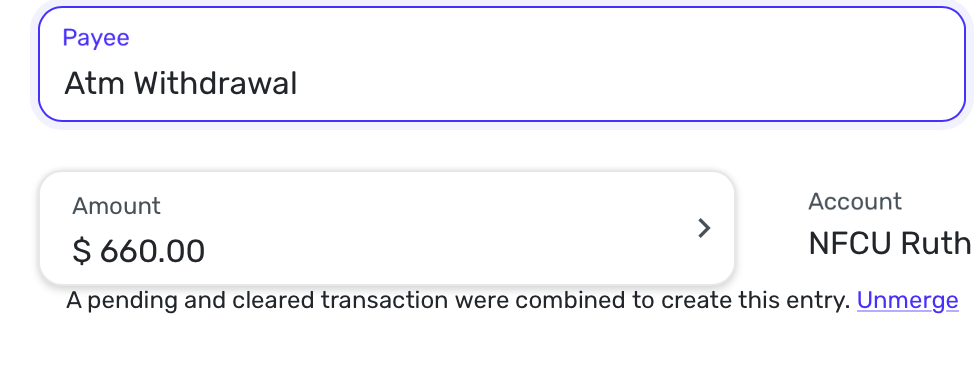
Thanks, Steve. As I was heading in to try your suggestion(s), I noticed this bottom sentence on the split transaction—about Unmerge a pending and cleared transaction. I'll try "Unmerge" first.
—Rod
0 -
I unmerged the split transaction that on the cash side was stuck "pending". After I did that, using the highlighted suggestion link right there within that split transaction's window, then that part of the split was left uncategorized. I still couldn't change the cash transaction from "pending" to "cleared" so I deleted it altogether. Then I went back to the uncategorized split and selected simply "transfer" as the category (rather than me selecting the pull over subcategory I have for the cash account. Quicken then detected (and told me so) that I was missing a transaction on the other side of the split, and I clicked that yes, I did want to create it. Quicken created, I chose "cleared", and it all worked! Off to bigger and better balances (and balancing.)
Thanks Steve—Superuser!
1
Answers
-
Hi, That problem is hard to test on my side.
This is what I would do.
Step 1: Go to the split transaction and change the split from Transfer to Cash to just transfer. This should delete the Cash transaction.
Step 2: Then once you've verified it's gone, go back to the split transaction and change it back to Transfer to the Cash account. Since it is already cleared, it should be mark cleared in the transfer to account.
Alternatively, before step 2, put in the cash account a cleared transaction for that amount using the same date as the split transaction and just do it as a transfer as well. It should be cleared from the start. This will work for sure, and Simplifi may even ask if you want to link them.
Let us know how this goes.
Steve
Quicken Simplifi (Safari & iOS) Since 2021
Quicken Classic (MacOS) Since 2009
MS Money (1991-2009) and Dollars & Sense (1987-1991)0 -
Thank you, and so glad you got it figured out. More than one way to skin a cat. As a cat lover, I hate that expression, but I still use it. 😃
Steve
Quicken Simplifi (Safari & iOS) Since 2021
Quicken Classic (MacOS) Since 2009
MS Money (1991-2009) and Dollars & Sense (1987-1991)0