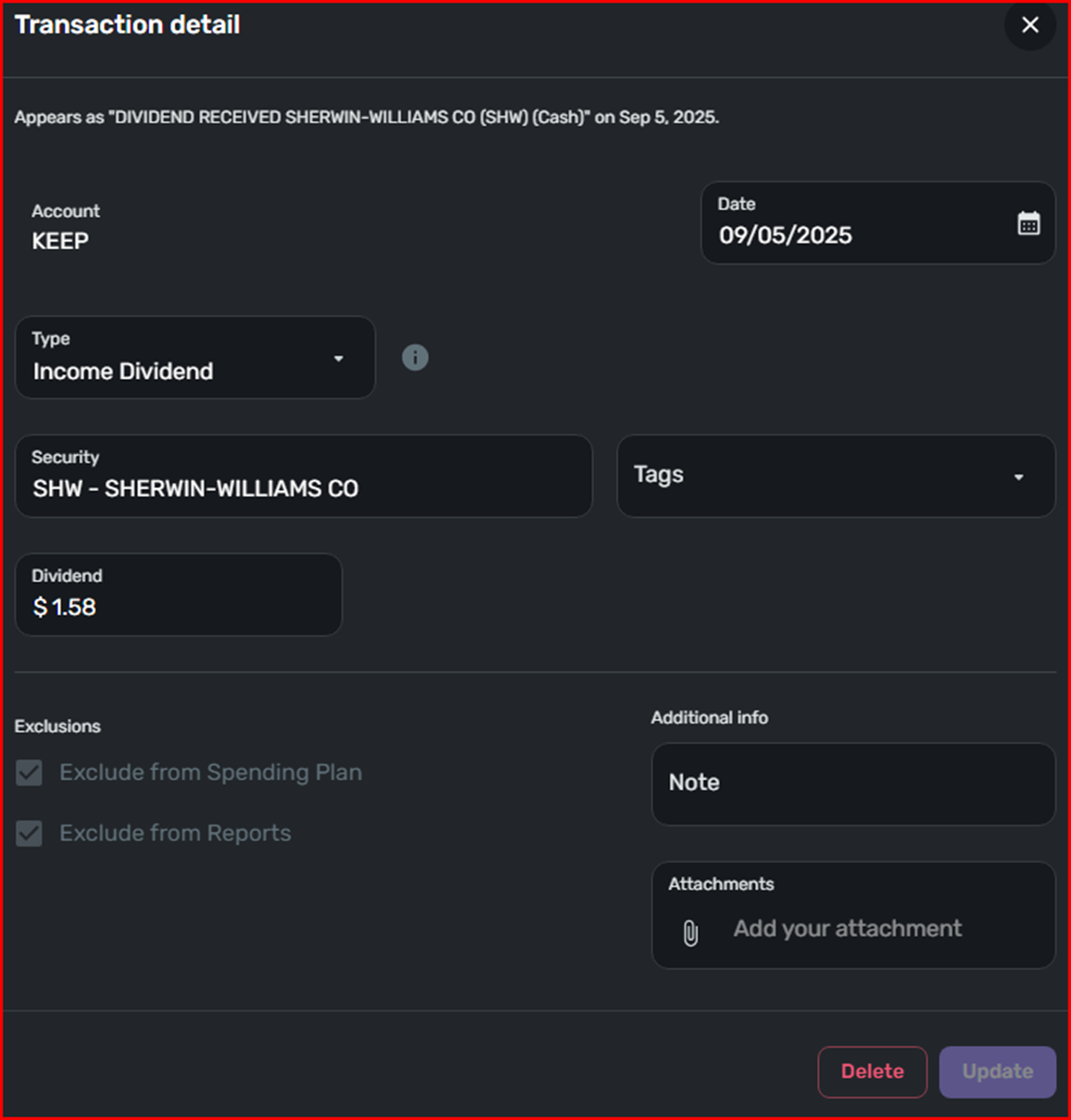
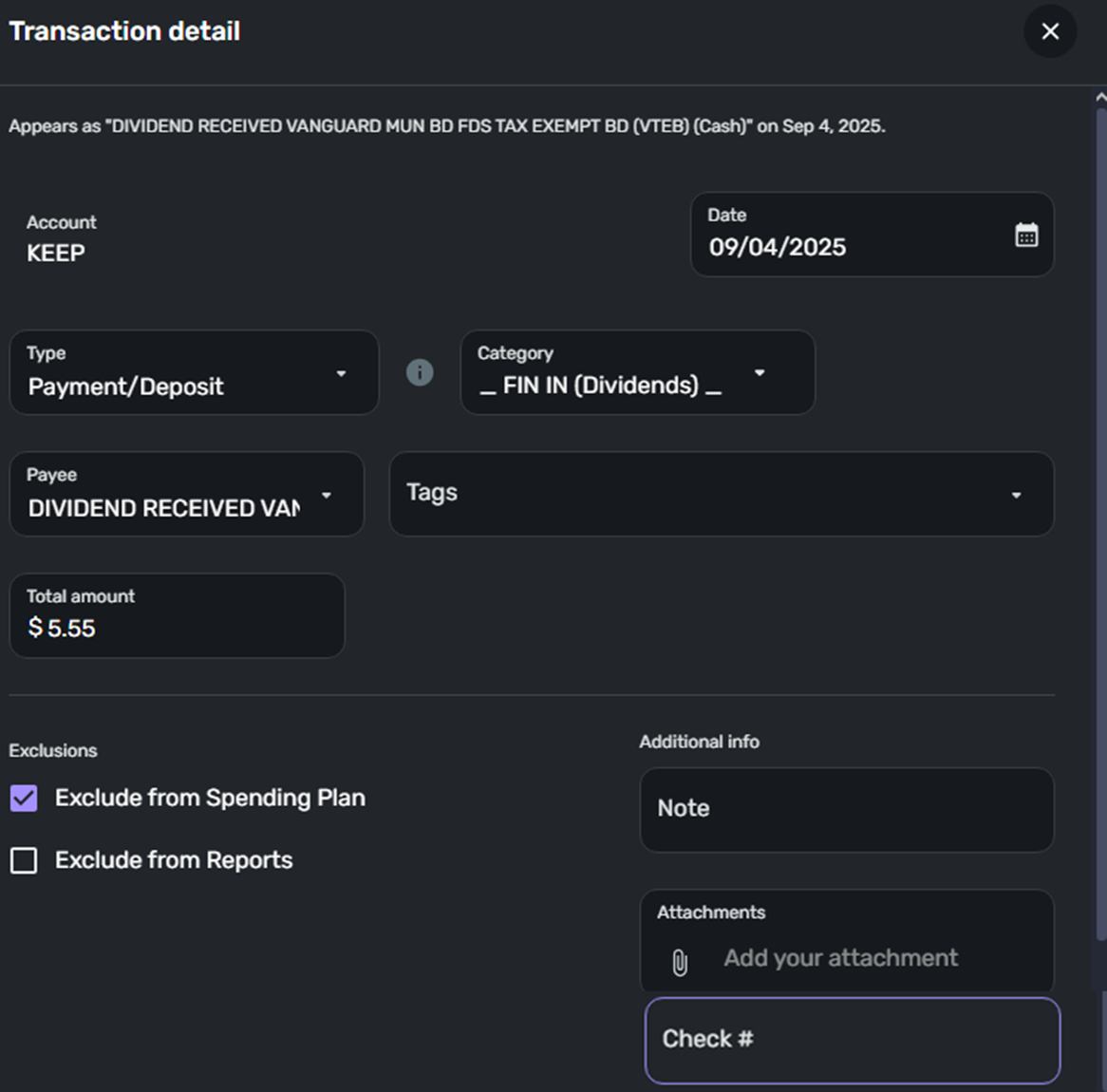
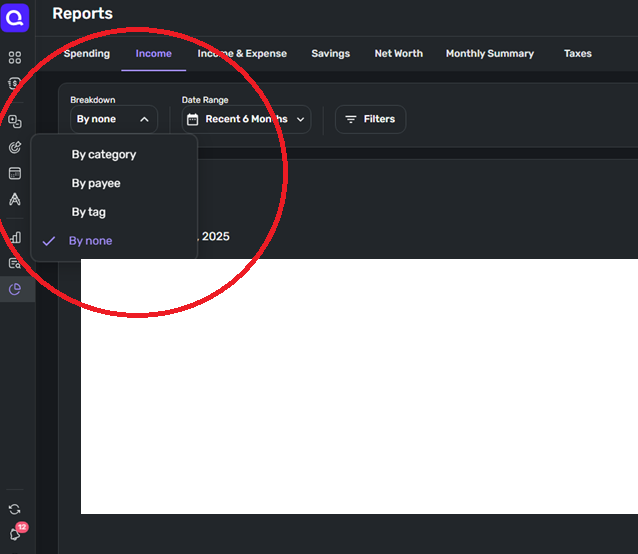
So this started happening a few months ago but worked fine before then. A reply was posted and a discussion closed for reason unknown, because clearly something stopped working suddenly, and no explanation as for why, and obviously it cannot be a feature because it breaks the Income reporting and charting:
Thanks for reaching out! For transactions with the Action "Income Dividend", the category change option is disabled within Quicken Simplifi. I am not sure why the transaction that you showed in your screenshot was assigned a "Check" category, but I would have you delete the transaction and re-create it to see if it assigns that category once again, or if that was just a one-off issue. Let us know!
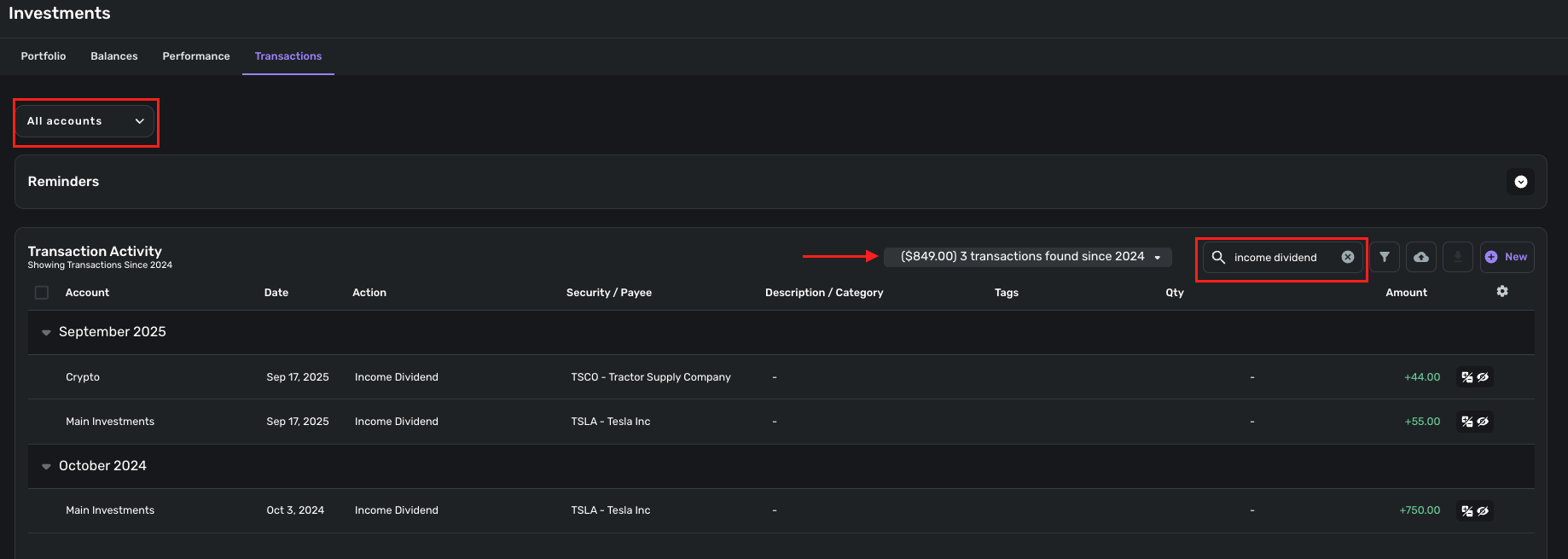
Attached is a screenshot with a few dividend transactions, of which only got correctly categorized according to custom defined rules:

I cannot tell why some of these transactions' Action column is set to "Income Dividend" and others to "Payment/Deposit", because they are verbatim containing the same description format "DIVIDEND RECEIVED from XYZ"
How is "Description/Category" column of any use? Is it a description, or a category? The reports and charts are based on categories, so if transactions are not getting categorized correctly they don't get included in the reports, so I had no visibility of almost all of my dividend income on my Income report.
Again, this worked fine until about three months ago. Now it looks like the transactions are not being parsed correctly so "DIVIDEND RECEIVED …" field gets saved into "Description/Category" column instead of "Security/Payee"