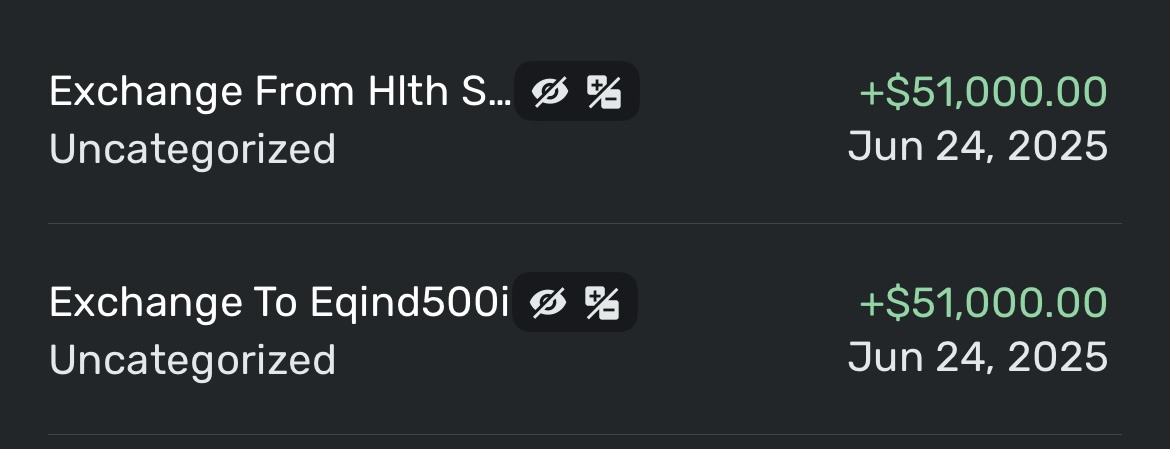
In the transaction category, I am seeing “Transfer:### Hubbard Loop, The Villages, FL” which is the asset account for the home in Florida, “Transfer:VIO Bank [####] HYSA Dick” which is a savings account. So, how is it best to use these categories?
Hello @Dick_Davis,
Thanks for reaching out! I am not quite sure what you mean by your inquiry into how to use the categories you listed. If the categories are Transfers, then they would be used specifically to show a transfer of funds between two accounts within Quicken Simplifi. If you can clarify your inquiry, this would help us better answer your question.
-Coach Jon
@Coach Jon , first I apologize for not being clear with the posting. My question is if I code in the Category with “Transfer: xxxxxx” is that easier than just using transfer as it will be targeted to a specific account. Thus, an example would be “Tranfer:Credit Card” and it will create both transactions. I hope that this is clearer.
I have the same Q - what to put into the Category field in the App for exchanges between accts - like mutual fund exchanges or from checking to mutual fund acct ? And why are these green and both positive ?
Well, I'll take a stab at it @ps56k
So, if you are transferring money from a checking account to an Investment account, it's a transfer obviously. If you get a + sum on both sides in a downloaded transaction, you just have to fix it. So it should be negative in the checking account and positive in the investment account.
Now when you do buys and sells in the investment accounts, this is a special kind of transfer that is handled as a buy or sell.
One thing that I urge y'all to do is clean up this language that you download, so we can better understand what is happening. I mean if I do this, it would be First US Bank to Fidelity. Or Fidelity to Capital One. So I can tell the difference quickly between my Financial institutions and the description I might have in notes.
As for categories, remember those are only for income and expenses. If it is neither income nor an expense, it's a transfer.
@Dick_Davis You can link the transfers if you like or just use the generic TRANSFER category on both sides. It's up to you. I link them. Sometimes I start unlinked as there is a time gap, but ultimately I link them.
Tnx - just stumbled over the Transfer syntax and entered it - edited one entry to reflect the Transfer and deleted the other existing standalone entry in the other account as a message indicating it did not find a matching entry and would create a new one…..
so deleted the downloaded entry in the other account, and let the Transfer create a new linked entry in its place…
@ps56k, I see your response, but the result is sorta unclear. Would you be able to edit for clarity.
ok - updated … trying to get used to the Simplifi workings vs years of working with Quicken Classic desktop - still heavy user.
@ps54k, I can totally understand as I have been the same. There are some differences, rethinking, and new understandings. The handling if transactions I. Quicken classic is much easier and dies not require the manual checking, as they are handled in a very easy and logical manner and method. It is baffling to me why this was not brought over. Thus the reason for asking about the "Transfer:xxxx" for the category.