Add a scroll bar to the top of the Income & Expense Report (edited)

nrp06
nrp06 Member ✭✭✭
edited November 4 in Feature Requests

Hi everyone,
Just a quick request.
I usually create Income and Expense Reports for the past 12 months, but the sheet gets too wide even on my 27-inch monitor. The horizontal scroll bar is only at the bottom, which makes it cumbersome to move between months.
Could you please add a second scroll bar at the top to improve usability?

Thanks.

1 votes

Active · Last Updated

Comments

  • RobWilk
    RobWilk Superuser ✭✭✭✭✭

    One possibly helpful tip is you may want to try zooming out on your browser to fit more on the screen. Not sure how far you'd have to zoom out to fit 12 months.


    Rob Wilkens - RobWilkens.com

  • Coach Natalie
    Coach Natalie Administrator, Moderator admin

    @nrp06, you can also follow the steps outlined in my comment here:

    I hope this helps!

    -Coach Natalie

  • nrp06
    nrp06 Member ✭✭✭

    Thanks, but It does not help. I know there is a scroll bar at the bottom. I'm suggesting you also add one at the top. Offer TWO scrollbars to increase usability.

  • Coach Natalie
    Coach Natalie Administrator, Moderator admin
    edited November 4

    @nrp06, thanks for confirming you are aware of the current scroll bar. This has been converted back to an Idea post requesting a different scroll bar at the top of the Income & Expense Report.

    -Coach Natalie

  • DryHeat
    DryHeat Superuser ✭✭✭✭

    @nrp06

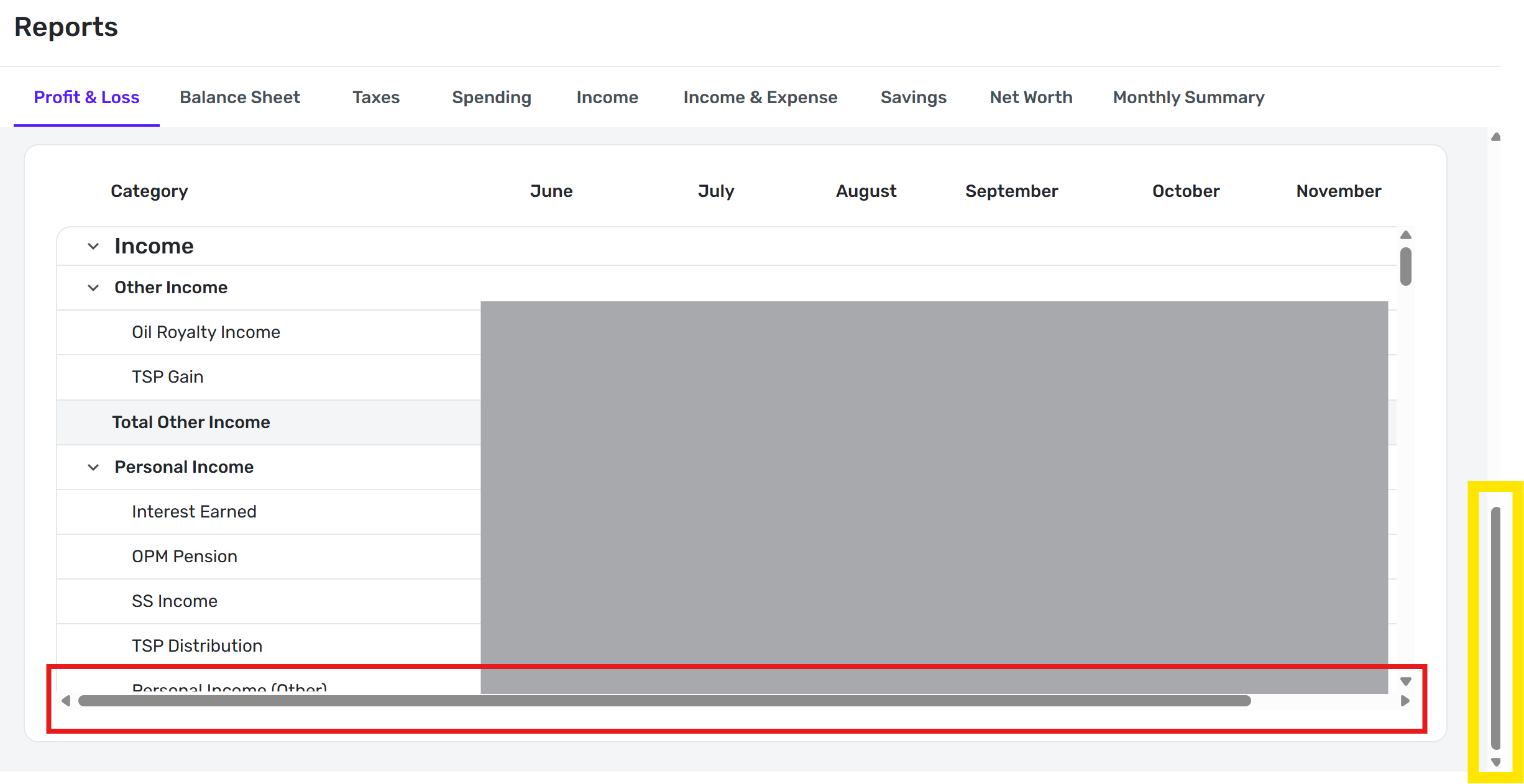
    When I set my browser's zoom to 100% and scroll the main vertical scroll bar (in yellow below) all the way to the bottom, the full report window and the horizontal scrollbar (in red below) are completely visible. Is your's not like that?

    image.png

    DryHeat
    -Quicken Classic (1990-2020), CountAbout (2021-2024), Simplifi (2025-…)

  • nrp06
    nrp06 Member ✭✭✭

    Dryheat.

    Thanks.

    For such a report, with lots of info, it is not ideal to scroll down to reach the horizontal bar if you're checking/analyzing the top lines. In this case, your income lines.

    It does not work. You end up scrolling down, scrolling right, scrolling up again, just to analyze your numbers. And you repeat that several times.

    It is just bad design.

    I see two solutions:

    1. Add an horizontal bar to the top or
    2. Make sure the horizontal bar at the bottom is ALWAYS visible, without the need to scroll down. That would also work well.
  • DryHeat
    DryHeat Superuser ✭✭✭✭

    @nrp06

    I think you misunderstand the image in my post. You don't have to scroll to the bottom of the report.

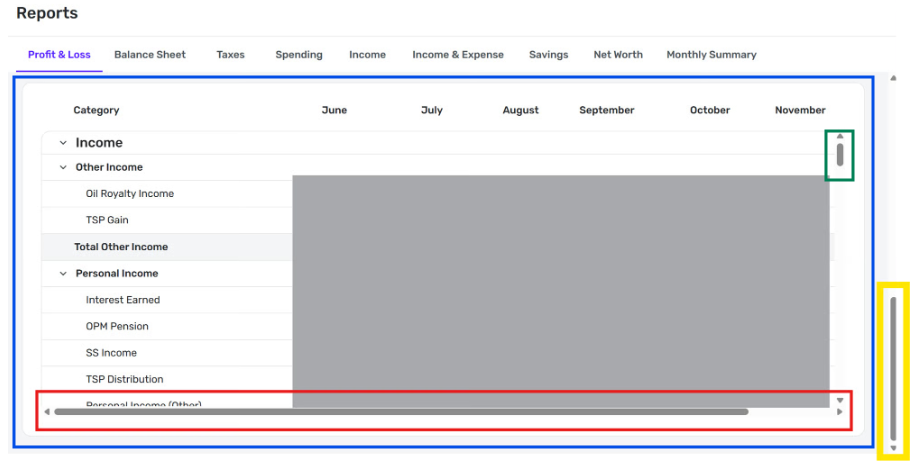
    The vertical scroll bar outlined in yellow does not scroll through the lines of the report. The other vertical scroll bar (outlined in green) does that.

    The scrollbar in yellow brings the entire report panel (outlined in blue below) fully onto the screen so that you can see the headers, some of the lines of the report, and the horizontal scroll bar all at once. You can scroll through the lines of the report, top to bottom, without ever losing sight of the horizontal scroll bar.

    image.png

    Try that and, if it doesn't work for you, post an image of what you are seeing so we can help.

    DryHeat
    -Quicken Classic (1990-2020), CountAbout (2021-2024), Simplifi (2025-…)

  • RobWilk
    RobWilk Superuser ✭✭✭✭✭

    If you use a touchpad, two finger scrolling left and right works as well (without using scrollbars)


    Rob Wilkens - RobWilkens.com