Citi Shop Your Way Migration Broken

Mike472782
Mike472782 Member

The citi shop your way connection is no longer syncing correctly. The reason is probably that they have migrated their website and branding to the citi thank you mastercard: citithankyoucard.com

It previously was https://citiretailservices.citibankonline.com/RSauth/signon?pageName=signon&siteId=PLCN_SYW&langId=en_US


Comments

  • Coach Natalie
    Coach Natalie Administrator, Moderator admin

    @Mike472782, thanks for posting to the Community!

    When viewing your connection attempts from our end, I don't see anything for Citi. I also don't see a bank option in Quicken Simplifi for Citi Shop Your Way. With that, we will need more details from you:

    • Are you receiving a specific error message or code?
    • Is the issue occurring on an existing account in Quicken Simplifi?
    • If so, what is the name of the account as it appears in Quicken Simplifi?
    • What is the name of the bank with the issue as it appears in Quicken Simplifi?

    We look forward to your reply!

    -Coach Natalie

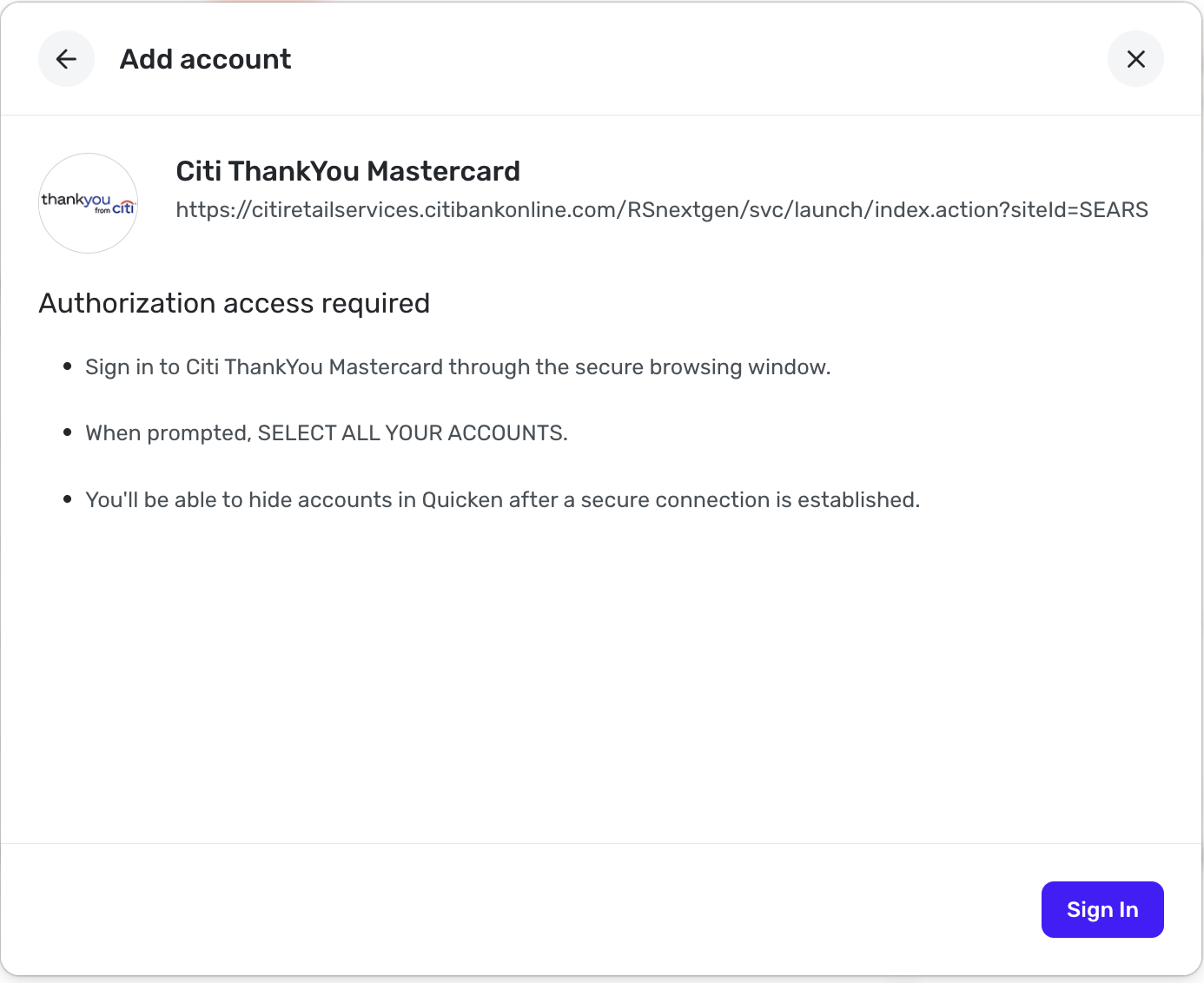
  • Seconding that I have the same problem. It used to be called citi shop your way, now is citi thankyou mastercard. However, the link for adding that connection is not right. The former was connected and working correctly, but it is disabled now by Citi due to the card product change, and I cannot add the new one in Simplifi.

    Screenshot 2025-11-03 at 3.06.34 PM.png Screenshot 2025-11-03 at 3.06.43 PM.png

    Note how it says siteId=SEARS

    Screenshot 2025-11-03 at 3.07.22 PM.png

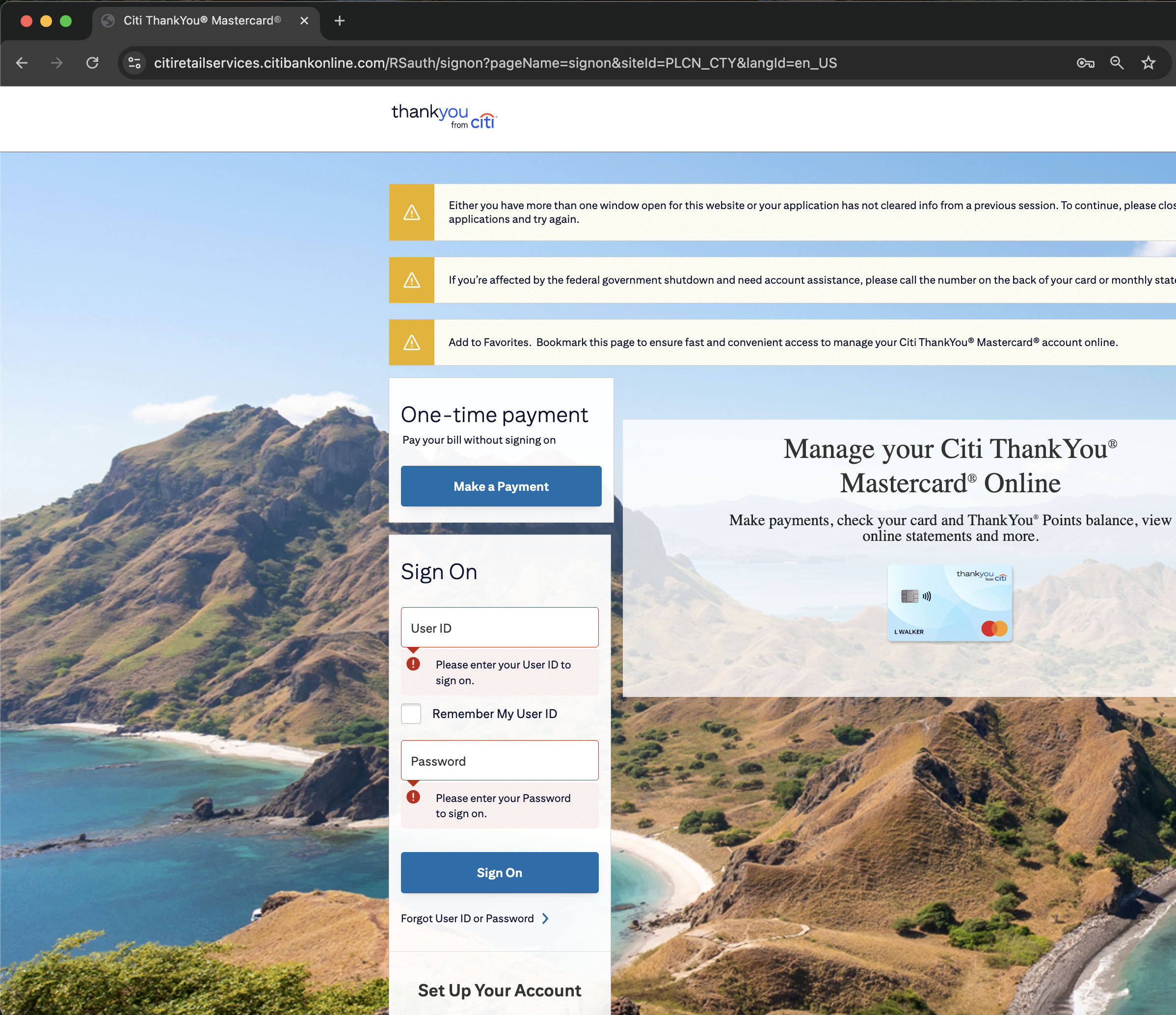
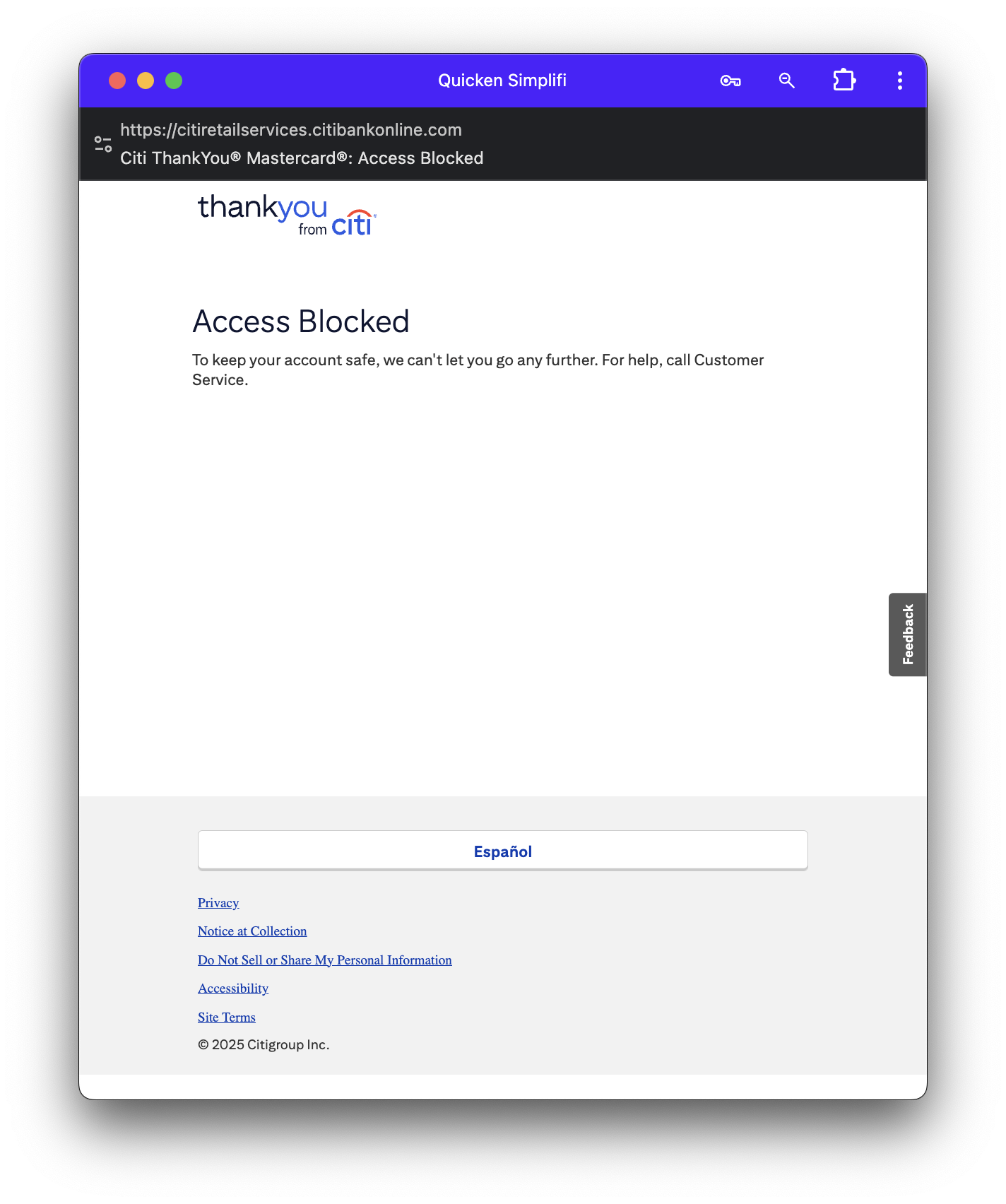
    Note that this link (go to citithankyoucard.com and it will redirect you here) has siteId=PLCN_CTY which I believe is the new, correct one. Below is the error I get after selecting accounts to share and clicking "Authorize Access".

    Screenshot 2025-11-03 at 3.12.22 PM.png
  • Should add that this is a migration — I have all my (old) transactions that was connected when it was called "citi shop your way", and I can see all these same transactions on the new site "citi thankyou mastercard", and once the connection works, planning to mark the new connection as the existing account in Simplifi so that Simplifi won't duplicate all those transactions.

  • Coach Natalie
    Coach Natalie Administrator, Moderator admin

    @supermatthew, thank you for joining this discussion and providing great insight!

    There are a couple of things for you to try to help us get a better handle on things. First, I would recommend establishing a completely fresh connection with the bank and gaining a new access token. Here are the steps to do so:

    1. Navigate to the bank's website, sign in, and remove Quicken's access from the bank's third-party linked apps.
    2. Navigate back to Quicken Simplifi and make all of the accounts with this bank manual by following the steps here
    3. Once you see the account(s) listed in the Manual Accounts section under Settings > Accounts, go back through the Add Account flow and connect to the Citi ThankYou Mastercard bank option.
    4. If the connection is successful, carefully link the account(s) found to your existing Quicken Simplifi account(s) by following the steps here

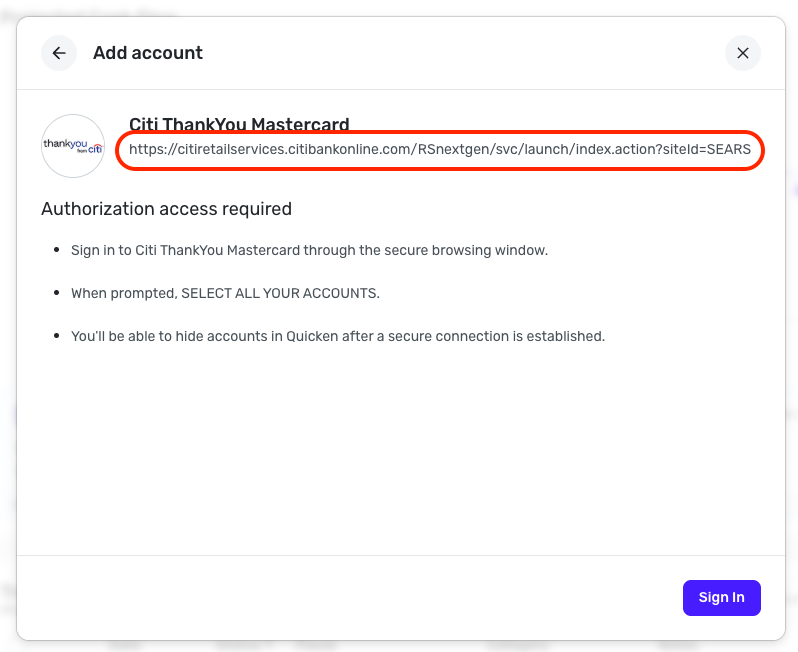
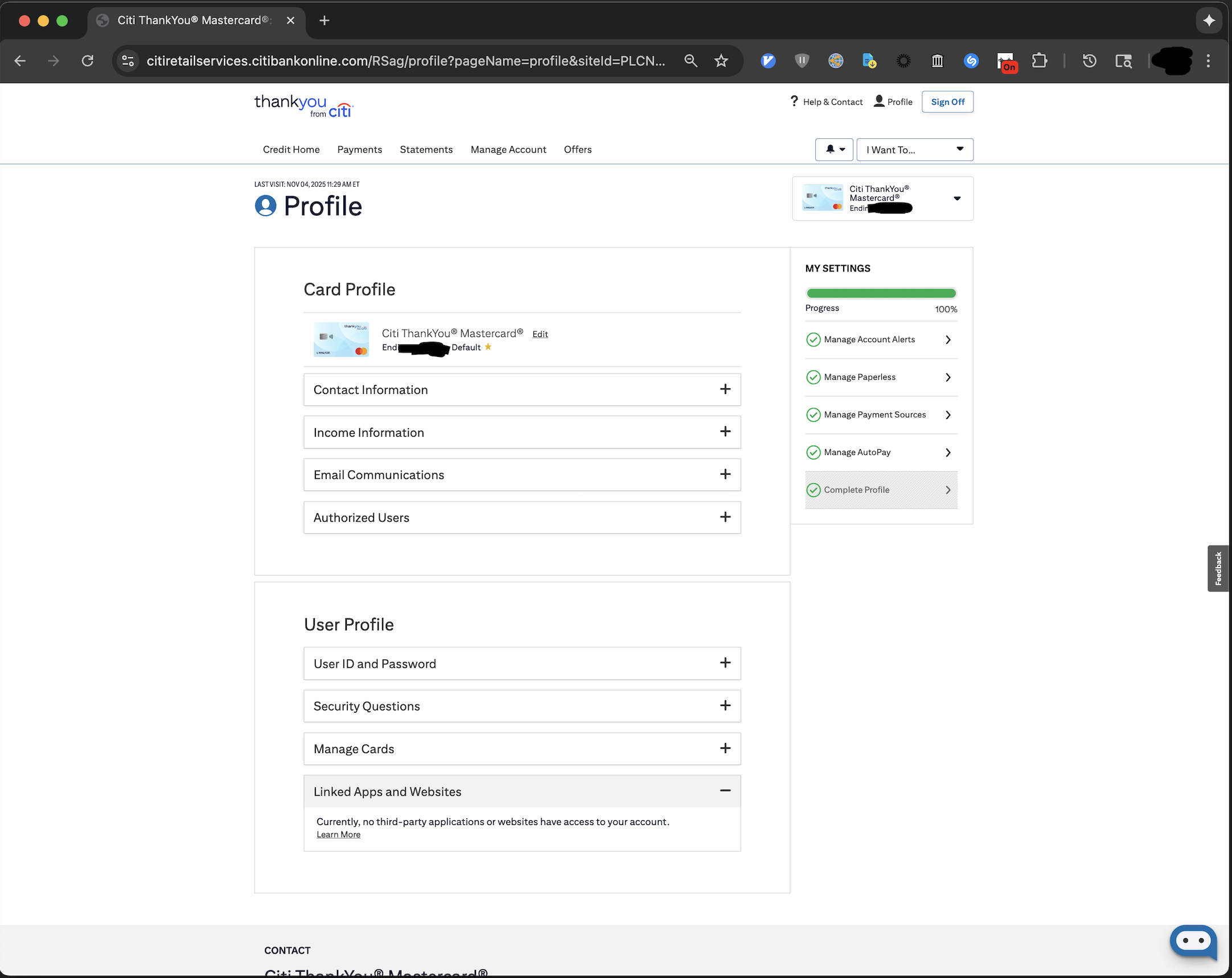
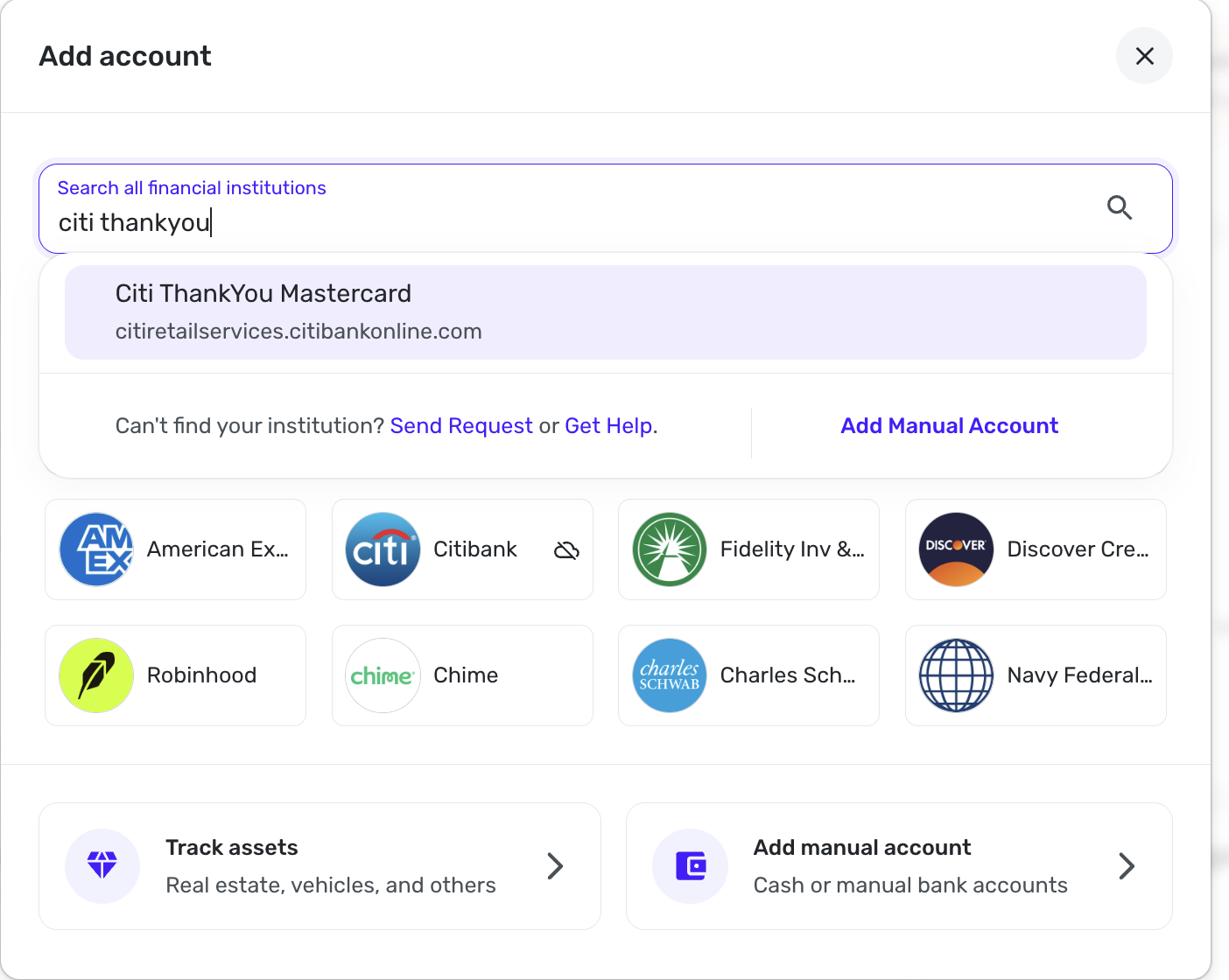
    If that doesn't do the trick, let's next explore the Citi ThankYou Mastercard bank option itself. If you click on the URL displayed for this bank option in Quicken Simplifi, a new tab will open to the bank's website. Are you able to sign in and access your account(s) here?

    Screenshot 2025-11-04 at 8.17.22 AM.png

    This will help us determine if this is the correct bank option for you, as the URL displayed in Quicken Simplifi is not always the one used to connect from the backend.

    Let us know how things go!

    -Coach Natalie

  • Hello @Coach Natalie thanks for the reply.

    I tried these steps. Step #1 I can't do because the old "bank" (citi shop your way at https://citiretailservices.citibankonline.com/RSauth/signon?pageName=signon&siteId=PLCN_SYW&langId=en_US) no longer accepts sign in after the card product change. I did step 2 and step 3. At step 3, again I got the Access Blocked message that I posted earlier.

    I believe the problem is that simplifi's URL for Citi ThankYou Mastercard is https://citiretailservices.citibankonline.com/RSnextgen/svc/launch/index.action?siteId=SEARS refers to siteId=SEARS instead of (what I gather from the redirect of citithankyoucard.com ) siteId=PLCN_CTY

  • If that doesn't do the trick, let's next explore the Citi ThankYou Mastercard bank option itself. If you click on the URL displayed for this bank option in Quicken Simplifi, a new tab will open to the bank's website. Are you able to sign in and access your account(s) here?

    Yes, I can enter https://citiretailservices.citibankonline.com/RSnextgen/svc/launch/index.action?siteId=SEARS in my browser, which redirects to https://citiretailservices.citibankonline.com/RSnextgen/svc/launch/index.action?siteId=PLCN_CTY and then to https://citiretailservices.citibankonline.com/RSauth/signon?pageName=signon&siteId=PLCN_CTY&langId=en_US where my credentials do work.

  • Coach Natalie
    Coach Natalie Administrator, Moderator admin

    @supermatthew, thanks for giving those steps a try and posting back!

    You should still be able to do step 1 — you would just sign into the bank's website however you currently do so, and then remove Quicken's access from the third-party linked apps section there. Once done, you can go back through the rest of the steps in Quicken Simplifi, which will cause a new access token to be generated.

    Once done, if you still receive the same Access Blocked message, I would recommend trying from a different browser or in incognito/private mode, in case something in your primary browser is blocking the bank's authorization process.

    Also, I noticed when viewing your connection attempts from our end, that there are none for Citi ThankYou Mastercard, which means that the attempts aren't even hitting our systems. However, I noticed you have aggregation events for Citibank — do you have other Citi accounts in Quicken Simplifi? Have you tried adding the ThankYou Mastercard using this Citibank bank option, or the generic Citi Cards bank option?

    We look forward to your reply!

    -Coach Natalie

  • nrp06
    nrp06 Member ✭✭✭
    edited November 4

    Guys.

    I was able to make it work.

    First, let's forget Simplifi for a minute.

    Make sure you can log into your account on the NEW citi web site. The old Shop Your Way site does not work anymore. You must use the new site. Log on, make sure all is ok, your account is there etc. This is critical.

    Then go into Simplifi.

    (1) Make your OLD Shop your Way account a MANUAL account.

    (2) Create a new connection, search for Citi Thank you Card. Use your username and password.

    (3) When Simplifi asks you, DO NOT connect as a new account. Connect to the old account, the one you made manual just a few minutes ago.

    (4) Rename your account to Citi Thank You Card.

    Everything will work.

  • Coach Natalie
    Coach Natalie Administrator, Moderator admin

    @nrp06, thanks for posting what worked for you!

    -Coach Natalie

  • Thank you. So I still wasn't able to remove the existing access (step 1).

    Screenshot 2025-11-04 at 9.46.57 AM.png

    There wasn't anything to revoke, even though I had given access from the old site.

    However, switching browsers (from chrome to safari) worked for me and I was able to add Citi ThankYou Mastercard and link it to my old (now manual) account. Thanks for that tip!

  • Coach Natalie
    Coach Natalie Administrator, Moderator admin

    @supermatthew, I'm glad to hear you were able to get connected!

    -Coach Natalie

This discussion has been closed.