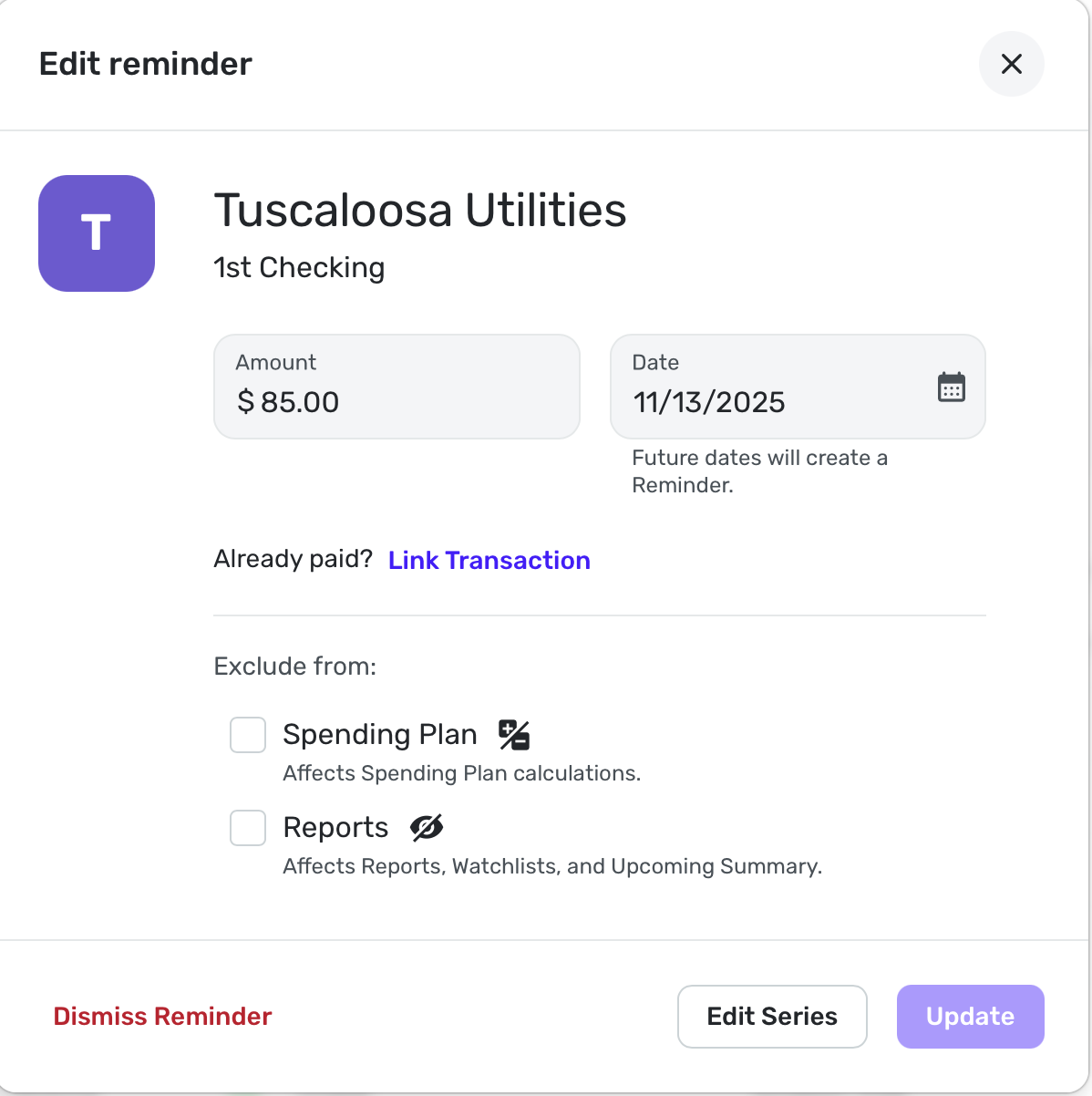
Add the 'Edit Series' option to the three dot menu of reminders (edited)
If I want to edit the Recurring Series for a Reminder that I see in the reminder carousel of an account or in Bills & Income:Overview, I have to:
- click on the series' three-dot menu icon
- click on View Series (in the three-dot menu)
- click on Options in the View Series window
- click on Edit series (in the Options menu)
Only then do I actually arrive at the Edit series window where I can edit. That seems unneccesarily indirect. (And clicking "Options" to access the editing function isn't exactly intuitive.)
Adding an "Edit Series" item to the three-dot menu would be much more direct and obvious.
[edited title]

DryHeat
-Quicken Classic (1990-2020), CountAbout (2021-2024), Simplifi (2025-…)
Comments
-
@DryHeat, thanks for posting your suggestion to the Community!
There is a more direct way to edit a recurring series from the Bills & Income section — select the All Series tab at the top, and then the three-dot menu options for the recurring series listed here will have an "Edit Series" option. With that, I did edit this request to be specific to the Bills & Income > Overview page.
I hope this helps!
-Coach Natalie
1 -
Thanks, it's good to know that the Bills & Income | All Series tab provides more direct access. If I'm working on a lot of Series at once I'll go there.
But that doesn't help me all that much in the usual case.
That's because I usually figure out that I need to alter a Recurring Series when I am looking at a particular upcoming (or past due) reminder, either in Bills & Income | Overview or in the reminder carousel for a particular account. I see that maybe a payment date or amount has changed, or maybe it isn't matching correctly, so it needs editing.
From there I can either follow the 4-click route I described above, or I can click over to Bills & Income | All Series, scroll down to find the right Series, and edit from there. That's actually a more time consuming process for an individual change.
(NOTE: Accessing editing through the three-dot menu on a Reminder in the reminder carousel above a transaction activity list also requires the 4 click process I described above.)
DryHeat
-Quicken Classic (1990-2020), CountAbout (2021-2024), Simplifi (2025-…)0 -
I Think you can remove the "Bills & Income > Overview Page:" limitation from the title and just capitalize the word "Reminders." Because this issue applies to Reminders wherever they appear, not just there.
As I looked farther into it, I saw that Simplifi distinguishes between reminders and recurring series when displaying the 3-dot menus.
- The items in Bills & Income | Overview and the reminder carousels are reminders. They have the menu that requires 4 clicks to get to "Edit Series."
- The items in Bills & Income | All Series are recurring series. They have the menu with more direct series-related choices.
So if this change is made, it should apply to all Reminders equally.
DryHeat
-Quicken Classic (1990-2020), CountAbout (2021-2024), Simplifi (2025-…)0 -
-
Voted for this. I'm "used to it" the way it is, but VERY RARELY do i "view series" without "editing series".
—
Rob Wilkens - RobWilkens.com1 -
I voted for this as well.
I tend to edit the series when I am looking at them in the Spending Plan or when I see it coming up in the particular account. One shortcut I employ is to choose Edit Reminder, and at the bottom of the window that opens, I can then choose Edit Series. I think this works in most cases. It saves a step or two.
Steve
Quicken Simplifi (Safari & iOS) Since 2021
Quicken Classic (MacOS) Since 2009
MS Money (1991-2009) and Dollars & Sense (1987-1991)1