is there a way to bulk update accounts/transactions to not be excluded from spending reports?

hubert.casimiro
hubert.casimiro Member
edited November 12 in Managing Your Transactions

Hi, I have a few accounts that keep showing up as excluded from spending reports. Is there a way to update them in bulk rather than editing each individual transaction? There are hundreds, so I’m hoping there’s an option to change them all at once.

[edited title]

Best Answer

  • SRC54
    SRC54 Superuser ✭✭✭✭✭
    edited November 12 Answer ✓

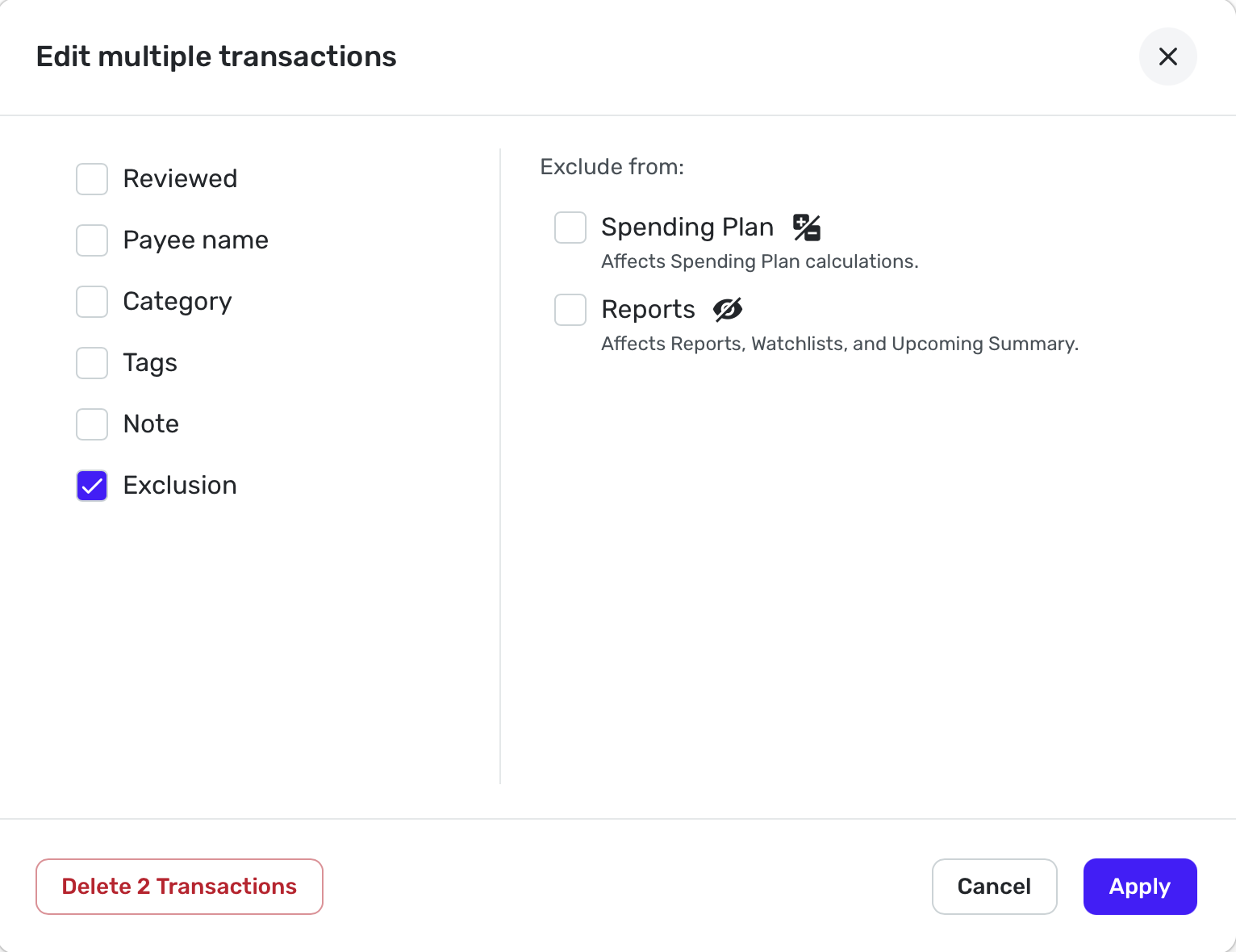
    Well yes. It may not be intuitive, but you do a search for the transactions you want, then choose them. Then hit the Edit button (looks like a pencil) and choose exclusion. It will show the Exclusion as blank. Check the Spending Plan exclusion, then uncheck it. Now hit Apply.

    Screenshot 2025-11-12 at 1.54.20 PM.png

    For accounts that are by default excluding from Spending Plan, go to Settings: Accounts and find the accounts you want and click on the 3 vertical dots. Now clear the box that says Exclude from Spending Plan.

    Remember that Investment accounts will automatically exclude everything from the Spending Plan unless it is a Payment/Deposit. Edit: If you try bulk editing those transactions, it will appear to work, but it won't. Also, I don't know of anyway to bulk edit to change investment transactions to Payment/Deposit.

    Hope this helps.

    Steve
    Quicken Simplifi (Safari & iOS) Since 2021
    Quicken Classic (MacOS) Since 2009
    MS Money (1991-2009) and Dollars & Sense (1987-1991)