Adding back tag field to spending report
Hi. On then Quicken Simplifi spending report, there used to be a column for the "tag" field on each transaction. This was very useful to put more details for the spend transaction to refer back to as to the detail of the spend. Now you have to edit the transaction to add that tag which is more steps and you don't see the tag front and center on the report. Would be great to have that added back. Thx
Comments
-
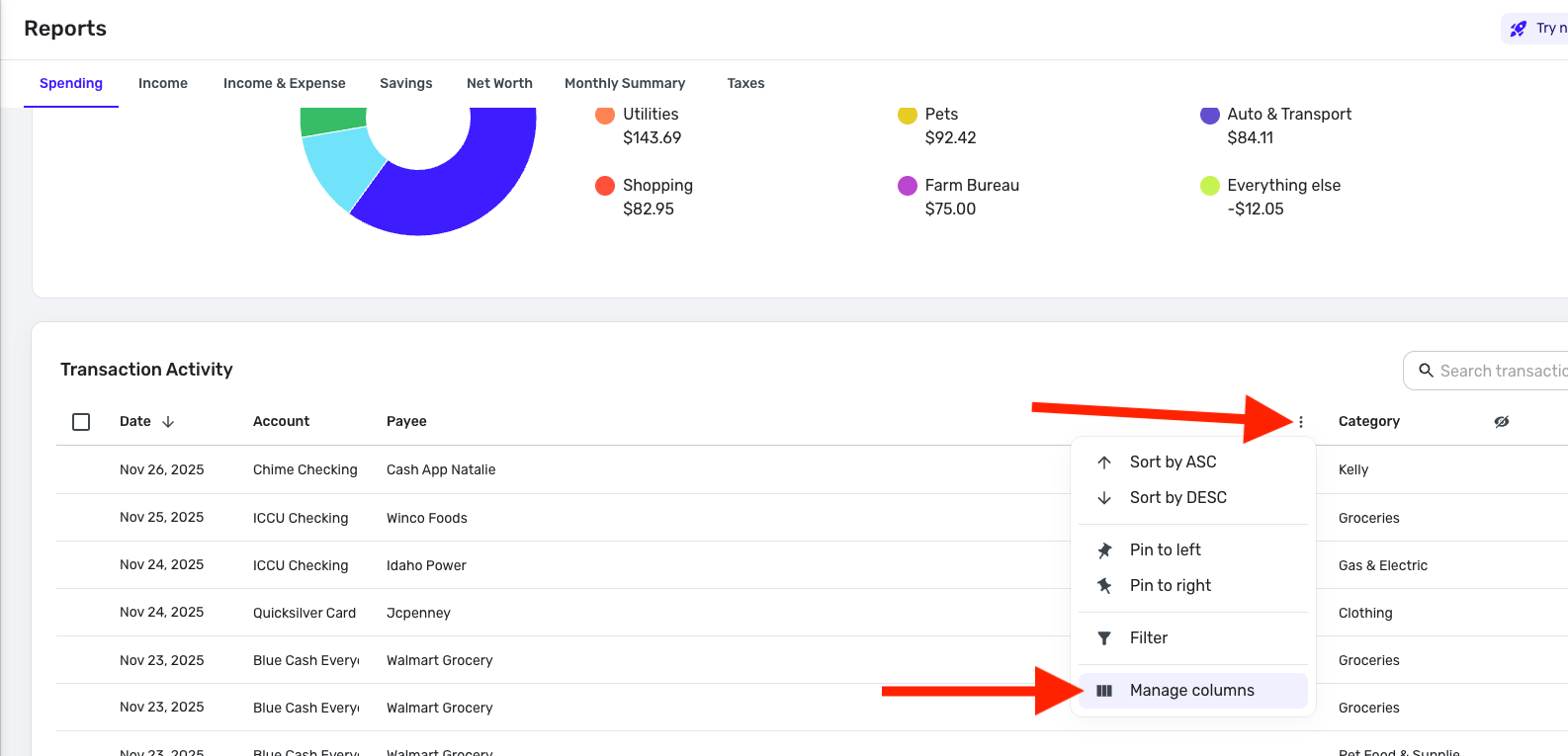
If you're on the new register (sounds like it), hover over any column header, a three dot menu will appear, you can 'manage columns' from there and select whatever you want.
—
Rob Wilkens - RobWilkens.com1 -
I am using the new register. But I am also using the BETA reports.
There are no Tags columns in the Spending or Income reports.
I do not have any way to manage columns. There are no three-dot menus when hovering.
The problem goes away if I switch back from BETA to normal reports.
DryHeat
-Quicken Classic (1990-2020), CountAbout (2021-2024), Simplifi (2025-…)0 -
@RobWilk @DryHeat, to clarify, the new register is only for accounts (i.e., checking accounts, credit card accounts, etc). Reports, Watchlists, and the Transaction Activity areas of the Spending Plan are unaffected by the recent changes announced here:
For quite some time now, in most Reports (like the Spending and Income Reports), users can hover over the column headers, click the three dots that pop up at the end of the header, and then click "Manage Columns" to add columns —
The customized columns in these areas will not stick when navigating away. The Idea post for having them stick can be found here:
I hope this helps to clarify how everything is supposed to work in these areas!
-Coach Natalie
0 -
You are, of course, right about the new register not appearing in reports.
But in the BETA reports, the reports are presented differently.
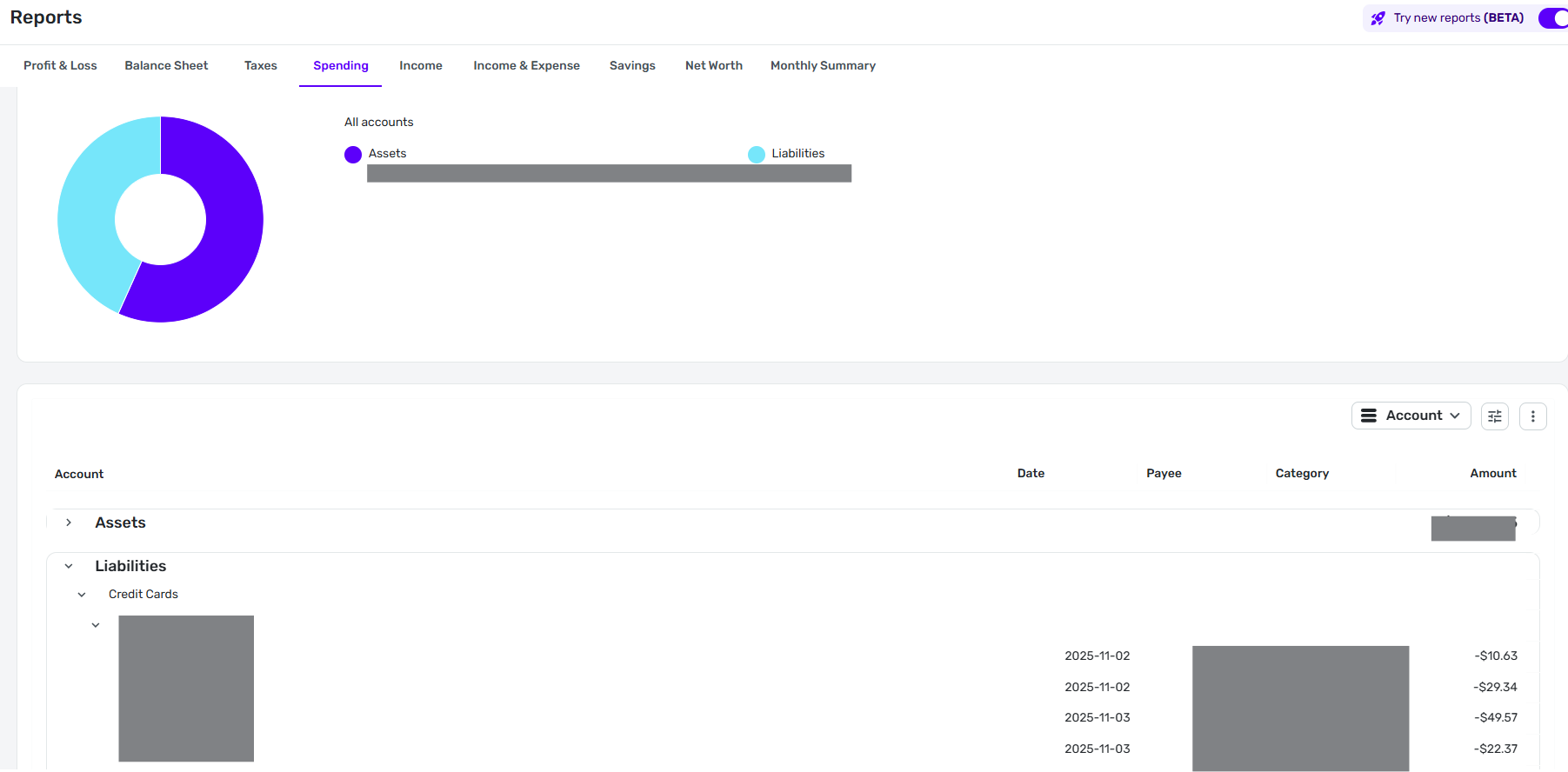
Compare this screenshot of the BETA Spending report to your screenshot above. It seems to use a different register altogether. And the three-dot Manage Columns menu is not available
So perhaps this is something that should be raised in feedback on the BETA reports instead.
DryHeat
-Quicken Classic (1990-2020), CountAbout (2021-2024), Simplifi (2025-…)0 -
@DryHeat, thanks for the reply!
The "Beta" switch in the Reports section has not been enabled for users as far as we know. I have informed our product team that users are seeing it. Once it is officially live, there will be an announcement and a dedicated feedback thread.
However, in the Spending Report with the "Beta" switch on, I still see the "Manage Columns" option. I just have to click into a category so I am viewing the Transaction Activity for that category. It then works the same as I outlined above.
I hope this helps to clarify!
-Coach Natalie
0 -
You can access the "Manage Columns" menu once you click down to a lower level in the Spending Report. But you cannot access it when you are at the top level of the report — the one you see upon first opening.
The top level has a different organization than the lower levels. When the "Category" option is chosen, for example, it displays the categories in an indented structure. At lower levels, the display is flat.
It is possible that the inability to manage columns at the top level is intentional. Although I can't come up with a rational reason for that choice right now.
DryHeat
-Quicken Classic (1990-2020), CountAbout (2021-2024), Simplifi (2025-…)0 -
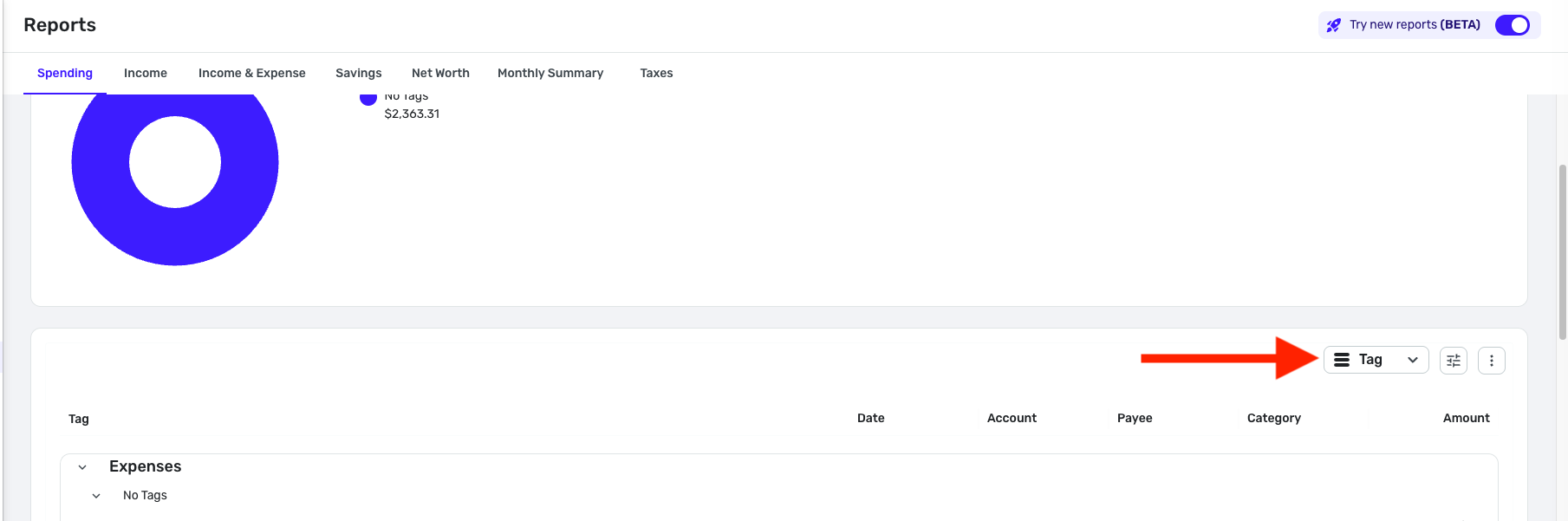
@DryHeat, it's the structure of the report — it's in a hierarchical table that shows a top-level breakdown, not transactions themselves. The Tags column would apply to a transaction register, which is what you see when drilling into the details of the report. And you do have the option of breaking down the top-level presentation by 'Tag', if that helps to organize the data at all —
I hope this makes sense! And you are, of course, welcome to leave your feedback in the dedicated feedback thread, once available. As of now, however, I think we may be hijacking this thread from the original poster. As previously mentioned, the "Beta" toggle is not supposed to be live for users yet, so we would not want to focus on that aspect here.
Thanks!
-Coach Natalie
0 -
it's the structure of the report — it's in a hierarchical table that shows a top-level breakdown, not transactions themselves.
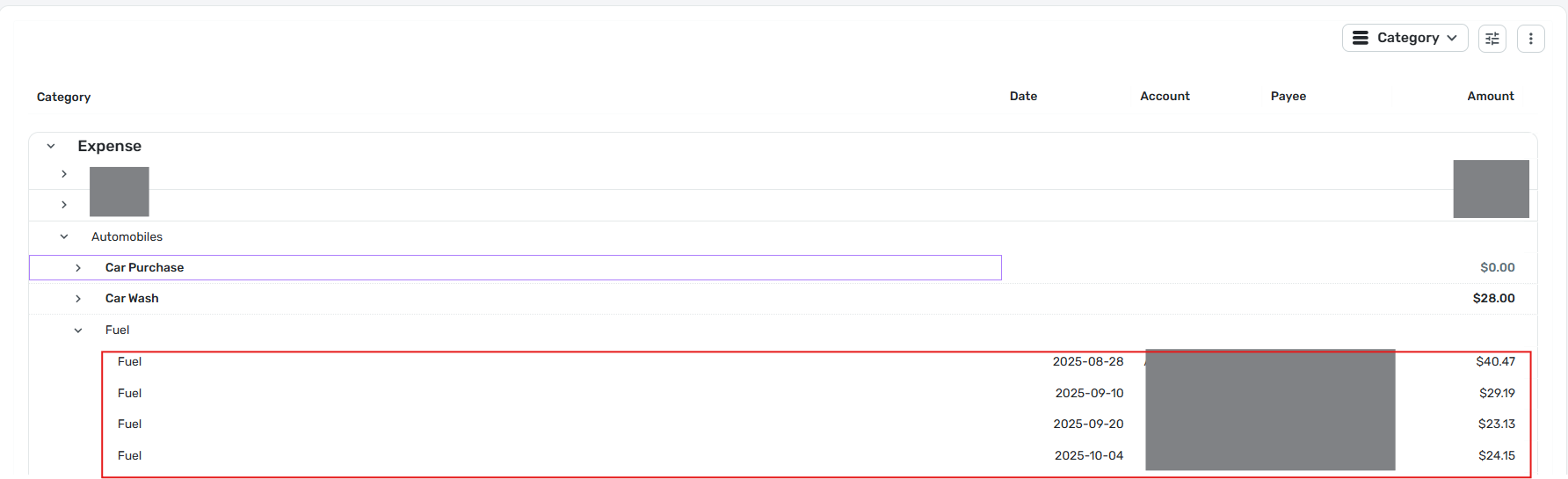
Actually, the top-level hierarchical layout does show the transactions themselves.
In the image below from the Spending Report, you can see the hierarchical levels and also individual transactions (outlined in red). If you click on one of the fuel transactions it pops up the Transaction Detail window, so it's a real transaction.
DryHeat
-Quicken Classic (1990-2020), CountAbout (2021-2024), Simplifi (2025-…)-1