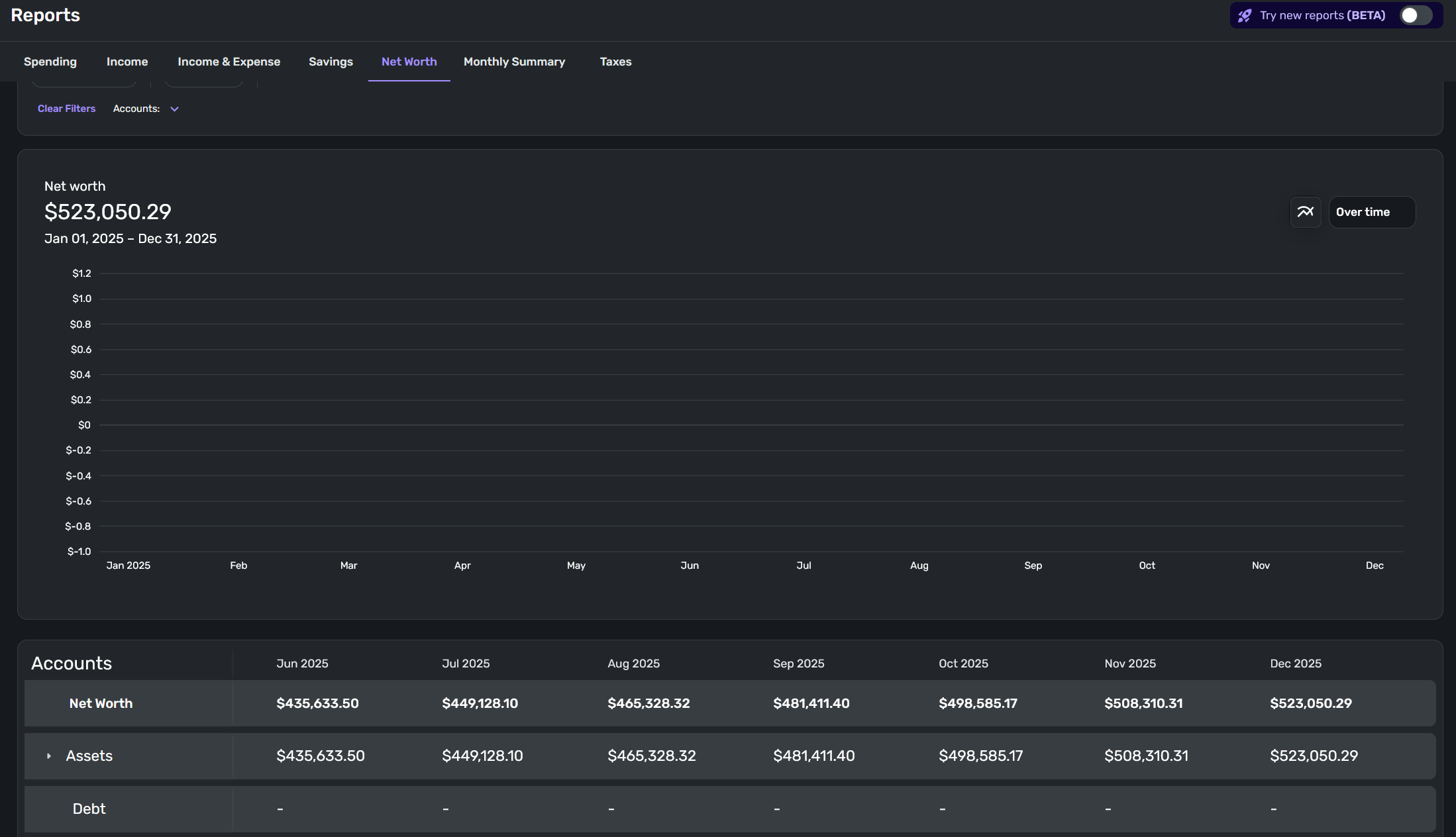
In Reports → Net Worth, one of my accounts will not show on the graph correctly. It's a fidelity 401k account. I have many other accounts and all others display on the graph. The balance is correct when showing the value.
@Rob5527, thanks for reaching out to the Community with this issue!
To clarify, in the screenshot you provided, you have the Net Worth Report filtered to the single Fidelity 401(k) account, correct? The values displayed below the graph are correct, but the graph itself is not populating—is that right? If so, I recommend trying from a different browser or in incognito/private mode to see if the issue may be related to your primary browser.
Let us know how it goes!
Yes all of the above is correct. I filtered the graph to just my 401k to help display this issue. This was on Firefox but I also tried on Chrome with the same outcome.
I noticed that on my android app, the graph populates correctly, so this maybe a web only issues.
@Rob5527, thanks for the reply!
I can't seem to replicate this, myself. Let's have you try a few things to see if we can narrow down the issue a bit:
Let us know what you find!
I noticed the UI in the beta reports for the Net Worth tab is quite different. There is no separation per account and the graph is just one line in the beta.
@Rob5527, thanks for the information!
I'm glad to hear the issue is resolved in the Beta Net Worth Report. The Beta Reports will eventually replace the current Reports in Quicken Simplifi. Since it sounds like you already have some feedback for the Beta Reports, I'd definitely recommend posting in our official feedback thread:
For the issue at hand, do you not want to use the Beta Reports while the beta testing is going on? If not, let us know so we can continue troubleshooting.