Optum FSA Account Transaction Activity does not align with what's shown on Simplifi

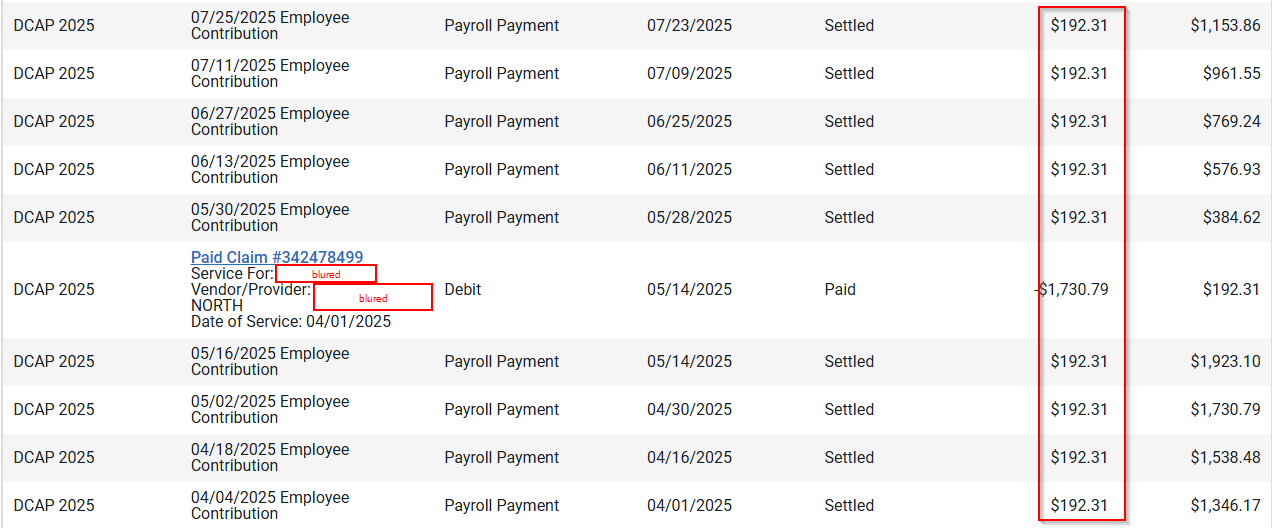
Here are my transactions from my Optum FSA account:
On Simplify, it's only accurate up to 5/2/2025. After that, it's all messed up:
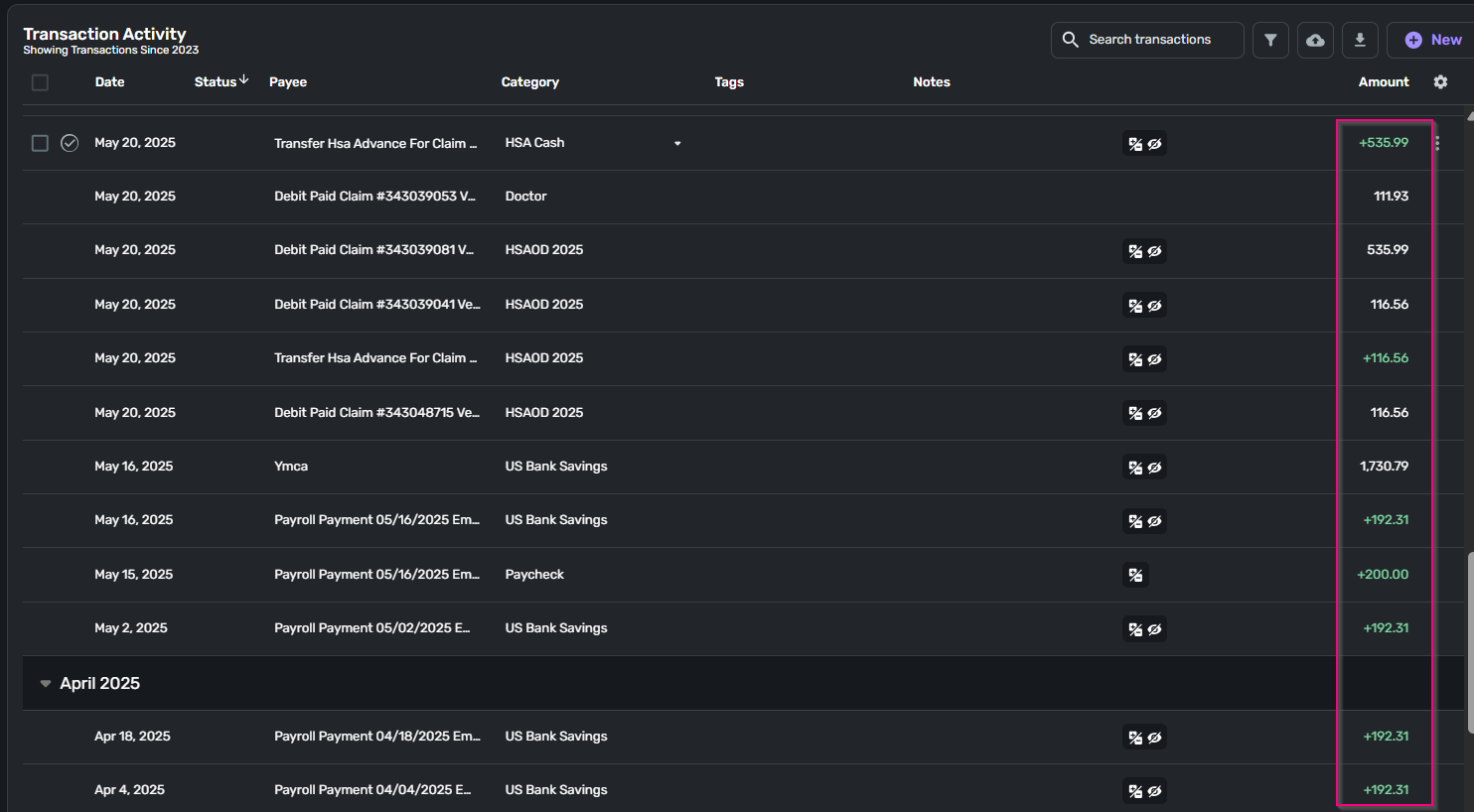
Please help
Comments
-
Hello @jhst,
Thanks for reaching out! From your screenshots, I can definitely see the discrepancies you noticed. It appears that there are missing transactions that never downloaded from your bank. I also noticed that this is from May of 2025. Is this an ongoing issue that is still currently occurring, or was it just during the timeframe shown in the screenshots? Let us know!
If the issue is still occurring, I would see if the following steps work to resolve the issue you are seeing with this account:
- Make all of the accounts with the bank manual by following the steps here.
- Once you see the account(s) listed in the Manual Accounts section under Settings > Accounts, go back through the Add Account flow to reconnect to the bank.
- If the connection is successful, carefully link the account(s) found to your existing Quicken Simplifi account(s) by following the steps here.
If you still have missing transactions afterwards, please provide the following information:
- The name of the account the transactions are missing from, as it appears in Quicken Simplifi.
- The Date, Payee, and Amount of a few example transactions that are currently missing in Quicken Simplifi.
- A screenshot of the example transactions from the bank's website.
- A screenshot of the corresponding register in Quicken Simplifi showing that the transactions are missing.
- Confirm whether the missing transactions are impacting the balance in Quicken Simplifi or not.
-Coach Jon
-Coach Jon
0
