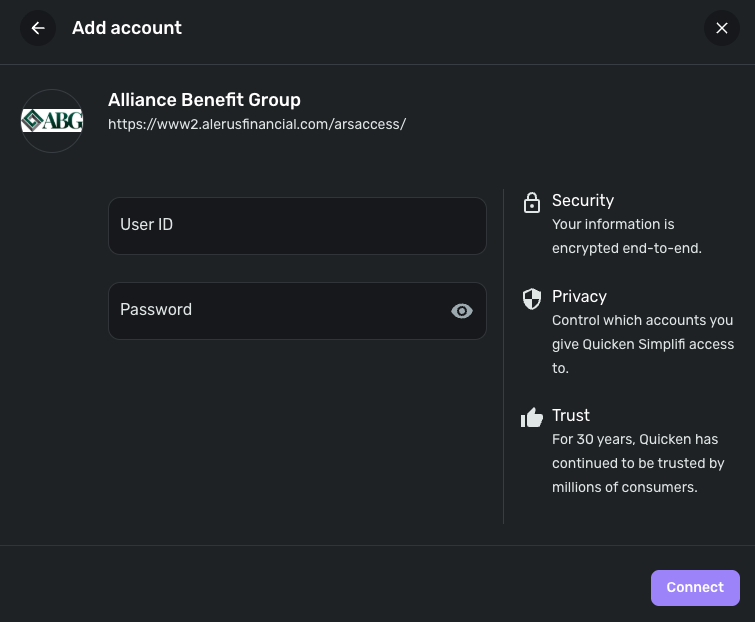
To connect to Alerus - Personal, you must re-enter your credentials. If that does not work, try entering them on the website at Alerus - Personal to ensure they are correct.
Care Code: FDP-103
Hello-
Alerus Connectivity still does not work. The solution is marked as resolved and the past conversation is closed. Trying to create a connection results in the same error message. I have updated the iOS app, as a new one is available. That also hasn't fixed the matter. Same when trying to add the connection via Chrome on a Windows Laptop. Here are the related closed threads.
Hello @subiemat and @Rwatkin1,
Thank you both for reaching out! I can see that you both are receiving an FDP-103 error when attempting to connect to Alerus in Quicken Simplifi. Can you both please verify if the following steps work to resolve the issue for you?
If the issue persists afterward, please let us know and provide the following information. This can be sent via DM to me if you prefer:
We will also need logs to be submitted:
@Coach Jon I already did this before. It resulted in a bug being recognized by Simpilfi. It was marked resolved today by yourself, though nothing has changed from our end. Can you advise why you need these same specifics again? Is it possible for you to reference what was previously provided instead of asking your customers to do this work again?
You can view the history of all of this and our dialog with @Coach Natalie in the links I provided above. My direct messages with her have all these specifics, I can still see them in my messages. She references this code when we provided her with of these specifics. EWC-11935454
EWC-11935454
Hello @Rwatkin1,
Thank you for your response! We have reported that some users, including yourself, are still experiencing issues with Alerus. However, we will need to troubleshoot further to escalate the matter again, as the alert has now been resolved. This will assist our team in understanding why certain users continue to face problems. If you can follow the steps I provided earlier and share the requested information, it would be very helpful in this matter!
In response to your edited reply, we unfortunately cannot use your previous information when escalating a new issue, even if it was previously reported and resolved. To proceed with the escalation, we need you to follow the troubleshooting steps provided here and submit new information. Let us know if you can do that!
I just don't understand why 1. we need to do this again. and 2. why you closed the issue without discussion.
Sent this information again to you over private message.
Thank you for the requested information. We did get this issue escalated with our service provider, and we will be sure to follow up here with any status updates.
In the meantime, you can track the account manually by adding manual transactions, which will keep your records up-to-date. Here are the steps to do so: Managing Transactions in Quicken Simplifi | Quicken Simplifi Help Center
EWC - 12150050
I am back with an update from our service provider. After researching, they would like you to try connecting to the following instance instead in Quicken Simplifi for your accounts to see if this works better for you:
Let us know how this goes!
That worked!!! Thank you!
Thank you for confirming! I am glad to hear that you were able to get connected!
looks like it worked for me aswell.
This worked for me as well.