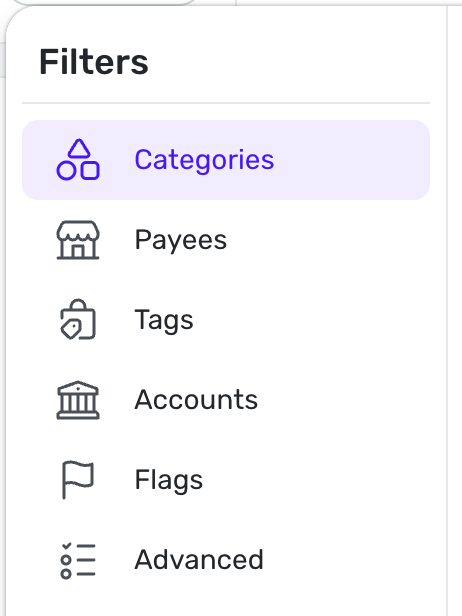
Being able to filter transactions for a given $ range!
agree this would be helpful
Duh! It's so annoying to click to review each transaction, my husband and I decided we could just review transactions above a certain amount. Makes it less daunting at the end of the month. Please add this feature (and/or make it easier to review each transaction without it buffering for a second between each one and glitching out!)
I would love to be able to filter by, for example, "negative amounts" (charges) so when i have a promo period on a new credit card and have to spend (for example) $1500 in 90 days, I can see how close I am to that amount. (i.e. I'd filter, then select the date range and see the 'selected transaction' total).
Same thing goes for the capability to search by Date or Date Ranges.
Ugh! Add all these to the Filter.
The Support page offers these options for searching for a transaction by dollar amount:
Admittedly they are quite arcane and hard to remember the formatting.
It would be much more helpful to add dollar amount searching via the Filter button.
"It would be much more helpful to add dollar amount searching via the Filter button."
100%
I assume the request is within Reports but with the added ability to use Dollar amounts as ways to create a report?
So for instance add $'s to the Filter and add ability to use greater less than and ranges? If so I'd like this too.
I am trying to research and generate payee rules for subscriptions from apple and I find a lot of 9.99 and x9.99 Items on different days of month for monthly subscriptions. I would like to filter the transaction register as a range for amounts like the create rule does and also filter by a range of the day of the month like between the 7th of the month and the 9th of any month. I can then build a payee rule for that subscription. It would be nice if the recurring transactions could have similar rules.
Thanks for your consideration. Steve
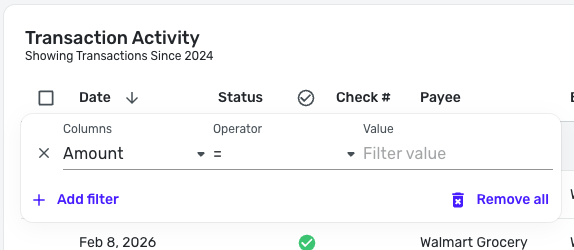
With the new Transaction List, you can filter by Amount! To do so, select the three dots at the end of a column header and use the filter box that pops up —