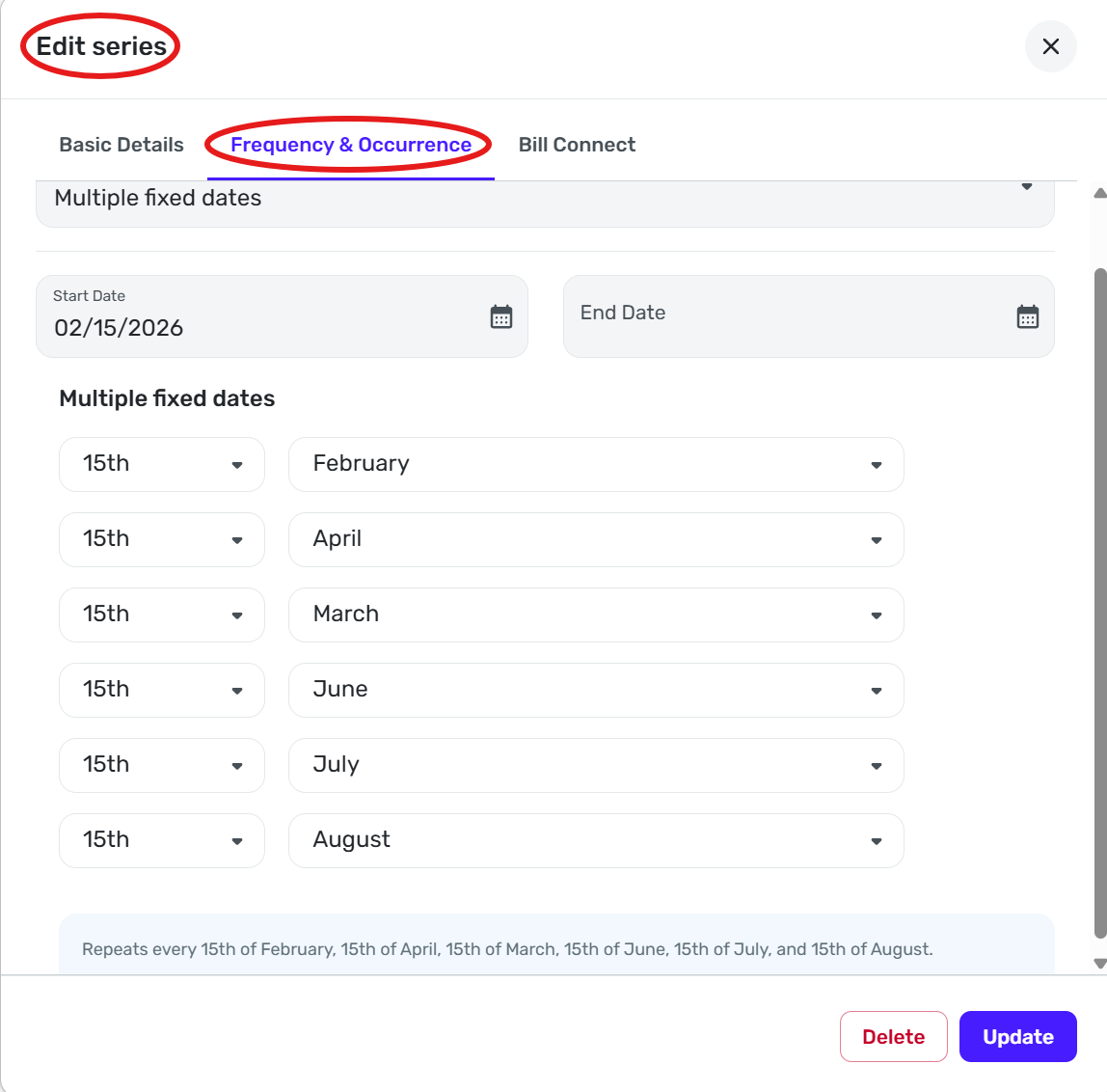
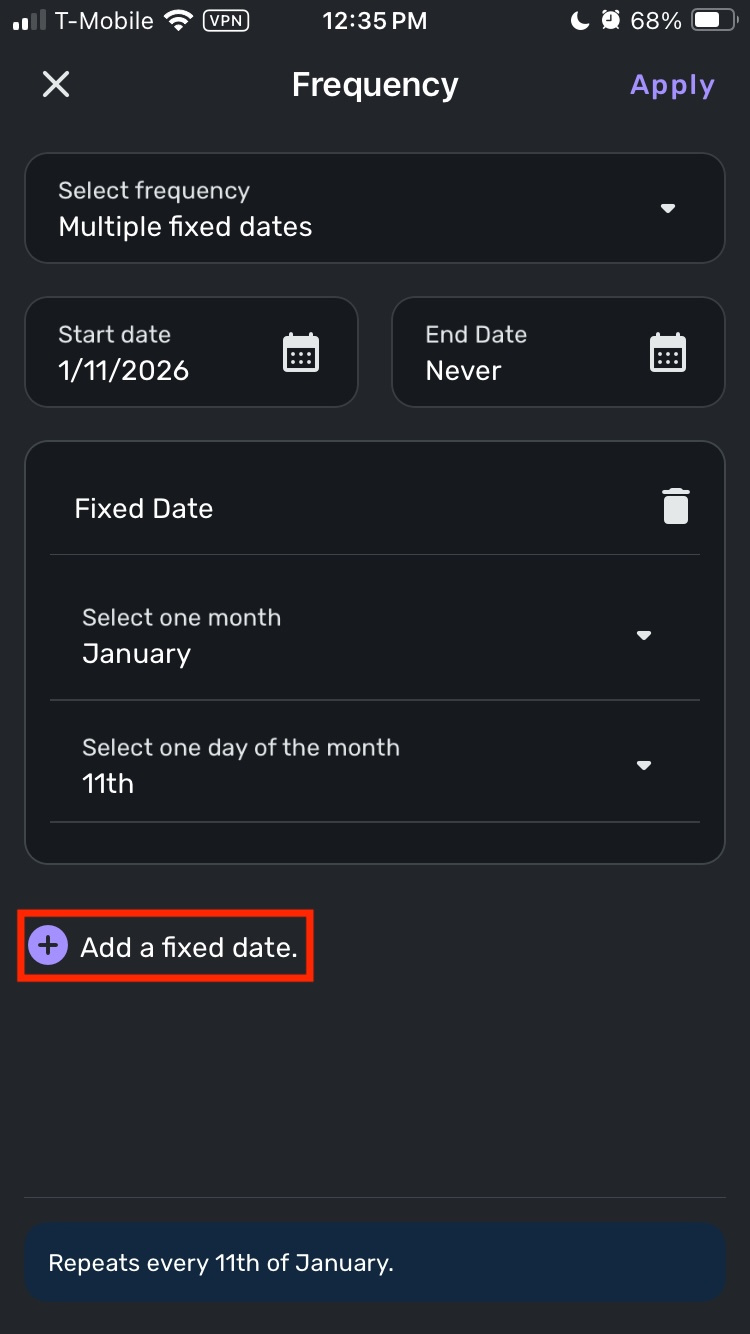
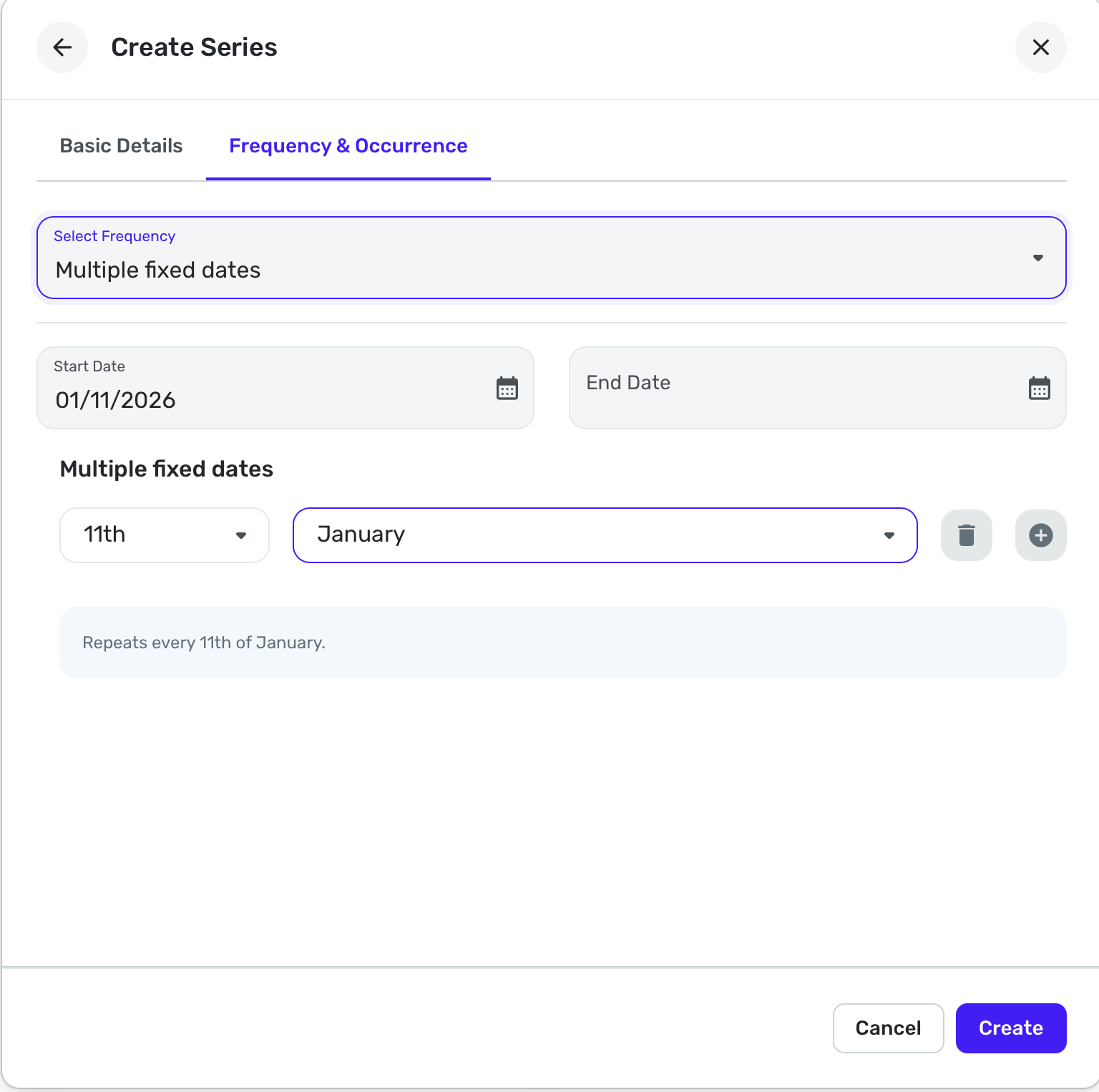
Web version does not have a "Add a fixed date" button on recurring multiple dates edit screen. The IOS version has the "Add a fixed date" button
Hello @sbennet1,
Thank you for reaching out! To clarify, is this the button you're referring to?
I look forward to your response!
@Coach Kristina Yes that is the button. It is missing on the web APP version. I have early access turned on. Not sure what version I am running.
I think the web app just does it differently. I set one of these up the other day for the first time, and you add a date and then next to that date is a + sign or a garbage can if you want to add another date or delete one. But it is a bit disconcerting because I did have trouble finding that.
@SRC54 You are right. You have to hover over the last day or month line item to get the + sign. No wonder why I could not find it. I think the + sign should work the same way the the iOS version.
Thanks for letting me know how to do it.
Yep, and I hope the designers will see it because it wasn't intuitive and things should work as similarly as possible in the apps although we know that space is at a premium in phone apps.
This is similar to having to hover to see the sort arrow or column menu in a transaction register. It's fine if you already know that it is there. If you don't, you only find it by accident.