Deleted Erroneous Tax Category and Quarterly Estimated Payment Subcategory Still Comes Back
I've been meaning to post this for some time.
I kept deleting the erroneous category, because I thought this had been fixed. It was back again this morning in my category list although I don't use this as I used a different category.
I deleted it again. I tried to find to no avail the old discussion on this so apologize if this has already been discussed.
Steve
Quicken Simplifi (Safari & iOS) Since 2021
Quicken Classic (MacOS) Since 2009
MS Money (1991-2009) and Dollars & Sense (1987-1991)
Comments
-
Hello @SRC54,
Thank you for reaching out! To clarify your issue, you delete a category, and later it shows back up in the categories list, correct? Do you mind sharing which category you are deleting? Is it one of the default categories or a custom one? Let us know!
-Coach Jon
0 -
@Coach Jon This was a known bug that Coach Natalie said had been fixed, but I couldn't find this announcement today when I searched for it.
This is a category I never had, and it keeps coming back and I keep deleting it. I've deleted it at least a couple of dozen times. What triggers it to come back is beyond me.
It is a category called Taxes and a subcategory called Quarterly Estimated Tax. I don't want them or need them. It's been around for a few months.
Thanks.
Steve
Quicken Simplifi (Safari & iOS) Since 2021
Quicken Classic (MacOS) Since 2009
MS Money (1991-2009) and Dollars & Sense (1987-1991)0 -
Hello @SRC54,
Thank you for the reply. I believe the alert youa re referncing is now archived. It had to do with a known issue regarding a duplicate 'Taxes' category. Is this what you are still seeing? Two different 'Taxes' parent categories? If you can provide a screenshot of the issue from your side showing this, it would be very helpful!
-Coach Jon
0 -
@Coach Jon That is exactly it. I have my withholdings and tax payments in another category. This erroneous one keeps coming back. I kept deleting it because it was fixed, so I will post a screen shot next time it comes back.
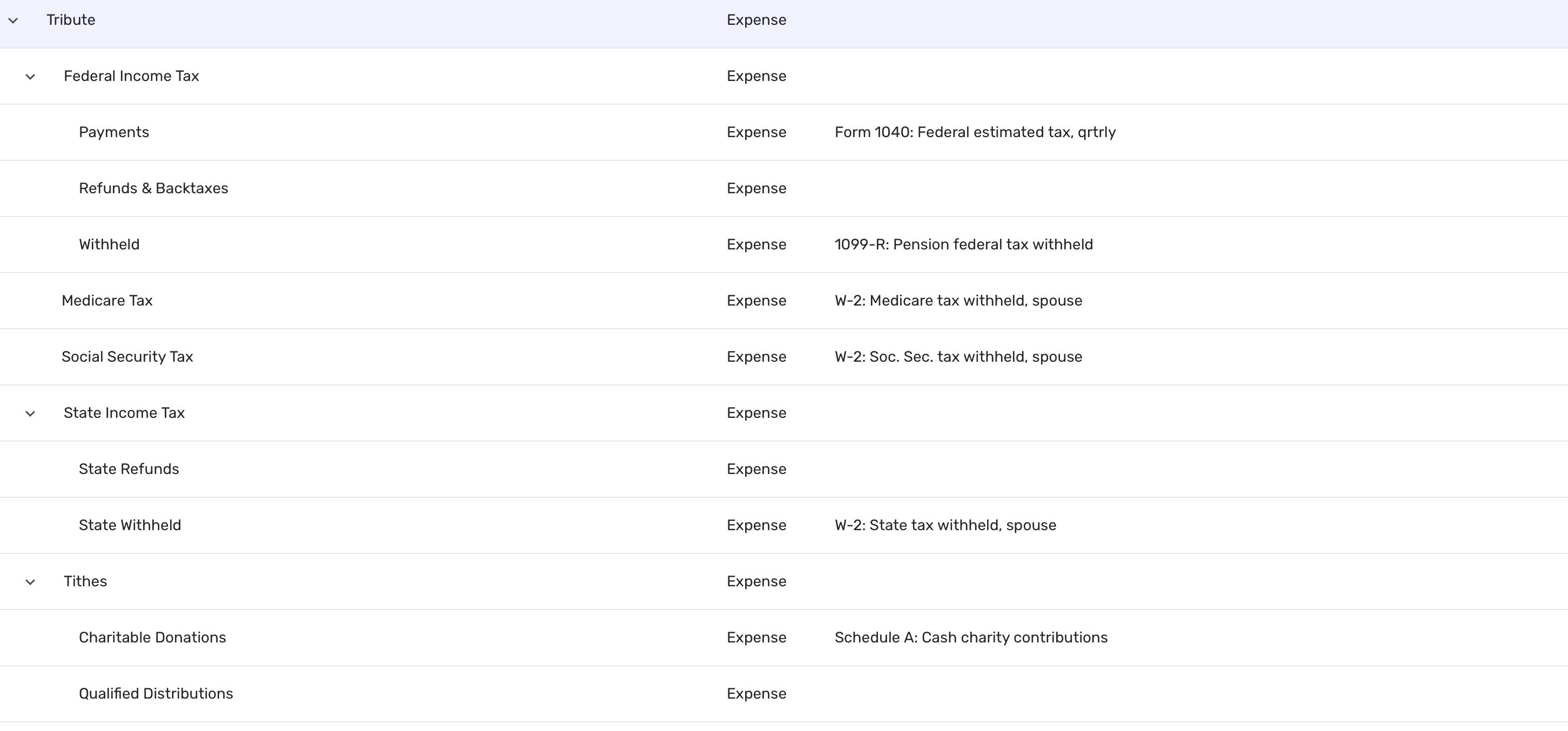
But remember my category is called Tribute and refers both to renderings to Caesar as well as to God. I don't have a Tax category per se.
Steve
Quicken Simplifi (Safari & iOS) Since 2021
Quicken Classic (MacOS) Since 2009
MS Money (1991-2009) and Dollars & Sense (1987-1991)0 -
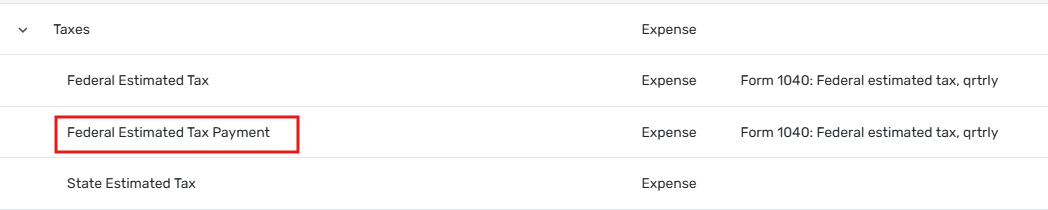
I seeing something similar, but not exactly the same. My estimated tax categories look like this:
I use the "Federal Estimated Tax" category for my quarterly payments, but I have never used the "Federal Estimated Tax Payment" category outlined in red. I'm not sure when that one showed up, but I don't think it was there when I created the one I actually use.
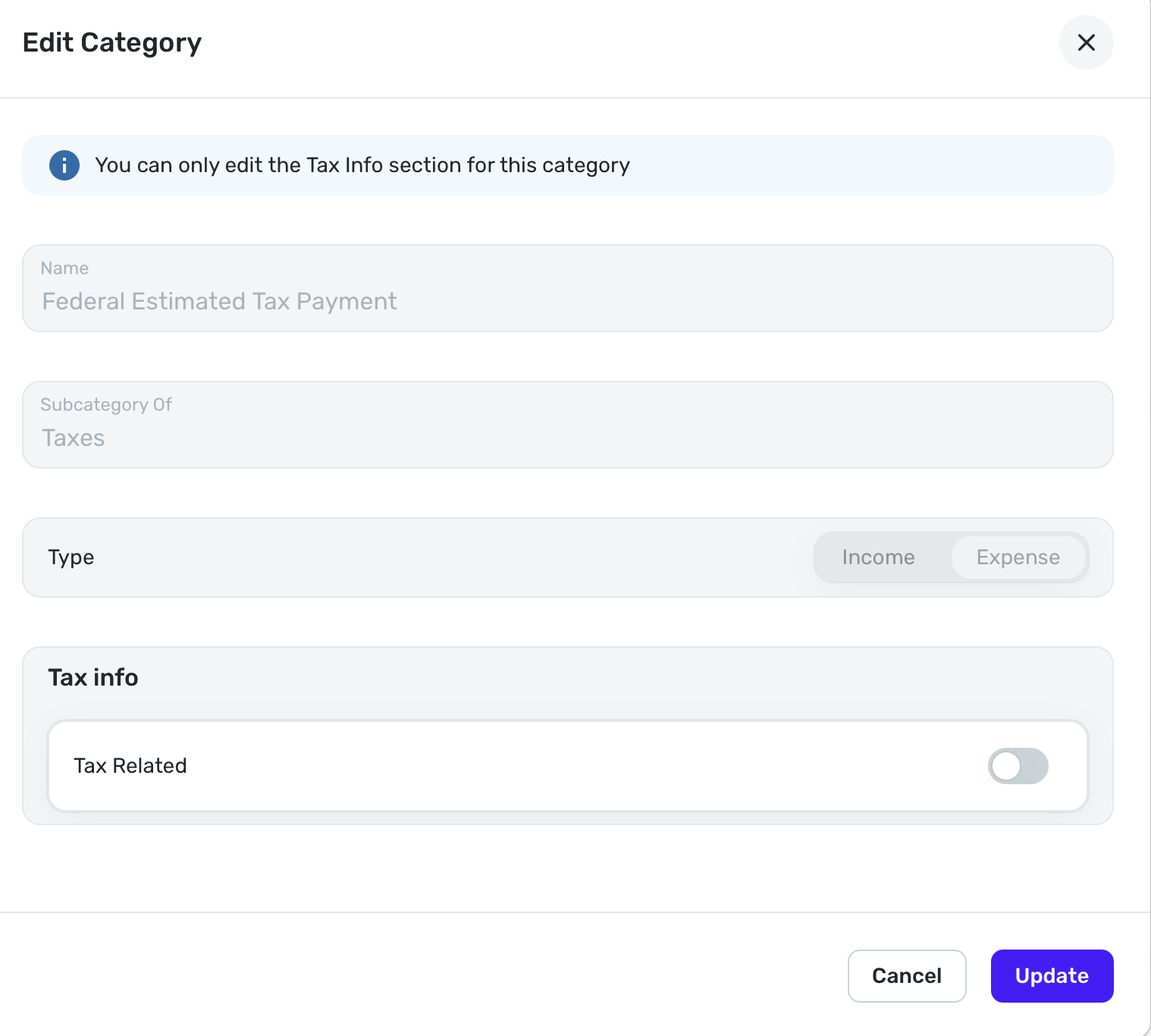
Anyway, it is there now and cannot be deleted, nor can the name be edited. Its presence seems to be required. Oddly, though, there is an available menu option to delete the "Taxes" category of which it is a subcategory.
DryHeat
-Quicken Classic (1990-2020), CountAbout (2021-2024), Simplifi (2025-…)0 -
@DryHeat That is weird; it may be because you are using QBP and I am on regular Simplifi. Yes, that Federal Estimated Tax Payment seems to be the culprit.
I think the next time it appears, I will move all my subcategories to this Taxes category and then delete my old category and rename Tax back to Tributes and Tithes. Then I'll see if that sticks.
Edit: I cannot fix it because I can only delete the parent category and not the subcategory of Federal Estimated Tax Payment. It is locked.
It's baaack:
Here's my category:
Steve
Quicken Simplifi (Safari & iOS) Since 2021
Quicken Classic (MacOS) Since 2009
MS Money (1991-2009) and Dollars & Sense (1987-1991)0 -
It came back. Here's the screenshot:
Here's what the Subcategory says to me:
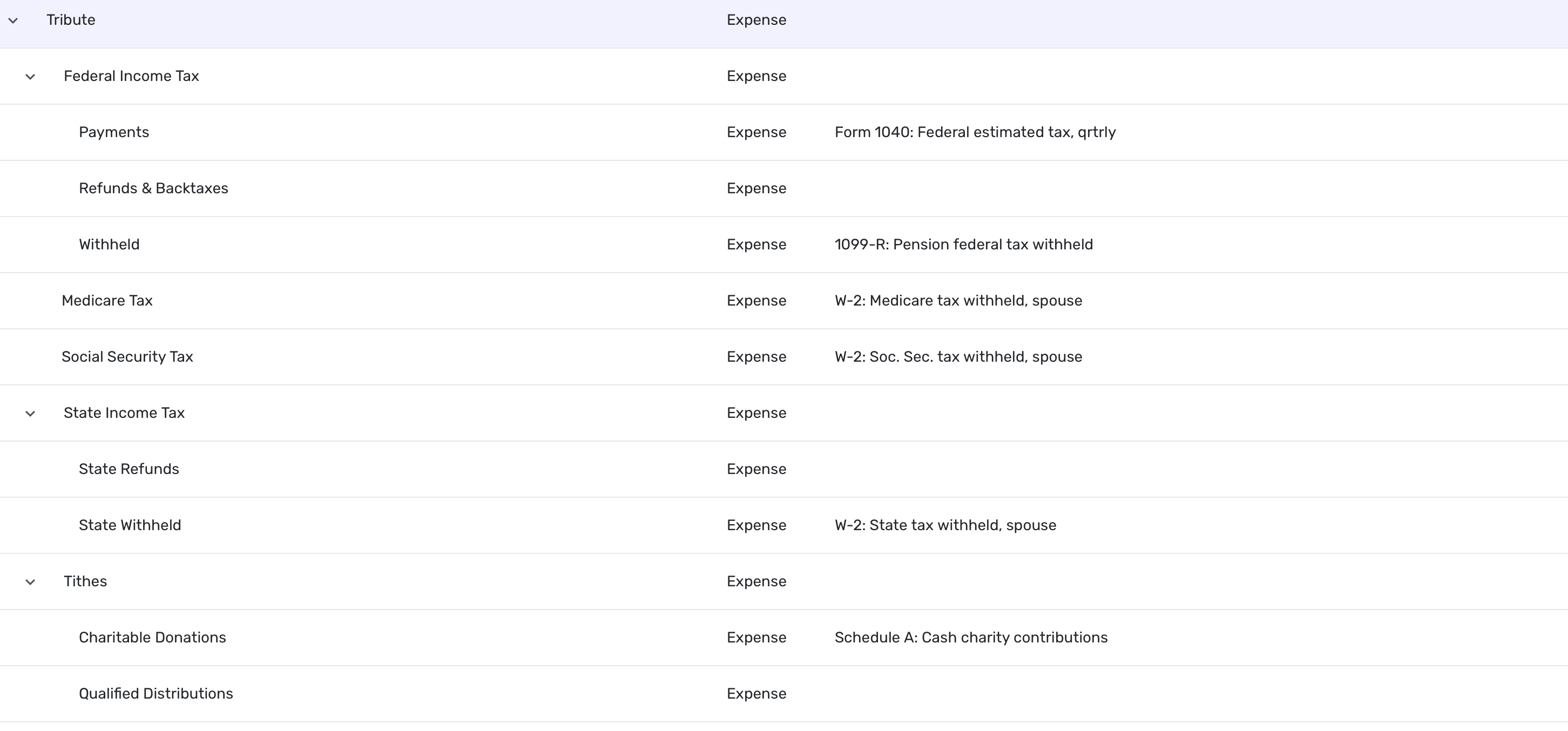
I deleted it again. Here's my category:
Steve
Quicken Simplifi (Safari & iOS) Since 2021
Quicken Classic (MacOS) Since 2009
MS Money (1991-2009) and Dollars & Sense (1987-1991)0 -
To sum up:
- The reappearing subcategory is named "Federal Estimated Tax Payments" not "Quarterly Estimated Tax." So this is the same problem I am seeing.
- You cannot delete the "Federal Estimated Tax Payments" subcategory directly.
- But you can delete the parent "Taxes" category, which causes the "Federal Estimated Tax Payments" subcategory to disappear from the visible list.
I think the "Federal Estimated Tax Payments" subcategory is not really being deleted. It isn't showing because its parent category is missing after deletion. But after some time (or restarting, or whatever), the parent category "Taxes" is automatically recreated because the still-existing subcategory needs it in order to be displayed.
If I were in your shoes, I would move everything to the parent category "Taxes" — as you suggested — but I wouldn't rename it. I would leave it the way it is and see if that prevents future problems.
DryHeat
-Quicken Classic (1990-2020), CountAbout (2021-2024), Simplifi (2025-…)0 -
@DryHeat I will probably try some things when it comes back. Right now, I am trying to discover what triggers it to come back. Usually happens within a few hours, but hasn't yet this morning.
Things that don't trigger it:
- Closing and reopening app.
- Signing out and signing in.
- Using the phone app: updating, closing and reopening.
- Fiddling with categories, rearranging or renaming.
- Downloading new transactions.
- Adding a manual transaction.
Steve
Quicken Simplifi (Safari & iOS) Since 2021
Quicken Classic (MacOS) Since 2009
MS Money (1991-2009) and Dollars & Sense (1987-1991)0 -
Hello @SRC54,
Thanks for the update! I know that the 'Taxes' parent category, as well as the 'Federal Estimated Tax Payment' subcategory, are considered default categories in Quicken Simplifi. If transactions are coming in associated with these categories, that may be why they are returning. I would also agree that it may be best in this case to move everything to the default parent category 'Taxes' to prevent further issues like this.
-Coach Jon
0 -
@Coach Jon Well, there are no transactions coming into these "default" categories. I assign all of those to other categories and deleted unused categories (or changed their names) 4 years ago. However, so far today it hasn't come back, and I am not sure why, but I have a theory.
I don't use a catch-all Taxes category because I put sales taxes in Spending, property tax in housing costs and personal property tax in automobile costs. So that only leaves Withholding and the only one I now have being retired is Federal Income Tax.
I will keep an eye out for it and keep deleting it. And will keep you updated as to what I discover. I will update you on my theory if and when it pans out.
Thanks.
Steve
Quicken Simplifi (Safari & iOS) Since 2021
Quicken Classic (MacOS) Since 2009
MS Money (1991-2009) and Dollars & Sense (1987-1991)0 -
@Coach Jon Well, fingers crossed that I found the culprit. I had a recurring transaction using that erroneous Estimated Tax Payment, and it wasn't due to November. I started to delete it but I reassigned the series.
If it comes back, I will delete the series.
Steve
Quicken Simplifi (Safari & iOS) Since 2021
Quicken Classic (MacOS) Since 2009
MS Money (1991-2009) and Dollars & Sense (1987-1991)1