Target Circle Card sync downloads a fake $0 transaction (edited)

maxvv
maxvv Member

Hello,

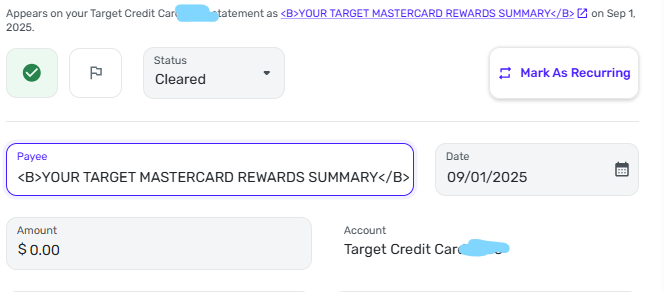
In the past 3 months, when the Target Circle Card statement closes, I find a fake trassaction of $0, with the description

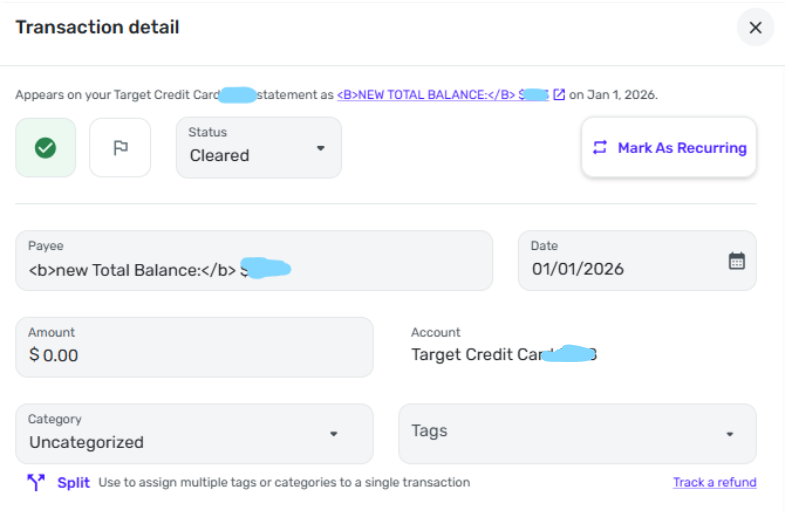
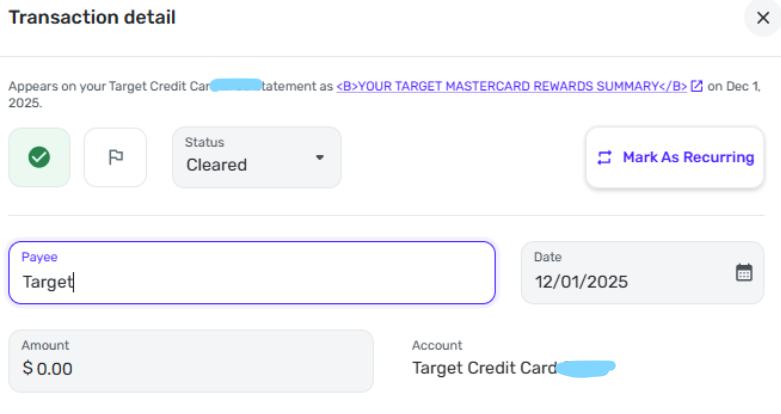
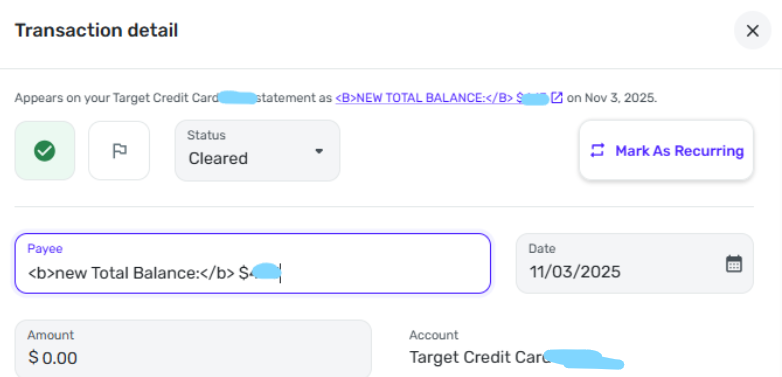
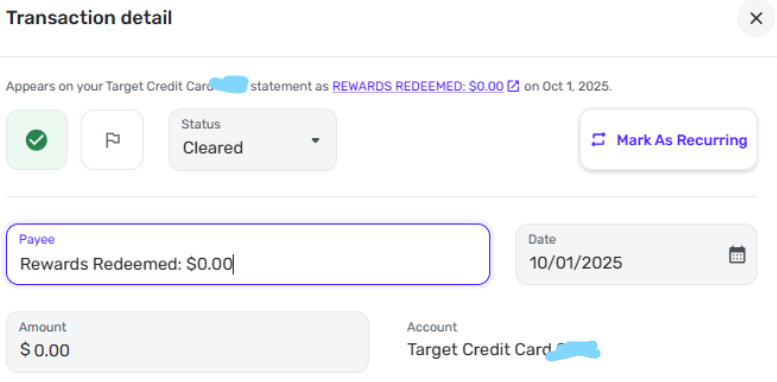
 <B>YOUR TARGET MASTERCARD REWARDS SUMMARY</B>

That seems to be an issue in parsing the data Simplifimoney received from Target.

But that is not a big issue. The annoying issue is that for a few days the transactions are not loaded. Then, they start being loaded again, but the transactions made in the few days after the statement closing date are not loaded.

What I do, is to compare the list of transactions from the Target website with the list of transaction in Simplifimoney, and make the changes needed to align the data.

But it would be nice to have things working properly, without manual intervention.

Max

Comments

  • Coach Kristina
    Coach Kristina Moderator admin

    Hello @maxvv,

    Thank you for sharing your experience and how you've been working around the known issue with missing transactions. If you haven't already done so, I recommend bookmarking the Community Alert for the issue so that you'll receive notification of any updates, once available, and know when the issue is resolved:

    The fake transaction downloading is unusual. Did that start about 3 months ago? Please provide a screenshot of the fake transaction, as it downloads into Quicken Simplifi (make sure to redact any personal information or partial account numbers).

    Thank you!

    -Coach Kristina

  • EL1234
    EL1234 Member ✭✭✭✭

    I see a similar transaction of $0 every month since April of 2025. Do you want screenshots @Coach Kristina ?

  • Coach Jon
    Coach Jon Moderator admin

    Hello @EL1234,

    Thank you for the reply! If you can provide the mentioned screenshot, that would be helpful in this situation!

    Did you try establishing a fresh connection by making the account manual and re-linking to see if that fixes the issue? The instructions to do that are:

    • Make all of the accounts with the bank manual by following the steps here.
    • Once you see the account(s) listed in the Manual Accounts section under Settings > Accounts, go back through the Add Account flow to reconnect to the bank.
    • If the connection is successful, carefully link the account(s) found to your existing Quicken Simplifi account(s) by following the steps here.

    Let us know!

    -Coach Jon

  • EL1234
    EL1234 Member ✭✭✭✭

    I haven't tried unlinking and relinking since the not downloading transactions is a known issue. And since my transactions do download at the beginning of each month, I don't want to risk messing that up. I don't really care about the $0 transactions, I just mark them as reviewed and use them as an indicator of the last time transactions were downloaded.

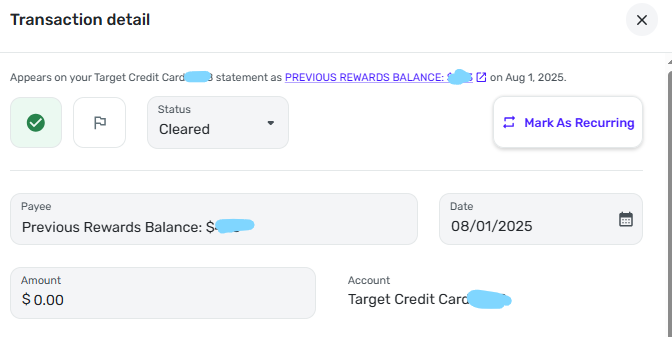
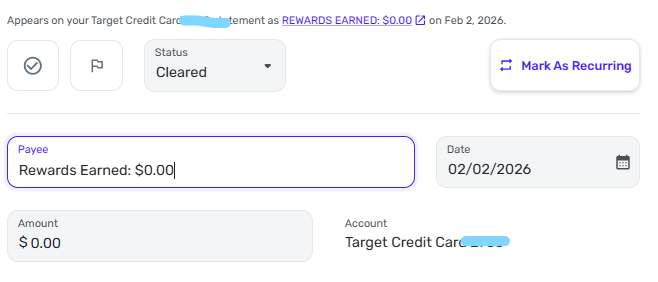
    Here are some screenshots for the last few months, fyi they don't all look the same. I think I included all the variations. I see this every month since April 2025 except for July. (I don't remember if I deleted July's but it is certainly possible).

    image.png image.png image.png image.png image.png image.png
  • Coach Jon
    Coach Jon Moderator admin

    Hello @EL1234,

    Thanks for the screenshots! It definitely seems like this may be information being sent from Target's side that is interpreted as a transaction of some sort. If you check on the financial institution's website, does this monthly transaction show there in any form?

    -Coach Jon

  • EL1234
    EL1234 Member ✭✭✭✭
    edited February 2

    @Coach Jon I logged in to the credit card's website and don't see anything that looks remotely like these transactions. No $0 transactions at all, in fact.

  • Coach Natalie
    Coach Natalie Administrator, Moderator admin

    @EL1234, I have a Shell card through Citi that does the same thing, except I get two $0 transactions each month. I also don't see them on the bank's website, but they're definitely coming from the bank. Kind of weird, but I just delete them, personally.

    -Coach Natalie

  • EL1234
    EL1234 Member ✭✭✭✭

    Weird! I leave them since they are $0 so it doesn't affect my spending plan or anything. I just mark them as reviewed and then ignore them going forward.

  • EL1234
    EL1234 Member ✭✭✭✭

    Got a new one!

    image.png