OTP text typo on mobile (edited)
[removed]
This is an issue found on the Simplifi Android app, although it might also be present in other app platforms.
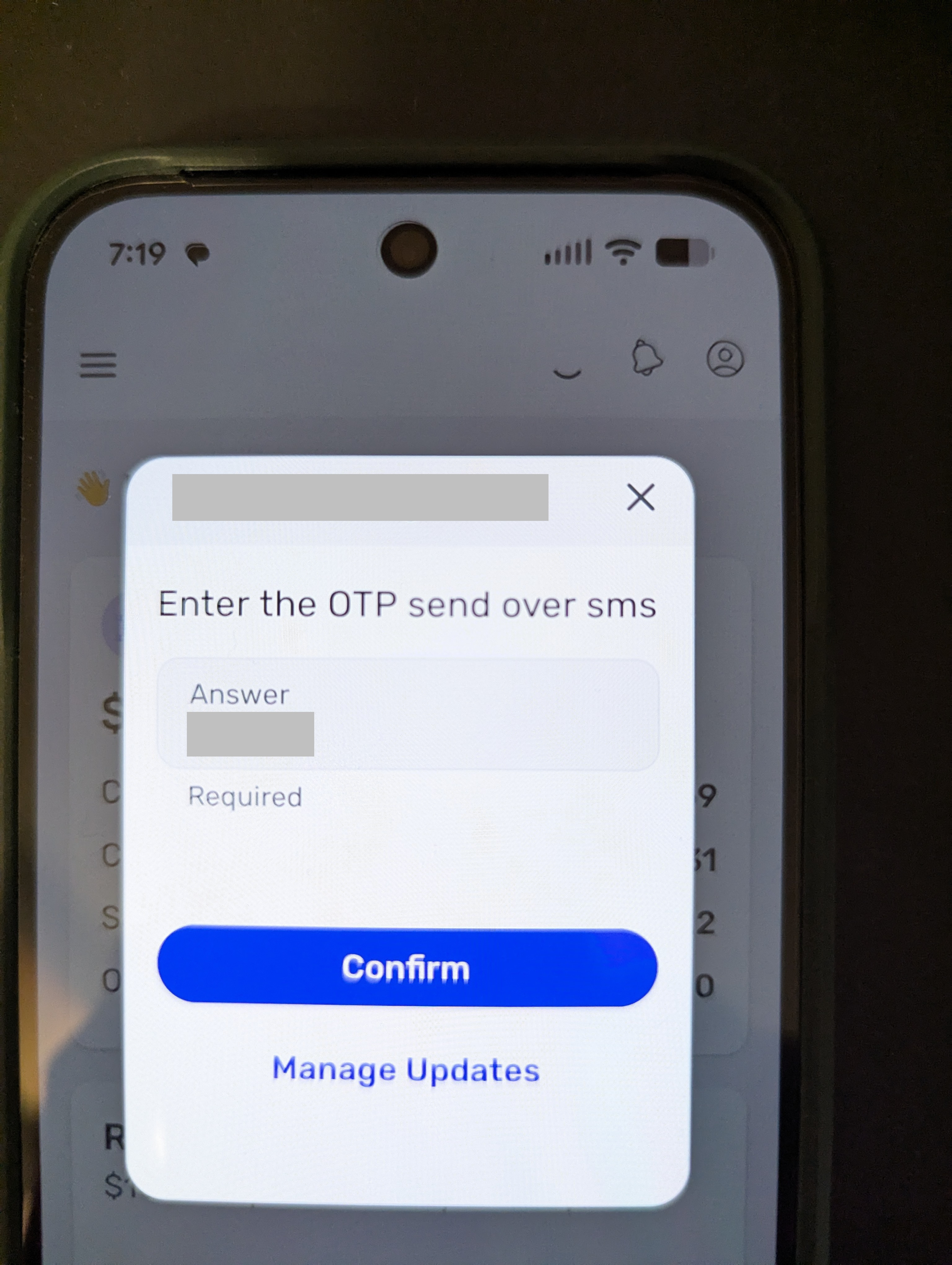
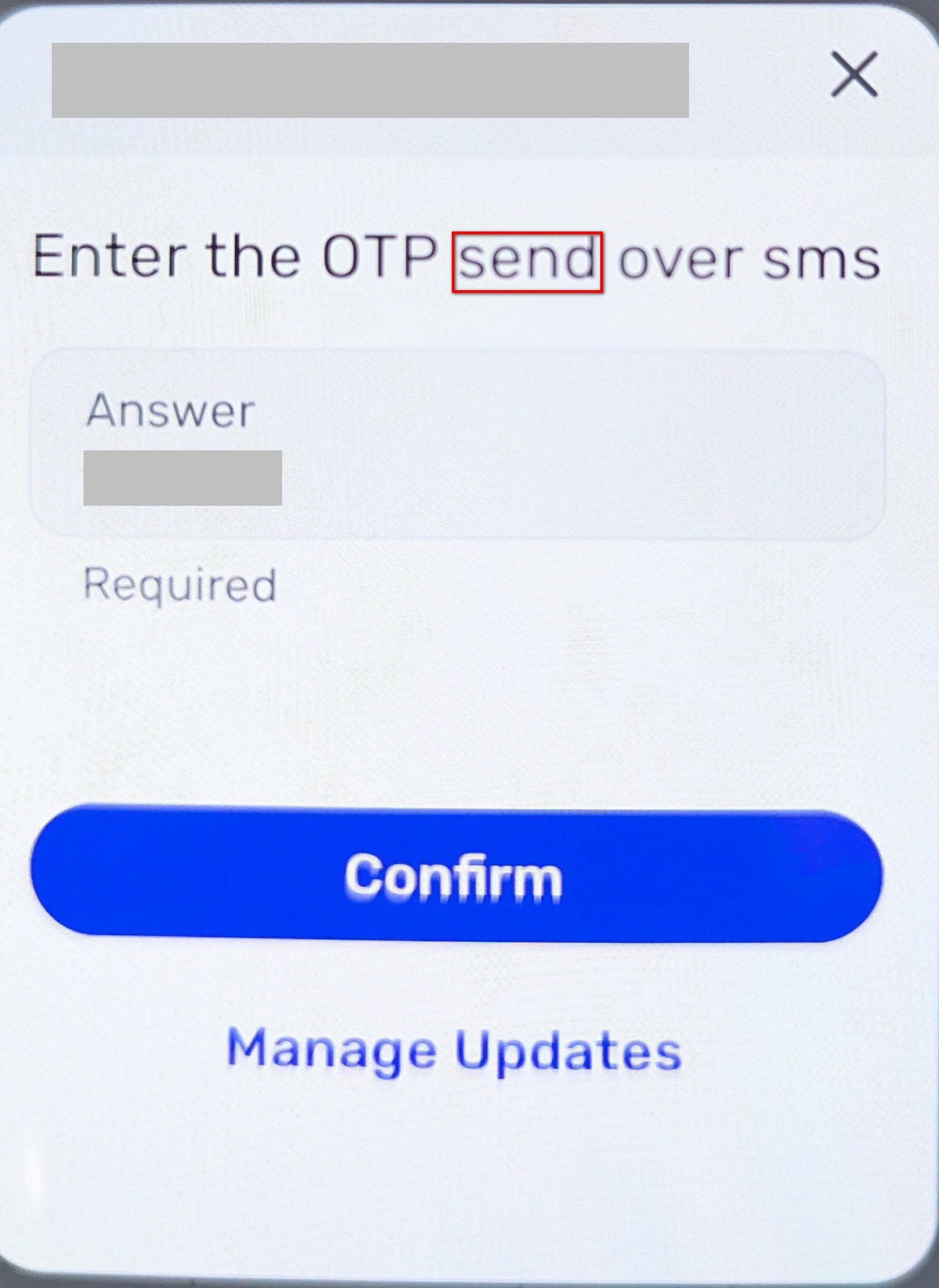
While minor, can you please correct the word 'send' to 'sent'. The correct phrase should be 'Enter the OTP sent over sms'
Thank you.
Comments
-
This dialog appears each time I refresh a specific financial institution that requires MFA.
Prior to receiving the Simplifi popup dialog with 'send', I am asked by Simplifi how I want to receive the MFA code. I always select SMS and receive a SMS text message from the finaicial institution with a verification code. This popup then displays in Simplifi asking me to supply the MFA OTP.
Just so it's clear - this dialog is being sent from Simplifi, not the financial institution.
0 -
Hello @rjg5060,
Thanks for the reply. To help clarify, do you see this message with every financial institution or a specific financial institution? If it is specific, can you let us know which financial institution? Does this also show in the Quicken Simplifi web application, or just the mobile application? Can we also know the exact steps you take to reproduce this issue?
Additionally, we will need to know your device specifications and the version of the Quicken Simplifi mobile application you're on, as well as for logs to be sent:
- Log in to the Quicken Simplifi Web App.
- Select Profile from the left-hand navigation bar.
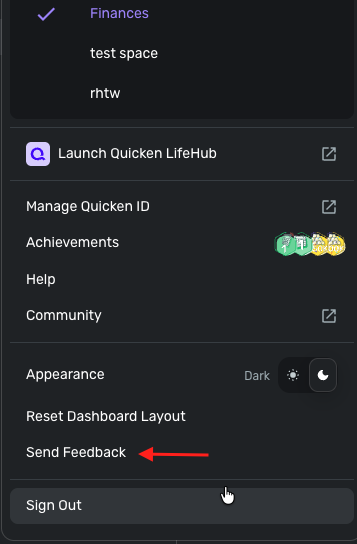
- With the Profile menu open, hold down the Option key for Mac or the Alt key for Windows, and then click Send Feedback.
- Leave all boxes checked, add a brief description of the issue, and then click Send.
-Coach Jon
0 -
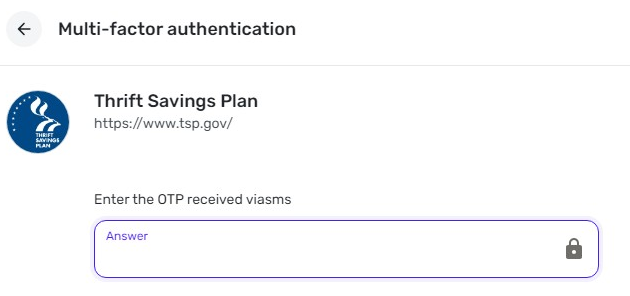
I only have 1 financial institution that requires MFA (Thrift Savings Plan).
I already explained the steps taken to get to this dialog that has the one incorrect word (send vs sent).
I have a Pixel 10 on Android 16
As far as I can tell this incorrect word is only on the Android version of the app. I think the web version has different dialogs for MFA.
I'm using the Simplifi Android app version 6.4.3 (88666).
This is likely just a typo on one of the Android app dialogs.
0 -
0
-
I am unable to send a screenshot directly from my mobile phone - when I attempt to take a screenshot of the Simplifi Android app I get a message that screenshots are "Disabled by your admin". This is often the case for financial apps that contain sensitive data.
Attached is a photo of the OTP popup with more context than the original photo I sent. I hope it helps.
0