Spent another morning (3 hours) dealing with the same issue as described here so I took screenshots this time and will try to stay focused on the primary source of my frustration.
As described previously, when I apply a payment to an invoice, IF the payment amount being applied is equivalent to any previously applied payment (any amount in the history of the Client Invoices account) then the amount from the oldest matching invoice is removed and the amount attempting to be applied is then applied instead to the now-vacant old invoice. I have screenshots to explain, and a software engineer's guess as to what is causing the issue, where in your code you can look for it, and how to fix it.
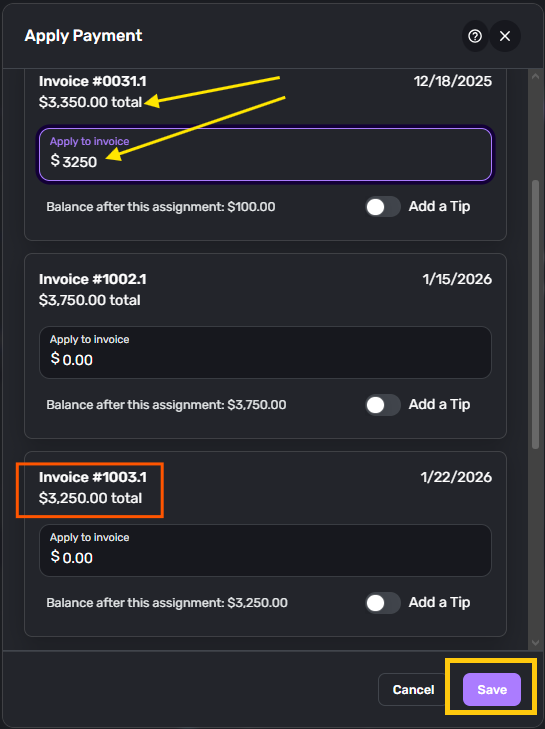
I went to apply a payment of $3250.00 to a Client Invoice from January (Invoice 1003.1 below) but on the Apply Payment page, this is what I see:
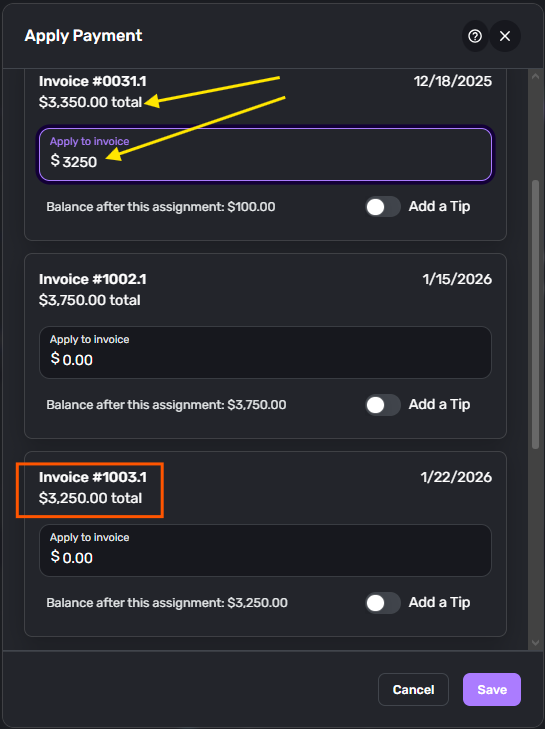
The amount has been "applied" to a Client Invoice from 2025 (Invoice 0031.1 → Year 0, Invoice 031, Project 1). I went to investigate the payments applied to this invoice and see this:
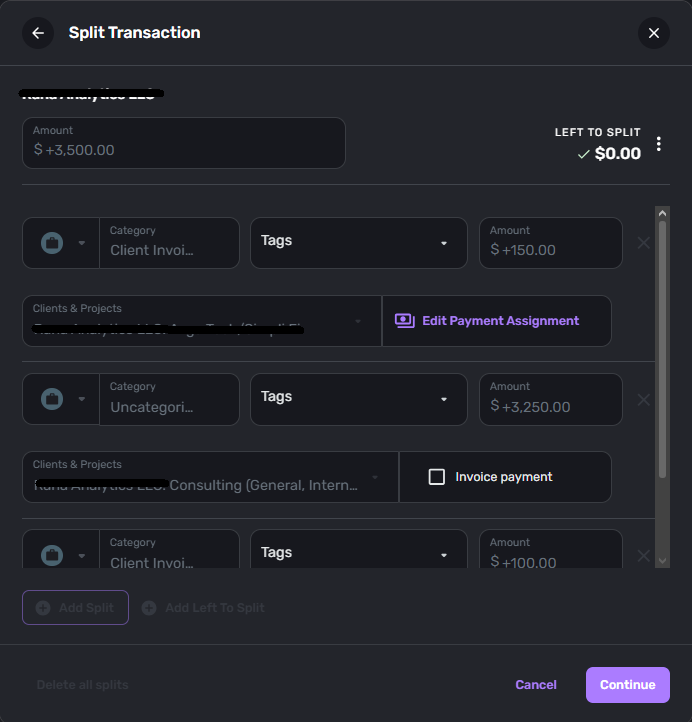
That's weird, on the lump-sum payment transaction in the Business Checking account where the $3250.00 payment was manually split out and applied in December, has been demoted to not an Invoice Payment and recategorized as "Uncategorized." Now, I have to
- First, Edit Payment Assignment on the December lump-sum payment transaction in the Business Checking account and Remove ALL payment assignments to UNLOCK the Transaction to receive edits to individual Splits.
- Then UN-check "Invoice Payment" on ALL Splits and update the Transaction to ensure that all auto-generated transactions in the Client Invoices account for this set of payments get cleared
- Then re-apply the "Consulting Income" category to the now Uncategorized transaction splits (I will explain the reasoning for this in ANOTHER post, as I am not to mix bugs into a single post stay tuned).
- Then I have to reconfigure all of the splits as Invoice Payments with proper Category, Clients & Projects assignments, etc.
- Then I can RE-check the "Invoice Payment" on all of the splits and choose "Continue"
See screenshots:
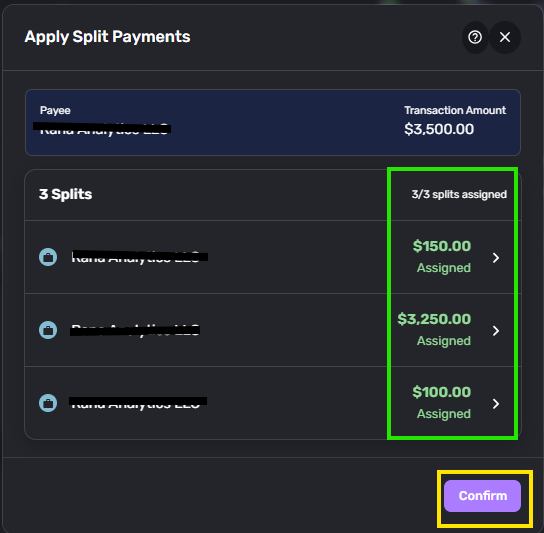
You can see the Payment of $3500 split into 3 sections:
- $150 to "Project A"
- $3250 to "Consulting" ← The one that got Unapplied and Uncategorized by the bug
- $100 to "Consulting"
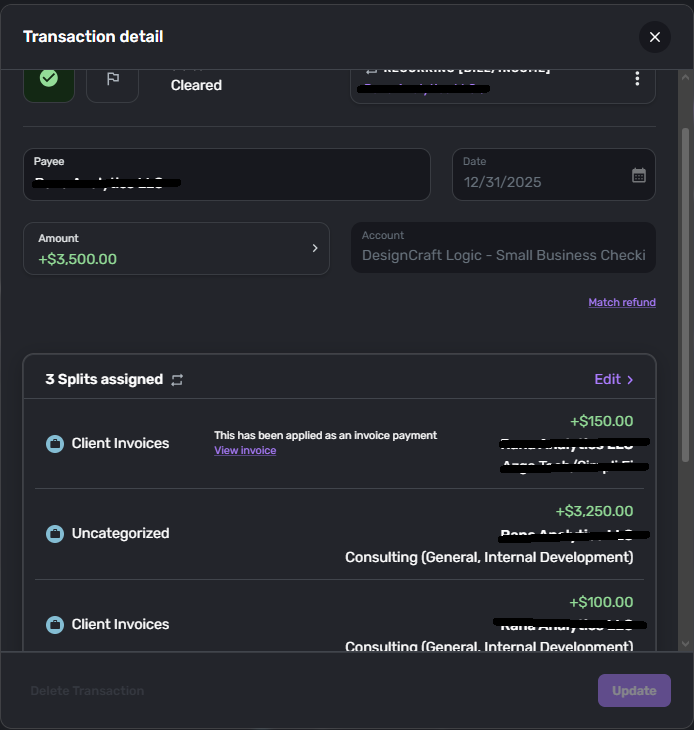
I go in and edit the splits, but to actually make a fix for the incorrect Category, I must first REMOVE all Payment Assignments.
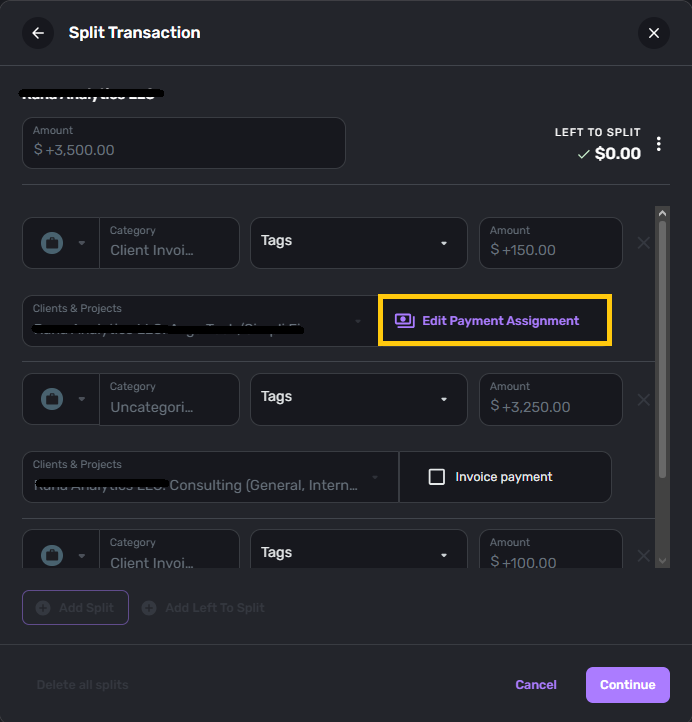
Edit Payment Assignment opens a second pop-up Dialog where you click the "Remove Payment" button. This in theory should clear the auto-generated transaction from the Client Invoices account that had been created to "balance" against the Invoice.
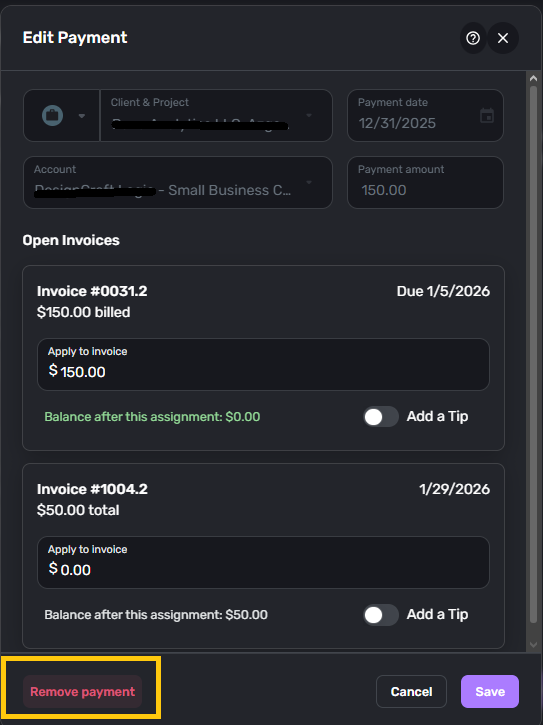
Now, because I need to ensure that all previous auto-generated transactions be cleared, the only way I have found to make sure of this is to un-check the "Invoice payment" box on each split and Update / Save the transaction before going BACK in to edit it again. (Will defer comments about unchecking the "Invoice payment" box setting Category to "Uncategorized" to another post).
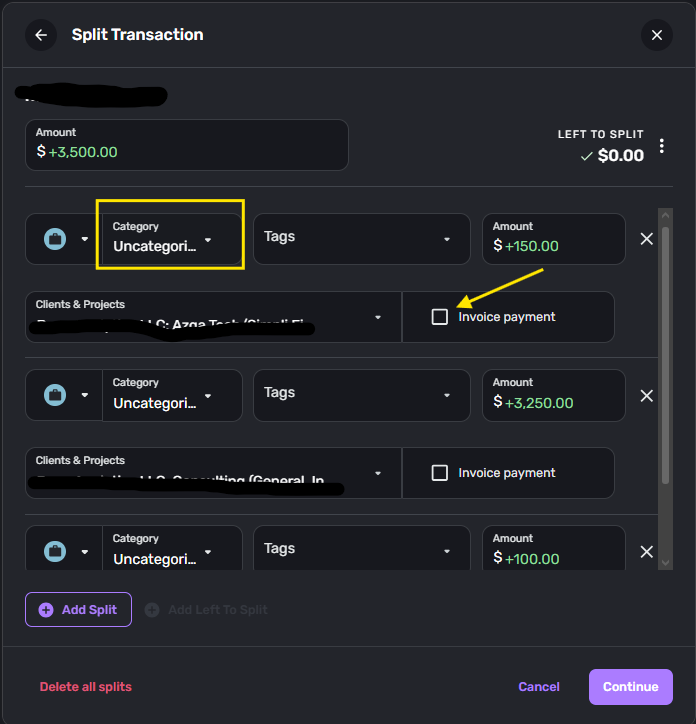
After I re-categorized the Splits, I could then "Update" the transaction to prompt the backend-Database to update with my changes.
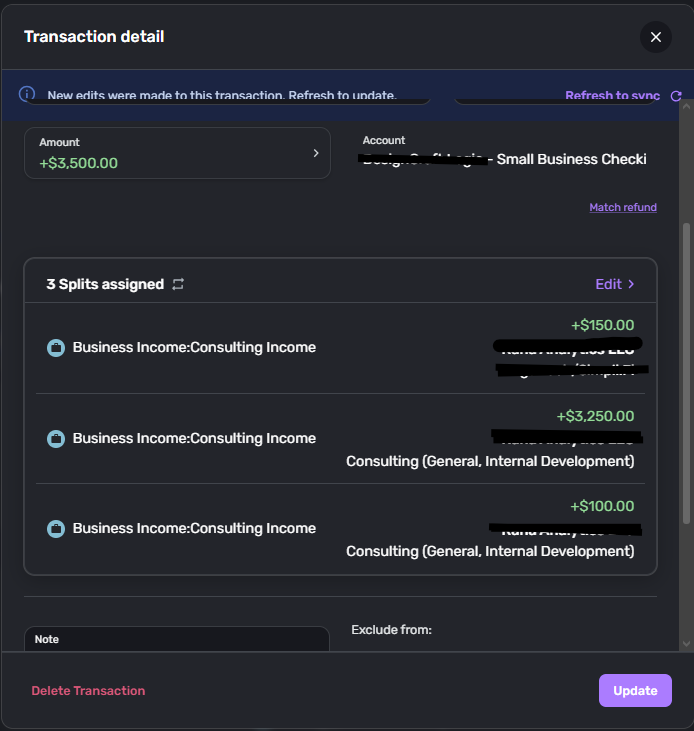
Then, I could go back into the transaction and RE-check all the "Invoice payment" boxes and "Continue" to begin the re-assignment process.
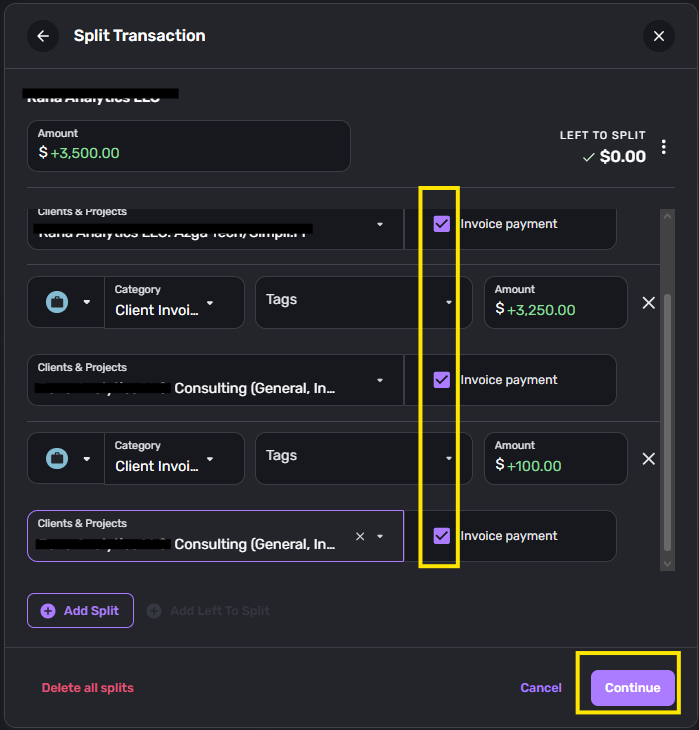
You can see here, the three splits have been auto-categorized from "Consulting Income" to "Client Invoices" which will trigger the backend to auto-generate the Client Invoices transactions (again) for each Split to balance against the invoices once applied.
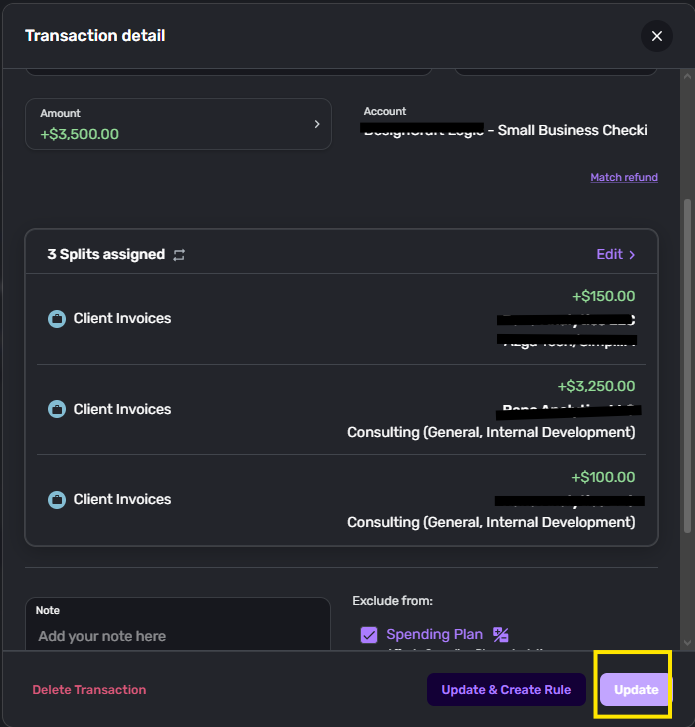
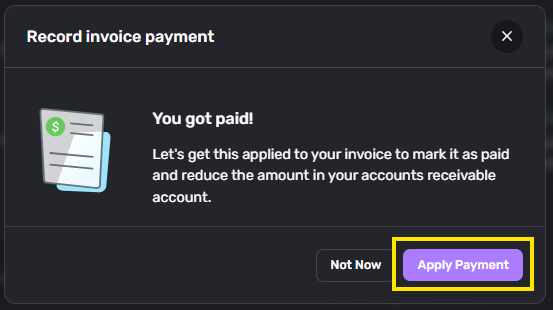
Once clicking Update, I am taken to the "You got paid!" dialog, which I choose "Apply Payment"
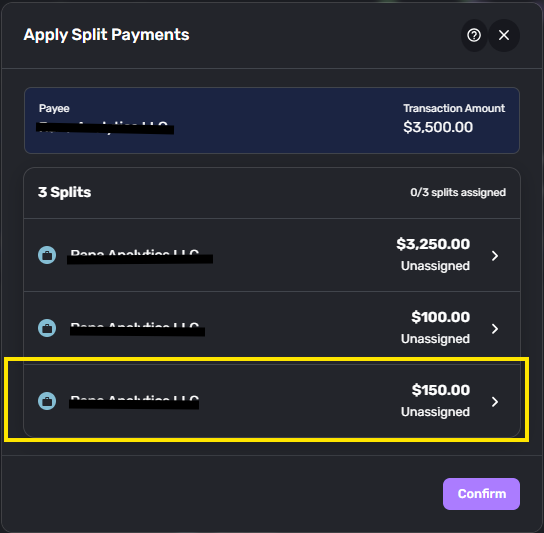
Then on the Apply Split Payments dialog I am shown the three associated payment transactions to apply. I start with the $150 to "Project A"
The dialog, at first, shows "No Open Invoices" (again, deferring comments to yet-another separate post as requested). So, I click "Save" to be taken back out to the previous dialog.
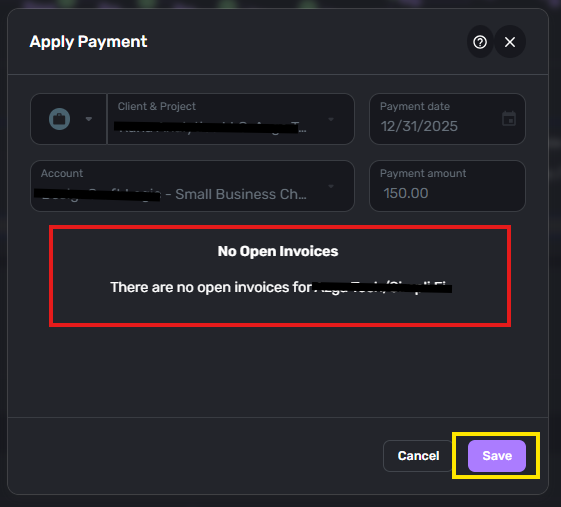
Back out on the main dialog, "insanity" happens - I click the same button and get different results. I am taken to the dialog with the Open Invoices.
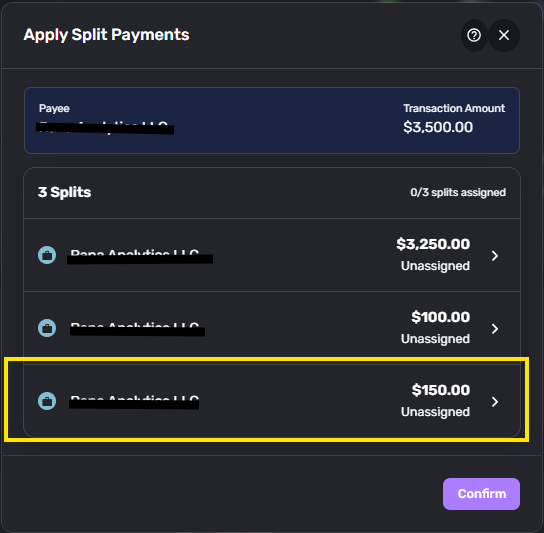
From here, I can finally RE-apply all the Split Payment transactions that I had to manually UNDO to fix this issue. I repeat this for all the transactions with their correct respective Invoices.
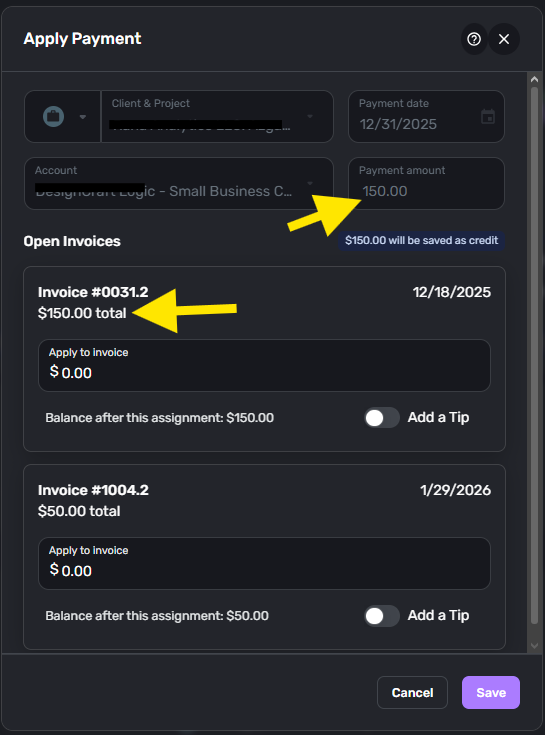
I apply the $3250 to an Invoice worth $3350 … why would I split $100 off the same lump-sum payment, just to apply it to the same invoice? Stay tuned… (Also, you can see the current invoice that I was originally trying to apply a payment to in the orange box below).
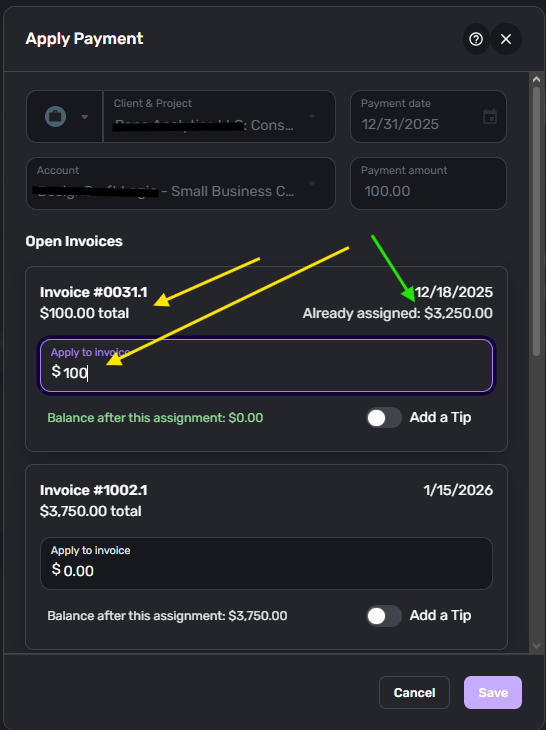
I apply the remaining $100 to the $3350 Invoice and save.
You can see all Split Payments assigned, so I Confirm the changes.
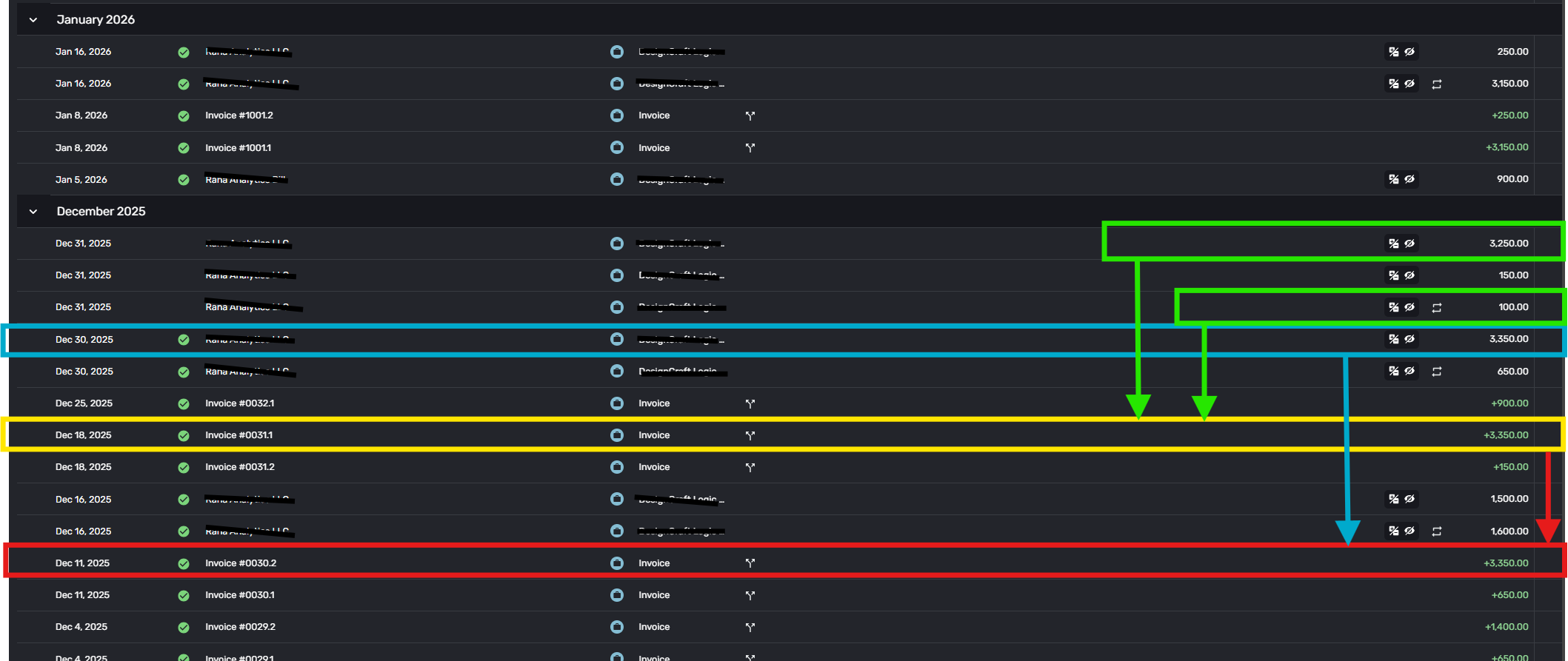
Now, the good stuff! In the screenshot below you can see the entire sequence played out.
In the red box at the bottom, you can see an invoice worth $3350 from Dec 11. (FWIW this is the Invoice from my previous post that prompted the post that is now closed). The 0030.2 Invoice has a $3350 payment applied on Dec 30th (See the blue box and arrow).
Then there is the offending Invoice from today's shenanigans on Dec. 18th; Invoice 0031.1 (yellow box) of an equivalent amount to 0030.2. In December when I tried to apply a payment of $3350 to the 0031.1 Invoice, I went through this same process over and over until I discovered how to work around it. I split the payments for Invoice 0031.1 into two chunks: $3250 + $100. Then the system would let me apply the payments without robbing Invoice 0030.2 of it's already-assigned payment. (See the green boxes)
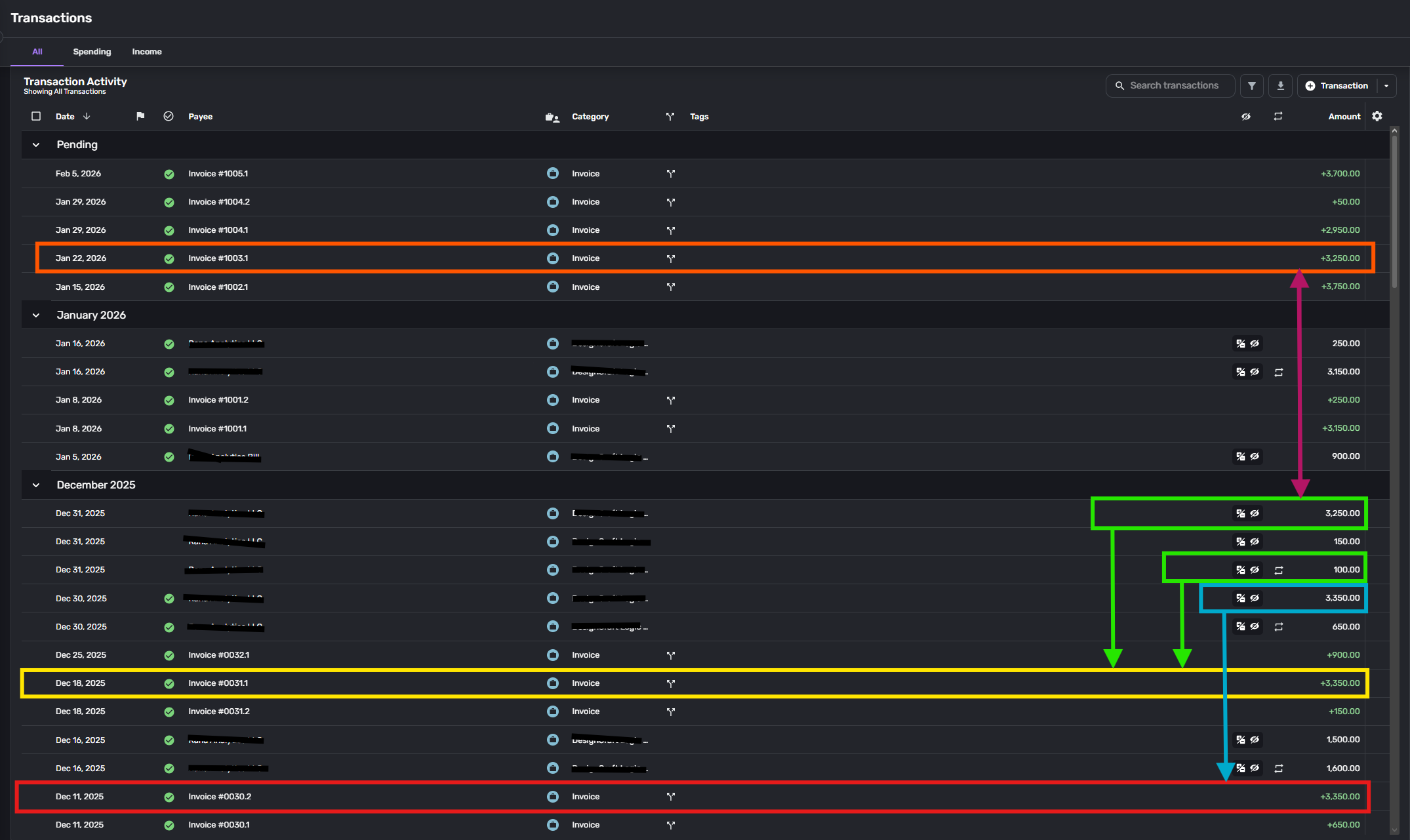
Today, I was trying to assign payments to an Invoice 1003.1 (orange box) from Jan 22nd of the amount …. drum roll … $3250. Because I did not pay attention to the previous invoice payment amounts, and because in order to work-around this bug in December by splitting the payments to Invoice 0031.1 arbitrarily into $3250 + $100, I ended up once again with a duplicate payment amount.
Because the system attempts to auto-assign payments, it robbed Invoice 0031.1 of it's $3250 and launched me once again into this cycle.
Being a software engineer by trade and familiar with full-stack development … I now have enough information to offer an educated guess as to the root, location, and solution to this problem.
Since the pattern now established is that during auto-assignment of a payment, the system robs an older Invoice of a payment by the same amount, I would look in the method / callback that is called during Payment Assignment (or possibly in the OnInitializedAsync / OnInitialized method of the "Apply Split Payments" component). You are most likely looking for a call similar to this:
var payment = await db.ClientInvoiceTransactions
    .FirstOrDefaultAsync(t => t.Amount == invoiceAmount && t.ClientId == clientId, ct);
Where the key here is the First portion of this particular DB query method. I would imagine that the transactions are sorted by date (either explicitly or implicitly based on incrementing ID number based on creation order) and the First transaction that matches this criteria would be one from an older Invoice.
If this is indeed the case, I would suggest increasing the filter / WHERE criteria in the query to include things such as t.IsApplied == false; maybe sort by date Descending to get the newest first or implement a "nearest date" algorithm. And above all else … add a unit test to your test suite for this case.
I hope this is sufficient. I would very much appreciate a bug fix on this.
Spending 4 hours a month to troubleshoot my book-keeping software is adding up fast.
