I've been following this issue for a while, I believe (though, i'll try again if suggested) I have tried disconnecting (make manual) and reconnecting the account with the same result.
- New transactions always download as pending
- Many, but not all, of those pending transactions never "clear" themselves.
Here's an example right now -
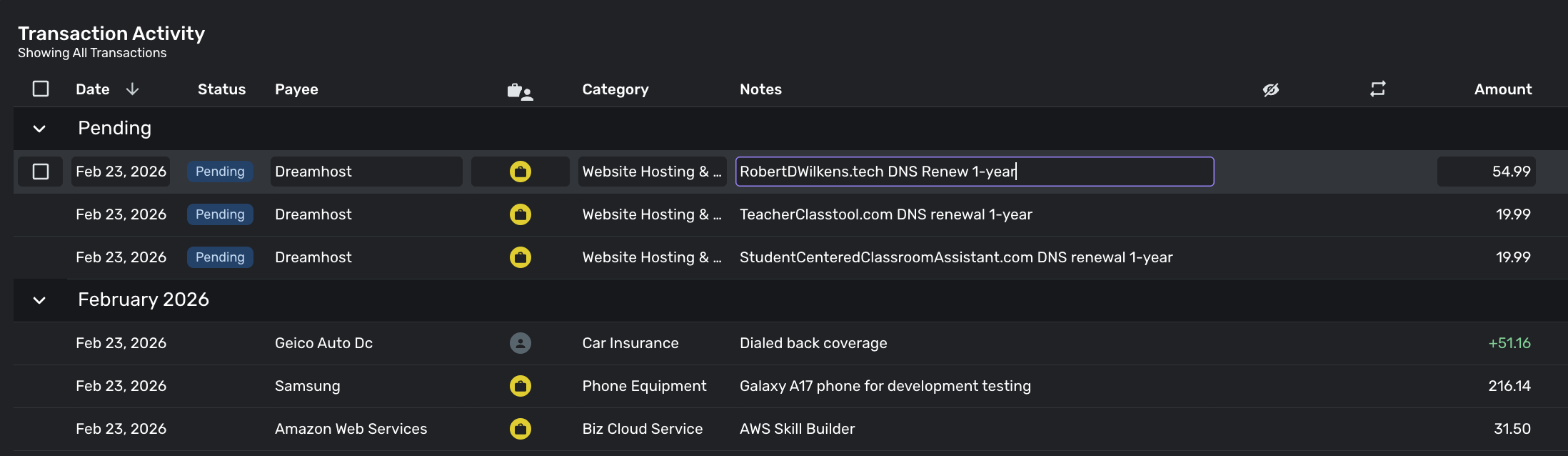
While i didn't have to manually clear, for example, "Amazon Web Services" charge on that same date (that automatically cleared), the three dreamhost charges, which ARE cleared, never cleared themselves:
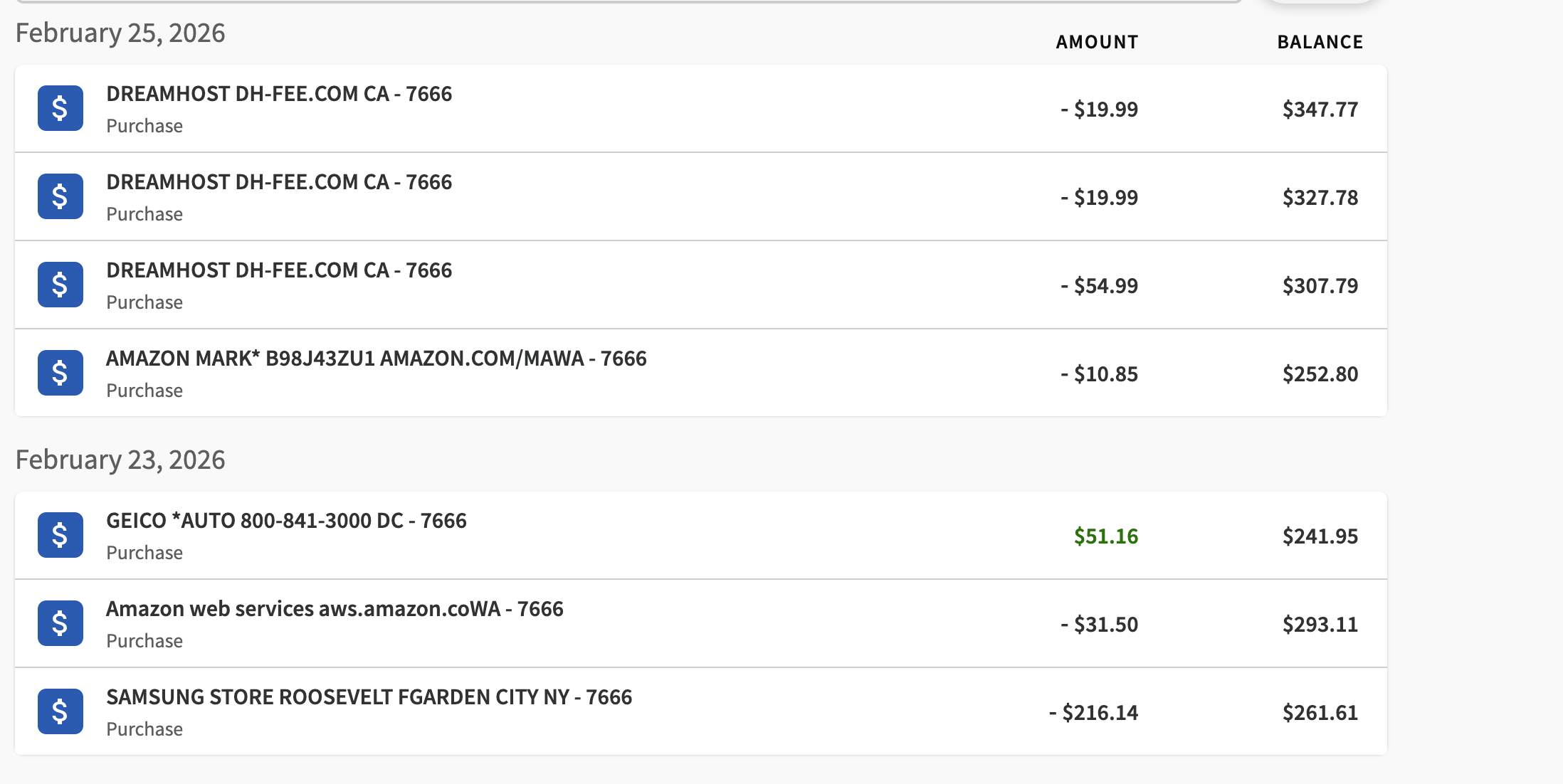
I am also just now noticing the "AMAZON MARK" (which was Amazon Marketplace, a case/screen protector for a phone i purchased at the Samsung Experience store for development testing) never downloaded either. (The guy at Samsung Experience was super helpful, it was a $199 phone and he "threw in" 2-years of Samsung Care protection, which they handle repairs on right there in the store.)
All of the not-cleared/missing transactions are DATED (not pending) yesterday. (The Amazon transaction was probably ordered last Saturday.)
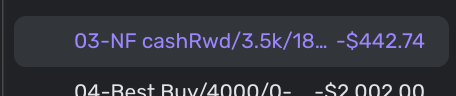
Regardless, I know that it synced because in Simplifi, the balance is now wrong because of those uncleared transactions - this happens all the time, but only with this one financial institution. This indicates simplifi has the up-to-date bank balance, but is applying pending transactions on top of that.
You can see from the bank screenshot above that the current balance is $347.77 (yes, I'll pay that off in about 3-4 weeks).
Simplifi right now is showing:
Now, while I'm writing this I'm going to manually clear those transactions which i almost always have to do.
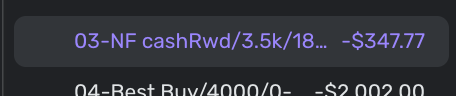
After manually clearing them, NOW simplifi's balance matches my bank balance:
I've been doing this kind of thing for months, and I've been using this account more because:
(1) All of my other interest-bearing credit card accounts have APRs over 27%
(2) This card has had an APR of 18% as long as I've had it (I probably opened the card last July)
(3) This card recently went from a $500 limit (which made it difficult to use) to a $3500 limit, which is perfect for a daily use card for me (where i intend to pay the balance off each month)

