Help with editing Investment Transaction transfers (edited)

N4KHQ
N4KHQ Member ✭✭✭✭
edited March 9 in Using Transfers

I moved a Truist investment to Truist checking. It is showing as personal income. When I try to make it a transfer there is no transfer record to match, About the only information Truist gives Simplifi is the total of all my investments. When I got to the investment and try to create a transfer, that option is not available. If I select Sell for the amount deposited will that work to create the transfer?
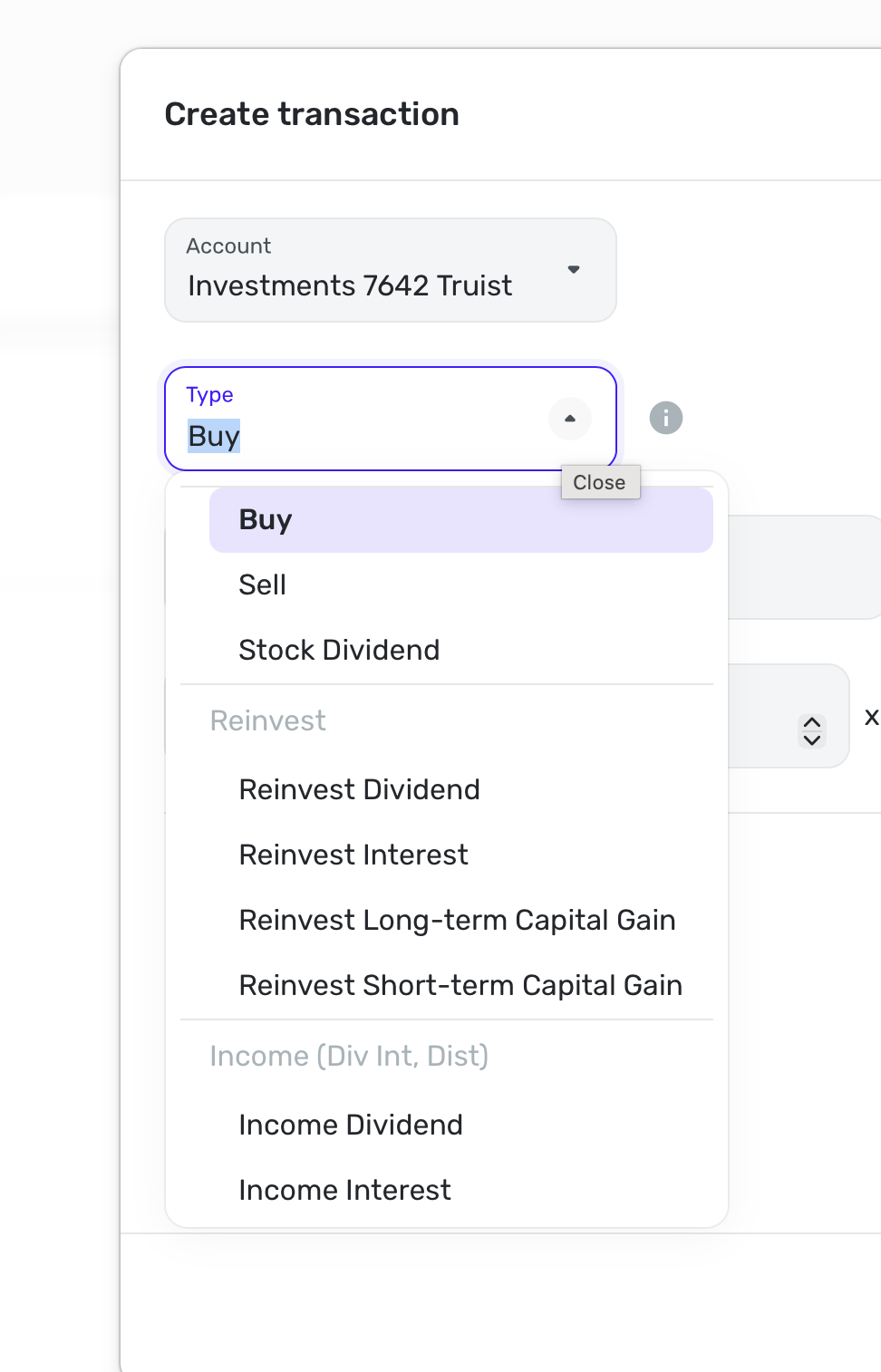
Screenshot 2026-03-06 at 5.59.06 PM.png

Answers

  • Coach Jon
    Coach Jon Moderator admin

    Hello @N4KHQ,

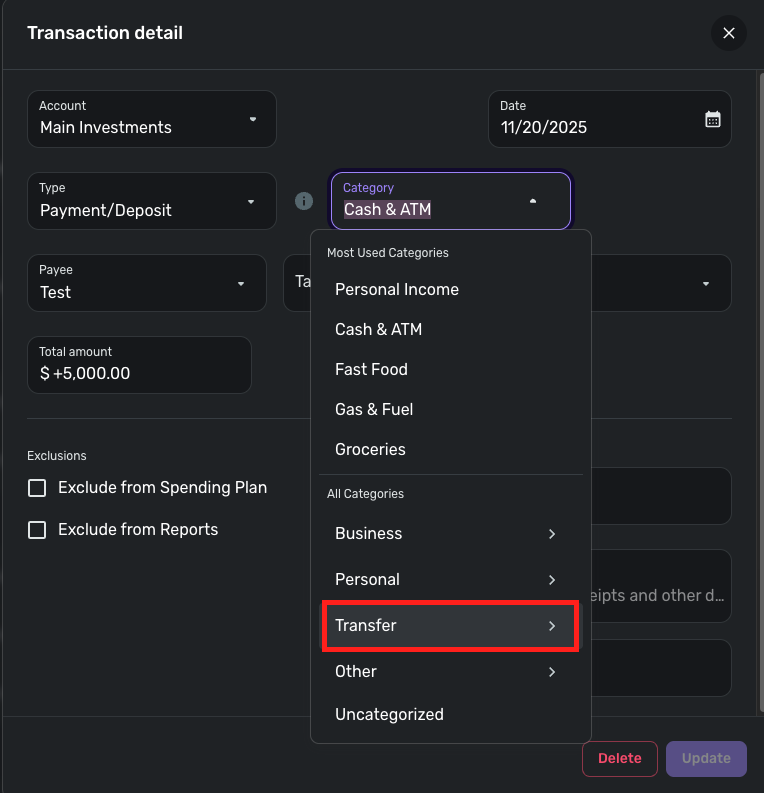
    Thanks for reaching out! With Investment Transactions, you can perform Transfers to and from your Investment Accounts by selecting the sending/receiving account as the Category of the transactions, just as with any regular Linked Transfer.

    To do so directly from the Investment Transaction, select Payment/Deposit for the Type, then select the other account for the Category.

    image.png

    I hope this helps!

    -Coach Jon

  • N4KHQ
    N4KHQ Member ✭✭✭✭
    edited March 6

    Thanks Jon but there is no sent transaction to select. I tried to create a send transaction but the popup does not have a Transfer see screen shot above. How do I get the investment transaction? Can I make it a sell or can I just add a new transaction for transactions page

  • Coach Jon
    Coach Jon Moderator admin

    Hello @N4KHQ,

    Thanks for the reply. I am not sure I understand specifically what you mean by there being no "send transaction". When creating the transaction, you would just select Payment/Deposit as the "Type", and then select the account under "Category".

    -Coach Jon

  • N4KHQ
    N4KHQ Member ✭✭✭✭

    Where do you find Payment /Deposit. If I go to transfer for the investment I posted a screen shot of the options. I thought sell might work. If I just create a transaction from the transaction page there is no Type to select. What I mean by send. is there is no transaction from the investment that was deposited in checking.

    I think Truist information sent is insufficient for Simplifi to add the transaction from investment to checking. It gets the deposit from the investment payee (Forethought).

  • SRC54
    SRC54 Superuser ✭✭✭✭✭

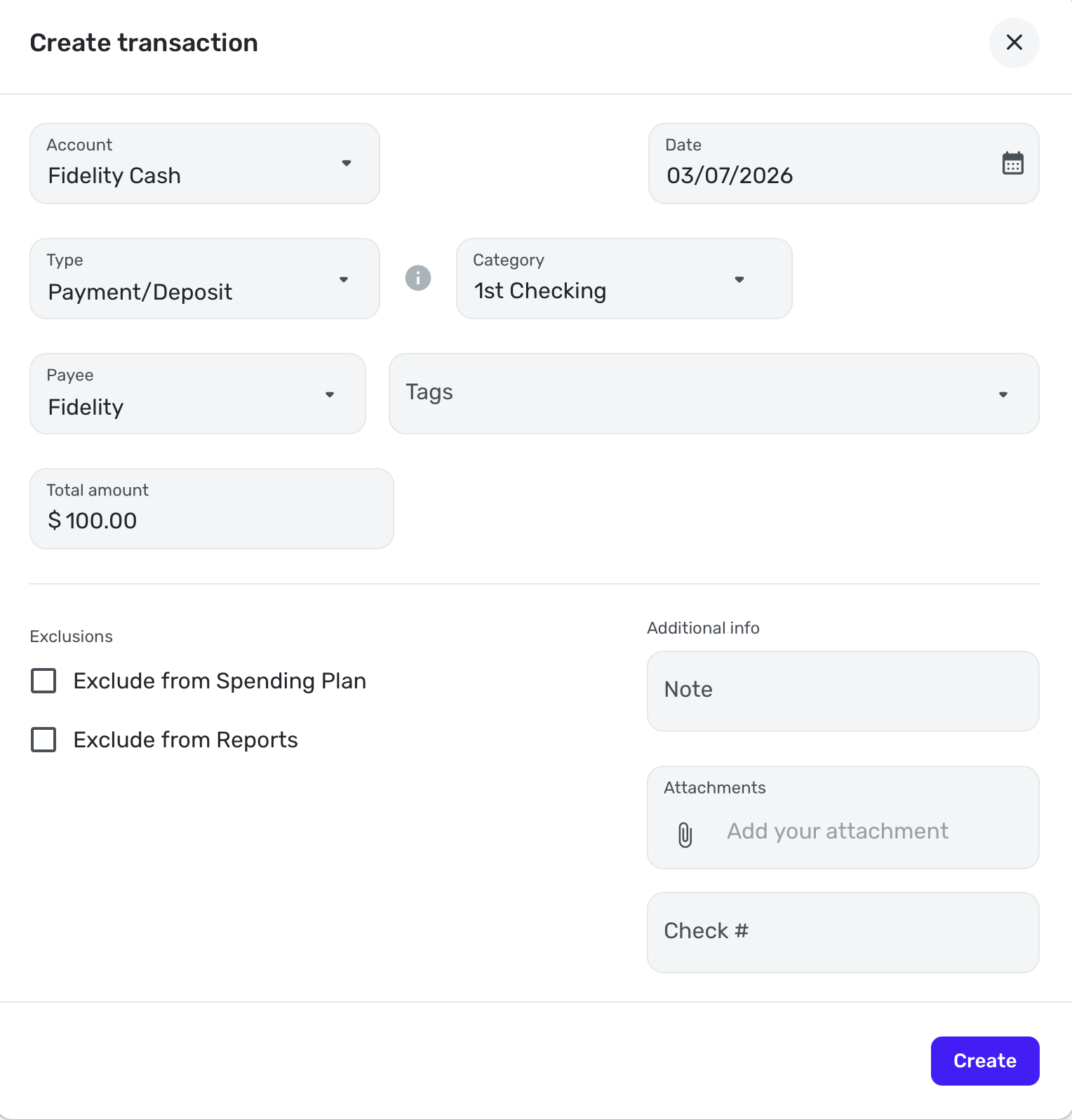
    If you do it from the Investment Account, choose + New transaction and when the box opens, Payment/Deposit is the last choice on the Type list OR you can start typing PAYMENT in the Type Box. Here's an example from my Fidelity Cash Management Account to my Checking Account:

    Screenshot 2026-03-07 at 3.54.55 AM.png

    Note it doesn't say Exclude from Spending Plan/Reports but once you actually enter the transaction, it would.

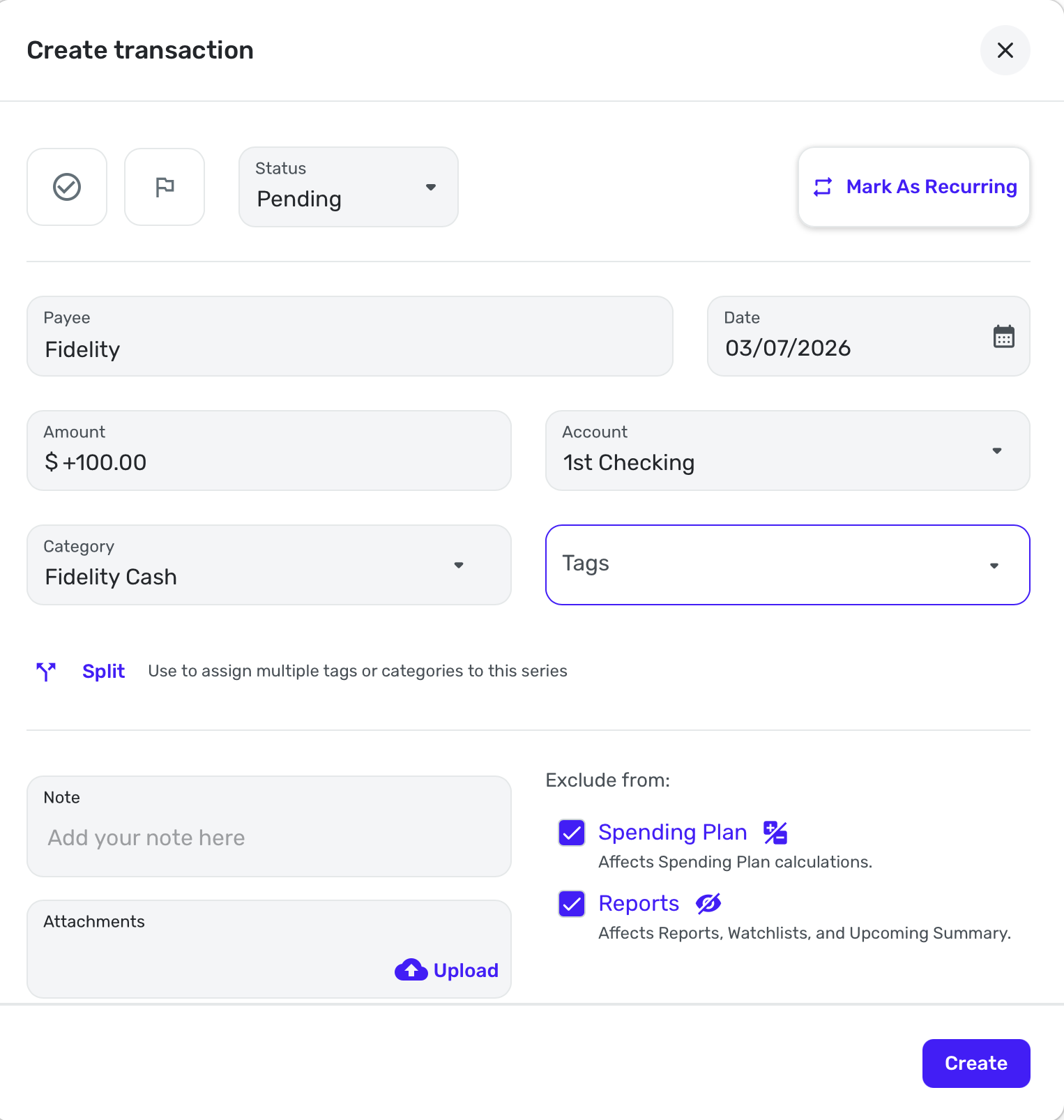
    Or you can do it from your Non Investment Account instead:

    Screenshot 2026-03-07 at 3.58.27 AM.png

    Let us know if this works or not.

    Steve
    Quicken Simplifi (Safari & iOS) Since 2021
    Quicken Classic (MacOS) Since 2009
    MS Money (1991-2009) and Dollars & Sense (1987-1991)

  • N4KHQ
    N4KHQ Member ✭✭✭✭

    thank you very much for some reason I never thought to scroll.

  • SRC54
    SRC54 Superuser ✭✭✭✭✭

    Glad you figured it out. Thanks for replying!!

    Steve
    Quicken Simplifi (Safari & iOS) Since 2021
    Quicken Classic (MacOS) Since 2009
    MS Money (1991-2009) and Dollars & Sense (1987-1991)