Projected Cash Flow - Set an alternative baseline other than $0 (edited)
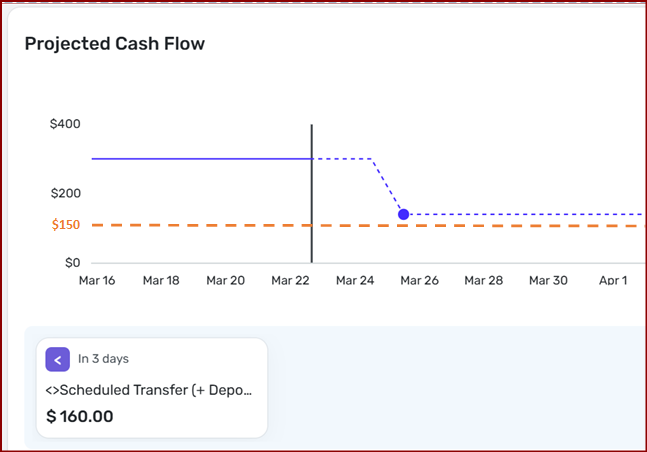
I'm sure this idea post exists somewhere, but I couldn't find it after various searches. For some - not all - of my accounts, I want to set an alternative baseline in the Projected Cash Flow other than $0. I still want to see the $0 line, I just want to add another colored baseline to visually aim for.
For example, for my Checking Account, I want to set it like this so that I always keep a $150 cushion in there and I don't want to have to pull out a calculator each time I look a the Projected Cash Flow.
Maybe the amount would be set here…
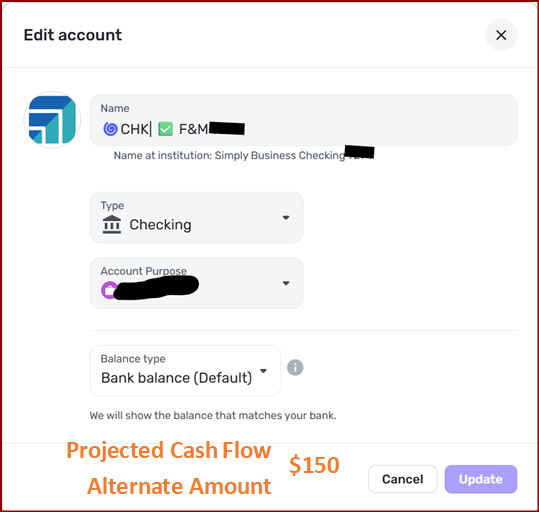
Or here…
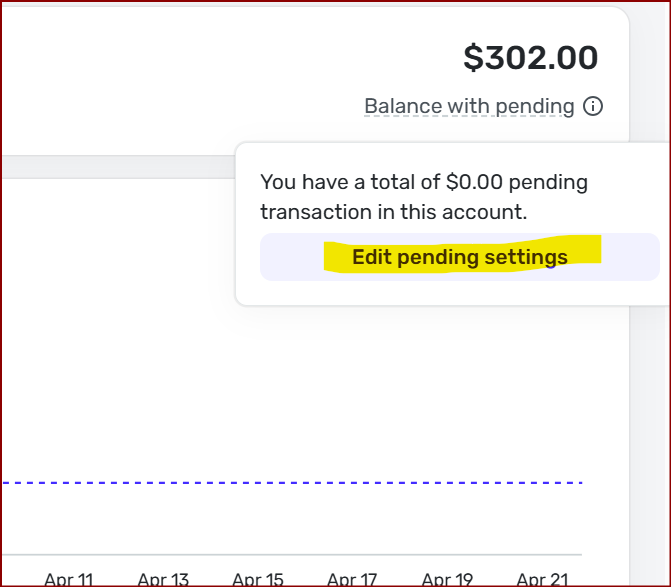
If these are left at $0, everything stays as is.

Chris
Quicken Simplifi user since 2021.
Quicken Desktop user since 2014.
Spreadsheet user since forever.
Comments
-
I found this post on the right day at the right time.
In my case, as I recently posted elsewhere, I am taking my Direct Deposit from my main bank, which means, to avoid fees, I must have a MINIMUM BALANCE. It would make sense for me to set that MINIMUM BALANCE as the baseline for THAT account.
—
Rob Wilkens
0 -
I will note, as a workaround, that you could set a PENDING (never cleared) MANUAL transaction, holding aside the amount needed to make that the new "$0," but no, it's far from ideal.
—
Rob Wilkens
0 -
I like this idea but if it were implemented, I'd want to choose the baseline amount per account. It would play nicely with the suggestion to alert me if the balance for a specific account goes (or is projected to go) below the specified amount (as opposed to the mostly-useless low balance / low projected balance emails).
0


