Split transactions ignored when filtering on Category unless "Show split details" selected
When I filter on a category, I get different results depending on whether the transaction list is in "Show split details" mode.
— "Show split details" mode ON: the split that has the filter category is included in the results (but the other splits in that transaction with different categories are not)
— "Show split details" mode OFF: a transaction that has a split with the filter category is left out of the results entirely.
This works very differently when I use the search bar to search for text that only occurs in the note for one split in a transaction (and not in the other splits):
— "Show split details" mode ON: all the splits for that transaction will show up, even the ones that don't have the text.
— "Show split details" mode OFF: the full transaction will show up, even though only one split has the text and the others don't.
This creates a pretty confusing user experience.
(@shely6875 first noticed this issue and brought it up in relation to another problem here:)

DryHeat
-Quicken Classic (1990-2020), CountAbout (2021-2024), Simplifi (2025-…)
Comments
-
Hmm I wonder if this is a new issue since the new feature of showing splits as separate lines. I am pretty sure it used to work that if you filtered by a category, it would show transactions with a split for that category. In fact, if you would select all or some of the displayed transactions to get a total, it would calculate the correct portion of the split in the total! Unless I am completely mis-remembering…
0 -
@EL1234 Are you using QBP or plain QS? It seems to work correctly in QS.
I just did a search in QS for food and it gave me the transaction total (not the category total) since 2021. It made no difference if I had Show Splits or not. The transaction total was the same. (Other than the fact that I now see all the splits and all the categories that were included in the transactions that aren't food, eg, sales tax.)
If I want to get total food category cost, then I click on the Spending Tab and bring up the Spending Report. I change the time frame back to 2021 and drill down to food category and it gives me the total just spent on food.
Then I did a search for "Documentation" which is a note I only use when buying a car. QS pulled up 3 transactions and gave me the total for the 3 transactions, not just the splits (included total cost of the cars). Again no difference with Show Splits or not.
When I went back to the Spending Report, I was able to just see the three splits that had Documentation note. It didn't give me a total but I could see the 3 and add it up myself.
I think this is the expected behavior for QS.
Steve
Quicken Simplifi (Safari & iOS) Since 2021
Quicken Classic (MacOS) Since 2009
MS Money (1991-2009) and Dollars & Sense (1987-1991)0 -
I'm in Simplifi and just tested it by filtering for a category where I know there is a transaction with a split. With "Show Split Items" on, that portion shows, but with it off, I don't see the entire transaction. And the total of transactions found changes accordingly. Maybe it's an early access thing?
0 -
Some questions about this, just to clarify the possible difference between Simplifi (QS) and QBP…
I just did a search in QS for food and it gave me the transaction total (not the category total) since 2021. It made no difference if I had Show Splits or not. The transaction total was the same.
When you "search in QS for food," does that mean:
- you are filtering on a Category called "food" that is sometimes used on splits? Or
- you are doing a text search for the text "food"?
If you are filtering, that is inconsistent with QBP — where filtering failed to find Categories in splits. (I see that @EL1234 got that same result when filtering in QS.)
But, as I mentioned in the OP, text searching does find text in split notes. And I just ran some additional tests that show that text searching can also find text in Category names.
I think this is the expected behavior for QS.
I don't think failing to include transactions that use a particular Category when filtering for that Category is expected behavior. I'm not sure how they will solve the problem, but omitting the transaction completely from the filtered result is not what I would expect.
Personally, I think the split, and only the split, should be in the result set.
DryHeat
-Quicken Classic (1990-2020), CountAbout (2021-2024), Simplifi (2025-…)2 -
@EL1234 Thanks for confirming you are on QS Plain.
I think all they did was to show the splits if you want to do so; the transaction is still connected, so my feeling is that when you filter transactions, it shows the number of transactions and the amount that they add up to. It doesn't matter what view you have. If you want to edit the transaction, the entire modal comes up.Now in the Spending Report, you can drill down to a category and you can edit the category there.Maybe down the road they will just show the filtered categories. That will require more of an overhaul to the transaction list. That's just my thinking.None of this, of course, applies to what Dryheat reported above. It just may be of interest that filtering transactions still works as it always did in QS. Maybe this information we provided will be of use, and again maybe not. QBP is supposed to work pretty much the same as QS in the parts they share, I think. 😀Edit: Coach Natalie has confirmed Dryheat's bug and I think it is probably the same for both QS and QBP. It actually SEEMS to work better if you use the Show Splits.
Edit 2: I learn a lot of things from Dryheat. He also taught me how to cross out text instead of deleting it. It's like "never mind". LOL
Steve
Quicken Simplifi (Safari & iOS) Since 2021
Quicken Classic (MacOS) Since 2009
MS Money (1991-2009) and Dollars & Sense (1987-1991)0 -
@DryHeat, thanks for pointing this out!
When testing in both Quicken Business & Personal and the Basic version of Quicken Simplifi, I see the same behavior when filtering by a specific category that is used in splits. When "Show split details" is on, I'm returned results for split transactions that match the filter criteria, but with "Show split details" off, those transactions are completely ignored. Does this seem to align with what you're seeing? If so, I can get it reported as a bug.
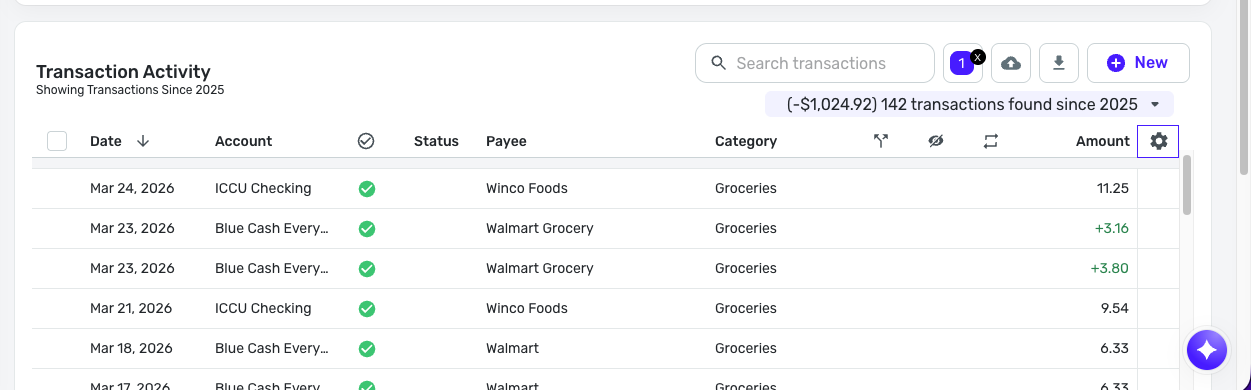
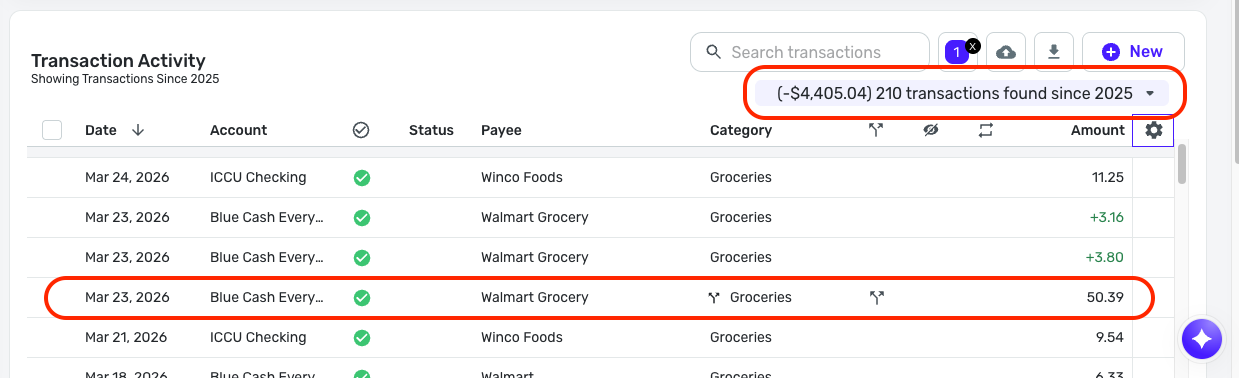
The following screenshots are from Basic Quicken Simplifi; the first shows split details off, and the second shows split details on:
Let me know, please!
-Coach Natalie
1 -
Ah, @DryHeat Now I understand better what you meant.
You are using that complicated filter thing that has never worked well at least for me. When I want to analyze spending, I use Reports. I do quick and dirty searches if I am looking for a certain transaction usually by date or category, so I just do a "text" search. I always do text searches adn never do "filtered" searches.
When I do a search for category food on my QS, I get very weird results. Usually just one or two transactions. I gave up on that a long time ago.
So now with Show Splits option, I SEEM to get all the transactions but if I have Show Splits option off, I only get a few, which is why the totals are different.
So it probably IS the same in both QS and QBP. I see that @Coach Natalie just confirmed your bug. And I think I can confirm it now as well.
Thanks for setting me straight!
Steve
Quicken Simplifi (Safari & iOS) Since 2021
Quicken Classic (MacOS) Since 2009
MS Money (1991-2009) and Dollars & Sense (1987-1991)1 -
(Whoops… looks like we cross-posted. You can ignore this post, but it might help others.)
when you filter transactions, it shows the number of transactions and the amount that they add up to. It doesn't matter what view you have.
That's not what I am seeing. In my tests when I filter on a Category only used in splits here is what happens:
Show split details OFF: I get "no transactions found"
Show split details ON: I get a listing of only the splits that have the Category and the total of those splits.
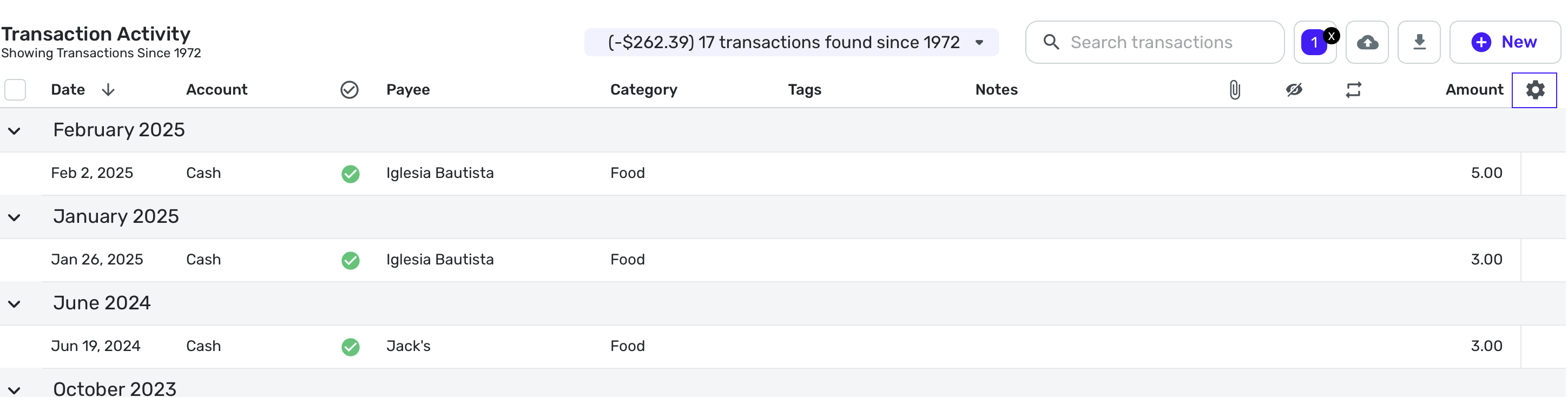
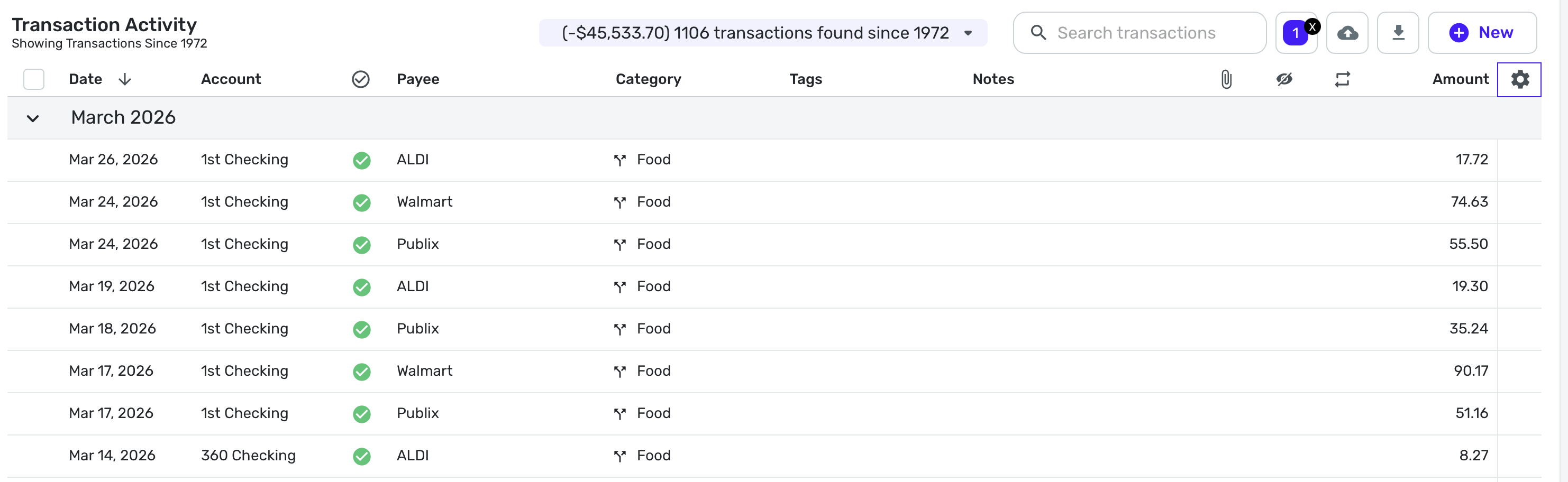
To make sure we are on the same page, let me clarify that I am using the filter button (outlined in RED below) to set filter on a particular Category.
Your results would match up with mine if you are actually using the "Search Transactions" box (outlined in BLUE) to do a text search, rather than setting a filter on a Category. (See my explanation in prior post.)
DryHeat
-Quicken Classic (1990-2020), CountAbout (2021-2024), Simplifi (2025-…)0 -
@DryHeat Yep, I am using the filter thingy now. I get transactions both ways but like Coach Natalie, they're not the same ones.
Here's a search for Food category with Show Splits OFF:
And here it is with Show Splits ON:
I can confirm that the number is correct for the second one (confirmed in Spending Report). The first one is wildly off. And I wonder why…
Steve
Quicken Simplifi (Safari & iOS) Since 2021
Quicken Classic (MacOS) Since 2009
MS Money (1991-2009) and Dollars & Sense (1987-1991)1 -
Yes, that is what I am seeing. But fixing it may not be a simple task.
When filtering on a Category, the optimal solution would be to show (1) any matching simple (non-split) transaction, and (2) any matching split (and only that split) from a split transaction.
That's what I see when Show split details is on. It gives the right result.
But in order to get that same result when Show split details is off the developers would have to allow the display of a split in that mode when filtering — which doesn't currently happen.
DryHeat
-Quicken Classic (1990-2020), CountAbout (2021-2024), Simplifi (2025-…)0 -
Glad this got reported as a bug!
1 -
-
I'm pretty sure what used to happen when filtering by category is that the transaction list would display the total amount for that transaction (which makes sense), but the total at the top would just include the amount that matches the filtered category.
0