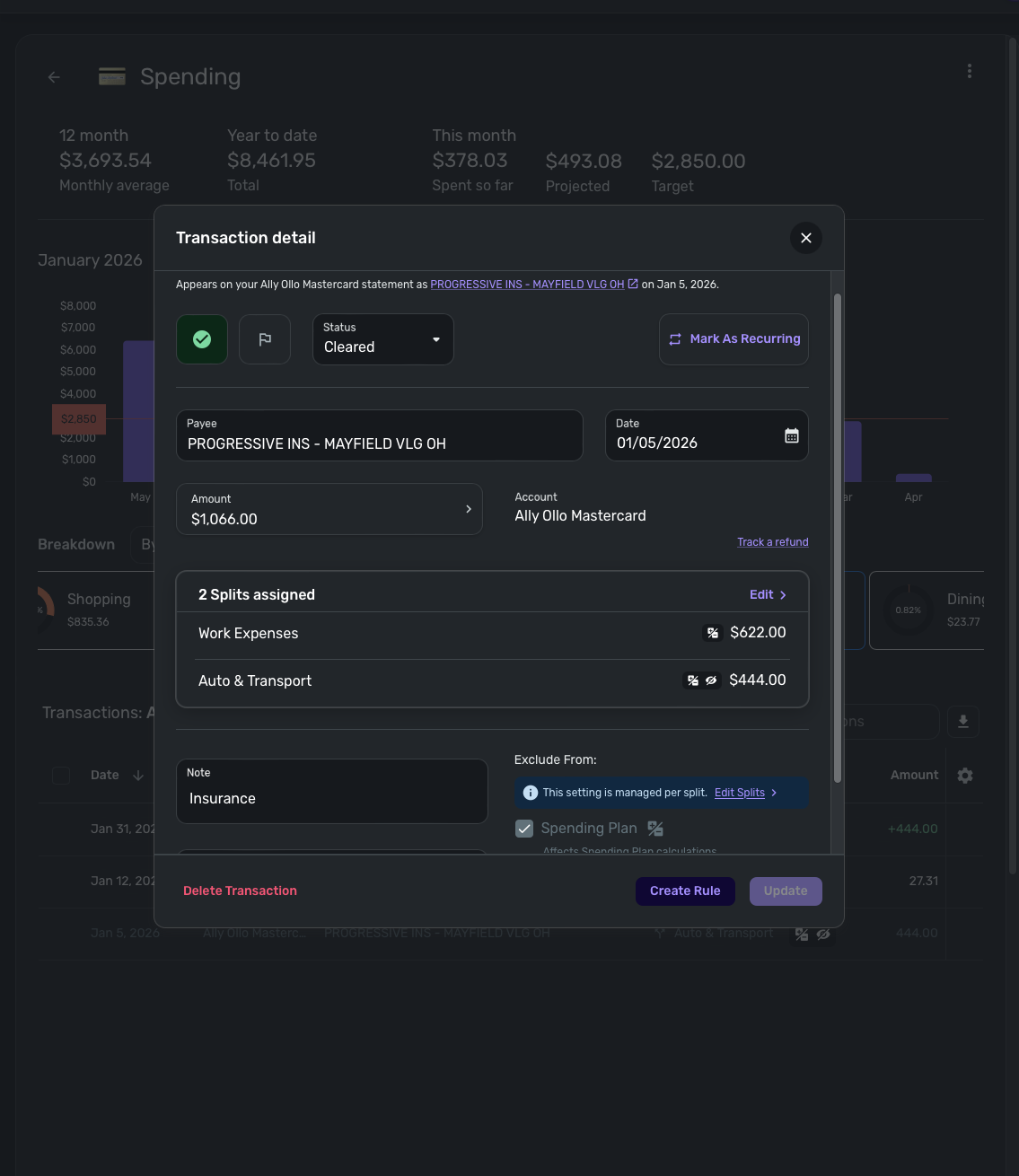
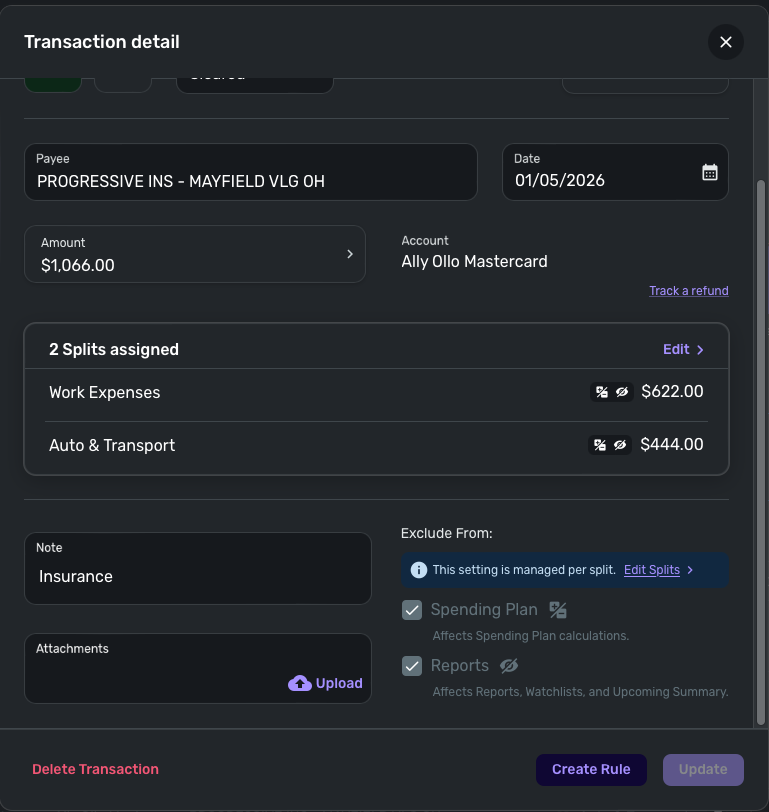
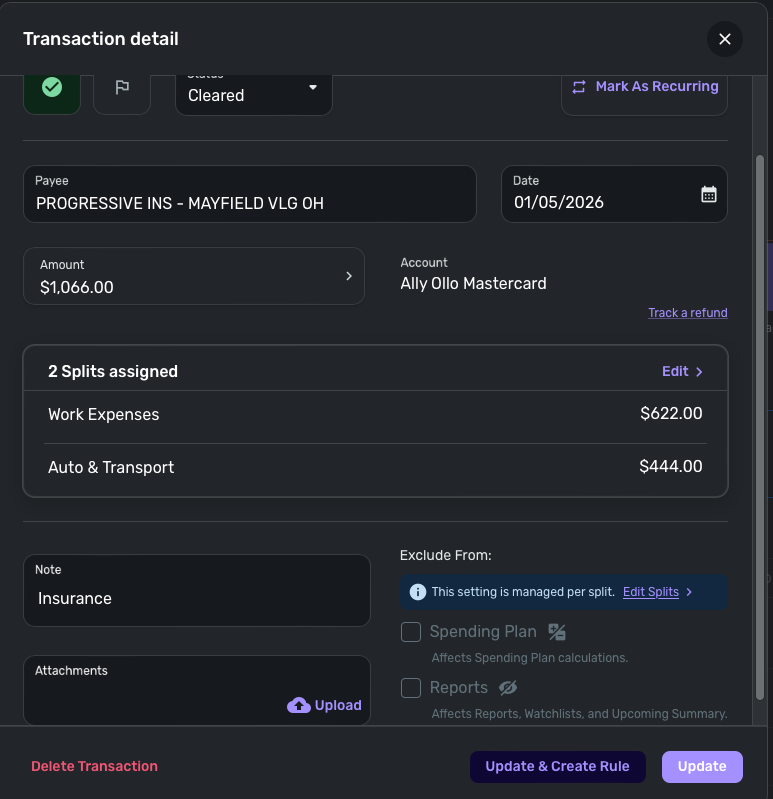
The new feature for individual split exclusions is perfect! Except the spending plan exclusion is not actually excluding it from the spending plan for me. The reports exclusion for the splits is working fine.
This hasn't rolled out to everyone but look forward to seeing it.
Edit: 6.14.0 downloaded this morning.
Hello @Jean Velazquez,
Thanks for reaching out! I am seeing the split exclusions work fine for the Spending Plan from my end. Can you share a screenshot of the issue from your end so we can better assist you?
@Coach Jon
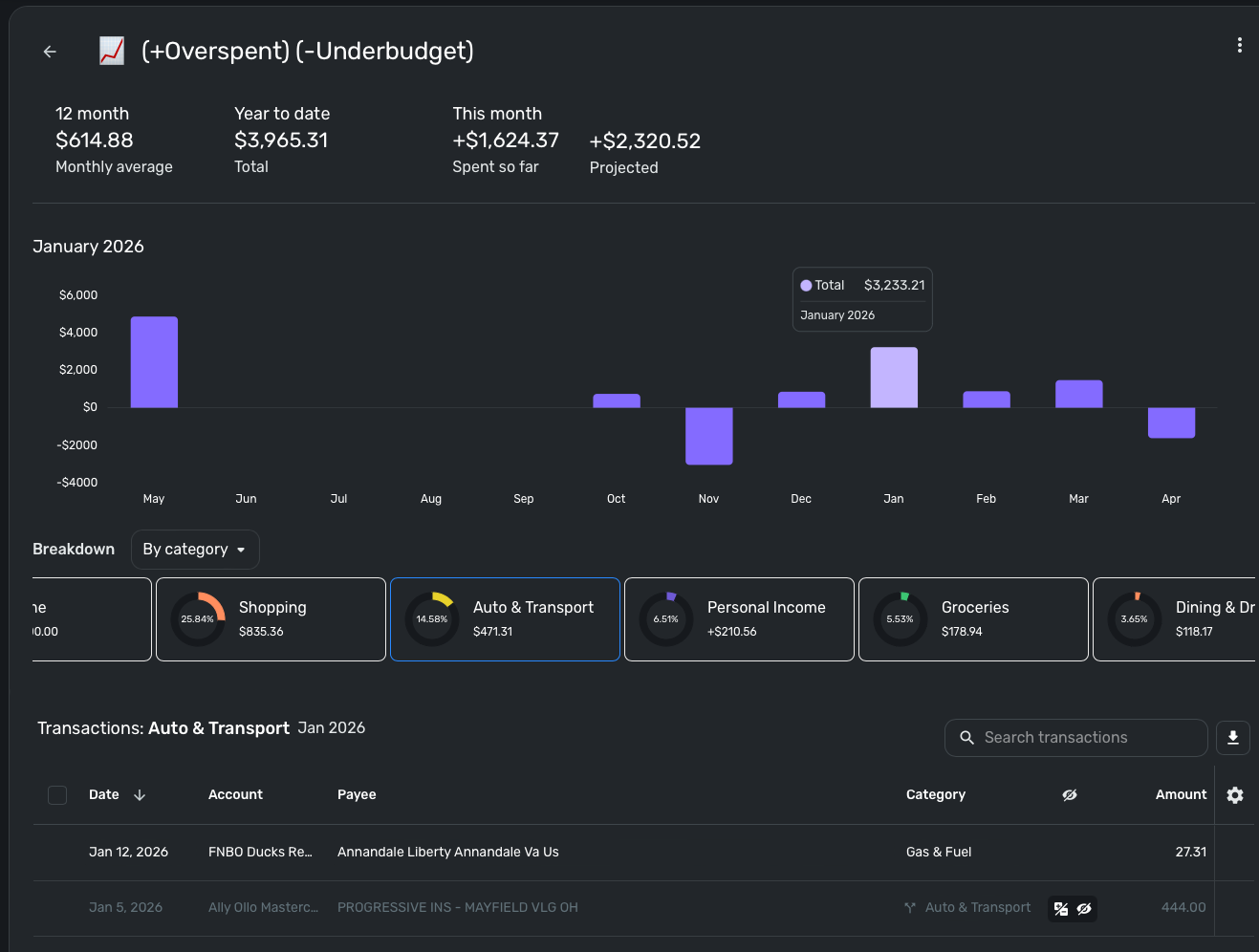
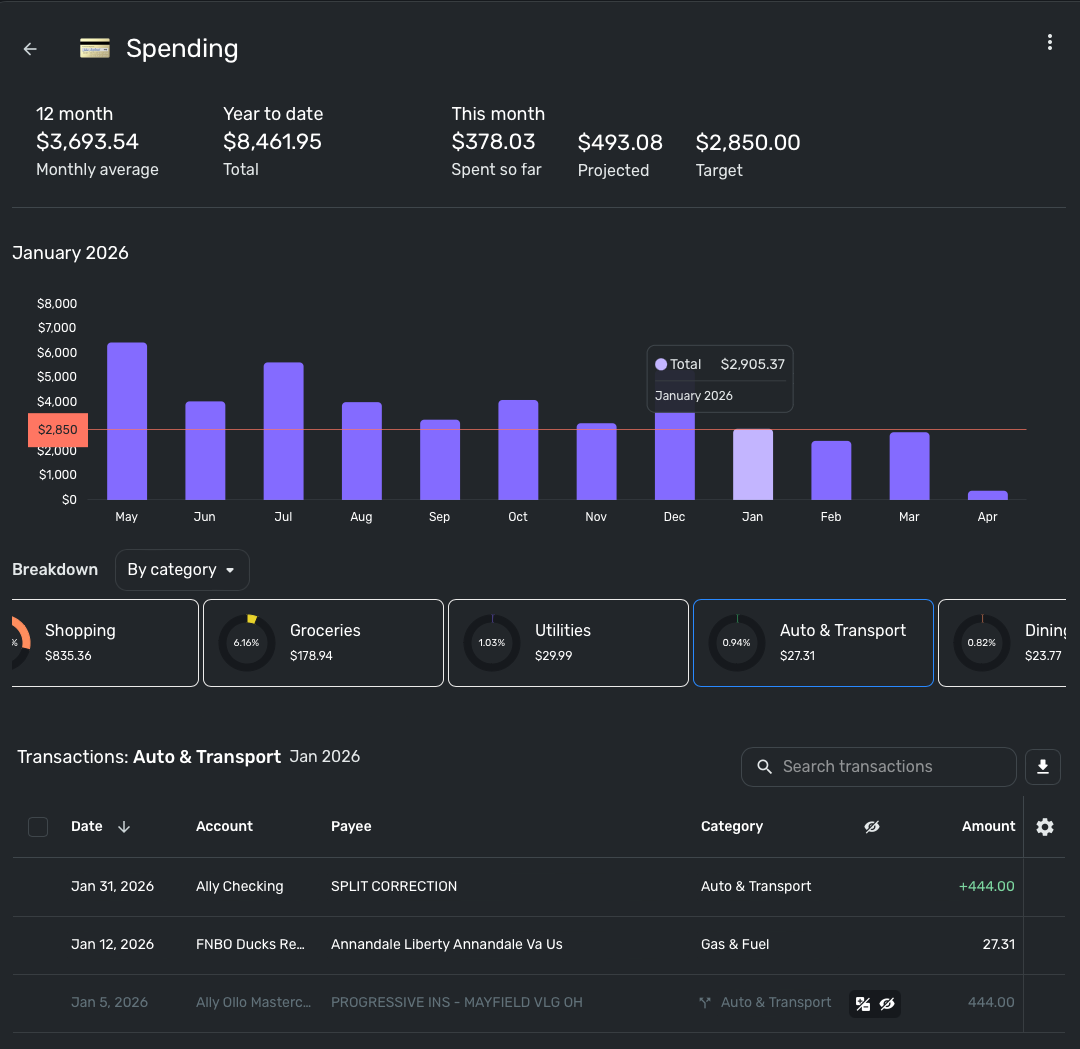
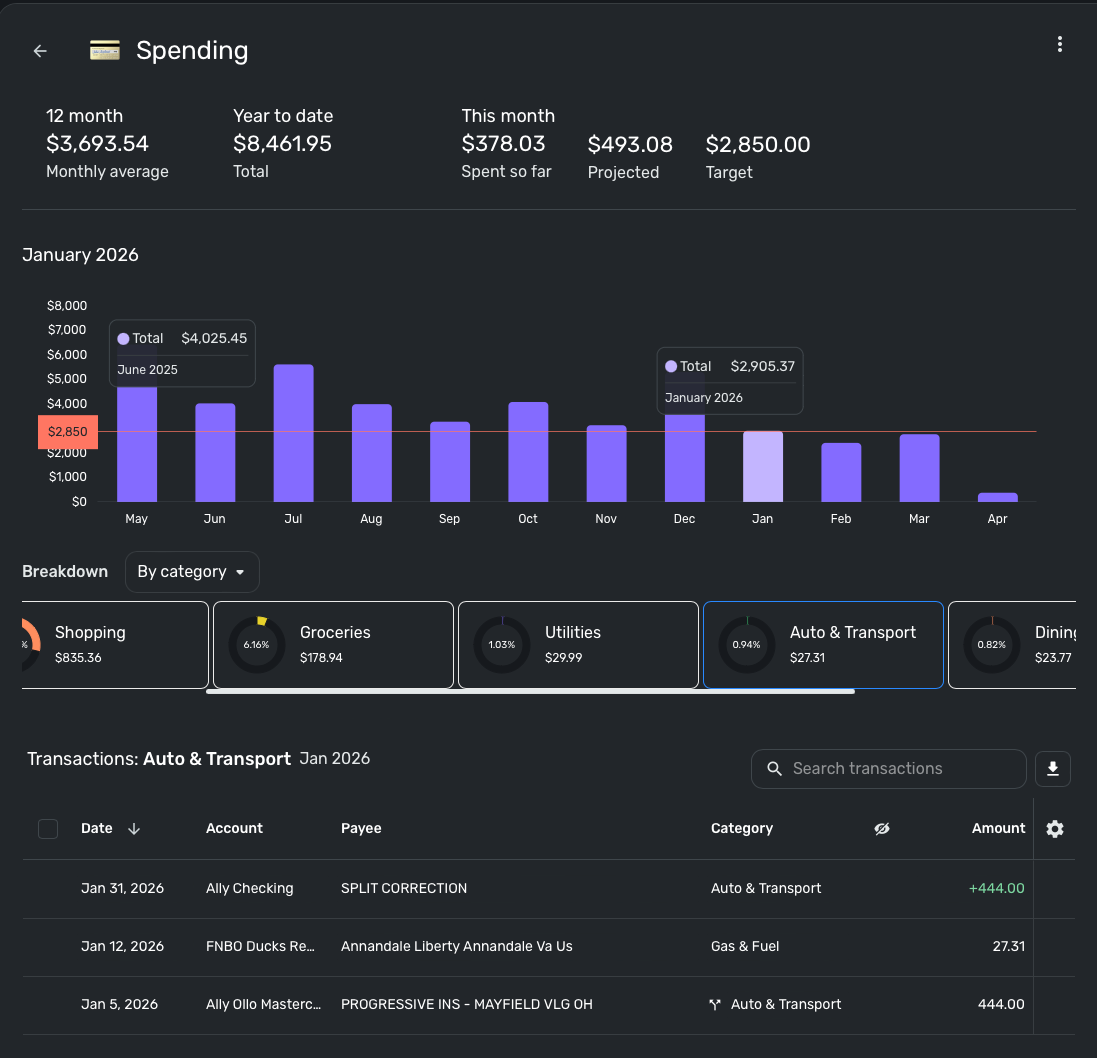
You can see here the split should be excluded but is being counted towards the Auto and Transport Total. 471 instead of being 27
Hello @MONEYELLZ,
Thanks for reaching out! This appears to be a watchlist screenshot. That being said, I can see that it is being included despite showing as excluded. This may be an issue with this specific watchlist, as I was unable to reproduce it on my end. I would see if deleting and recreating the watchlist works to resolve the issue here. Let us know!
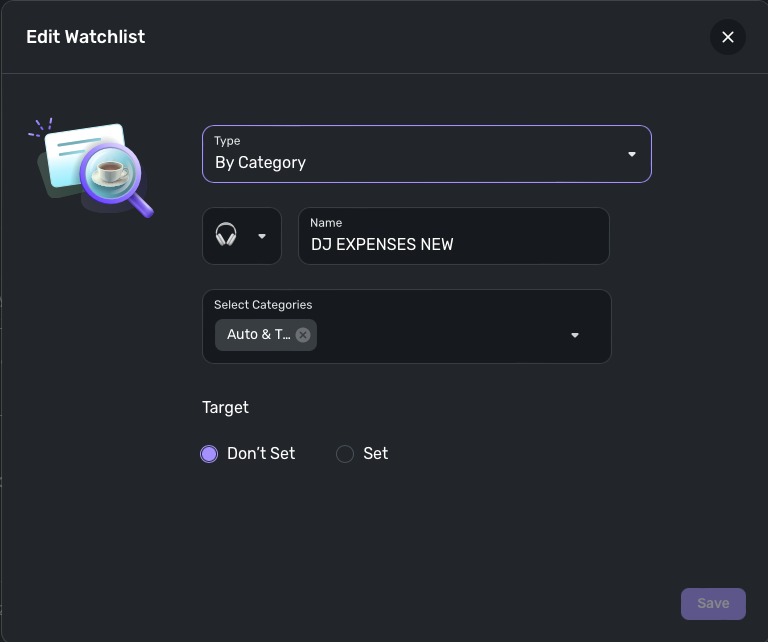
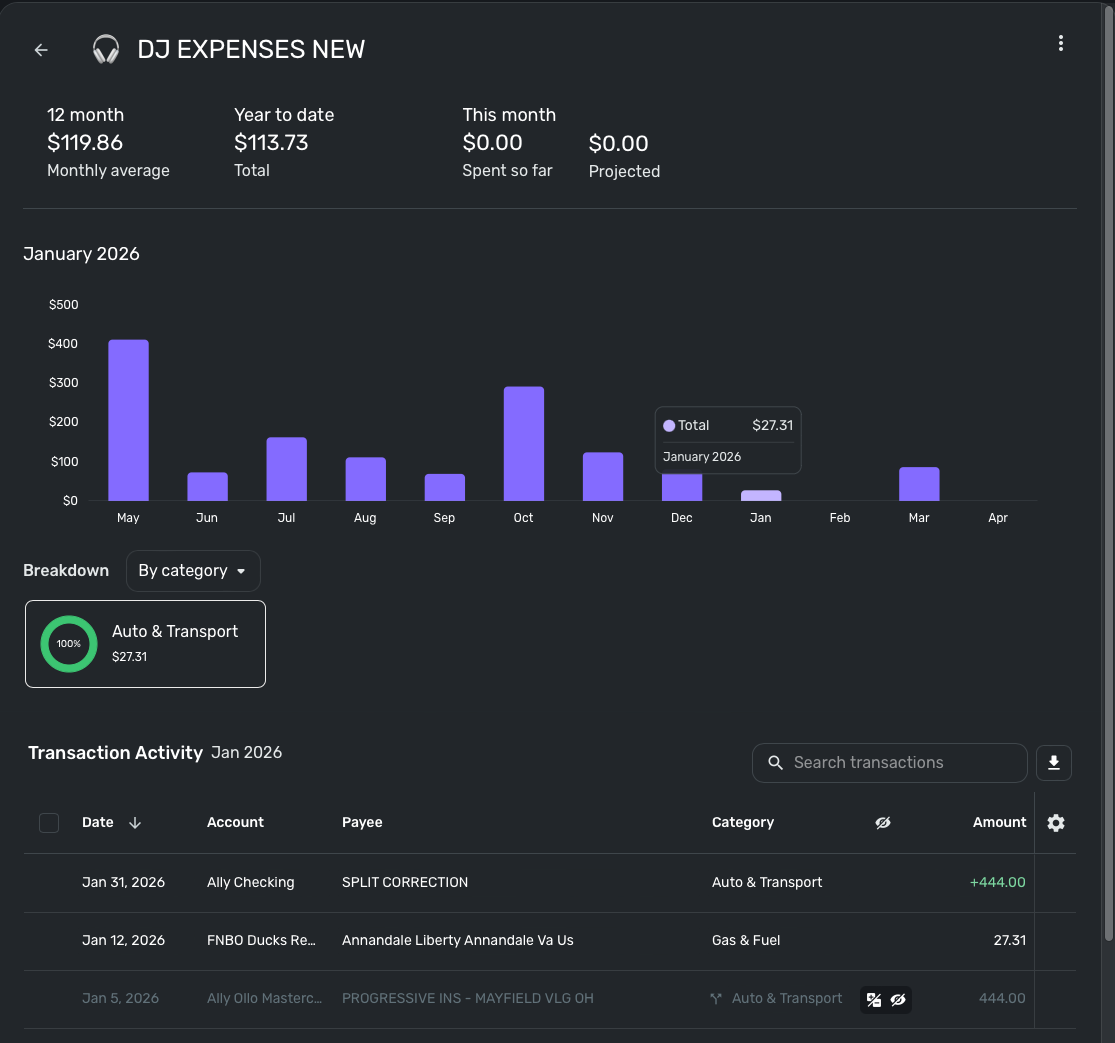
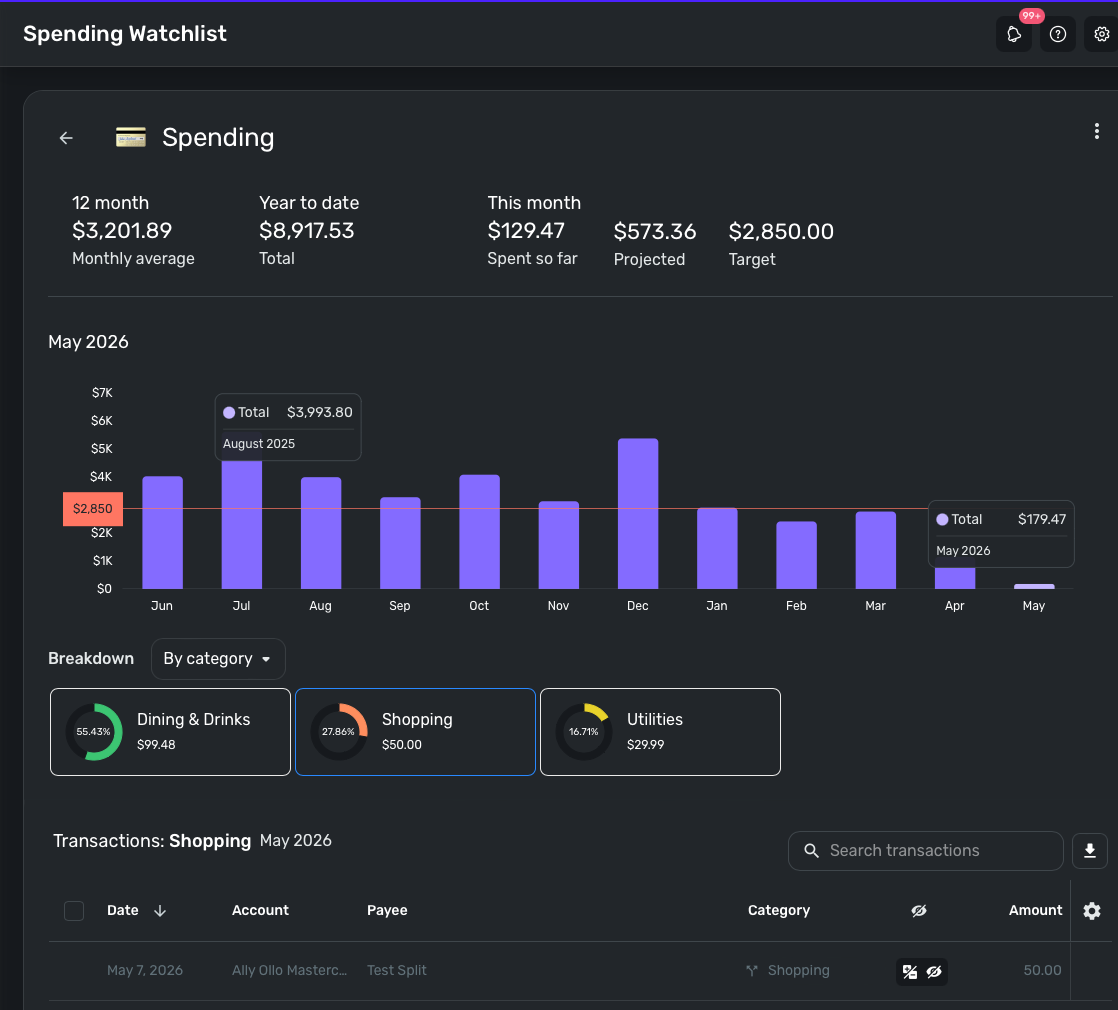
@Coach Jon I tried creating a new watchlist from scratch but it appears to still count the split item towards the total
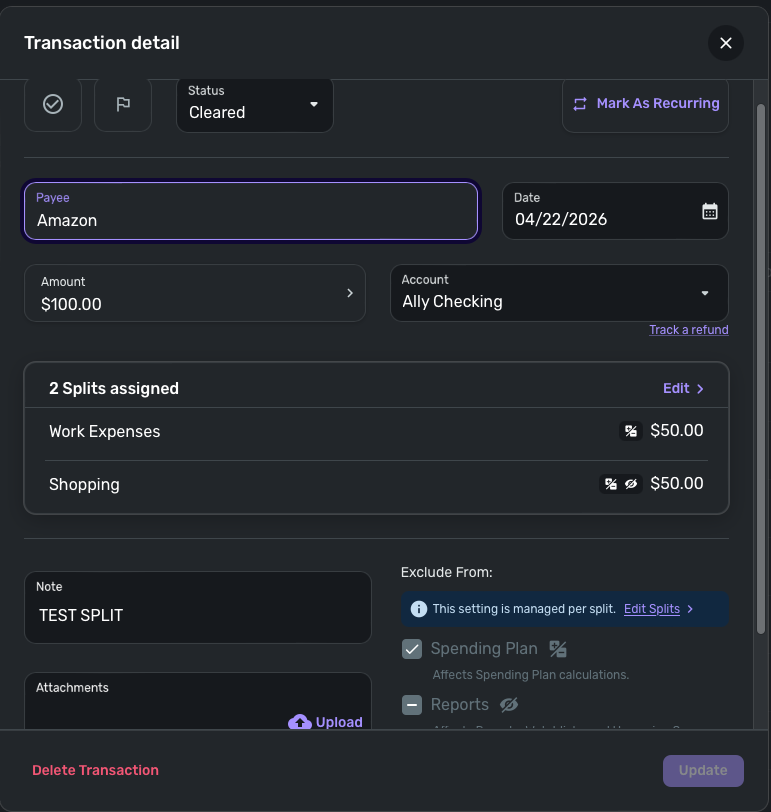
Thank you for the reply. Can you please share a screenshot of the transaction detail window for the split transaction that is causing the issue? Can you also confirm if this is the only case where this is happening for you?
@Coach Jon I created a new transaction and it also has the same issue. so looks like any split I create ignores the exclusion rules is set for them
I am still unable to reproduce this behavior, unfortunately, so it seems this issue may be specific to your dataset. Can you show a screenshot of the transaction detail window for the Auto & Transport transaction from the watchlist screenshot you posted previously?
Additionally, we will need the version and build of Quicken Simplifi you are using, as well as the web browser and operating system, and their associated versions. You can locate your version and build at the bottom of the Dashboard.
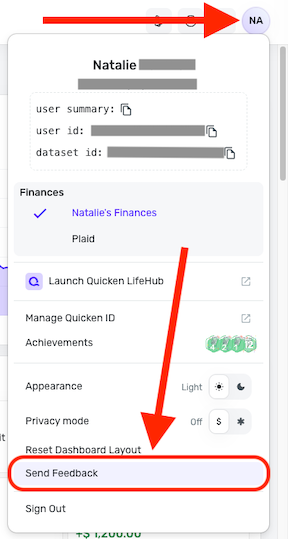
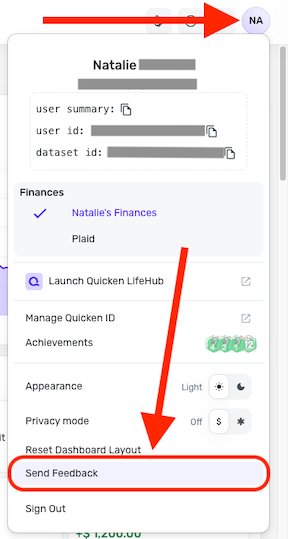
Please also submit your logs via the 'Send Feedback' option:
Thank you!
@Coach Jon Thanks for your help, Info below and I send the report Simplifi: Version: 6.15.0 (65704/fcd2110512) Safari: Version 17.1.2 (17616.2.9.11.12, 17616) macOS Monterey Version 12.6 I also tried in Chrome same issue Simplifi: Version: 6.16.0 (65799/3af9c125c3) Chrome: Version 147.0.7727.117 (Official Build) (arm64)
Thanks for the requested information! One thing that I would like you to try is to see if unselecting and selecting the exclusion options until both options show a checkmark in the checkbox. Let us know if this works!
@Coach Jon Hmm doesn't seem to matter if I select them or not
Is this thread actually about the Reports exclusion not actually excluding transactions from Watchlists?
I read in the Help docs that the Reports exclusion is supposed to control Watchlists, but I wasn't aware that the Spending Plan exclusion was also supposed to do that. Is it supposed to?
Anyway, I think the title of the thread is kind of confusing.
@DryHeat Sorry didnt mean to thread jack I had a very similar issue, but for Reports/Watchlist instead of the spending plan exclusion.
In my case:
So this might not just be a single watchlist issue — it could be something about how exclusions are handled between Reports and Watchlists.
Just wanted to add that in case it helps narrow it down to solve the issue.
@MONEYELLZ
My transaction reports is marked excluded But it still shows in the Watchlist (greyed out) and appears to still affect totals
I think the "showing up greyed out" is normal for reports (or at least most of the ones I look at). I don't mind that, because it serves as a check on whether I am missing anything that should be included. But I don't give my reports to anyone else … if I did it might be a problem.
This feature should probably be called "Exclude from Report Totals."
Thank you for confirming! I did get this reported to my product team and will be sure to follow up here with any updates as they work to resolve the issue.
SIMPL-33268
@DryHeat I have no issue with the greyed out line. I also find it useful. My issue is that despite the transaction being checked as Exclude From: Reports The amount is not being excluded on my watchlist. Seems they are looking into it! Are your exclude from (Spending plan, Reports) working properly on split transaction? Seems to be user specific as Jon was unable to replicate.
I am back with an update from our product team. It looks like a fix was deployed for this issue. Can you please verify that everything is now working correctly on your end? Let us know!
@Coach Jon Version: 6.18.0 (66141/d437ad0760)
Still seems to be there. Not really sure 😅I tried a bunch of variations and settings but it always ends up in the watchlist adding to the total.
Thank you for following up! Can you please supply new logs so that I can pass this information back over to our product team?
I am just following up to see if you were able to send over the new logs I requested in my previous reply.
Let us know, thank you!
I am just following up one last time to verify if you saw my last reply regarding the new logs we requested. Please send those over and let us know by Friday, May 22nd, or this issue will be closed due to no response.
I am following up to inform you that this issue has now been closed due to no response. If you discover that the issue is still occurring on your side and want to reopen the issue at a later time, be sure to let us know and provide the data I requested previously.